Establishing secure connection…Loading editor…Preparing document…

MS Affidavit

This template is fully customizable. Edit the text, fill out the fields, and send it for signature. Give it a try!
MS Affidavit

What the MS Affidavit Is and when it’s used

The MS Affidavit is a sworn written statement used to declare facts under penalty of perjury and to support administrative, court, real estate, or agency filings. It records an affiant’s factual assertions in a standardized format, generally signed in the presence of a notary public. Where permitted, the affidavit may be produced and transmitted electronically but may still require notarization or witnesses depending on the receiving authority. Understanding required fields, notarization, and retention obligations helps ensure the affidavit is accepted and enforceable.

Why an accurate MS Affidavit matters

A correct MS Affidavit provides a clear, sworn record of facts that courts and agencies rely on; improper completion or missing notarization can lead to rejection, delays, or perjury exposure under state law. Electronic execution is generally valid under the ESIGN Act (15 U.S.C. ch. 96) and UETA when those statutes apply, but exceptions—such as certain court filings and testamentary documents—may still require paper or in-person notarization.

Why an accurate MS Affidavit matters

Who typically prepares or signs the MS Affidavit

Choose the signatory and authentication method that matches the filing destination and any statutory notarization or witness requirements.

  • Individuals filing sworn statements for courts, agencies, or lenders.
  • Attorneys preparing evidentiary material or client declarations.
  • Real estate and title professionals supporting transactions and title insurance.

Typical signer roles and responsibilities

Affiant

An individual providing the sworn facts; must supply accurate identity details and sign under oath. The affiant is responsible for truthfulness and for providing supporting documents when requested by the receiving party.

Attorney

A lawyer preparing, reviewing, and sometimes attesting to the affidavit’s form; confirms legal sufficiency and advises on notarization, jurisdictional issues, and whether an electronic signature is permissible under ESIGN or state rules.

Core elements included in a professional MS Affidavit

A complete MS Affidavit follows a clear structure so it can be accepted by courts and agencies: caption, statement of facts, oath language, signature block, notary block, and attachments for supporting evidence.

Caption

Case or matter header identifying the court, docket, agency, or recipient to ensure the affidavit is associated with the correct proceeding or file.
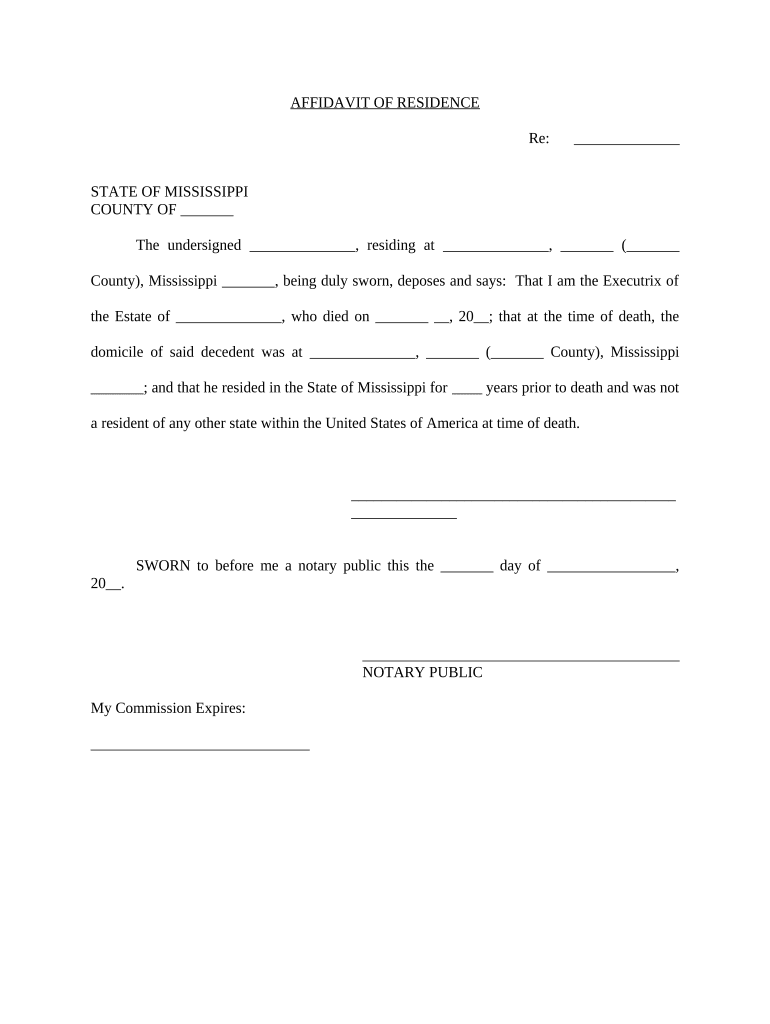
Affidavit Body

Plain, numbered paragraphs that state facts in the affiant’s own knowledge or on reliable information, avoiding argumentative or legal conclusions when possible.

Oath or Affirmation

A short clause where the affiant swears or affirms the truth of the statements under penalty of perjury, using language accepted by the receiving jurisdiction.

Signature Block

Affiant name, printed name line, signature line, and date; if signing electronically, clear forensic metadata or audit trail must link the signature to the affiant.

Notary Acknowledgement

Notary block with venue, notary signature, seal, and notarization date; required in most states to authenticate the oath and signature.

Attachments

Exhibits or supporting documents referenced in the affidavit, clearly labeled and described to allow straightforward verification.

Step-by-step: filling and signing the MS Affidavit

Follow a clear sequence to reduce errors and make the affidavit acceptable to courts, agencies, or recipients.

  • 01
    Prepare Facts: Draft plain numbered paragraphs stating facts and references.
  • 02
    Add Identifiers: Complete full name, address, and case caption.
  • 03
    Notarize: Sign before a notary or use an approved RON process if allowed.
  • 04
    Submit: File or deliver to the requesting office with exhibits attached.

Where the MS Affidavit is filed and how it moves

The recipient determines final routing and acceptance rules; understanding where to send the affidavit prevents processing delays.

  • Court Filing: File with the court clerk using local e-filing rules or paper submission.
  • Agency Submission: Send to the specific agency desk or caseworker identified in the request.
  • Title or Lender: Provide to title companies or lenders to support real estate transactions.
  • Third-Party Recipients: Deliver to insurers, financial institutions, or verification providers as required.

Digital workflow settings to produce an acceptable MS Affidavit

Configure authentication, signature placement, and retention before sending to minimize rework and preserve legal validity.

Field Configuration
Signer Authentication Email link plus optional SMS code
Signature Type Allow drawn or typed, preserve audit trail
Notary Requirement Mark notary block for in-person or RON
Retention Store signed PDF and certificate of completion

Technical considerations for electronic completion and distribution

Select a system that supports secure storage, tamper-evident PDFs, and any required RON or in-person notarization workflows.

  • Authentication: Email, SMS, or ID verification
  • Integrations: CRM and storage connectors
  • File Formats: PDF/A, DOCX, or printable PDF

Comparing electronic MS Affidavit vs traditional paper affidavit

Understanding feature differences helps decide whether an electronic affidavit will be accepted by the recipient.

Criteria MS Affidavit (Electronic) Traditional Paper Affidavit
Enforceability yes under esign/ueta yes in-person usual
Notary Required varies by jurisdiction often required
Remote Notarization possible in many states not applicable
Submission Method email or e-file mail or hand delivery

Security and compliance controls to preserve affidavit integrity

In-transit Encryption: TLS 1.2/1.3
At-rest Encryption: AES-256
Audit Trail: Detailed timestamp and IP records
HIPAA Support: BAA available where PHI involved
Regulatory Standards: 21 CFR Part 11 capability
Certifications: SOC 2 Type II and ISO 27001

Key risks and penalties from incorrect or improper affidavits

Perjury Risk: Criminal liability for false sworn statements
Rejection: Agency or court may refuse the affidavit
Delays: Processing and case delays
Civil Liability: Exposure to damages in related lawsuits
Privacy Breach: Improper disclosure of sensitive information
I-9 and Tax Risks: Associated fines for mismatched supporting forms

Common mistakes when preparing an MS Affidavit

  • Failing to notarize or to use the notarization method required by the recipient, which leads to rejection and rework.
  • Mismatched or abbreviated legal names between affidavit and ID, causing identity verification failures.
  • Including legal conclusions rather than factual assertions, reducing evidentiary weight of the affidavit.
  • Not preserving a signed, tamper-evident copy with a complete audit trail for future verification.

Timing considerations and deadlines related to MS Affidavits

Deadlines depend on the filing context; some affidavits must accompany time-sensitive filings while others are accepted when produced on demand.

Court Filing Deadlines:

Meet local rules and scheduling orders for submitted affidavits.

Agency Requests:

Provide affidavits by the deadline stated in the notice.

Tax Attachments:

Attach supporting affidavits by tax filing deadlines when required.

Retention Deadlines:

Keep records for statutory retention periods after filing.

Notary Time Limits:

Execute notarization when the affidavit is current and accurate.

Key milestones from draft to accepted MS Affidavit

A typical sequence reduces errors and assures acceptance by the receiving party.

01

Draft and Review

Prepare factual paragraphs and have counsel review if needed.

02

Identity Verification

Confirm affiant ID before notarization or RON session.

03

Notarization

Complete in-person or via approved remote online notarization.

04

Submission and Receipt

Send to recipient and retain confirmation of delivery.

Real-world examples of affidavit usage

These brief examples show how sworn statements support different operational needs and how electronic tools helped organizations manage volumes.

Tim Martin — Martin Properties

A regional real estate founder used e-signed affidavits to certify tenant information for closings.

  • The firm saved time on in-person signings and reduced delays.
  • Tim Martin reported streamlined compliance with recordkeeping and secure access to signed affidavits across devices for his team.

John Butler — Fertility Centers of Illinois

A healthcare center replaced paper affidavits for administrative attestations with electronic versions and secured audit trails.

  • They preserved patient confidentiality while improving turnaround.
  • John Butler noted better control over retention, clear audit logs, and smoother coordination with legal counsel for sensitive filings.

Typical eSignature vendor pricing and capability snapshot

Basic vendor pricing and common feature availability for eSignature platforms; signNow is listed first to align comparison columns and platform examples.

signNow DocuSign Adobe Sign PandaDoc HelloSign
Starting Price $8/user/mo $15/user/mo $14/user/mo $19/user/mo $15/user/mo
Free Trial 7-day free trial Varies by plan Varies by plan Varies by plan Varies by plan
Bulk Send Yes Yes Yes Yes No
Audit Trail Yes Yes Yes Yes Yes
HIPAA Compliant Yes Yes Yes No No

Common questions and troubleshooting for MS Affidavits

Answers to frequently asked questions about validity, notarization, e-signing, and post-signature corrections to reduce processing delays.


Need help? Contact support

be ready to get more
Join over 28 million airSlate SignNow users