Case Caption
Full caption including party names and cause number, matching the court's docket to avoid clerical rejection or misfiling.
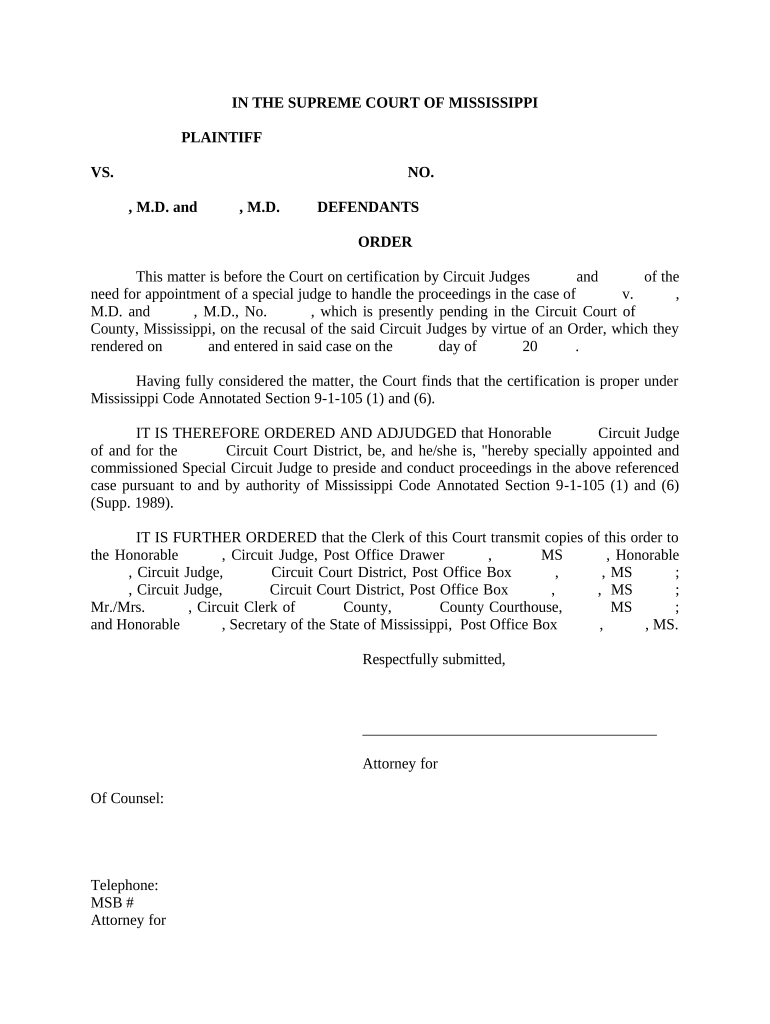
A properly drafted order preserves due process, avoids procedural challenges, and ensures an authoritative record of judicial assignment. Clear language minimizes grounds for appeal and prevents uncertainty about jurisdiction and authority during hearings and rulings.

Timely, accurate distribution and docketing prevent service disputes and preserve appellate timelines.
| Field | Configuration |
|---|---|
| Template | Use official format and header matching court caption. |
| Signer Authentication | Judge identity verified; check clerk rules for e-signature acceptance. |
| Service Method | File with clerk and serve parties electronically or by mail per local rule. |
| Archive Format | Save final as PDF/A for long-term preservation. |
Confirm with the circuit clerk whether electronic signature methods and remote notarization (if applicable) are permitted for judicial orders in that county.
Full caption including party names and cause number, matching the court's docket to avoid clerical rejection or misfiling.
Explicit wording naming the special circuit judge and stating the authority granted, including any limits or exceptions to the assignment.
Define whether the appointment covers all proceedings, only specified motions, or a defined term until the original judge returns.
The exact date the appointment begins, using MM/DD/YYYY to avoid ambiguity about when jurisdiction transfers.
Direction to file, docket, and notify parties; indicate whether the original order or a certified copy must remain in the clerk's record.
Presiding judge's signature, printed name, title, and date; include witness or notary language only if local rules require it.
Brief recitation of the reason for appointment, if appropriate, or cross-reference to the recusal order to establish procedural context for the substitute judge.
Citation to the rule or statute authorizing appointment (local rule or statutory authority) to confirm the court's power to assign a special judge.
Chambers or clerk contact details for scheduling hearings and issuing notices; assists in timely case management.
A signed statement noting how and when parties received the order; include method used (electronic filing, email, or postal service).
Order prepared and reviewed by chambers or counsel.
Presiding judge signs and dates the order per local authentication rules.
File with circuit clerk for docket entry and record preservation.
Serve parties and notify the appointed judge and relevant court personnel.
Same day or next business day after filing
Within 1–3 business days of entry
Dependent on courtroom availability; notify promptly
Commonly 30 days; verify local appellate rule
Raise jurisdictional objections immediately
| signNow | DocuSign | Adobe Sign | PandaDoc | HelloSign | |
|---|---|---|---|---|---|
| Starting Price | $8/user/mo | $15/user/mo | $14/user/mo | $19/user/mo | $15/user/mo |
| Free Plan | Yes, 7-day trial | No | No | Yes, limited | Yes, limited |
| Bulk Send | Yes | Yes | Yes | Yes | No |
| Audit Trail | Yes | Yes | Yes | Yes | Yes |
| HIPAA Compliant | Yes | Yes | Yes | No | No |
A judge recuses due to a conflict of interest
A judge is medically unavailable for an extended trial date
Responsible for docketing and maintaining the official court file. The clerk verifies that the order complies with local entry requirements, confirms signature authenticity if required, and provides certified copies when needed for appeals or external filings.
Drafts or reviews the proposed order for accuracy and scope. Counsel ensures service to opposing parties and that the order's language aligns with case strategy while preserving appellate rights and compliance with court rules.