Caption
Court caption lists county, case number, parties, and the minor's name history, including prior legal names; accurate captioning is essential for court processing and document retrieval.
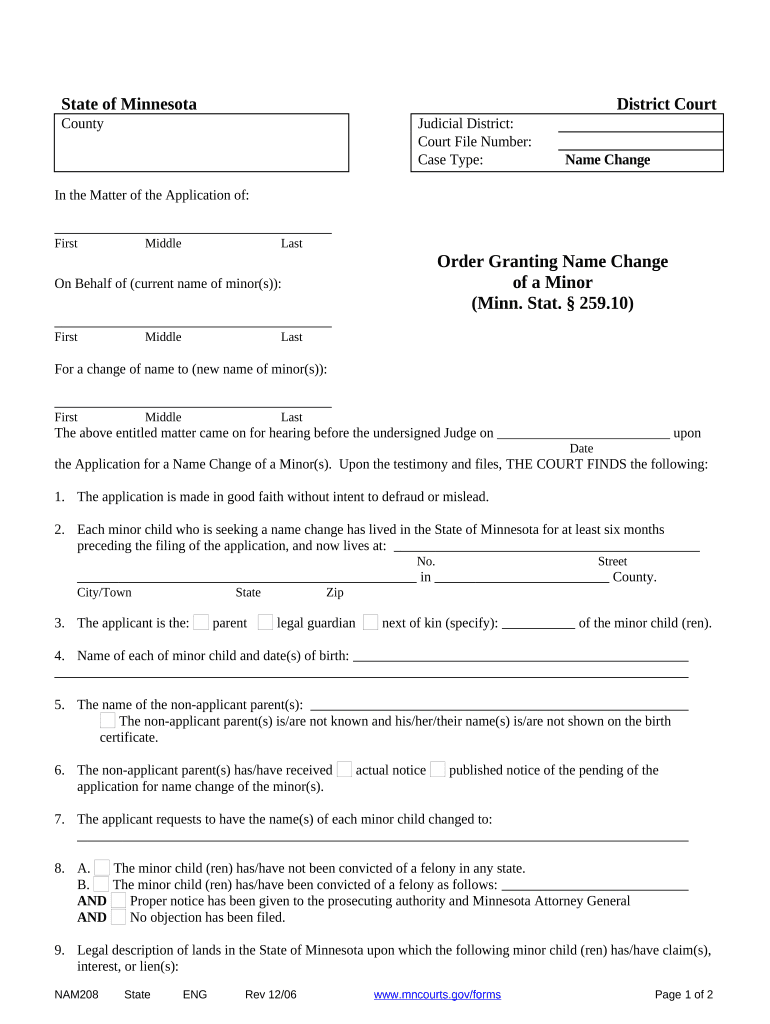
A Minnesota Order Granting Name Change of a Minor provides clear legal authority to use the new name, enables agencies to update records, and documents the court's best-interest finding required under Minnesota law.

Typical filers include parents, guardians, and attorneys petitioning to change a child's name in Minnesota courts.
Court caption lists county, case number, parties, and the minor's name history, including prior legal names; accurate captioning is essential for court processing and document retrieval.
Judicial findings explain why the change serves the minor's best interests and address custody, consent, and any objections; clear findings support later administrative updates to records.
The order states the minor's prior name, the new legal name, effective date, and directs relevant agencies to update records; it should be specific to avoid ambiguity during implementation.
Certified copies section allows court clerks to provide sealed copies for agencies; petitioners typically order multiple certified copies to expedite updates with Social Security and vital records.
Attachments include birth certificates, custody orders, proof of service, and any adoption decrees; supporting documents substantiate the petition and streamline judicial review and reduce follow-up requests.
Service requirements and affidavit of service must show notice to parents, custodians, or the state where required; improper service is a common ground for delaying or denying relief.
| Form Field Configuration and Options | Configuration and example values for digital workflow. |
|---|---|
| Signature Authentication Method and Level | Email link, SMS code, or KBA per court requirement. |
| Document Format, PDFs, and Attachments | Use flattened PDF/A for certified copies. |
| Signer Roles, Order, and Permissions | Define petitioners, custodial parents, and court clerk roles. |
| Retention of Audit Trail and Records | Store audit trail, timestamps, and signed PDFs per retention policy. |
Electronic signing and e-filing may be accepted depending on county rules and court clerk policies; verify local practice.
| signNow | DocuSign | Adobe Sign | PandaDoc | HelloSign | |
|---|---|---|---|---|---|
| Starting Price | $8/user/mo | $15/user/mo | $14/user/mo | $19/user/mo | $15/user/mo |
| Free Trial | 7-day free trial | Varies | Varies | Varies | Varies |
| Bulk Send | Yes | Yes | Yes | Yes | Varies |
| Audit Trail | Yes | Yes | Yes | Yes | Yes |
| HIPAA Compliant | Yes | Yes | Yes | No | No |