Establishing secure connection…Loading editor…Preparing document…

Narrative Report Form

This template is fully customizable. Edit the text, fill out the fields, and send it for signature. Give it a try!
Narrative Report Form

What the Narrative Report Form Is

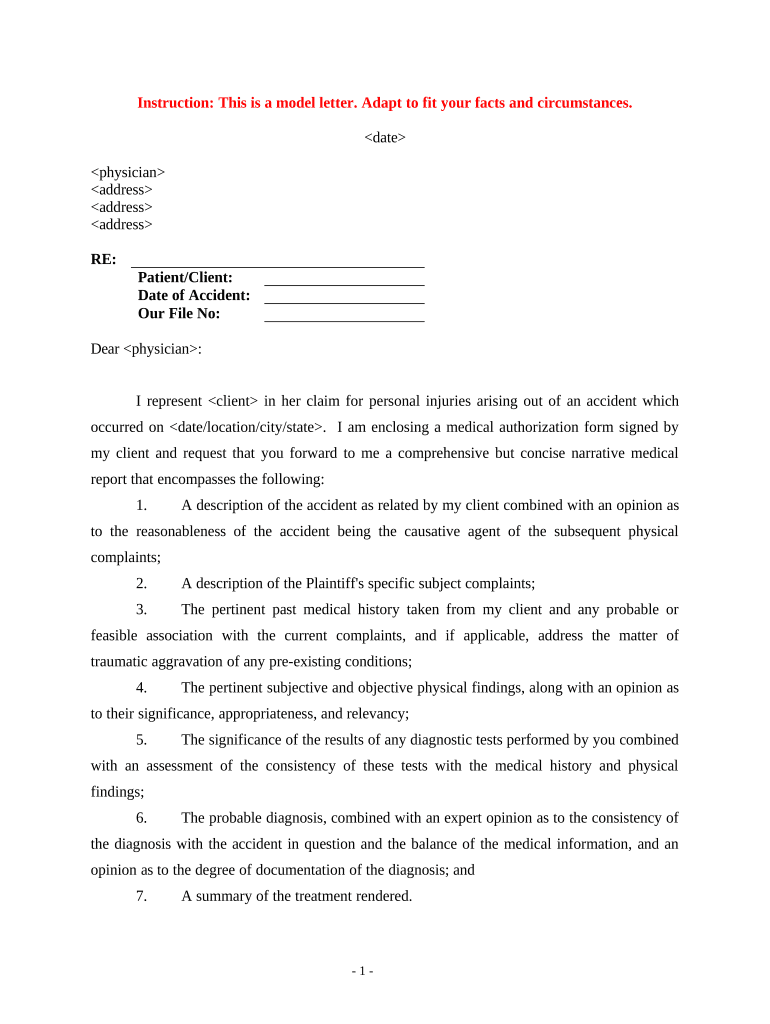
A Narrative Report Form is a structured document used to record detailed, chronological descriptions of events, observations, or investigations. It organizes context, factual observations, analysis, and recommended actions so reviewers can evaluate an incident or case without needing additional clarification. Organizations use narrative reports for incident documentation, case reviews, compliance investigations, academic summaries, and progress reports; the form emphasizes accurate dates, consistent party names, relevant attachments, and a clear signature and routing record.

Why a clear Narrative Report Form matters

A well‑prepared Narrative Report Form preserves facts, supports decision‑making, and creates an auditable record for internal review or external regulators. Clear structure reduces follow‑up questions, speeds review cycles, and improves defensibility if the report is later used in audits, litigation, or regulatory inquiries.

Why a clear Narrative Report Form matters

Who typically completes and reviews narrative reports

Teams that create or act on narrative reports vary by function and industry; the form should fit their roles and review paths.

  • Investigators and caseworkers — gather facts, interview notes, and timeline entries to document incidents or claims for later review.
  • Supervisors and compliance reviewers — verify accuracy, add supervisory findings, and route the report to the appropriate business unit.
  • Legal, HR, or external stakeholders — assess liability, regulatory exposure, or evidence preservation needs before escalating.

Assign roles for authoring, review, and retention up front to ensure consistent handling, timely approvals, and secure storage.

Core sections every professional Narrative Report Form should include

A consistent structure makes narrative reports easier to read and reduces disputes over what was recorded.

Executive Summary

Concise overview of the event, outcome, and immediate action items so readers can understand the case in one paragraph.
Background

Contextual details: parties involved, relevant prior events, dates, locations, and any governing policies or contract references.

Observations

Chronological, factual account of what occurred; separate observed facts from opinions and include timestamps where available.

Analysis

Reasoned interpretation of observations, causal factors, and how the facts support conclusions or hypotheses about the event.

Recommendations

Actionable next steps, responsible parties, deadlines, and risk mitigation items tied to the analysis and supporting facts.

Attachments

Supporting evidence such as photos, logs, witness statements, and relevant documents with clear file names and references.

Stepwise process to complete a Narrative Report Form

Follow these steps to collect facts, produce a clear narrative, and route the report for approval.

  • 01
    Gather evidence: Collect logs, photos, witness names, and timestamps before drafting.
  • 02
    Draft the narrative: Write facts first, then analysis and recommendations.
  • 03
    Review and verify: Confirm names, dates, and attachments for accuracy.
  • 04
    Sign and route: Obtain required signatures and send to the designated reviewer.

Where Narrative Report Forms are filed and who receives them

Define submission destinations and expected recipients to avoid routing confusion and ensure regulatory compliance.

  • Internal Records: Store a signed copy in the case management or records system.
  • Compliance Office: Send reports requiring regulatory review directly to compliance staff.
  • Human Resources: Route reports involving personnel matters to HR for separate handling.
  • External Agencies: File externally when law or policy requires reporting to regulators.

Typical digital workflow settings for an online Narrative Report Form

Configure your online template to require essential fields, route reviewers, and capture an audit trail automatically.

Field Configuration
Required fields Make Report Date, Reporter Name, Narrative Body mandatory.
Conditional logic Show witness details only if 'Witness Present' is Yes.
Reviewer routing Route to supervisor then compliance team automatically.
Notifications Email alerts on completion and overdue reviews.

Digital signing and file format considerations

Choose a platform that supports audit trails, multiple file formats, and common integrations to simplify routing and retention.

  • Formats supported: PDF, DOCX, HTML
  • Integrations: Salesforce, NetSuite, Google Workspace
  • Authentication: Email, SMS, or advanced methods

Verify the platform meets your security and compliance needs (e.g., HIPAA BAA where required) and that it can export signed records with an audit trail for retention and review.

Essential security and compliance controls for narrative reports

Encryption in transit: TLS 1.2/1.3
Encryption at rest: AES-256 encryption
Audit trails: Immutable timestamped activity logs
Regulatory programs: SOC 2 Type II
Healthcare compliance: HIPAA (BAA required)
eSignature law: ESIGN and UETA compliance

Consequences of incomplete or inaccurate narrative reports

Regulatory exposure: Possible investigations or fines
Evidence gaps: Key facts may be excluded from proceedings
Disciplinary action: Employee sanctions or corrective steps
Civil liability: Increased litigation risk
Data breach risk: Privacy violations if PHI exposed
Operational delay: Longer resolution and remediation times

Common mistakes when preparing a Narrative Report Form

  • Missing or inconsistent dates: reporting inconsistent timestamps or failing to note when data were collected leads to confusion during review and weakens chronological analysis.
  • Incomplete identification: failing to include full legal names, titles, or contact information for involved parties makes follow‑up and verification difficult.
  • Mixing fact and opinion: presenting conclusions as fact without supporting evidence undermines credibility and complicates legal or regulatory assessment.
  • Poorly labeled attachments: unlabeled photos, logs, or statements break the chain of custody and make it hard for reviewers to corroborate assertions.

How organizations use Narrative Report Forms in practice

Real organizations use structured narrative reports to improve clarity, speed approvals, and preserve evidence across industries.

Fertility Centers of Illinois

The clinic moved patient incident narratives online to centralize records and speed review.

  • The change reduced paper handling and retrieval time.
  • "The airSlate SignNow team has been exceptional, responsive, the API has been great, and we're extremely happy that we chose airSlate SignNow as a company."

Martin Properties

A real estate operator used narrative reports for tenant incident logs and maintenance disputes.

  • Timely digital signoffs sped case closure.
  • "I can process and execute all of these documents online with 100% compliance and built-in security. Whether on mobile or working offline, I can get forms back to their necessary parties efficiently."

Typical timelines and expected processing targets

Set clear internal deadlines for each stage of reporting and review to ensure timely action and regulatory responsiveness.

Initial report submission:

Within 24–72 hours of the event, depending on policy and severity.

Supervisor review:

Complete review within 3–5 business days of submission.

Compliance assessment:

Determine regulatory reporting needs within 7 days.

External reporting:

Report to agencies as required by law or policy without undue delay.

Record closure:

Close and archive file after actions are complete and retention triggered.

Practical tips for accurate and efficient narrative reports

Adopt consistent standards and tools to reduce errors and speed processing across users and cases.

Use structured templates
Create a standardized narrative template that separates facts, analysis, and recommendations; require key fields to be completed to minimize omissions and simplify reviewer work.
Timestamp everything
Record the exact date and time for observations, interviews, and evidence collection; these timestamps support timelines in audits and litigation and reduce disputes about sequence of events.
Protect sensitive data
Redact unnecessary PHI before distribution, use role-based access controls, and ensure platforms used for signing and storage meet applicable standards such as HIPAA when handling health information.
Maintain a clear audit trail
Capture signer identity, IP address, timestamps, and version history for every change; retain signed exportable records to support compliance and defensibility.

eSignature vendor price and feature snapshot for Narrative Report Form workflows

Compare starting prices and selected capability indicators to align platform choice with workflow and compliance needs; signNow is listed first for parity.

signNow DocuSign Adobe Sign PandaDoc HelloSign
Starting Price $8/user/mo $15/user/mo $14/user/mo $19/user/mo $15/user/mo
Free Trial 7-day free trial Varies Varies Varies Varies
Bulk Send Yes Yes Yes Yes No
Audit Trail Yes Yes Yes Yes Yes
HIPAA Compliant Yes Yes Yes No No

Frequently asked questions and common troubleshooting items

Answers to common questions about validity, signatures, authentication, and corrections when using a Narrative Report Form.


Need help? Contact support

be ready to get more
Join over 28 million airSlate SignNow users