Establishing secure connection… Loading editor… Preparing document…
Navigation

Fill and Sign the Nc Corporation Form
Fill and Sign the Nc Corporation Form

How it works

Open the document and fill out all its fields.
Apply your legally-binding eSignature.
Save and invite other recipients to sign it.

Rate template

4.5
52 votes
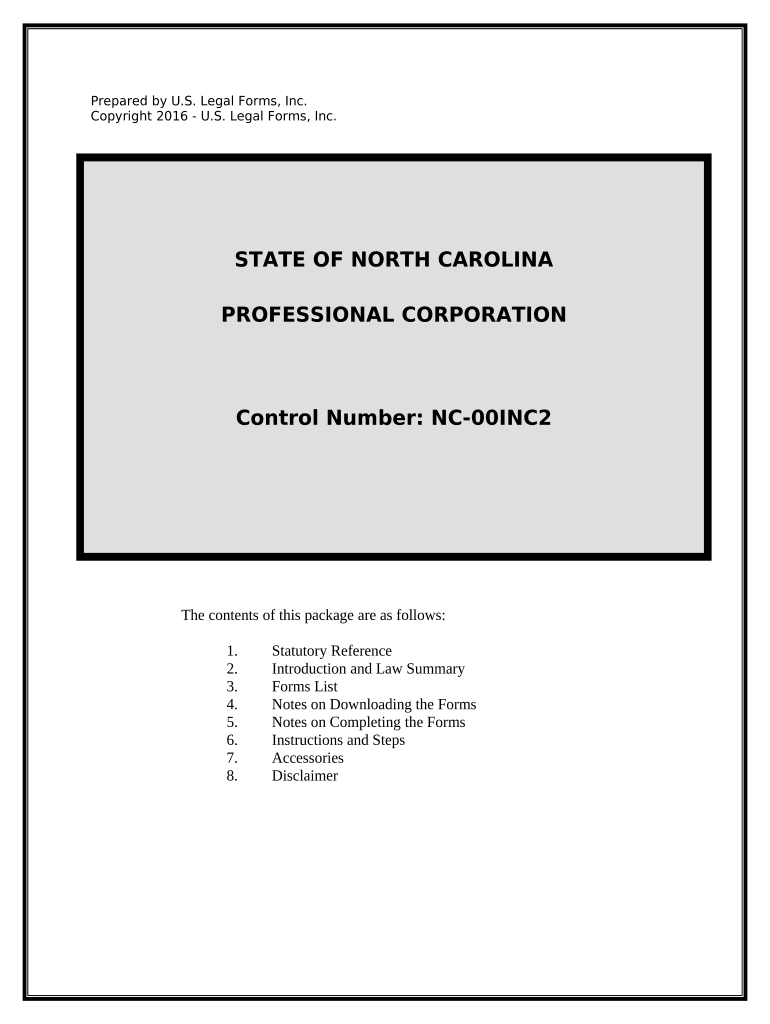
Prepared by U.S. Legal Forms, Inc. Copyright 2016 - U.S. Legal Forms, Inc. STATE OF NORTH CAROLINA PROFESSIONAL CORPORATION Control Number: NC-00INC2 The contents of this package are as follows: 1. Statutory Reference 2. Introduction and Law Summary 3. Forms List 4. Notes on Downloading the Forms 5. Notes on Completing the Forms 6. Instructions and Steps 7. Accessories 8. Disclaimer PROFESSIONAL CORPORATION For LICENSED PROFESSIONALS NORTH CAROLINA Electronic Version Statutory References North Carolina Gen’l Statutes, Chapter 55 (North Carolina Business Corporation Act) http://www.ncga.state.nc.us/gascripts/Statutes/StatutesTOC.pl?0055 North Carolina Gen’l Statutes, Chapter 55B (The Professional Corporation Act) http://www.ncga.state.nc.us/gascripts/Statutes/StatutesTOC.pl?0055B Introduction and Law Summary A North Carolina professional corporation organized to engage in the practice of a state-licensed profession is subject to the provisions of the North Carolina Business Corporation Act and the North Carolina Professional Corporation Act. When there is a conflict between these two acts, the provisions of the Professional Corporation Act prevail. Additionally, a North Carolina professional corporation is subject to the provisions of the North Carolina General Statutes applicable to the specific profession practiced. In addition, a professional corporation is subject to the applicable rules and regulations adopted by, and all the disciplinary powers of, the North Carolina Examining/Governing Board/Agency for the profession. The Professional Corporation Act utilizes the following definitions: 1. A "disqualified person" is a licensed person who for any reason becomes legally disqualified to render the same professional services which are or were being rendered by the professional corporation of which such person is an officer, director, shareholder or employee. 2. A "licensee" is any natural person who is duly licensed by the appropriate licensing board to render the same professional services which will be rendered by the professional corporation of which he is, or intends to become, an officer, director, shareholder or employee. 3. A "professional corporation" is a corporation which is engaged in rendering the professional services as specified and defined in the Professional Corporation Act pursuant to a certificate of registration issued by the Licensing Board regulating the profession or practice, and which has as its shareholders only those individuals permitted by law to be shareholders. 4. "Professional service" is any type of personal or professional service of the public which requires as a condition precedent to the rendering of such service the obtaining of a license from a licensing board. The following restrictions apply to professional corporations: 1. At least one incorporator must be a "licensee." 2. All of the shares of stock must be owned and held by a licensee or by licensees. 3. At least one director and one officer must be a "licensee." 4. The articles of incorporation must designate the personal services to be rendered by the professional corporation and must be accompanied by a certification by the appropriate licensing board that the ownership of the shares of stock is in compliance with the requirements of The Professional Corporation Act. The corporate name used by professional corporations, except as limited by the licensing acts of the respective professions, must be governed by the provisions of the North Carolina Business Corporation Act. However a professional corporation may use the words "Professional Association," "P.A.," "Professional Corporation," or "P.C." in lieu of the corporate designations specified in the North Carolina Business Corporation Act. Licensing boards may make further corporate name requirements or limitations for the respective professions. No professional corporation may open, operate, or maintain an establishment for any of the purposes set forth in the Professional Corporation Act without first having obtained a certificate of registration from the licensing board or boards. You must contact your Board to obtain this certificate to include when filing your Articles of Incorporation. A professional corporation must render only one specific type professional service, and such services as may be ancillary thereto, and must not engage in any other business or profession. However, the corporation may own real and personal property necessary or appropriate for rendering the type of professional services it was organized to render and it may invest in real estate, mortgages, stocks, bonds, and any other type of investments. A professional corporation may issue shares of its capital stock only to a licensee, and a shareholder may voluntarily transfer shares of stock issued to him only to another such licensee. No share or shares of any stock of a professional corporation may be transferred upon the books of the corporation unless the corporation has received a certification of the appropriate licensing board that the transferee of such shares is a licensee. It is lawful in the case of professional corporations rendering services of architects, landscape architects, engineers and land surveyors, and soil scientists, for non-licensed employees of such corporation to own not more than one- third of the total issued and outstanding shares of such corporation. It is lawful for individuals who are not licensees but who perform professional services on behalf of a professional corporation in another jurisdiction in which the corporation maintains an office, and who are duly licensed to perform professional services under the laws of the other jurisdiction, to be shareholders of the corporation so long as there is at least one shareholder who is a licensee in North Carolina and the corporation renders its professional services in North Carolina only through those shareholders that are licensed in North Carolina. Upon the transfer of any shares of a professional corporation to a non-licensed employee, the corporation must inform the appropriate licensing board of the name and address of the transferee and the number of shares issued to such nonprofessional transferee. Any share of stock of such corporation issued or transferred in violation of the statutory restrictions is null and void. No shareholder of a professional corporation may enter into a voting trust agreement or any other type of agreement vesting in another person the authority to exercise the voting power of any or all of his stock. If any officer, shareholder, agent or employee of a professional corporation who is a licensee becomes legally disqualified to render professional services within North Carolina, he must sever all employment with, and financial interest in, such corporation forthwith. A corporation's failure to comply with this provision constitutes grounds for the forfeiture of its certificate of incorporation and its dissolution. A professional corporation must report to the appropriate licensing board the death of any of its shareholders within 30 days thereafter. Within one year of the date of such death, all of the shares owned by such deceased shareholder must be transferred to and acquired by the professional corporation or persons qualified to own such shares. In the absence of an agreement which determines the equitable value of the shares, then the price for such shares must be the fair market value of the stock, but not less than the book value as of the end of the month immediately preceding the death or disqualification. Notwithstanding any other provisions of the Professional Corporation Act, the shares of stock owned by a deceased shareholder may be owned and held by the person or persons who may be legally entitled to receive such shares for a period of one year after the death of such deceased shareholder, or in the case of the death of the owner of all the shares of such corporation, for such period of time as may be necessary to liquidate the corporation. A professional service corporation renders professional services only through its officers, employees and agents who are duly licensed to render such professional services. The term "employee" does not include clerks, secretaries, bookkeepers, technicians and other assistants who are not considered by law to be rendering professional services to the public. Nothing in the Professional Corporation Act abolishes, modifies, restricts, limits or alters the law in North Carolina applicable to the professional relationship and liabilities between the licensee furnishing professional services and the person receiving such professional service or the standards of professional conduct applicable to the rendering of such services. A shareholder, a director, or an officer of a professional corporation is not individually liable, directly or indirectly, including by indemnification, contribution, assessment, or otherwise, for the debts, obligations, and liabilities of, or chargeable to, the professional corporation that arise from errors, omissions, negligence, malpractice, incompetence, or malfeasance committed by another shareholder, director, or officer or by a representative of the professional corporation. However, nothing in the Professional Corporation Act affects the liability of a shareholder, director, or officer of a professional corporation for his or her own errors, omissions, negligence, malpractice, incompetence, or malfeasance committed in the rendering of professional services. * * * PRIOR TO RESERVING A CORPORATE NAME OR FILING THE ARTICLES OF INCORPORATION FORMING A PROFESSIONAL CORPORATION, YOU SHOULD CONTACT THE NORTH CAROLINA BOARD GOVERNING YOUR PROFESSION TO CONFIRM THAT YOU ARE IN COMPLIANCE WITH ALL OF THE BOARD'S RULES AND REGULATIONS, AND TO OBTAIN THE REQUIRED CERTIFICATE. * * * Forms List The following forms are available for download with this package.  NC-NAMERESV: Application for Reservation of Entity Name  NC-00INCP: Articles of Incorporation & Filing Cover Sheet  NC-PC-TL: Sample Transmittal Letter  NC-PC-OM: Sample Organizational Minutes  NC-PC-BL: Sample Bylaws  US-IRS-SS-4 : Application for Federal Tax Identification Number & Instructions  US-IRS-2553 : Election of “S” Corporation Status & Instructions  NC-PC-AM : Sample Annual Minutes  NC-PC-CR : Sample Corporate Notices of Meetings, Resolutions, Simple Stock Ledger & Certificate Instructions on using the forms are either included with the forms and/or found in the Steps to Incorporate section, below. * * * Notes on Downloading the Forms In order that we can provide you with the most up to date forms at all times, all forms are located on our servers for you to down load, complete and print. Downloading instructions are provided and we will assist if you have any problems. From the download page, the easiest procedure to download the forms is to right click on the form links and select “save target as” to save each form to your hard drive. You will have six days during which you can return to the forms download page to download the forms again if needed. You are advised to save the forms to your computer as soon as possible to avoid any problem with the six day limit. * * * Notes on Completing the Forms The forms in this package may be available in Adobe Acrobat (“.pdf”) and/or Microsoft Word (“.doc”) format. If available in .pdf format, the forms will contain “fillable” blanks which you can type directly into, and print. However, you can still print the form and fill in with a typewriter or by hand if you desire. If available in .doc format, the forms may contain “form fields” created using Microsoft Word. “Form fields” facilitate completion of the forms using your computer. They do not limit you ability to print the form “in blank” and complete with a typewriter or by hand. To complete the forms click on the gray shaded areas and type the information. For the separation agreement complete the gray shaded areas and also make any other changes or additions to resolve all issues. If you do not see the gray shaded form fields, go the View menu, click on Toolbars, and then select Forms. This will open the forms toolbar. Look for the button on the forms toolbar that resembles a shaded letter “a”. Click in this button and the form fields, if present, will become visible. If there are no form fields, just type into the document, underlining if necessary, to complete the form. Some forms may be “locked” which means that the content of the forms cannot be changed unless the form is unlocked. You can only fill in the information in the fields. If you need to make any changes in the body of the form, it is necessary for you “unlock” or “unprotect” the form. IF YOU INTEND TO MAKE CHANGES TO THE CONTENT, DO SO BEFORE YOU BEGIN TO FILL IN THE FIELDS. IF YOU UNLOCK THE DOCUMENT AFTER YOU HAVE BEGUN TO COMPLETE THE FIELDS, WHEN YOU RELOCK, ALL INFORMATION YOU ENTERED WILL BE LOST. To unlock click on “Tools” in the Menu bar and then selecting “unprotect document”. You may then be prompted to enter a password. If so, the password is “uslf”. That is uslf in lower case letters without the quotation marks. After you make the changes relock the document before you begin to complete the fields. After any required changes relock the form, then click on the first form field and enter the required information. You will be able to navigate through the document from form field to form field using your tab key. Tab to a form field and insert your data. If you experience problems, please let us know. * * * Steps to Incorporate The practice of a state-licensed profession in the State of North Carolina is controlled, generally, by the statutory mandates set out in the statutes noted above, in statutes applicable to your profession, and by the rules and regulations established by the North Carolina Board or other governing entity for your profession. You should check with your governing entity to determine if there are any additional rules or regulations promulgated with which you must comply, any certificate of compliance or licensure you must obtain, etc. NOTE: Filing Cover Sheet (Included with NC-00INCP) You must file a COVER SHEET with all documents filed with the Secretary of State. Note on the Cover Sheet that expedited service is available for an additional fee. The COVER SHEET is included with the ARTICLES OF INCORPORATION form (NC-00INCP). You must also include this page with your name reservation. Step 1: See FORM: NC-NAMERESV APPLICATION FOR RESERVATION OF ENTITY NAME It is recommended that you reserve a corporate name in order to assure that your Articles of Incorporation are not rejected because the name you have selected is not available. You may skip this step and go to Step 2, but if the name you have selected is not available, the Articles of Incorporation will be rejected. IN ADDITION TO THE NAME RESTRICTIONS CONTAINED HERE, THERE MAY BE ADDITIONAL RESTRICTIONS PLACED ON A CORPORATE NAME BY YOUR LICENSING BOARD - CHECK WITH THE BOARD FOR ANY ADDITIONAL RESTRICTIONS. This form should by typewritten or printed legibly in black ink. Provide the corporate name you want to reserve. A professional corporation may use the words "Professional Association," "P.A.," "Professional Corporation," or "P.C." in lieu of the ordinary corporate designations specified in the North Carolina Business Corporation Act. The ordinary corporate designations are as follows: the word "corporation", "incorporated", "company", or "limited", or the abbreviation "corp.", "inc.", "co.", or "ltd.". A corporate name MUST NOT contain language stating or implying that the corporation is organized for a purpose other than that permitted by the laws of North Carolina and by its articles of incorporation. A corporate name MUST be distinguishable upon the records of the Secretary of State from other recorded business names. Provide the name and address of the Applicant. Date the Application and have the Applicant sign his/her name and provide his/her signature. The filing fee is $30.00. File the original and one copy of the Application. NOTE: Expedited service is available if desired. See Cover Sheet. Before you file the Application to Reserve a Corporate name, you may call the Secretary of State at 919-733-4201 to check the availability of the corporate name you want to reserve. Telephone searches are only preliminary and do not guarantee the availability of the name. Mail a completed Cover Sheet and the original and one copy of your APPLICATION TO RESERVE A BUSINESS ENTITY NAME along with a $30.00 filing fee and any applicable expedite fee (make check payable to the North Carolina Secretary of State) , to: Secretary of State Corporations Division PO Box 29622 Raleigh, NC 27626-0622 Telephone: 919-807-2225 Step 2: See FORM; NC-00INCP ARTICLES OF INCORPORATION (including Cover Sheet) Once you have reserved a corporate name, or if you have chosen to proceed without reserving a name, you are ready to complete the Articles of Incorporation. This form should be typewritten or printed legibly in black ink. 1. Enter the complete corporate name THAT YOU HAVE RESERVED. 2. Enter the number of shares the corporation will have the authority to issue. Check (a) or (b), whichever is applicable. If (b) is checked, add an attachment that includes the description of the designations, preferences, limitations, and relative rights of the shares. 3. Enter the complete street address of the registered office and the county in which it is located. 4. Enter the complete mailing address of the registered agent only if mail is not delivered to the street address stated in Item 3 or if you prefer to receive mail at a P.O. Box or Drawer. 5. Enter the name of the registered agent. The registered agent must be either a North Carolina resident at least 18 years old, an existing business or non- profit corporation, or a foreign business or non-profit corporation authorized to transact business or conduct affairs in North Carolina. 6. There is nothing to add to this section. If you want to disclose other information, do so on a separate sheet. 7. Enter the specific professional service to be rendered by the corporation. 8. Enter the name and address of each incorporator. Only one incorporator is required in order to file. One incorporator must be licensed to practice the subject profession in North Carolina . 9. Provide the name of the incorporator who is licensed to practice the subject profession in North Carolina. 10. There is nothing to add to this section. ATTACH YOUR LICENSING BOARD’S SPECIAL CERTIFICATION TO DO BUSINESS AS A PROFESSIONAL CORPORATION (ALL SHAREHOLDER INTERESTS ARE IN COMPLIANCE WITH STATUTE). CONTACT YOUR BOARD FOR THIS CERTIFICATION. THIS IS DIFFERENT FROM YOUR INDIVIDUAL LICENSE TO PRACTICE. 11. The document will be effective on the date and at the time of filing, unless a delayed date or an effective time (on the day of filing) is specified. A delayed effective date may be specified up to and including the 90 th day after the day of filing. Enter the date the document was executed. Provide the signature and the typed/ printed name of the Incorporator(s) signing the Articles. The filing fee is $125.00. File the original and one copy of the Articles of Incorporation. NOTE: Expedited service is available. See Cover Sheet. Mail the original and one copy of the ARTICLES OF INCORPORATION along with a $125.00 filing fee (make check payable to the North Carolina Secretary of State) to: Secretary of State Corporations Division PO Box 29622 Raleigh, NC 27626-0622 Telephone: 919-807-2225 A sample transmittal letter to send with ARTICLES OF INCORPORATION is below. Include an original and one copy in order to have a copies returned to you. See FORM: NC-PC-TL SAMPLE TRANSMITTAL LETTER Step 3: Upon return of the Articles, conduct an Initial meeting at which time directors and officers are elected, by-laws are adopted, and other action is taken. See FORM: NC-PC-OM SAMPLE ORGANIZATIONAL MINUTES See FORM: NC-PC-BL SAMPLE BY-LAWS Step 4: Apply for a Federal Tax Identification Number. This is done with form IRS-SS- 4. Mail to your regional IRS office. See Supplemental Form: US-IRS-SS-4 APPLICATION FOR FEDERAL TAX ID & INSTRUCTIONS Step 5: If you elect Subchapter S status so that the corporation income and losses will pass to the shareholders, complete and file form 2553 with the Internal Revenue Service. It is important that this form be filed timely or the corporation will have to pay the C Corporation tax rate. See Supplemental Form: US-IRS-2553 ELECTION OF S-CORPORATION STATUS & INSTRUCTIONS Step 6: Open a Corporate bank account and conduct business. Step 7: Hold an annual meeting of the directors and shareholders at least once a year to elect directors and officers for the upcoming year and to take action as needed. See FORM: NC-PC-AM SAMPLE ANNUAL MINUTES General: For your convenience, additional forms are included such as Sample Corporate Notices of Meetings, Resolutions, Simple Stock Ledger & Certificate. See Supplemental Form: NC-PC-CR * * * Accessories U. S. Legal Forms, Inc. offers the following corporate accessories: Corporate Seal: If you would like to order a corporate seal call U.S. Legal Forms, Inc. at (601) 825-0382. Engraved with your name: $24.95 plus shipping, or see http://www.uslegalbookstore.com/officeproducts/ Corporate Books: See http://www.uslegalbookstore.com/officeproducts/ Imprinted (or blank) Lithographed Stock Certificates: Preview: http://www.uslegalforms.com/images/cert2.gif Order for your state: http://www.uslegalforms.com/stock-certificates.htm * * * Disclaimer THESE MATERIALS ARE PROVIDED "AS IS" WITHOUT ANY EXPRESS OR IMPLIED WARRANTY OF ANY KIND INCLUDING WARRANTIES OF MERCHANTABILITY, NONINFRINGEMENT OF INTELLECTUAL PROPERTY, OR FITNESS FOR ANY PARTICULAR PURPOSE. IN NO EVENT SHALL U. S. LEGAL FORMS, INC. OR ITS AGENTS OR OFFICERS BE LIABLE FOR ANY DAMAGES WHATSOEVER (INCLUDING, WITHOUT LIMITATION DAMAGES FOR LOSS OF PROFITS, BUSINESS INTERRUPTION, LOSS OF INFORMATION) ARISING OUT OF THE USE OF OR INABILITY TO USE THE MATERIALS, EVEN IF U.S. LEGAL FORMS, INC. HAS BEEN ADVISED OF THE POSSIBILITY OF SUCH DAMAGES. If you are not an attorney, you are advised to seek the advice of an attorney for all serious legal matters. The information and forms contained herein are not legal advice and are not to be construed as such. Although the information contained herein is believed to be correct, no warranty of fitness or any other warranty shall apply. All use is subject to the U.S. Legal Forms, Inc. Disclaimer and License located here: http://www.uslegalforms.com/disclaimer.htm . To view, click on the link, or copy it into the address window of your web browser. If you cannot view the information contained at the link above, or do not agree to the terms therein, you may not use the package materials. Return the package for a full refund. * * * ~ Thank you for using USLF ~

Practical advice on preparing your ‘Nc Corporation’ online

Are you fed up with the inconvenience of handling paperwork? Look no further than airSlate SignNow, the leading electronic signature solution for individuals and small to medium-sized businesses. Bid farewell to the tedious routine of printing and scanning documents. With airSlate SignNow, you can easily complete and sign documents online. Take advantage of the comprehensive tools included in this user-friendly and cost-effective platform and transform your method of document management. Whether you need to authorize forms or gather signatures, airSlate SignNow makes it all straightforward, requiring just a few clicks.

Follow this detailed guide:

  1. Log in to your account or sign up for a complimentary trial of our service.
  2. Click +Create to upload a document from your device, cloud storage, or our form collection.
  3. Open your ‘Nc Corporation’ in the editor.
  4. Click Me (Fill Out Now) to finalize the form on your side.
  5. Add and designate fillable fields for other participants (if needed).
  6. Proceed with the Send Invite settings to request eSignatures from others.
  7. Save, print your version, or convert it into a reusable template.

No need to worry if you want to collaborate with your teammates on your Nc Corporation or send it for notarization—our platform provides all the tools necessary to accomplish such tasks. Sign up with airSlate SignNow today and elevate your document management to new levels!

Here is a list of the most common customer questions. If you can’t find an answer to your question, please don’t hesitate to reach out to us.

Need help? Contact Support

The best way to complete and sign your nc corporation form
Save time on document management with airSlate SignNow and get your nc corporation form eSigned quickly from anywhere with our fully compliant eSignature tool.

How to Sign a PDF Online How to Sign a PDF Online

How to fill out and sign paperwork online

Previously, dealing with paperwork took pretty much time and effort. But with airSlate SignNow, document management is easy and fast. Our powerful and user-friendly eSignature solution lets you effortlessly complete and eSign your nc corporation form online from any internet-connected device.

Follow the step-by-step guide to eSign your nc corporation form template online:

  • 1.Sign up for a free trial with airSlate SignNow or log in to your account with password credentials or SSO authentication.
  • 2.Click Upload or Create and add a file for eSigning from your device, the cloud, or our form collection.
  • 3.Click on the file name to open it in the editor and use the left-side toolbar to fill out all the blank fields properly.
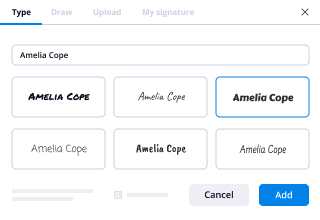
  • 4.Drop the My Signature field where you need to approve your sample. Provide your name, draw, or upload a picture of your regular signature.
  • 5.Click Save and Close to finish modifying your completed document.

Once your nc corporation form template is ready, download it to your device, save it to the cloud, or invite other people to eSign it. With airSlate SignNow, the eSigning process only requires a few clicks. Use our robust eSignature tool wherever you are to manage your paperwork successfully!
How to Sign a PDF Using Google Chrome How to Sign a PDF Using Google Chrome

How to fill out and sign documents in Google Chrome

Completing and signing paperwork is simple with the airSlate SignNow extension for Google Chrome. Installing it to your browser is a fast and beneficial way to manage your paperwork online. Sign your nc corporation form sample with a legally-binding eSignature in just a couple of clicks without switching between programs and tabs.

Follow the step-by-step guide to eSign your nc corporation form in Google Chrome:

  • 1.Go to the Chrome Web Store, find the airSlate SignNow extension for Chrome, and add it to your browser.
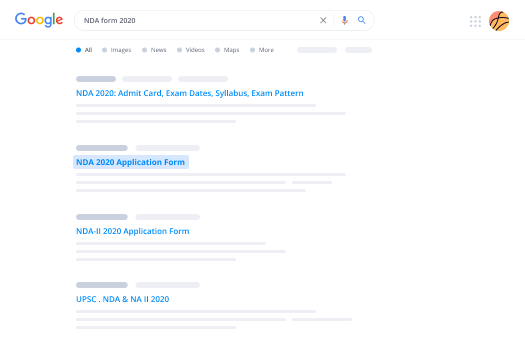
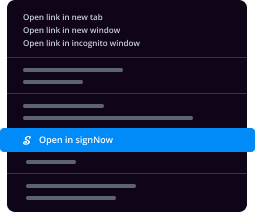
  • 2.Right-click on the link to a document you need to sign and select Open in airSlate SignNow.
  • 3.Log in to your account with your credentials or Google/Facebook sign-in option. If you don’t have one, sign up for a free trial.
  • 4.Utilize the Edit & Sign menu on the left to complete your template, then drag and drop the My Signature field.
  • 5.Insert an image of your handwritten signature, draw it, or simply type in your full name to eSign.
  • 6.Verify all data is correct and click Save and Close to finish editing your paperwork.

Now, you can save your nc corporation form template to your device or cloud storage, send the copy to other people, or invite them to electronically sign your form via an email request or a secure Signing Link. The airSlate SignNow extension for Google Chrome enhances your document workflows with minimum effort and time. Try airSlate SignNow today!
How to Sign a PDF in Gmail How to Sign a PDF in Gmail How to Sign a PDF in Gmail

How to fill out and sign forms in Gmail

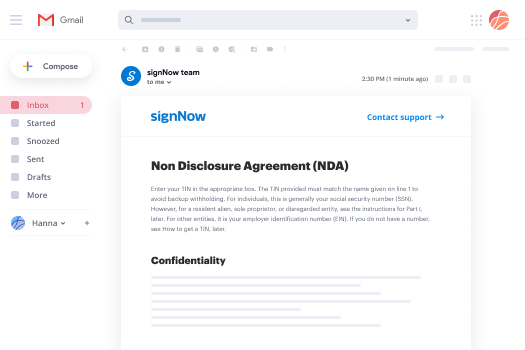
When you get an email containing the nc corporation form for signing, there’s no need to print and scan a document or save and re-upload it to a different tool. There’s a much better solution if you use Gmail. Try the airSlate SignNow add-on to rapidly eSign any paperwork right from your inbox.

Follow the step-by-step guide to eSign your nc corporation form in Gmail:

  • 1.Visit the Google Workplace Marketplace and find a airSlate SignNow add-on for Gmail.
  • 2.Install the tool with a corresponding button and grant the tool access to your Google account.
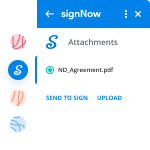
  • 3.Open an email with an attachment that needs approval and utilize the S symbol on the right panel to launch the add-on.
  • 4.Log in to your airSlate SignNow account. Opt for Send to Sign to forward the file to other parties for approval or click Upload to open it in the editor.
  • 5.Place the My Signature option where you need to eSign: type, draw, or import your signature.

This eSigning process saves efforts and only takes a few clicks. Utilize the airSlate SignNow add-on for Gmail to adjust your nc corporation form with fillable fields, sign paperwork legally, and invite other individuals to eSign them al without leaving your mailbox. Improve your signature workflows now!
How to Sign a PDF on a Mobile Device How to Sign a PDF on a Mobile Device How to Sign a PDF on a Mobile Device

How to complete and sign paperwork in a mobile browser

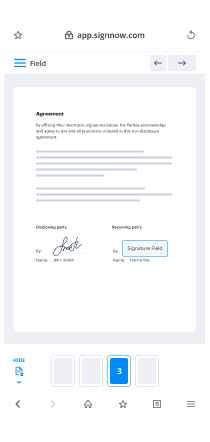
Need to rapidly fill out and sign your nc corporation form on a mobile phone while working on the go? airSlate SignNow can help without needing to install extra software programs. Open our airSlate SignNow tool from any browser on your mobile device and add legally-binding eSignatures on the go, 24/7.

Follow the step-by-step guidelines to eSign your nc corporation form in a browser:

  • 1.Open any browser on your device and follow the link www.signnow.com
  • 2.Sign up for an account with a free trial or log in with your password credentials or SSO option.
  • 3.Click Upload or Create and add a file that needs to be completed from a cloud, your device, or our form library with ready-to go templates.
  • 4.Open the form and complete the empty fields with tools from Edit & Sign menu on the left.
  • 5.Add the My Signature field to the sample, then enter your name, draw, or add your signature.

In a few easy clicks, your nc corporation form is completed from wherever you are. When you're finished editing, you can save the document on your device, generate a reusable template for it, email it to other people, or ask them to electronically sign it. Make your paperwork on the go prompt and effective with airSlate SignNow!
How to Sign a PDF on iPhone How to Sign a PDF on iPhone

How to complete and sign paperwork on iOS

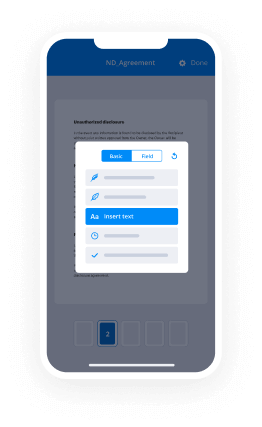
In today’s corporate environment, tasks must be done rapidly even when you’re away from your computer. Using the airSlate SignNow app, you can organize your paperwork and sign your nc corporation form with a legally-binding eSignature right on your iPhone or iPad. Install it on your device to close deals and manage documents from just about anywhere 24/7.

Follow the step-by-step guide to eSign your nc corporation form on iOS devices:

  • 1.Open the App Store, search for the airSlate SignNow app by airSlate, and install it on your device.
  • 2.Launch the application, tap Create to import a form, and select Myself.
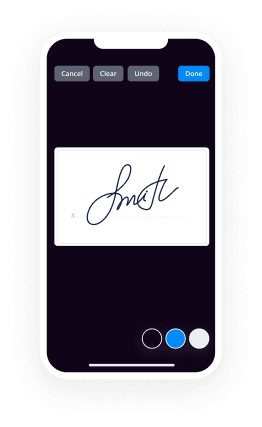
  • 3.Select Signature at the bottom toolbar and simply draw your signature with a finger or stylus to eSign the form.
  • 4.Tap Done -> Save after signing the sample.
  • 5.Tap Save or take advantage of the Make Template option to re-use this paperwork later on.

This process is so easy your nc corporation form is completed and signed in a couple of taps. The airSlate SignNow application works in the cloud so all the forms on your mobile device remain in your account and are available whenever you need them. Use airSlate SignNow for iOS to improve your document management and eSignature workflows!
How to Sign a PDF on Android How to Sign a PDF on Android

How to complete and sign documents on Android

With airSlate SignNow, it’s simple to sign your nc corporation form on the go. Install its mobile app for Android OS on your device and start boosting eSignature workflows right on your smartphone or tablet.

Follow the step-by-step guidelines to eSign your nc corporation form on Android:

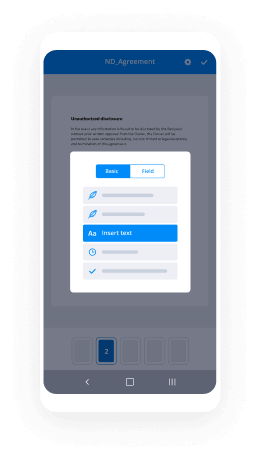
  • 1.Go to Google Play, find the airSlate SignNow application from airSlate, and install it on your device.
  • 2.Log in to your account or create it with a free trial, then import a file with a ➕ option on the bottom of you screen.
  • 3.Tap on the uploaded document and choose Open in Editor from the dropdown menu.
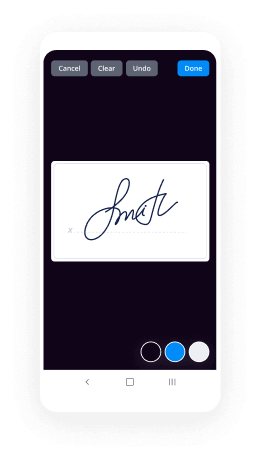
  • 4.Tap on Tools tab -> Signature, then draw or type your name to electronically sign the template. Complete empty fields with other tools on the bottom if needed.
  • 5.Use the ✔ button, then tap on the Save option to end up with editing.

With an easy-to-use interface and full compliance with main eSignature requirements, the airSlate SignNow app is the best tool for signing your nc corporation form. It even works without internet and updates all document adjustments when your internet connection is restored and the tool is synced. Complete and eSign documents, send them for eSigning, and make multi-usable templates whenever you need and from anyplace with airSlate SignNow.

Sign up and try Nc corporation form
  • Close deals faster
  • Improve productivity
  • Delight customers
  • Increase revenue
  • Save time & money
  • Reduce payment cycles