Establishing secure connection… Loading editor… Preparing document…
Navigation

Fill and Sign the Nc Name Minor Form

Fill and Sign the Nc Name Minor Form

How it works

Open the document and fill out all its fields.
Apply your legally-binding eSignature.
Save and invite other recipients to sign it.

Rate template

4.5
61 votes
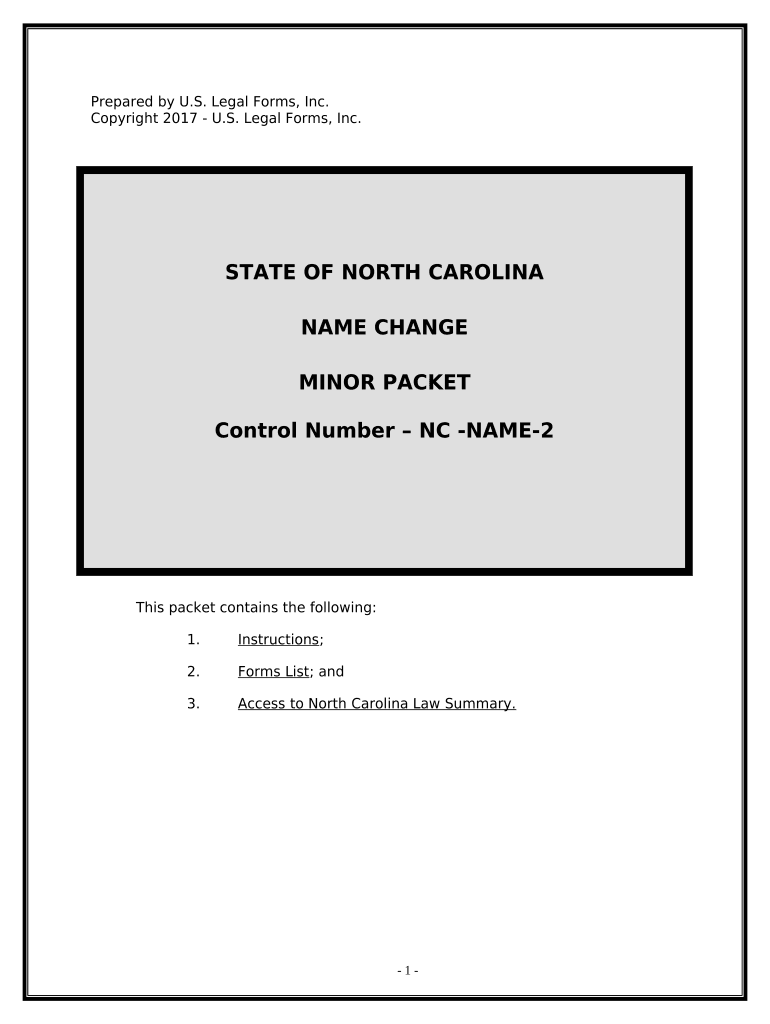
Prepared by U.S. Legal Forms, Inc. Copyright 2017 - U.S. Legal Forms, Inc. STATE OF NORTH CAROLINA NAME CHANGE MINOR PACKET Control Number – NC -NAME-2 This packet contains the following: 1. Instructions ; 2. Forms List ; and 3. Access to North Carolina Law Summary. - 1 - I. EXPLANATION OF PETITION FOR CHANGE OF NAME A. In North Carolina an action for a Minor Name Change is brought by the Parent(s), Guardian, or next friend of a minor on behalf of the minor. The action for a court ordered Minor Change of Name begins with the posting of the Notice of Intent to Change Name in the courthouse for ten (10) consecutive calendar days. The forms in this packet include the necessary information for a Minor Name Change in the State of North Carolina. B. You can use this packet if: ► You have good and sufcient cause for the requested change of name. ► You are not changing the minor’s name to avoid debts or defraud creditors. C. If a non-party parent is living the consent of that parent must be obtained unless: 1. The Petitioner fles with the Clerk of the Court a copy of an order of a court fnding that the non-party parent has abandoned the minor. If possible, this should be a certifed copy of the court order. 2. If a court of competent jurisdiction has not declared the minor to be an abandoned child, the clerk, on 10 days' written notice by registered or certifed mail, directed to the last known address of the parent alleged to have abandoned the child, may determine whether the parent has abandoned the child. If the non-party parent denies that he or she abandoned the child, this issue of fact shall be transferred to a judge and determined as provided in G.S. 1-301.2. If abandonment is determined, the consent of the parent is not required. Upon fnal determination of this issue of fact, the proceeding shall be transferred back to the special proceedings docket for further action by the clerk. If it is determined that the minor has not been abandoned by the non-party parent, the name change will not be ordered by the Clerk. 3. But, a minor who has reached the age of 16 years, upon proper application to the clerk, may change his or her name with the consent of the parent who has custody of the minor and has supported the minor, without the necessity of obtaining the consent of the other parent, when the clerk of court is satisfed that the other parent has abandoned the minor . - 2 - 4. If a non-party parent is involved, as discussed in 2, complete the Afdavit in Support of Minor Name Change and submit to the clerk at the time the initial papers are fled. 5. If both parents are listed on the birth certifcate, one parent may not change the name of the child without the consent of the other parent. If only one parent is listed on the birth certifcate it is not necessary to obtain the consent of the alleged father but you must submit an afdadit form from the Department of Human Resources that no acknowledgement of paternity has been receided. II. WHAT FORMS ARE INCLUDED A. Special Proceedings Cover Sheet - (NC-NC-103) This document provides the court with certain information about the parties. B. Notice of Intent to Change Name - (NC-NC-200) Notice that you intend to bring your Petition for Change of Name for hearing. This must be posted in the manner described below. C. Petition for Name Change - (NC-NC-107) This document states the reasons and other required details for your name change. D. Consent for Name Change - (NC-NC-202) This document provides the consent of an individual who is not a party to the cause of action. E. Afdavit of Good Character - (NC-NC-202 and NC-NC-202-2) This document provides proof of the good character of the petitioner. The form is only used for minors 16 and over. It must be signed before a notary by an unrelated adult who resides in the same county as the minor. F. Afdavit in Support of Petition for Minor Name Change - (NC-NC-203) This document provides the consent of a non-participating parent or guardian to the name change of a minor. G. Order And Certifcate Of Name Change - (NC-NC-106) This document fnaliees the requested name change and provides proof that the adult’s name has been changed. If you did not order a completion package and need access to the download page again for any of the above forms, please check your email for a link to that will redisplay the page for you. Note: This package contains forms for use throughout your State. However, some Counties, or Judges may require a diferent form, or modifcation to these forms. If this happens, please consult with your local Court Clerk. If you are required to use additional forms, please advise us by sending an e-mail to orders@uslegalforms.com. - 3 - III. PROCEDURE FOR CHANGE OF NAME (MINOR) FOR THE STATE OF NORTH CAROLINA A. Preliminary Note: 1. The attached forms may be completed by: a. Printing the forms and completing by hand. Use black ink and print neatly. b. Printing the forms and completing using a typewriter. c. By completing the forms on your computer using a word processing program and then printing the forms. 2. Use complete names and not initials. Check your spelling carefully, a misspelled word can delay your name change. 3. Print three (3) complete sets of forms. 4. All forms with a heading – the name of the court, the Petitioner’s name, the case number, and the name of the document – require that the heading be completed. You will need to add the name of the court and the full name of the Petitioner. The “Action/Cause No.” will be assigned by the court clerk at the time of fling. 5. Forms that require your signature and include a notary block MUST be signed in the presence of the notary or court clerk who will complete the acknowledgement. Use your complete name – frst name, middle name, and last name. 6. When a form is fled with the court, request the clerk “fle- stamp” one copy of the form for your fle. 7. A Law Summary is available and can be printed for your State. To do so, go to where you located this package and select the Law Summary link under the form title and print. Review the Law Summary before beginning the process of completing the forms. B. Procedure Step 1: Complete all the forms using complete names – middle names instead of middle initials. A Petition for the name change of a minor child may be fled by the child's parent or parents, guardian, or “guardian ad litem”. This application may be joined in the application for a change of name fled by the parent or parents. - 4 - If a non-party parent is involved, the party parent should complete an Afdadit in Support of Minor Name Change and submit to the clerk at the time the initial papers are fled. If the minor is 16 years of age or older, t he applicant must also fle with the Petition two Afdavits of Good Character, which proof must be made by at least two citieens of the county who know his standing. Proof of good character is not required when the application is for the change of name of a child under 16 years of age. Step 2: Once your documents have been reviewed by the Clerk’s ofce, the Order and Certifcate of Name Change will be signed in triplicate. Form AOC-SP-601/DHHS 1053 – “Order And Certifcate Of Name Change” - is a Bureau of Vital Records “chemical carbon form” and unavailable in electronic format. The original of the “Order And Certifcate Of Name Change” form will be fled by the Clerk’s ofce with North Carolina Vital Records. A true copy will be mailed to you and a copy will remain in the court fle. We hade also included form “Order and Certifcate of Name Change” – (NC-NC-104) – as a Word document. Generally, the court will also execute this document. Certifed copies of this Word document can then be used as proof of the name change. Additional information regarding the Afdavit in Support of Minor Name Change: - 5 - 1. Review Step One on page 4 and 5. 2. From a reading of the statute it would appear that, if the non-party parent does not join in or consent to the name change, and there is no court order holding the parent to have abandoned the minor, then the issue of notice must be dealt with through the Clerk of the Court. 3. If the minor is 16 years or older, notice will not be required if the Clerk is satisfed that the non-party parent has abandoned the child. 4. If the minor is under age 16, then the Clerk is required by the statute to provide the non-party parent 10 days notice of the Hearing and inquire if the non- party parent admits or denies abandoning the child. If the non-party parent denies abandoning the child then a hearing will be held to determine the issue. If the non-party parent admits the abandonment or fails to respond, the issue will be settled by the clerk. 5. If the non-party parent denies abandonment, the Clerk will transfer the case to a Judge and a hearing will be held. The Judge can choose to address only the issue of abandonment which prompted the transfer from the Clerk or the court can deal with all the issues arising in the “special proceeding” for the name change of the minor. In efect, the name change process can be done in one hearing which includes the issue of notice to a non-party parent. 6. The key factor in determining whether the non-party parent is entitled to notice of the name change action is whether the minor has been abandoned by the non-party parent. Abandonment has been defned as “wil[l]ful neglect and refusal to perform the natural and legal obligations of parental care and support”. It has been held that if a parent withholds his presence, his love, his care, the opportunity to display flial afection, and wil[l]fully neglects to lend support and maintenance, such parent relinquishes all parental claims and abandons the child. Pratt v. Bishop , 257 N.C. at 501, 126 S.E.2d at 608. 7. Complete the Afdavit in Support of the Name Change Action with the above issue in mind. 8. If the party parent feels the minor is sufciently mature, the minor may also execute an afdavit regarding the abandonment issue and the desire for a name change. - 6 - NOTE ABOUT COMPLETING THE FORMS The forms in this packet contain “form felds” created using Microsoft Word. “Form felds” facilitate completion of the forms using your computer. They do not limit you ability to print the form “in blank” and complete with a typewriter or by hand. If you do not see the gray shaded form felds, go the View menu, click on Toolbars, and then select Forms. This will open the forms toolbar. Look for the button on the forms toolbar that resembles a shaded letter “a”. Click in this button and the form felds will be visible. The forms are locked which means that the content of the forms cannot be changed. You can only fll in the information in the felds. If you need to make any changes in the body of the form, it is necessary for you “unlock” or “unprotect” the form. IF YOU INTEND TO MAKE CHANGES TO THE CONTENT, DO SO BEFORE YOU BEGIN TO FILL IN THE FIELDS. IF YOU UNLOCK THE DOCUMENT AFTER YOU HAVE BEGUN TO COMPLETE THE FIELDS, WHEN YOU RELOCK, ALL INFORMATION YOU ENTERED WILL BE LOST. To unlock click on “Tools” in the Menu bar and then selecting “unprotect document”. You may then be prompted to enter a password. If so, the password is “uslf”. That is uslf in lower case letters without the quotation marks . After you make the changes relock the document before you being to complete the felds. After any required changes and re-protecting the document, click on the frst form feld and enter the required information. You will be able to nadigate through the document from form feld to form feld using your tab key. Tab to a form feld and insert your data. If problems, please let us know. LAW SUMMARY The law summary for this package may be located and printed from the following address: http://www.uslegalforms.com/nc/NC-NAME-2.htm - 7 - DISCLAIMER These materials were developed by U.S. Legal Forms, Inc. based upon statutes and forms for the State of North Carolina. All Information and Forms are subject to this Disclaimer: All forms in this package are provided without any warranty, express or implied, as to their legal efect and completeness. Please use at your own risk. If you have a serious legal problem we suggest that you consult an attorney. U.S. Legal Forms, Inc. does not provide legal advice. The products ofered by U.S. Legal Forms (USLF) are not a substitute for the advice of an attorney. THESE MATERIALS ARE PROVIDED "AS IS" WITHOUT ANY EXPRESS OR IMPLIED WARRANTY OF ANY KIND INCLUDING WARRANTIES OF MERCHANTABILITY, NONINFRINGEMENT OF INTELLECTUAL PROPERTY, OR FITNESS FOR ANY PARTICULAR PURPOSE. IN NO EVENT SHALL U. S. LEGAL FORMS, INC. OR ITS AGENTS OR OFFICERS BE LIABLE FOR ANY DAMAGES WHATSOEVER (INCLUDING, WITHOUT LIMITATION DAMAGES FOR LOSS OF PROFITS, BUSINESS INTERRUPTION, LOSS OF INFORMATION) ARISING OUT OF THE USE OF OR INABILITY TO USE THE MATERIALS, EVEN IF U.S. LEGAL FORMS, INC. HAS BEEN ADVISED OF THE POSSIBILITY OF SUCH DAMAGES. - 8 -

Convenient tips for finalizing your ‘Nc Name Minor’ online

Feeling overwhelmed by the burden of managing paperwork? Look no further than airSlate SignNow, the leading eSignature service for individuals and small to medium-sized businesses. Bid farewell to the tedious routine of printing and scanning documents. With airSlate SignNow, you can effortlessly finalize and sign documents online. Utilize the extensive features integrated into this user-friendly and cost-effective platform to transform your document management process. Whether you need to authorize forms or gather eSignatures, airSlate SignNow takes care of everything seamlessly, needing just a few clicks.

Follow this detailed guide:

  1. Sign in to your account or sign up for a complimentary trial with our service.
  2. Select +Create to upload a document from your device, cloud storage, or our template collection.
  3. Open your ‘Nc Name Minor’ within the editor.
  4. Click Me (Fill Out Now) to fill the form from your end.
  5. Add and allocate fillable fields for others (if necessary).
  6. Proceed with the Send Invite settings to solicit eSignatures from others.
  7. Save, print your version, or transform it into a reusable template.

No need to worry if you want to work with your team on your Nc Name Minor or send it for notarization—our service offers all the tools you need to accomplish these tasks. Sign up with airSlate SignNow today and take your document management to the next level!

Here is a list of the most common customer questions. If you can’t find an answer to your question, please don’t hesitate to reach out to us.

Need help? Contact Support

The best way to complete and sign your nc name minor form

Save time on document management with airSlate SignNow and get your nc name minor form eSigned quickly from anywhere with our fully compliant eSignature tool.

How to Sign a PDF Online How to Sign a PDF Online

How to complete and sign forms online

Previously, working with paperwork required pretty much time and effort. But with airSlate SignNow, document management is easy and fast. Our robust and easy-to-use eSignature solution enables you to easily complete and eSign your nc name minor form online from any internet-connected device.

Follow the step-by-step guidelines to eSign your nc name minor form template online:

  • 1.Register for a free trial with airSlate SignNow or log in to your account with password credentials or SSO authorization option.
  • 2.Click Upload or Create and add a file for eSigning from your device, the cloud, or our form library.
  • 3.Click on the document name to open it in the editor and utilize the left-side menu to fill out all the blank fields appropriately.
  • 4.Put the My Signature field where you need to eSign your form. Provide your name, draw, or import a picture of your handwritten signature.
  • 5.Click Save and Close to accomplish modifying your completed form.

As soon as your nc name minor form template is ready, download it to your device, save it to the cloud, or invite other individuals to electronically sign it. With airSlate SignNow, the eSigning process only takes a few clicks. Use our robust eSignature solution wherever you are to handle your paperwork effectively!

How to Sign a PDF Using Google Chrome How to Sign a PDF Using Google Chrome

How to complete and sign forms in Google Chrome

Completing and signing documents is easy with the airSlate SignNow extension for Google Chrome. Adding it to your browser is a fast and efficient way to manage your forms online. Sign your nc name minor form template with a legally-binding eSignature in just a couple of clicks without switching between applications and tabs.

Follow the step-by-step guidelines to eSign your nc name minor form in Google Chrome:

  • 1.Go to the Chrome Web Store, find the airSlate SignNow extension for Chrome, and install it to your browser.
  • 2.Right-click on the link to a form you need to eSign and select Open in airSlate SignNow.
  • 3.Log in to your account with your credentials or Google/Facebook sign-in buttons. If you don’t have one, sign up for a free trial.
  • 4.Utilize the Edit & Sign toolbar on the left to fill out your template, then drag and drop the My Signature option.
  • 5.Add an image of your handwritten signature, draw it, or simply type in your full name to eSign.
  • 6.Verify all information is correct and click Save and Close to finish modifying your paperwork.

Now, you can save your nc name minor form sample to your device or cloud storage, send the copy to other individuals, or invite them to electronically sign your document via an email request or a secure Signing Link. The airSlate SignNow extension for Google Chrome enhances your document processes with minimum effort and time. Start using airSlate SignNow today!

How to Sign a PDF in Gmail How to Sign a PDF in Gmail How to Sign a PDF in Gmail

How to fill out and sign forms in Gmail

Every time you receive an email with the nc name minor form for signing, there’s no need to print and scan a file or download and re-upload it to another program. There’s a much better solution if you use Gmail. Try the airSlate SignNow add-on to rapidly eSign any documents right from your inbox.

Follow the step-by-step guidelines to eSign your nc name minor form in Gmail:

  • 1.Visit the Google Workplace Marketplace and look for a airSlate SignNow add-on for Gmail.
  • 2.Set up the program with a corresponding button and grant the tool access to your Google account.
  • 3.Open an email with an attached file that needs approval and use the S sign on the right sidebar to launch the add-on.
  • 4.Log in to your airSlate SignNow account. Choose Send to Sign to forward the document to other people for approval or click Upload to open it in the editor.
  • 5.Put the My Signature option where you need to eSign: type, draw, or upload your signature.

This eSigning process saves efforts and only requires a couple of clicks. Take advantage of the airSlate SignNow add-on for Gmail to update your nc name minor form with fillable fields, sign forms legally, and invite other people to eSign them al without leaving your mailbox. Improve your signature workflows now!

How to Sign a PDF on a Mobile Device How to Sign a PDF on a Mobile Device How to Sign a PDF on a Mobile Device

How to fill out and sign forms in a mobile browser

Need to rapidly fill out and sign your nc name minor form on a smartphone while doing your work on the go? airSlate SignNow can help without the need to set up additional software applications. Open our airSlate SignNow solution from any browser on your mobile device and add legally-binding electronic signatures on the go, 24/7.

Follow the step-by-step guidelines to eSign your nc name minor form in a browser:

  • 1.Open any browser on your device and go to the www.signnow.com
  • 2.Register for an account with a free trial or log in with your password credentials or SSO option.
  • 3.Click Upload or Create and add a file that needs to be completed from a cloud, your device, or our form catalogue with ready-made templates.
  • 4.Open the form and fill out the blank fields with tools from Edit & Sign menu on the left.
  • 5.Put the My Signature field to the sample, then type in your name, draw, or add your signature.

In a few simple clicks, your nc name minor form is completed from wherever you are. Once you're done with editing, you can save the document on your device, generate a reusable template for it, email it to other people, or invite them electronically sign it. Make your documents on the go prompt and productive with airSlate SignNow!

How to Sign a PDF on iPhone How to Sign a PDF on iPhone

How to complete and sign forms on iOS

In today’s corporate environment, tasks must be done quickly even when you’re away from your computer. Using the airSlate SignNow mobile app, you can organize your paperwork and sign your nc name minor form with a legally-binding eSignature right on your iPhone or iPad. Set it up on your device to close deals and manage forms from anywhere 24/7.

Follow the step-by-step guidelines to eSign your nc name minor form on iOS devices:

  • 1.Go to the App Store, find the airSlate SignNow app by airSlate, and install it on your device.
  • 2.Launch the application, tap Create to add a template, and choose Myself.
  • 3.Opt for Signature at the bottom toolbar and simply draw your signature with a finger or stylus to eSign the form.
  • 4.Tap Done -> Save after signing the sample.
  • 5.Tap Save or utilize the Make Template option to re-use this document later on.

This process is so straightforward your nc name minor form is completed and signed in a couple of taps. The airSlate SignNow app works in the cloud so all the forms on your mobile device are kept in your account and are available whenever you need them. Use airSlate SignNow for iOS to enhance your document management and eSignature workflows!

How to Sign a PDF on Android How to Sign a PDF on Android

How to complete and sign forms on Android

With airSlate SignNow, it’s easy to sign your nc name minor form on the go. Set up its mobile app for Android OS on your device and start improving eSignature workflows right on your smartphone or tablet.

Follow the step-by-step guidelines to eSign your nc name minor form on Android:

  • 1.Navigate to Google Play, find the airSlate SignNow app from airSlate, and install it on your device.
  • 2.Sign in to your account or register it with a free trial, then upload a file with a ➕ key on the bottom of you screen.
  • 3.Tap on the uploaded file and select Open in Editor from the dropdown menu.
  • 4.Tap on Tools tab -> Signature, then draw or type your name to eSign the sample. Fill out blank fields with other tools on the bottom if necessary.
  • 5.Utilize the ✔ button, then tap on the Save option to finish editing.

With an intuitive interface and total compliance with main eSignature standards, the airSlate SignNow application is the perfect tool for signing your nc name minor form. It even operates without internet and updates all record changes once your internet connection is restored and the tool is synced. Fill out and eSign documents, send them for eSigning, and generate multi-usable templates whenever you need and from anyplace with airSlate SignNow.

Sign up and try Nc name minor form
  • Close deals faster
  • Improve productivity
  • Delight customers
  • Increase revenue
  • Save time & money
  • Reduce payment cycles