Establishing secure connection… Loading editor… Preparing document…
Navigation

Fill and Sign the New Resident Guide Massachusetts Form
Fill and Sign the New Resident Guide Massachusetts Form

How it works

Open the document and fill out all its fields.
Apply your legally-binding eSignature.
Save and invite other recipients to sign it.

Rate template

4.6
43 votes
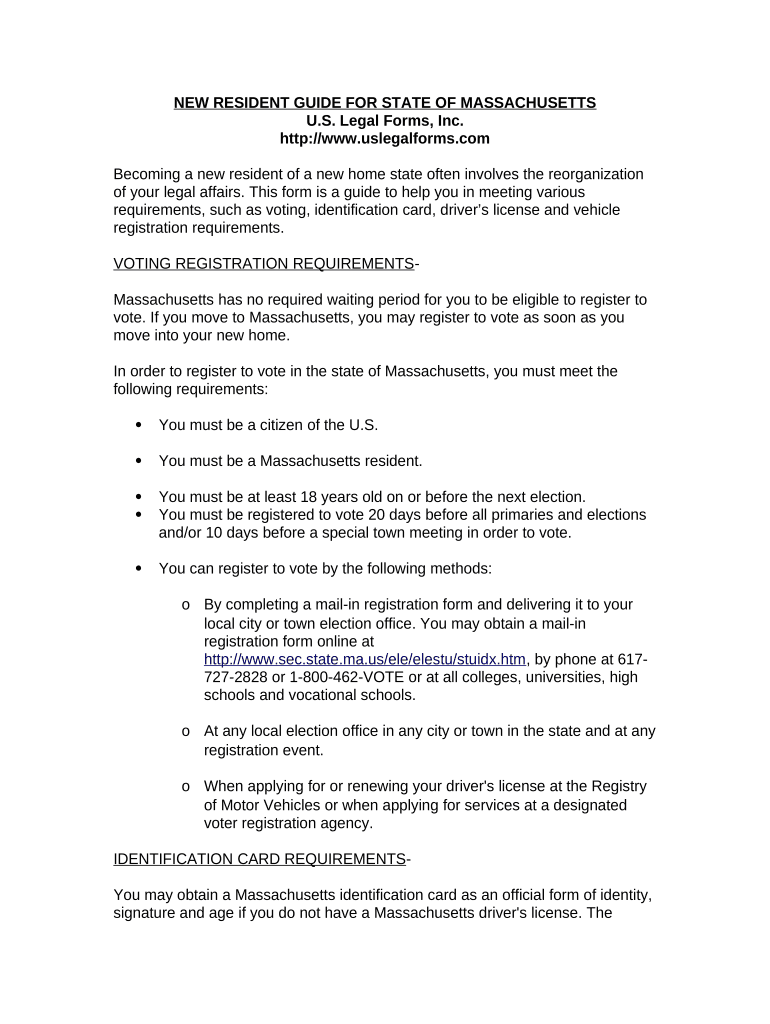
NEW RESIDENT GUIDE FOR STATE OF MASSACHUSETTS U.S. Legal Forms, Inc. http://www.uslegalforms.com Becoming a new resident of a new home state often involves the reorganization of your legal affairs. This form is a guide to help you in meeting various requirements, such as voting, identification card, driver’s license and vehicle registration requirements. VOTING REGISTRATION REQUIREMENTS - Massachusetts has no required waiting period for you to be eligible to register to vote. If you move to Massachusetts, you may register to vote as soon as you move into your new home. In order to register to vote in the state of Massachusetts, you must meet the following requirements:  You must be a citizen of the U.S.  You must be a Massachusetts resident.  You must be at least 18 years old on or before the next election.  You must be registered to vote 20 days before all primaries and elections and/or 10 days before a special town meeting in order to vote.  You can register to vote by the following methods: o By completing a mail-in registration form and delivering it to your local city or town election office. You may obtain a mail-in registration form online at http://www.sec.state.ma.us/ele/elestu/stuidx.htm , by phone at 617- 727-2828 or 1-800-462-VOTE or at all colleges, universities, high schools and vocational schools. o At any local election office in any city or town in the state and at any registration event. o When applying for or renewing your driver's license at the Registry of Motor Vehicles or when applying for services at a designated voter registration agency. IDENTIFICATION CARD REQUIREMENTS - You may obtain a Massachusetts identification card as an official form of identity, signature and age if you do not have a Massachusetts driver's license. The identification card looks similar to a driver's license, but does not extend any driving privileges. In order to obtain an identification card in Massachusetts, you must meet the following requirements:  You must be at least 16 years of age.  You must be a resident of Massachusetts.  You may not hold a valid license in any state.  You must present an application for a Massachusetts ID in person at any full service Registry of Motor Vehicles Office where you will receive a temporary card, for use for 30 days prior to you receiving a permanent card in the mail. You may obtain this form online at http://www.mass.gov/rmv/forms/21042.pdf .  You must pay a $15.00 fee.  You must have a valid social security number or an acceptable denial letter (with an acceptable visa code.) If you are under 18 years of age, you must meet the following additional requirements:  You must present originals of the following documents: o Social Security Number Card or valid, current, U.S. or non-U.S. Passport o One primary document proving date of birth  Primary documents include:  Current or expired (for not more than 12 months) U.S. or non-U.S. passport with photo and signature  Current or expired (for not more than 12 months) Massachusetts Firearms Card with photo, signature and date of birth  Current or expired (for not more than 12 months) U.S. military or military dependent ID with photo, signature and date of birth  Current or expired (for not more than 12 months) U.S. Coast Guard Merchant Mariner Card with Photograph, signature and date of birth  Current Massachusetts learner’s permit or Registry of Motor Vehicles issued ID card  Expired (for not more than 12 months) Massachusetts driver’s license or ID card  Current or expired (for not more than 12 months) out- of-state license with photo, signature and date of birth  Original birth certificate issued in U.S. or its territories or a copy certified by an agency that issued original certificate or a copy certified by a Bureau of Vital Statistics or a State Board of Health within the U.S.  Certified or attested copy of court order of a federal, state or county court within the U.S. with raised court seal, full name and date of birth  Certain Bureau of Citizenship and Immigration Services documents and other U.S. Government Immigration documents o Parental consent on the identification card application o A valid Social Security Number that verifies with the Social Security Administration or an acceptable written denial notice from the Social Security Administration. If you do not have a valid Social Security Number, you will have to provide evidence of an acceptable Visa code.  You must pay the required fees. If you are 18 years of age or older, you must meet the following additional requirements:  You must present the following: o Social Security Number Card or valid, current U.S. or non-U.S. Passport o Document proving date of birth o Document proving signature o Document proving Massachusetts residency o A valid Social Security Number that verifies with the Social Security Administration or an acceptable written denial notice from the Social Security Administration  You must pay the required fees. DRIVER’S LICENSE REQUIREMENTS - Upon becoming a Massachusetts resident, you must obtain a valid Massachusetts license to legally operate a vehicle in Massachusetts. In order to obtain a Massachusetts license, you must meet the following general requirements:  You must complete a license application, which is available at any Registry of Motor Vehicles service office or online at http://www.mass.gov/rmv/forms/21042.pdf .  You must bring the completed form, appropriate fees and required documentation discussed below to any Registry of Motor Vehicles full service office.  If your out-of-state license has been expired for more than one year but less than four, you will be required to take a written test for the class license you are trying to transfer. If your license has been expired more than four years, you will be required to take a written, road and an eye test. If you are under 18 years of age, you must meet the following additional requirements in order to obtain a driver’s license in Massachusetts:  You must be 16 and 1/2.  You must present originals of the following: o Social Security Number Card or valid, current, U.S. or non-U.S. Passport. o Out-of-state License. If your out-of-state license does not have a photo or if you do not have your out-of-state license to surrender, you must present an acceptable photo ID from the list of primary (listed above under identification card requirements) or secondary (listed below) identification documents:  Secondary documents include:  Home mortgage or lease or loan contracts with your name and signature  Life insurance policy with name, signature and date of signing  U.S. military discharge papers with name and date of birth  Notarized copy of completed income tax return filed with IRS or state revenue department  Bank passbook with name and address; bank statement or transaction-related document on form generated by issuing bank with bank’s name and website or address and your name and address, received by you or downloaded from website; or checkbook with your preprinted name and address  Canceled personal check with signature and preprinted address on check dated not more than 60 days earlier  Original or certified copy of divorce decree  Original or certified copy of marriage certificate  Original or certified copy of non-U.S. birth certificate  Current or expired ID (not more than 12 months) with photo and signature, issued by U.S. agency, the District of Columbia, state or state agency, municipality, territory or possession of U.S., province of Canada, state of Mexico or the Federal District of Mexico City  Bureau of Indian Affairs or Indian Treaty Card  Utility bill (no more than 60 days old) or property tax or excise tax bill that is for current or immediate prior year and contains your name and address  Original Massachusetts Department of Correction Certificate of Discharge or Release  Current or expired (not for more than 12 months) non- U.S. driver’s license with your signature  Tuition bill not more than 12 months old or student loan coupons with due date of not more than 12 months old with your current Massachusetts address  Original school transcript with name and address  Original or certified copy of baptismal certificate that was issued within one year of your birth by a church in U.S. and contains your date of birth  Original letter issued and signed by principal, headmaster or official keeper of records of a Massachusetts school that is on school letterhead and states you are currently a resident student and includes your name and date of birth. o One document from the primary documents listed above that proves your date of birth. o Parental consent on the license application. o A certified driving record not more than 30 days old from the state where you currently hold your license. o A valid Social Security Number that verifies with the Social Security Administration or an acceptable written denial notice from the Social Security Administration. If you do not have a valid Social Security Number, you will have to provide evidence of an acceptable Visa code.  You must convert your Driver's Education certificate or complete Driver's Education in Massachusetts. If you are 18 years of age or older, y ou must also meet the following requirements:  You must provide the Registry of Motor Vehicles an original of the following: o Social Security Number Card or valid, current, U.S. or non-U.S. Passport o Current out-of-state photo license. If your out-of-state license does not have a photo, you must present an acceptable photo ID from the above list of primary and secondary documents. If you do not have your out-of-state license to surrender, you must provide a photo ID from the primary or secondary list of identification and a certified driving record not more than 30 days old from the state where you currently hold your license. o Document proving date of birth and document proving signature. You may use an out-of-state license as one of the primary ID documents to confirm your signature or your date of birth, but not both. o Document proving current Massachusetts residency o A valid Social Security Number that verifies with the Social Security Administration or an acceptable written denial notice from the Social Security Administration. If you do not have a valid Social Security Number, you will have to provide evidence of an acceptable Visa code.  If you have a license from Canada, Mexico, or a U.S. Territory (including Puerto Rico), you must present a driving record not more than 30 days old. V EHICLE TITLE AND REGISTRATION REQUIREMENTS - You are exempt from paying Massachusetts sales tax if your vehicle was registered in another state for more than six months or if your vehicle was purchased in Massachusetts but delivered out-of-state. When registering a vehicle in Massachusetts that was delivered to another state, you must submit a copy of your letter of delivery that must include beginning and ending mileage, address to which the vehicle was delivered and the date the vehicle was delivered. The name of the individual who delivered the vehicle must be on the dealer letterhead. You are not exempt from Massachusetts sales tax if your vehicle was purchased and delivered in Massachusetts and the original sales tax was never paid. If your vehicle is exempt from Massachusetts sales tax, you must meet the following requirements to register your vehicle in Massachusetts:  You must complete an Affidavit in Support for Exemption from Sales or Use Tax for a Motor Vehicle Purchased Outside of Massachusetts (MVU- 29), which is available at any full service Registry of Motor Vehicles branch office.  You must obtain from a licensed Massachusetts insurance agent an active insurance policy and have the agent complete, stamp and sign an Application for Registration and Title (RMV-1). If there is a lien against the vehicle, you will be required to surrender your out-of-state registration rather than your out-of-state title. In this case, the RMV-1 must note the complete lienholder information and the out-of-state title number.  Along with the completed RMV-1 application, you must submit the following documents: o Your out-of-state title, and/or o Your current out-of-state registration, and o Completed Sales Tax Exemption form (MVU-29).  You must take the completed RMV-1 application and MVU-29 form and supporting documents to the nearest full service Registry of Motor Vehicles branch office.  You must obtain a vehicle inspection sticker within seven days of the registration date. If your vehicle is not exempt from Massachusetts sales tax, you must meet the following requirements to register your vehicle:  You must obtain from a licensed Massachusetts insurance agent an active insurance policy and have the agent complete, stamp and sign an Application for Registration and Title (RMV-1).  If there is a lien against the vehicle, you must surrender your out-of-state registration rather than your out-of-state title. In this case, the RMV-1 must note the complete lienholder information and the out-of-state title number.  Along with the completed RMV-1 application, you must submit the following documents: o Your out-of-state title, and/or o Your current out-of-state registration.  You must take the completed RMV-1 application and supporting documents to the nearest full service Registry of Motor Vehicles branch office. Sales tax will be collected at 5% of the purchase price or the National Automotive Dealer Association (NADA) trade-in value, whichever is higher. Interest and penalties will be calculated from the purchase date.  You must obtain a vehicle inspection sticker within seven days of the registration date. Please see the Massachusetts Registry of Motor Vehicles website at http://www.mass.gov/rmv/new_res/index.htm and Secretary of the Commonwealth, Elections Division website at http://www.sec.state.ma.us/ele/eleifv/howreg.htm for further new resident and contact information. Website source: May 5, 2006.

Valuable tips on finalizing your ‘New Resident Guide Massachusetts’ online

Are you fed up with the inconvenience of managing paperwork? Look no further than airSlate SignNow, the leading e-signature platform for individuals and small to medium-sized businesses. Wave farewell to the lengthy procedure of printing and scanning documents. With airSlate SignNow, you can effortlessly fill out and sign documents online. Utilize the extensive features integrated into this user-friendly and economical platform and transform your method of document handling. Whether you need to sign forms or collect signatures, airSlate SignNow manages it all seamlessly, with just a few clicks.

Adhere to this comprehensive guide:

  1. Sign in to your account or sign up for a complimentary trial with our service.
  2. Select +Create to upload a file from your device, cloud storage, or our form collection.
  3. Open your ‘New Resident Guide Massachusetts’ in the editor.
  4. Click Me (Fill Out Now) to finalize the document on your end.
  5. Add and designate fillable fields for other individuals (if necessary).
  6. Proceed with the Send Invite settings to solicit eSignatures from others.
  7. Save, print your copy, or convert it into a reusable template.

No need to worry if you wish to collaborate with your colleagues on your New Resident Guide Massachusetts or send it for notarization—our solution has everything you need to accomplish such tasks. Create an account with airSlate SignNow today and elevate your document management to new levels!

Here is a list of the most common customer questions. If you can’t find an answer to your question, please don’t hesitate to reach out to us.

Need help? Contact Support

The best way to complete and sign your new resident guide massachusetts form

Save time on document management with airSlate SignNow and get your new resident guide massachusetts form eSigned quickly from anywhere with our fully compliant eSignature tool.

How to Sign a PDF Online How to Sign a PDF Online

How to fill out and sign documents online

Previously, coping with paperwork required lots of time and effort. But with airSlate SignNow, document management is quick and easy. Our robust and user-friendly eSignature solution enables you to effortlessly fill out and eSign your new resident guide massachusetts form online from any internet-connected device.

Follow the step-by-step guide to eSign your new resident guide massachusetts form template online:

  • 1.Sign up for a free trial with airSlate SignNow or log in to your account with password credentials or SSO authorization option.
  • 2.Click Upload or Create and import a file for eSigning from your device, the cloud, or our form catalogue.
  • 3.Click on the file name to open it in the editor and utilize the left-side toolbar to fill out all the empty areas appropriately.
  • 4.Place the My Signature field where you need to approve your form. Type your name, draw, or upload a photo of your regular signature.
  • 5.Click Save and Close to accomplish editing your completed form.

After your new resident guide massachusetts form template is ready, download it to your device, export it to the cloud, or invite other parties to electronically sign it. With airSlate SignNow, the eSigning process only takes a few clicks. Use our powerful eSignature solution wherever you are to manage your paperwork productively!


How to Sign a PDF Using Google Chrome How to Sign a PDF Using Google Chrome

How to fill out and sign forms in Google Chrome

Completing and signing documents is easy with the airSlate SignNow extension for Google Chrome. Adding it to your browser is a quick and efficient way to deal with your paperwork online. Sign your new resident guide massachusetts form sample with a legally-binding electronic signature in just a couple of clicks without switching between tools and tabs.

Follow the step-by-step guidelines to eSign your new resident guide massachusetts form template in Google Chrome:

  • 1.Go to the Chrome Web Store, locate the airSlate SignNow extension for Chrome, and install it to your browser.
  • 2.Right-click on the link to a form you need to approve and choose Open in airSlate SignNow.
  • 3.Log in to your account with your password or Google/Facebook sign-in option. If you don’t have one, sign up for a free trial.
  • 4.Utilize the Edit & Sign toolbar on the left to fill out your sample, then drag and drop the My Signature field.
  • 5.Upload an image of your handwritten signature, draw it, or simply type in your full name to eSign.
  • 6.Make sure all information is correct and click Save and Close to finish editing your paperwork.

Now, you can save your new resident guide massachusetts form template to your device or cloud storage, email the copy to other people, or invite them to eSign your document with an email request or a secure Signing Link. The airSlate SignNow extension for Google Chrome improves your document workflows with minimum effort and time. Start using airSlate SignNow today!


How to Sign a PDF in Gmail How to Sign a PDF in Gmail How to Sign a PDF in Gmail

How to complete and sign documents in Gmail

When you receive an email with the new resident guide massachusetts form for approval, there’s no need to print and scan a document or download and re-upload it to a different tool. There’s a much better solution if you use Gmail. Try the airSlate SignNow add-on to promptly eSign any documents right from your inbox.

Follow the step-by-step guidelines to eSign your new resident guide massachusetts form in Gmail:

  • 1.Go to the Google Workplace Marketplace and look for a airSlate SignNow add-on for Gmail.
  • 2.Install the tool with a corresponding button and grant the tool access to your Google account.
  • 3.Open an email with an attached file that needs signing and utilize the S key on the right panel to launch the add-on.
  • 4.Log in to your airSlate SignNow account. Choose Send to Sign to forward the document to other parties for approval or click Upload to open it in the editor.
  • 5.Drop the My Signature option where you need to eSign: type, draw, or import your signature.

This eSigning process saves time and only requires a couple of clicks. Take advantage of the airSlate SignNow add-on for Gmail to adjust your new resident guide massachusetts form with fillable fields, sign paperwork legally, and invite other people to eSign them al without leaving your mailbox. Boost your signature workflows now!


How to Sign a PDF on a Mobile Device How to Sign a PDF on a Mobile Device How to Sign a PDF on a Mobile Device

How to complete and sign forms in a mobile browser

Need to rapidly complete and sign your new resident guide massachusetts form on a smartphone while working on the go? airSlate SignNow can help without needing to set up extra software programs. Open our airSlate SignNow solution from any browser on your mobile device and add legally-binding electronic signatures on the go, 24/7.

Follow the step-by-step guidelines to eSign your new resident guide massachusetts form in a browser:

  • 1.Open any browser on your device and go to the www.signnow.com
  • 2.Sign up for an account with a free trial or log in with your password credentials or SSO option.
  • 3.Click Upload or Create and add a file that needs to be completed from a cloud, your device, or our form collection with ready-to go templates.
  • 4.Open the form and complete the blank fields with tools from Edit & Sign menu on the left.
  • 5.Place the My Signature area to the sample, then type in your name, draw, or add your signature.

In a few simple clicks, your new resident guide massachusetts form is completed from wherever you are. When you're finished editing, you can save the document on your device, create a reusable template for it, email it to other individuals, or invite them eSign it. Make your paperwork on the go speedy and productive with airSlate SignNow!


How to Sign a PDF on iPhone How to Sign a PDF on iPhone

How to fill out and sign forms on iOS

In today’s business community, tasks must be accomplished rapidly even when you’re away from your computer. Using the airSlate SignNow app, you can organize your paperwork and sign your new resident guide massachusetts form with a legally-binding eSignature right on your iPhone or iPad. Set it up on your device to conclude contracts and manage forms from anyplace 24/7.

Follow the step-by-step guide to eSign your new resident guide massachusetts form on iOS devices:

  • 1.Open the App Store, find the airSlate SignNow app by airSlate, and set it up on your device.
  • 2.Launch the application, tap Create to add a form, and choose Myself.
  • 3.Opt for Signature at the bottom toolbar and simply draw your autograph with a finger or stylus to eSign the form.
  • 4.Tap Done -> Save right after signing the sample.
  • 5.Tap Save or utilize the Make Template option to re-use this paperwork in the future.

This method is so simple your new resident guide massachusetts form is completed and signed within a couple of taps. The airSlate SignNow application works in the cloud so all the forms on your mobile device are kept in your account and are available any time you need them. Use airSlate SignNow for iOS to enhance your document management and eSignature workflows!


How to Sign a PDF on Android How to Sign a PDF on Android

How to fill out and sign documents on Android

With airSlate SignNow, it’s easy to sign your new resident guide massachusetts form on the go. Set up its mobile application for Android OS on your device and start improving eSignature workflows right on your smartphone or tablet.

Follow the step-by-step guide to eSign your new resident guide massachusetts form on Android:

  • 1.Navigate to Google Play, find the airSlate SignNow application from airSlate, and install it on your device.
  • 2.Sign in to your account or create it with a free trial, then import a file with a ➕ option on the bottom of you screen.
  • 3.Tap on the imported file and choose Open in Editor from the dropdown menu.
  • 4.Tap on Tools tab -> Signature, then draw or type your name to eSign the template. Complete empty fields with other tools on the bottom if needed.
  • 5.Use the ✔ button, then tap on the Save option to finish editing.

With an intuitive interface and total compliance with major eSignature requirements, the airSlate SignNow application is the perfect tool for signing your new resident guide massachusetts form. It even operates offline and updates all document adjustments when your internet connection is restored and the tool is synced. Fill out and eSign forms, send them for eSigning, and create re-usable templates anytime and from anywhere with airSlate SignNow.

Sign up and try New resident guide massachusetts form
  • Close deals faster
  • Improve productivity
  • Delight customers
  • Increase revenue
  • Save time & money
  • Reduce payment cycles

