Establishing secure connection…Loading editor…Preparing document…

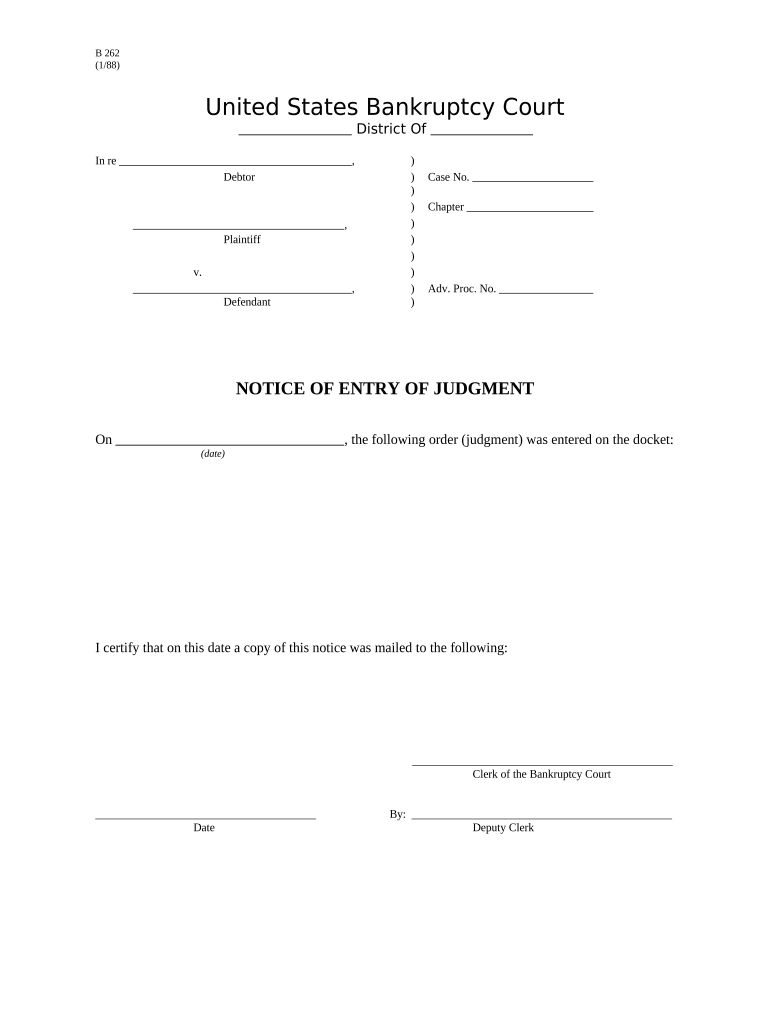
New York Notice of Entry

This template is fully customizable. Edit the text, fill out the fields, and send it for signature. Give it a try!
New York Notice of Entry

What the New York Notice of Entry Is and when it’s used

A New York Notice of Entry documents formal notice that a party intends to enter real property or record an instrument with county or court clerks; it is commonly used in landlord‑tenant, real estate closing, and construction contexts. The notice establishes the date and purpose of entry, identifies the entering party and contact information, and creates an auditable record for compliance and dispute resolution. In New York the notice can be delivered in paper or electronic form, but local filing and authentication requirements determine whether notarization, witness signatures, or additional attachments are required.

Why a clear Notice of Entry matters

A precise Notice of Entry reduces legal risk by documenting timing and authority for access, supports local recording rules, and creates evidence of proper notice if a dispute arises.

Why a clear Notice of Entry matters

Typical users and roles for a Notice of Entry

The Notice of Entry is used by property managers, landlords, title agents, contractors, and attorneys who need to document entry or intended recording before an event.

  • Property managers notifying tenants of inspections, repairs, or showings.
  • Title agents and closing attorneys recording documents with county clerks.
  • Contractors providing evidence of site entry for inspections or lien-related actions.

Stepwise process to complete a New York Notice of Entry

Follow these core steps to prepare, authenticate, and distribute the Notice of Entry so it meets New York practice and local filing rules.

  • 01
    Prepare: Fill all required fields and attach supporting documents.
  • 02
    Authenticate: Notarize or eSign according to local requirements.
  • 03
    Serve: Deliver to tenant, owner, or counterparty as required.
  • 04
    File/Record: Submit to county clerk or court if recording is needed.

How electronic completion and submission typically flow

Electronic workflows streamline preparation, signer authentication, and distribution while preserving an auditable evidence trail required for legal validity.

  • Upload Document: Add the Notice PDF or template to the signing platform.
  • Place Fields: Insert signature, date, and text fields for each party.
  • Assign Signers: Set signer order and authentication method (email, SMS, KBA).
  • Send and Track: Dispatch signing links and monitor completion status and audit trail.

Recommended digital workflow settings for Notices

Use consistent workflow settings to reduce manual steps and ensure required authentication is enforced.

Field Configuration
Signature Field Required; signer must sign before submission
Date Field Auto-fill with signer date upon signature
Authentication Email + SMS code or ID check for higher assurance
Attachments Allow upload for supporting photos or inspection reports

Technical considerations for eSigning and eFiling

Confirm the platform supports the file formats, signer authentication level, and audit trail detail required by your local authority.

  • File Formats: PDF and DOCX support preserves layout and signature anchors
  • Authentication: SMS, email, and ID verification options for signer identity
  • Integrations: Connectors to cloud storage and case management systems

Core elements to include in a professional Notice of Entry

A complete Notice of Entry combines identification, timing, purpose, contact details, authentication, and attachments to stand up to administrative review and dispute scrutiny.

Party Identification

Full legal names and entity information for each entering party; include EIN or business registration when relevant for corporate parties.
Property Details

Exact street address and legal description where available; ambiguous property references can create recording or enforcement issues.

Entry Schedule

Precise entry date and time window; if recurring, specify each occurrence and any advance notice provided.

Purpose Statement

Clear description of the reason for entry such as inspection, repair, showing, or official recording.

Authentication

Signature block with notarization or compliant eSignature method and witness acknowledgements if required by local rule.

Attachments

Support documents such as work orders, court orders, or inspection authorizations to substantiate the entry purpose.

How to save and share completed Notices

Choose formats and storage that preserve the audit log, signature images, and metadata required for legal admissibility and records management.

Signed PDF

Export as a flattened PDF with embedded audit trail for reliable printing and court submission when needed.

Audit Certificate

Include the platform‑generated certificate of completion showing timestamps, IP addresses, and signer authentication events.

Native Document

Keep the original DOCX or editable file for later amendments and version control.

Cloud Archive

Store in secure cloud storage with access controls and retention policies for compliance and discovery readiness.

Security, encryption, and compliance considerations

Encryption: TLS 1.2/1.3 and AES-256
Audit Trail: Timestamped, IP and event logs
HIPAA: BAA available
21 CFR Part 11: Compliant controls
SOC 2: Type II certified
Access Controls: SSO and role-based access

Penalties and legal risks of an incorrect or missing Notice

Contract Disputes: Loss of remedy or delay in enforcement
Recording Rejection: Clerk may refuse improperly notarized filings
Regulatory Fines: Sanctions for failure to follow statutory notice rules
Tenant Rights Claims: Claims for unlawful entry or privacy violations
Evidence Gaps: Missing audit trail undermines proof of notice
Withheld Payments: Contractual payment disputes tied to access issues

Common mistakes to avoid when preparing the Notice

  • Using informal or abbreviated names that do not match IDs or recorded documents, causing identity verification failures or rejection.
  • Failing to include precise address or legal description so the notice cannot be associated with the correct parcel in public records.
  • Omitting required authentication such as a notary or witness when local rules mandate it, risking rejection or invalidation.
  • Sending the notice to incorrect or outdated contact details, resulting in claims of improper service or lack of notice.

Timing and processing expectations for service and recording

Exact deadlines often depend on local statutes and county recording workloads; plan early to avoid delays and rejections.

Service Window:

Provide notice according to lease or contract terms; statutes may set minimum advance notice

Recording Time:

County clerk processing typically varies from same day to several weeks

Notary Timing:

Signatures should be notarized at signing; notarization after execution may be rejected

RON Record Retention:

Audio-video RON recordings commonly retained 5–10 years per state rules

Administrative Response:

Allow time for counterparty response or cure periods specified in contract or statute

Sample eSignature vendor comparison for signing Notices

Compare common capability and cost dimensions when choosing an eSignature provider for Notice of Entry workflows; signNow is listed first for parity.

signNow DocuSign Adobe Sign PandaDoc HelloSign
Starting Price $8/user/mo $15/user/mo $14/user/mo $19/user/mo $15/user/mo
Free Trial 7-day trial Varies Varies Varies Varies
Bulk Send Yes Yes Yes Yes Varies
Audit Trail Yes Yes Yes Yes Yes
HIPAA Compliant Yes Yes Yes Varies Varies
Envelope Cap No cap 100 envelopes/user/yr Varies Varies Varies

Real examples: how organizations use Notices of Entry

Two short examples illustrate common real‑world workflows for executing and archiving a Notice of Entry.

Optica Ventures LLC

Optica needed fast, auditable proofs of entry for showings and inspections.

  • They shifted to digital notices for consistency.
  • The interface is simple and easy-to-use for our team; more importantly, it is just as easy for our customers. (Brian Fitzgibbons, COO)

Martin Properties

A small property manager required mobile signing during on-site repairs.

  • Staff used a mobile workflow to collect signatures immediately.
  • I can process and execute all of these documents online with 100% compliance and built-in security. Whether on mobile or working offline, I can get forms back to their necessary parties efficiently. (Tim Martin, Founder)

Practical tips for accurate and efficient completion

Adopt consistent templates, require verified signer identity when appropriate, and preserve audit logs for every Notice of Entry.

Use validated templates
Standardize language and required fields across transactions to prevent omissions and speed review workflows.
Require proper ID
Use ID checks or SMS authentication for signers when identity is contested or where statutes demand higher assurance.
Retain audit logs
Keep the certificate of completion and metadata to document timestamps, IPs, and authentication events for future disputes.
Coordinate filing
Verify county clerk requirements before recording to avoid resubmission fees and processing delays.

Who signs and approves the Notice of Entry

Property Manager — Jane Doe

The property manager prepares and signs Notices for routine access such as inspections and repairs, ensures lease terms permit entry, and confirms the tenant service address. They coordinate notarization or eSignature authentication when required and retain copies for records.

Closing Attorney — John Smith

The closing attorney records Notices tied to title transactions, verifies legal descriptions, ensures county clerks accept the format, and attaches any necessary court orders or title affidavits before filing.

Frequently asked questions about New York Notices of Entry

Answers to common procedural and legal questions help practitioners avoid errors when preparing, authenticating, and filing the Notice of Entry.


Need help? Contact support

be ready to get more
Join over 28 million airSlate SignNow users