Establishing secure connection…Loading editor…Preparing document…

Nonsolicitation Agreement

This template is fully customizable. Edit the text, fill out the fields, and send it for signature. Give it a try!
Nonsolicitation Agreement

What a Nonsolicitation Agreement Is and When It Applies

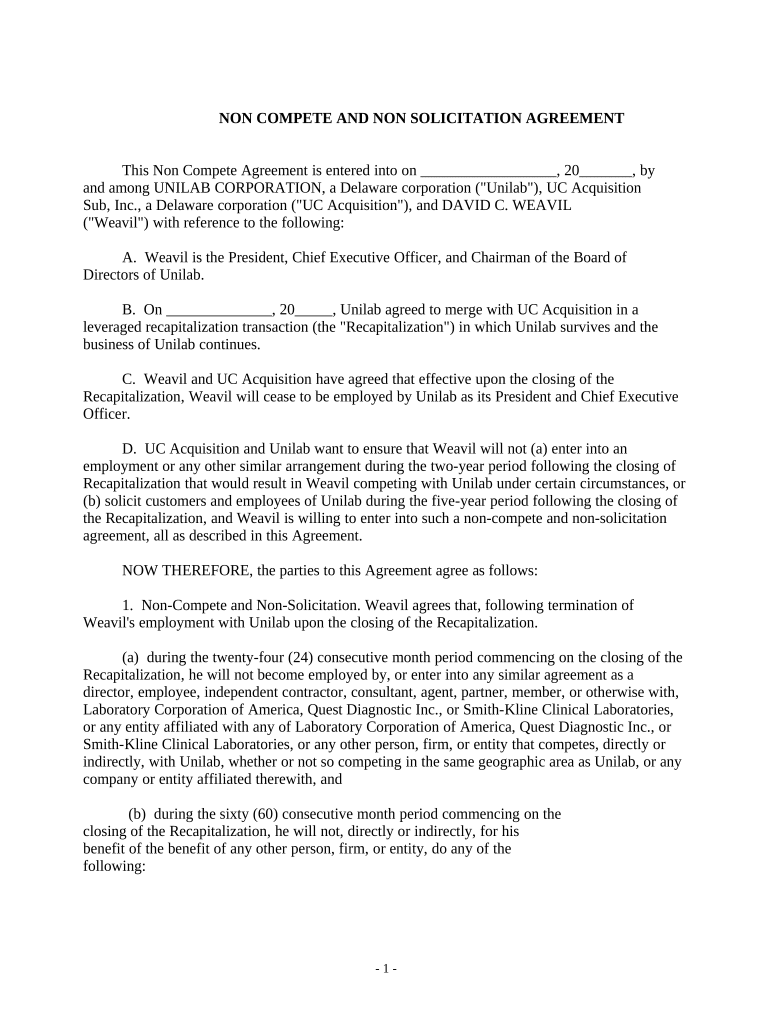
A Nonsolicitation Agreement is a contract in which one party agrees not to solicit customers, clients, or employees of the other party for a defined period after a business relationship ends. It is a restrictive covenant focused on solicitation conduct rather than broad employment restrictions, and it is commonly used in employment, sale, and contractor contexts to protect goodwill, confidential relationships, and investment in personnel.

Why Organizations Use a Nonsolicitation Agreement

Nonsolicitation clauses reduce the risk that former employees, contractors, or buyers will divert clients or staff immediately after separation. They clarify permissible behavior, preserve customer relationships, and create a contractual basis for injunctive relief or damages if the restriction is breached.

Why Organizations Use a Nonsolicitation Agreement

Who Typically Prepares and Signs This Agreement

Signatures are usually required from the party granting the restriction and the party accepting it; legal review is common for high-risk or high-value arrangements.

  • Employers and HR teams seeking to protect client and employee relationships during transitions.
  • Independent contractors or consultants working with sensitive client lists or referral networks.
  • Buyers and sellers in business acquisitions who need to preserve transferred customer goodwill.

Core Elements to Include in a Professional Nonsolicitation Agreement

A clear, enforceable nonsolicitation agreement defines the parties, the restricted conduct, the protected relationships, the time and geographic limits, consideration, and remedies. Each element should be tailored for reasonableness and compliance with applicable state law to reduce the risk of being voided in litigation.

Parties

Identify the employer, contractor, or buyer and the individual or entity agreeing not to solicit; use full legal names and indicate business type where relevant.
Restricted Conduct

Define solicitation precisely (direct contact, indirect solicitation, inducement) and whether passive advertising or responses to inbound inquiries are excluded.

Protected Relationships

List customer classes, named clients, and employee categories covered; specify whether subcontractors or referral partners are included.

Time and Scope

State a definite duration (for example, 6–24 months) and, where appropriate, a geographic scope tied to where the business operates or the customer base resides.

Consideration

Describe consideration (employment, severance, sale proceeds, or other value) sufficient under state law to support the restrictive promise.

Remedies

Specify remedies such as injunctive relief, liquidated damages if enforceable, attorneys' fees, and whether severability or blue‑penciling applies.

Required Information and Essential Fields

Party Names: Full legal names
Effective Date: MM/DD/YYYY
Term Length: Months or years
Scope Description: Customers, employees
Consideration: Salary, payment, or benefit
Signature Lines: Printed name and date

Step-by-Step: Completing a Nonsolicitation Agreement

Follow a consistent completion sequence to avoid missing required details or creating ambiguity in the restriction.

  • 01
    Prepare Draft: Identify parties and scope before drafting.
  • 02
    Specify Terms: Set precise time, geographic, and relationship limits.
  • 03
    Add Consideration: Record what each party receives in exchange.
  • 04
    Sign and Date: All parties sign using full names and dates.

How to Set Up an Online Signing Workflow

Configure an e-sign workflow that captures intent, authentication, and an audit trail to support legal validity under ESIGN and UETA.

Field Configuration
Signer Order Specify sequential or parallel signing
Authentication Choose email, SMS code, or stronger methods
Expiration Set link expiry (days) for security
Reminders Enable automated reminder schedule

Where to Send or File a Signed Agreement

After execution, deliver copies and preserve records. Routing depends on whether the agreement supports employment, sale, or contractor relationships.

  • Employer Records: Place an executed copy in the employee file or HR record.
  • Legal Counsel: Send copy to corporate counsel for retention.
  • Employee Copy: Provide signed copy to the employee or contractor.
  • Secure Archive: Store the executed PDF in a secure, access-controlled repository.

Digital Signing and Compatibility Considerations

Ensure the platform you use meets ESIGN/UETA standards and your industry compliance needs; for healthcare, verify HIPAA support where required.

  • Authentication: Email, SMS, KBA available
  • File Formats: PDF and DOCX supported
  • Integrations: Salesforce, NetSuite, Google Workspace

Key Timing Items to Track in Nonsolicitation Agreements

Track effective dates, term expirations, notice periods, and internal deadlines for enforcement actions to preserve rights and evidence.

Effective Date:

When restrictions begin; use MM/DD/YYYY format.

Term Expiration:

Date when the nonsolicit obligation ends.

Notice Period:

Time required for written cure or notice of breach.

Litigation Deadlines:

Promptly preserve evidence to support injunctive relief.

Record Retention:

Keep executed copies for applicable retention periods.

Common Preparation Mistakes to Avoid

  • Using vague definitions for 'solicit' that allow differing interpretations and weaken enforceability in court.
  • Applying overly broad geographic or temporal limits that a court may find unreasonable and void as a whole.
  • Failing to record adequate consideration, especially where the restriction is added after employment begins.
  • Neglecting to preserve signed originals or a reliable audit trail showing intent and attribution of each signer.

Consequences and Legal Risks of Poorly Drafted Agreements

Injunction Risk: Court may grant or deny injunctive relief
Monetary Damages: Liability for provable client loss
Attorney Fees: Potential fee-shifting clauses enforceable
Unenforceability: Overbroad terms may be voided
Business Disruption: Litigation can be costly and time-consuming
Reputational Risk: Client relationships can be publicly affected

Typical eSignature Vendor Capabilities for Executing Nonsolicitation Agreements

Comparison of representative starting prices and common capabilities for executing legal agreements electronically; signNow is listed first per vendor-comparison practice.

signNow DocuSign Adobe Sign PandaDoc HelloSign
Starting Price $8/user/mo $15/user/mo $14/user/mo $19/user/mo $15/user/mo
Free Trial 7-day free trial Varies by vendor Varies by vendor Varies by vendor Varies by vendor
Bulk Send Yes Yes (plan dependent) Yes (plan dependent) Yes (plan dependent) Varies by plan
Audit Trail Yes Yes Yes Yes Yes
HIPAA Compliant Yes Yes Yes No No

Practical Examples of Nonsolicitation Use

Two common scenarios illustrate how parties use nonsolicitation language and what outcomes each seeks to protect.

Employee Departure

A regional sales manager signs a nonsolicitation clause upon hire to protect client lists.

  • The clause prohibits contacting named clients for 12 months.
  • The employer preserves client relationships and can seek injunctive relief if the manager solicits those clients after leaving, provided the restriction is reasonable.

Business Sale

A buyer requires the seller to sign a nonsolicitation covenant preventing outreach to customers.

  • It covers named accounts and major clients for 24 months.
  • The covenant protects the transferred goodwill and provides the buyer contractual remedies if the seller attempts to divert business after closing.

Frequently Asked Questions About Nonsolicitation Agreements

Answers to common legal and practical questions when drafting, signing, or enforcing a nonsolicitation agreement in the United States.


Need help? Contact support

be ready to get more
Join over 28 million airSlate SignNow users