Establishing secure connection…Loading editor…Preparing document…

Letter Offering Assistance with Continued Education

This template is fully customizable. Edit the text, fill out the fields, and send it for signature. Give it a try!
Letter Offering Assistance with Continued Education

What the Letter Offering Assistance with Continued Education Is and When It’s Used

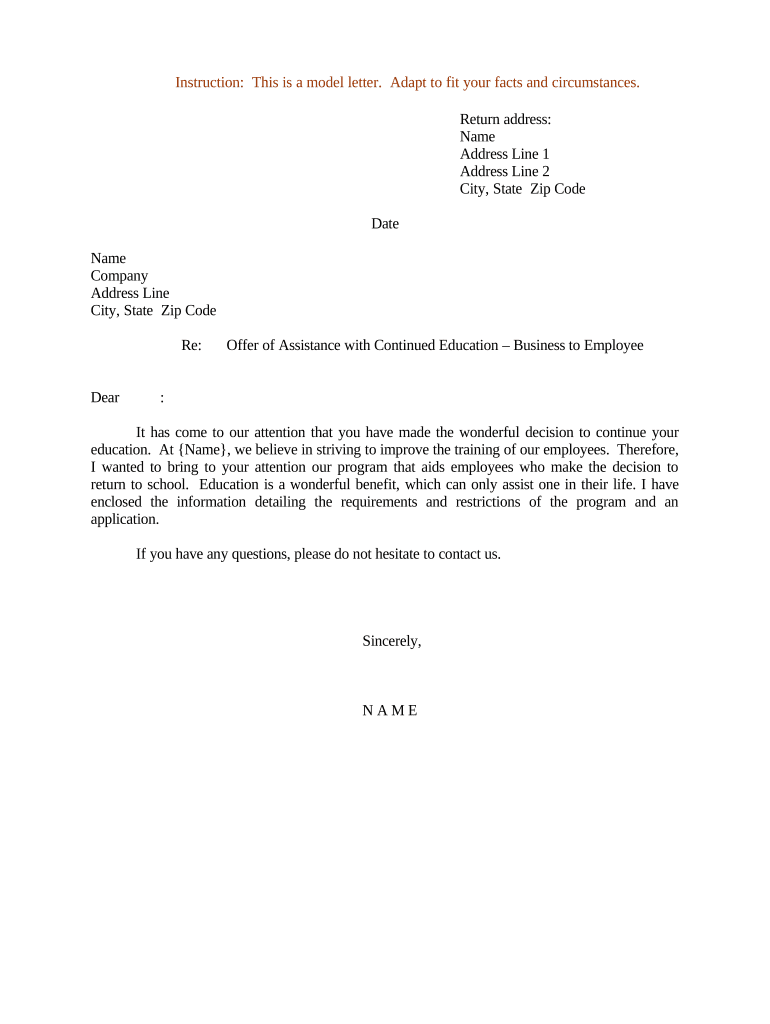
A Letter Offering Assistance with Continued Education is a formal written notice from an employer, educational institution, or program administrator that offers support for an individual’s ongoing education or professional development. It typically outlines the type of assistance available — tuition reimbursement, flexible scheduling, mentorship, approval for coursework, or paid training — and sets basic terms such as eligibility, required approvals, and effective dates. The letter documents the offer so the recipient and recordkeepers have a clear, auditable record of the assistance being made available and any conditions attached to it.

Why Issuing a Clear Assistance Letter Matters

A concise, well‑structured letter clarifies expectations, documents employer or institution commitments, protects both parties by recording eligibility conditions, and supports HR or academic auditing. It reduces disputes and streamlines administrative follow-up while providing a written basis for reimbursement, scheduling, or performance evaluation.

Why Issuing a Clear Assistance Letter Matters

Who Typically Prepares and Receives This Letter

Organizations and individuals use this letter to confirm offered educational support and next steps.

  • Human resources or learning and development teams providing tuition reimbursement or training schedules.
  • Supervisors and managers approving time off or flexible schedules for coursework.
  • Students, employees, or trainees receiving formal confirmation of available assistance.

Step-by-Step: How to Complete the Letter Offering Assistance with Continued Education

Follow these essential steps in order to ensure the letter is complete, accurate, and administratively usable.

  • 01
    Identify Parties: Enter the sender and recipient full legal names and roles.
  • 02
    Describe Assistance: State the exact form of support being offered.
  • 03
    Set Conditions: List eligibility, documentation, repayment, and grade requirements.
  • 04
    Sign and Date: Obtain authorized signature(s) and the effective date.

Configuring an Online Workflow to Issue the Assistance Letter

Set up a simple approval and distribution workflow so offers are tracked and executed consistently.

Field Configuration
Sender Field Auto-populate from HR directory
Recipient Field Use employee or student ID lookup
Approval Step Manager approval then HR verification
Delivery Send signed PDF to recipient and archive

Typical Process Flow for Issuing and Recording the Letter

A standard process reduces errors and creates an auditable trail from offer to completion.

  • Draft: Prepare the letter with all required fields completed.
  • Approve: Route to manager and HR for authorization.
  • Sign: Collect signatures from authorized representative(s).
  • Distribute: Send final copy to recipient and store in records.

Delivery Options and Technical Considerations

Choose distribution channels that meet legal and organizational requirements.

  • Email Delivery: Send a signed PDF to the recipient’s verified email address.
  • Secure Portal: Host documents in a secure employee or student portal for controlled access.
  • eSignature: Use an ESIGN/UETA-compliant eSignature platform to capture consent and audit trails.

Ensure channels preserve the signed record and provide retrieval for audits and future reference.

Essential Elements to Include in the Letter Offering Assistance with Continued Education

A complete letter should include key administrative, financial, and compliance details so both parties understand obligations and timelines.

Header

Date, sender organization name, address, and contact information to establish provenance and communication channels.
Recipient Details

Full legal name, title or student ID, department or program to tie the offer to the correct individual.

Assistance Description

Clear description of the support (tuition reimbursement, fee waiver, paid training) including limits and covered expenses.

Conditions

Eligibility, grade or completion requirements, employment status, repayment terms if employment ends prematurely.

Effective Dates

Start and end dates for the offer and any deadlines for enrollment or claim submission.

Authorization

Signature block with printed name, title, and date from an authorized representative.

Common Supporting Documents to Attach or Reference

Attach documents that substantiate eligibility and processing requirements to streamline approvals and reimbursement.

Course Syllabus

A copy of the course description or syllabus that shows credit hours, topics, and instructor to verify relevance.

Tuition Invoice

Official invoice or fee schedule from the educational provider to document exact charges for reimbursement.

Proof of Completion

Transcript, certificate, or grade report required to confirm successful course completion per program rules.

Approval Form

Internal approval or authorization form signed by manager or academic advisor to document prior consent.

Best Practices to Keep the Letter Clear and Compliant

Follow these practical tips to minimize ambiguity and ensure the letter supports future auditing and enforcement.

Be Specific
Define amounts, eligible expenses, deadlines, and grade thresholds clearly to avoid interpretation disputes.
Use Standard Forms
Adopt a templated form for consistency across departments and to simplify auditing and reporting.
Record Approvals
Capture manager and HR approvals in writing and store signed copies in a central records system.
Preserve Evidence
Keep invoices, course materials, and completion records to support reimbursement and compliance reviews.

Typical Timing and Deadlines to Track

Identify and communicate the dates that affect eligibility, reimbursement, and documentation submission to avoid missed benefits.

Offer Effective Date:

The date the offer becomes active, recorded as MM/DD/YYYY.

Enrollment Deadline:

Date by which recipient must enroll in the course to qualify.

Submission for Reimbursement:

Deadline for submitting invoices and proof of completion after course end.

Repayment Trigger:

Timeframe within which repayment is required if recipient leaves employment.

Record Retention:

Minimum period to keep documents for audit and compliance purposes.

Key Milestones from Offer to Reimbursement

A sequential milestone view helps recipients and administrators follow the required steps from offer issuance to benefit closure.

01

Issue Offer

Employer or institution issues the letter and records the effective date and terms.

02

Recipient Acceptance

Recipient acknowledges acceptance in writing or via signed return of the letter.

03

Course Enrollment

Recipient enrolls and provides enrollment confirmation to HR or program administrator.

04

Completion and Claim

Recipient submits proof of completion and invoice for reimbursement or processing.

Common Preparation Errors to Avoid

  • Omitting precise dollar limits or coverage scope causing later disputes.
  • Failing to require or capture recipient acceptance or signature.
  • Leaving eligibility criteria vague or unrecorded for audit purposes.
  • Not preserving course completion evidence or instructor documentation.

Potential Risks of an Incomplete or Incorrect Letter

Reimbursement Denied: Missing eligibility proof
Repayment Disputes: Unclear repayment triggers
Recordkeeping Issues: Insufficient audit trail
Compliance Exposure: HIPAA or FERPA breaches where applicable
Contract Ambiguity: Vague terms leading to litigation
Tax Reporting: Incorrect benefit reporting

Common eSignature Provider Comparison for Issuing and Signing the Letter

Comparison of typical vendor starting prices and capabilities for eSignature and document delivery; signNow is listed first per platform conventions.

signNow DocuSign Adobe Sign PandaDoc HelloSign
Starting Price $8/user/mo $15/user/mo $14/user/mo $19/user/mo $15/user/mo
Free Trial 7-day trial Varies by vendor Varies by vendor Varies by vendor Varies by vendor
Bulk Send Yes Yes Yes Yes No
Audit Trail Yes Yes Yes Yes Yes
HIPAA Compliant Yes Yes Yes No No

Frequently Asked Questions About the Letter Offering Assistance with Continued Education

Answers to common questions about completing, signing, and storing the letter, plus legal and administrative considerations.


Need help? Contact support

be ready to get more
Join over 28 million airSlate SignNow users