Establishing secure connection…Loading editor…Preparing document…

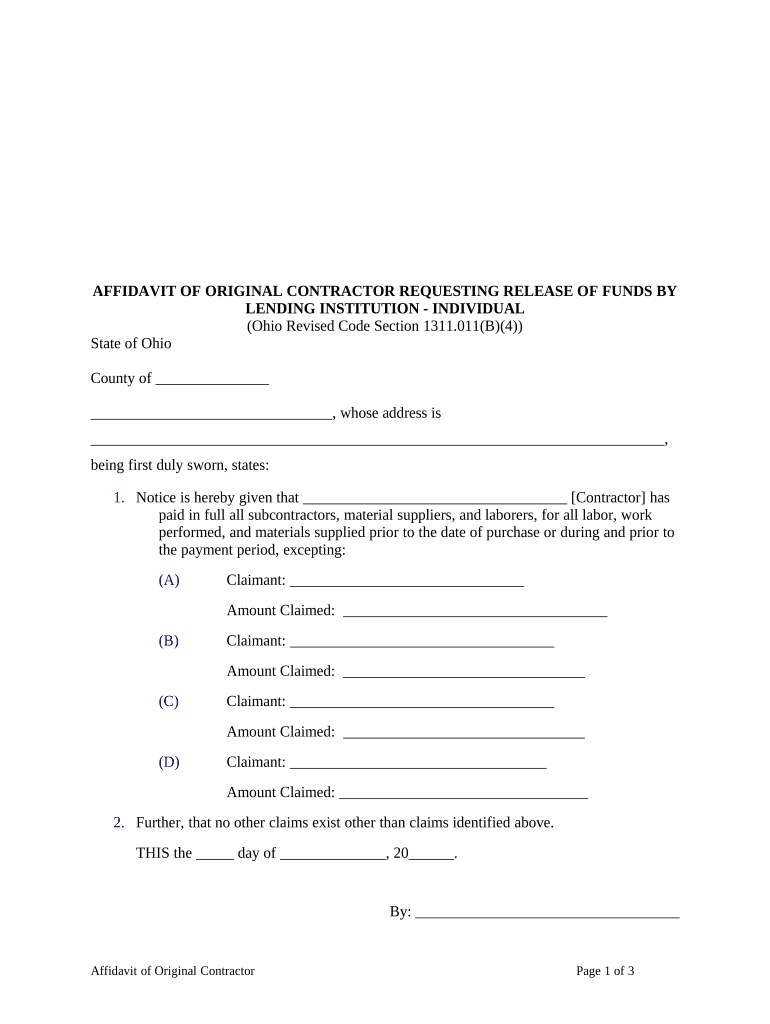
Ohio Release Form

This template is fully customizable. Edit the text, fill out the fields, and send it for signature. Give it a try!
Ohio Release Form

What an Ohio Release Form Is and when it applies

An Ohio Release Form is a written record by which one party gives up or limits legal claims, liabilities, or rights against another party. Common uses include liability waivers for events or activities, employment separation releases, lien releases in real estate transactions, and authorizations for release of medical or financial records. The form identifies parties, describes the actions or claims being released, states any consideration exchanged, and records the effective date and signatures. Properly executed releases clarify risk allocation and reduce litigation exposure when legally enforceable.

Why an Ohio Release Form is useful and legally significant

A clear release form reduces uncertainty by documenting consent to waive claims, defining the release scope, and evidencing consideration. When correctly drafted and executed it helps prevent disputes, supports risk management, and provides a written record that courts can review for enforceability under federal and state e-signature laws such as the ESIGN Act and state UETA statutes.

Why an Ohio Release Form is useful and legally significant

Typical users and scenarios for an Ohio Release Form

Organizations and individuals use release forms across many situations where one party relinquishes a claim or grants permission to share information.

  • Event organizers and venues for participant liability waivers and activity releases to limit exposure.
  • Employers and HR teams when offering separation agreements that include release of claims in exchange for consideration.
  • Property owners, contractors, and title companies for lien releases and closing-related authorizations.

Who can sign and representative signers

Individual Signer

A natural person signing a personal-release form (e.g., event waiver). The signer must have legal capacity to release claims and should sign using their full legal name as shown on ID; mismatched names can create enforcement issues.

Authorized Representative

An officer, agent, or attorney-in-fact who signs for a business or another person must have documented authority (corporate resolution, POA). Verify signing authority before acceptance to avoid later challenges.

Step-by-step: filling out an Ohio Release Form

Follow these steps in order to complete a clear and enforceable release form, whether you use paper, remote online notarization, or an e-signature platform.

  • 01
    Prepare Document: Identify parties, state consideration, and define the release scope clearly.
  • 02
    Verify Identity: Collect government ID or use KBA/ID analysis for remote signers.
  • 03
    Sign and Date: Ensure all required signers execute the signature block in the correct format.
  • 04
    Notarize if Required: Obtain notarization or witnesses when the transaction or state law calls for it.

How to set up an online completion workflow

Configure a repeatable digital workflow to reduce errors and speed return rates when distributing Ohio Release Forms electronically.

Field Configuration
Upload Document Add a PDF or DOCX master copy to the system for reuse.
Place Fields Add signature, initial, date, and text fields with required flags.
Signer Authentication Set email verification, SMS code, or stronger KBA if needed.
Reminders & Routing Enable automatic reminders and set signing order for multi-party workflows.

Where to send the completed Ohio Release Form

After signing, route the final executed copy to all parties and retain a certified copy in your records according to retention policy.

  • To the Releasor: Provide a signed copy via email or secure download link.
  • To the Releasee: Send the executed document and confirm receipt for records.
  • For Recording: Record lien releases with county recorder if the form affects title.
  • Internal Records: Store the executed PDF and audit trail in your document repository.

Electronic distribution and platform requirements

Choose platforms that support required file formats, signer authentication, and secure storage when you e-sign or e-submit release forms.

  • Supported Formats: PDF, DOCX, HTML, Excel
  • Integrations: Salesforce, NetSuite, Microsoft 365
  • Authentication: Email, SMS, KBA, SSO

Key elements that make an Ohio Release Form professional and enforceable

A well-drafted release contains standard clauses and practical elements that reduce ambiguity, document consent, and support enforceability in Ohio courts or administrative contexts.

Clear Parties

Identify releasor and releasee by full legal name, capacity (individual or company), and contact details to avoid identity disputes.
Defined Scope

Precisely list the claims, time periods, acts, or events being released; narrow scope prevents unintended waiver of unrelated claims.

Consideration

State exact monetary amounts or specific benefits provided in exchange for the release to evidence bargained-for consideration.

Representations and Warranties

Include statements about authority to sign and absence of pending claims to support reliance and later enforcement.

Notary/Witness Block

Include notary acknowledgement or witness lines when state law, recording, or organizational policy requires authentication.

Governing Law

Specify Ohio law for interpretation and dispute resolution, and include venue if parties wish to limit jurisdictional ambiguity.

File handling, export options, and supporting attachments

Capture signed files and related documents together to preserve evidentiary value and simplify audits or title searches.

Export Formats

Save executed copies as searchable PDF/A with embedded audit trail and metadata for long-term archival.

Supporting Documents

Attach ID copies, proof of consideration, settlement checks, or lien release reference numbers as exhibits.

Audit Trail

Preserve timestamp, IP address, signer authentication method, and field-level history for evidentiary support.

Version Control

Keep pre-sign and post-sign versions and mark the final executed document as the authoritative record.

Common mistakes to avoid when preparing the Ohio Release Form

  • Using overly broad language that unintentionally extinguishes unrelated claims; narrowly define what is being released and the time frame.
  • Failing to document consideration clearly; vague promises may not establish enforceable bargained exchange under contract law.
  • Accepting mismatched signer names or unsigned signature blocks; verify identity and require complete signature lines.
  • Skipping required notarization or witness steps when the document affects title or otherwise requires authentication by state law.

Consequences of incomplete or incorrect release forms

Unenforceable Release: Courts may void ambiguous or improperly executed releases.
Reinstated Claims: Claimants may pursue claims if waiver requirements are unmet.
Record Rejection: Recorder offices may refuse document recording without required notarization.
HIPAA Exposure: Unauthorized medical releases can trigger HIPAA penalties.
Contractual Liability: Incorrect authority can expose organizations to breach claims.
Financial Loss: Settlements based on flawed releases may be subject to rescission and additional costs.

Timing and expected processing steps for release forms

Timing depends on purpose: event waivers are executed immediately, settlement releases follow negotiation, and lien releases are processed for recording. Allow for identity checks and, if needed, notarization.

Immediate Execution:

Waivers for events should be signed before participation.

Settlement Timing:

Allow time for consideration to be delivered and cleared before claiming full release.

Notary Scheduling:

Allow 24–72 hours to schedule in-person notarization; RON sessions may be scheduled faster.

Recording Delays:

County recorder processing may take days to weeks depending on workload.

Retention Start:

Retention begins on execution date for recordkeeping purposes.

Notarization and witness steps for authenticated execution

When notarization or witness attestation is required, follow a clear sequence to document identity, execute, notarize, and preserve the verifying record.

01

Prepare Final Copy

Assemble the final signed version with all exhibits and signature blocks ready.

02

Verify Identity

Notary or authorized witness checks government ID or remote KBA.

03

Signer Presence

Signer appears in-person or via approved RON audio-video session.

04

Notarial Act

Notary completes certificate, signs, and affixes seal where required.

05

Witness Attestation

If witnesses are required, obtain their signatures and printed names.

06

Record Retention

Store notary journal or RON recording per state retention rules.

07

File for Recording

Submit to county recorder when the release affects recorded interests.

08

Distribute Copies

Send authenticated copies to all parties and retain originals.

How an Ohio Release Form compares with similar documents

Understanding differences helps pick the right document: a simple release, a settlement agreement, or an authorization each serves distinct legal purposes.

Criteria Release Form Settlement Agreement
Purpose waive specific claims resolve disputes comprehensively
Consideration Required sometimes
Complexity lower higher
Typical Use events, authorizations litigation settlements

Common eSignature vendors for executing Ohio Release Forms

Compare basic plan pricing and core features relevant to signing and storing release forms; signNow is listed first per vendor ordering rules.

signNow DocuSign Adobe Sign PandaDoc HelloSign
Starting Price $8/user/mo $15/user/mo $14/user/mo $19/user/mo $15/user/mo
Free Trial 7-day free trial 30-day free trial 30-day free trial 14-day free trial 30-day free trial
Bulk Send Yes Yes Yes Yes Yes
Audit Trail Yes Yes Yes Yes Yes
HIPAA Compliant Yes Yes Yes No No

Real-world examples of using release forms

These case examples show how organizations applied release forms to reduce friction and document outcomes in common workflows.

Optica Ventures — COO

Optica used a streamlined release template to close vendor disputes quickly and reduce paperwork.

  • The interface was simple for internal and external users.
  • The result was faster turnaround and consistent records for audits and future contracting.

Martin Properties — Founder

Martin Properties digitized property release processes for tenants and contractors.

  • Execution could occur remotely on mobile devices.
  • This allowed the company to maintain 100% compliance while improving document retrieval and reducing in-person signings.

How to update or correct an executed Ohio Release Form

Amendments or corrections must be handled carefully to avoid undermining the original release; use addenda or a replacement agreement when necessary.

01

Confirm Necessity:

Assess whether a correction or full amendment is required based on legal effect.
02

Draft Addendum:

Prepare a short addendum describing the change and referencing the original agreement.
03

Obtain Consent:

Have all original parties sign the addendum or new release to confirm mutual assent.
04

Notarize if Needed:

Notarize the amendment when the original required notarization for recording.
05

Replace Originals:

Mark superseded copies and retain both versions for the audit trail.
06

Distribute Updated Copies:

Provide executed copies to all parties and update internal records.

FAQs and troubleshooting for Ohio Release Forms

Answers to common user questions about legality, e-signing, notarization, revocation, retention, and correcting executed forms.


Need help? Contact support

be ready to get more
Join over 28 million airSlate SignNow users