Establishing secure connection…Loading editor…Preparing document…

Oklahoma Name Change Petition

This template is fully customizable. Edit the text, fill out the fields, and send it for signature. Give it a try!
Oklahoma Name Change Petition

What the Oklahoma Name Change Petition Is and when it’s used

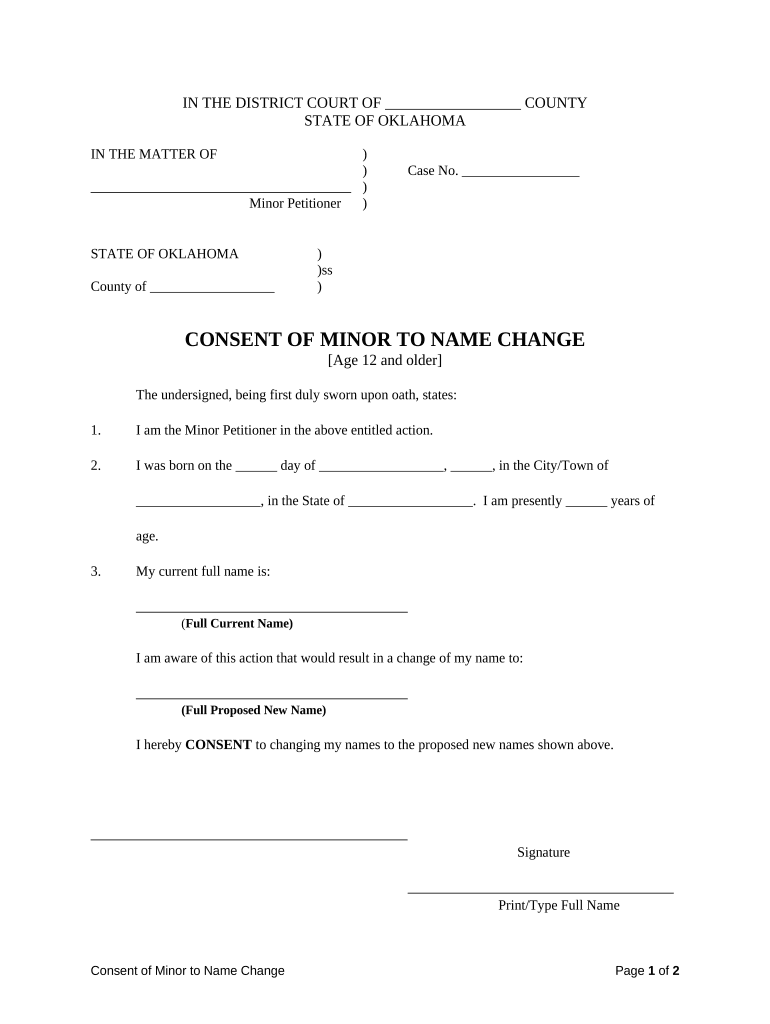
An Oklahoma Name Change Petition is a court filing that requests a district court order to change an individual’s legal name. The petition starts the judicial process in the county where the petitioner resides, asks the court to find the change lawful, and, if granted, provides an official court order for updating identity documents and records. Petitions vary for adults and minors and may require supporting documents, signature verification, and compliance with local procedural rules. Electronic submission and e-signatures are generally governed by ESIGN and state law where allowed.

Why filing a formal petition matters

A court-ordered name change creates a permanent legal record that enables consistent updates to government IDs, financial accounts, and public records, and reduces future disputes about identity.

Why filing a formal petition matters

Who typically files or completes this petition

Each filer should confirm county-specific requirements and whether additional pleadings, notices, or waivers are necessary.

  • Individuals seeking to correct or change their legal name after marriage, divorce, gender transition, or personal choice.
  • Parents or guardians filing on behalf of minors, subject to additional court scrutiny and consent rules.
  • Attorneys, court clerks, and legal-aid organizations preparing standardized filings for clients or clinics.

Step-by-step: completing and filing the petition

Follow these broad steps as a general roadmap; county rules determine exact forms and procedures.

  • 01
    Prepare petition: Complete required fields and attach ID copies.
  • 02
    File with court: Submit petition and pay filing fee at county clerk.
  • 03
    Attend hearing: Appear on the scheduled date or follow remote procedures.
  • 04
    Obtain order: Receive signed court order and request certified copies.

Typical e-submission and signing workflow

When courts and counties accept electronic filings, the process follows a predictable signing and routing sequence.

  • Upload: Sender uploads petition PDF or DOCX.
  • Add fields: Place signature, date, and ID fields for signers.
  • Authenticate: Signers verify identity via email, SMS, or platform options.
  • Archive: Signed order and audit trail are retained.

Recommended e-filing configuration settings

Configure templates and authentication settings to match court expectations and preserve evidentiary value.

Field Configuration
Signature Type Email link or certified signature depending on court rules
Authentication Email + SMS code or government ID verification if required
File Formats PDF/A or PDF preferred for court submissions
Audit Trail Enable IP, timestamp, and action log retention

Technical requirements for electronic completion and submission

Retain an immutable audit trail and certified copies consistent with ESIGN and local procedural rules to support court review.

  • File formats: PDF, DOCX accepted by many courts
  • Authentication: Email/SMS or stronger ID verification
  • Integrations: Supports Salesforce, NetSuite, Google Workspace

Typical timelines and processing expectations

Expected timeframes depend on county docket, publication requirements, and whether a hearing is contested.

Filing to hearing:

Often 4–12 weeks depending on court calendar

Notice or publication:

If required, publication typically spans 2–4 weeks

Issuance of order:

Court may issue order at hearing or by mail

Updating agencies:

DMV, Social Security, and banks vary; expect 2–8 weeks

Certified copies:

Request same day or within a few business days

Key milestones from petition filing to final updates

A typical sequence highlights filing, review, hearing, and record updates in order.

01

Prepare and verify petition

Complete form, attach ID and supporting documents

02

File with county court

Pay filing fee and receive case number

03

Attend hearing or submit affidavit

Judge reviews request and approves if lawful

04

Obtain certified order

Use order to update government records

Security and compliance considerations for electronic petitions

Encryption: TLS 1.2/1.3 in transit; AES-256 at rest
Certifications: SOC 2 Type II and ISO 27001
HIPAA: BAA available for protected health information
ESIGN / UETA: Compliant with ESIGN and UETA frameworks
21 CFR: Supports 21 CFR Part 11 requirements
Accessibility: WCAG 2.0 Level AA conformance

Consequences and legal risks of incorrect petitions

Denial: Court may dismiss the petition
Identity disputes: Incorrect updates can create conflicting records
Fees lost: Filing fees may not be refundable
Fraud allegations: False statements risk civil or criminal exposure
Delayed updates: Vital records and agencies may not accept incomplete orders
Evidence gaps: Missing certified copies hamper future transactions

Common mistakes to avoid when preparing the petition

  • Submitting inconsistent name formats between the petition and supporting ID causes processing delays or requests for amendment.
  • Failing to confirm county-specific forms or required attachments leads to rejections or hearing continuances.
  • Omitting or misdating required proof of residence or birth documentation may require supplemental affidavits.
  • Neglecting to request certified copies at the clerk’s office forces expensive additional requests later.

Practical tips for accurate and efficient completion

Use these practices to reduce errors, speed review, and make downstream updates easier.

Verify legal names
Cross-check current legal name against a government-issued ID and all supporting documents to prevent identity mismatches and avoid corrective filings.
Prepare certified copies
Order multiple certified copies of the final court order so you can update Social Security, DMV, banks, and other institutions without repeated clerk visits.
Check local rules
Confirm county filing forms, publication or notice requirements, and hearing procedures with the court clerk before submission.
Use consistent formatting
Enter dates as MM/DD/YYYY, spell state names fully, and avoid abbreviations to minimize clerical errors.

Practical scenarios where a petition is used

These short examples illustrate common, lawful reasons for filing and downstream outcomes.

Adult legal name change

A petitioner files to change a surname after divorce

  • Court schedules a hearing within weeks
  • Once ordered, the petitioner used certified copies to update Social Security, DMV, and bank records, avoiding conflicting identity records and simplifying future transactions.

Minor name adjustment

Parents petition to change a child’s surname following parental agreement

  • Court reviews consent and best interests
  • The final order enabled school and medical records to be updated and provided a single legal name for the child’s identification documents.

Comparing e-signature vendor basics for completing petitions and supporting documents

Key plan and compliance points for common e-signature providers; signNow appears first for comparison consistency.

signNow DocuSign Adobe Sign PandaDoc HelloSign
Starting Price $8/user/mo $15/user/mo $14/user/mo $19/user/mo $15/user/mo
Free Trial 7-day free trial No No Yes, limited Yes, limited
Bulk Send Yes Yes Yes Yes No
Audit Trail Yes Yes Yes Yes Yes
HIPAA Compliant Yes Yes Yes No No

Frequently asked questions and troubleshooting

Answers to common procedural and technical questions about filing, signatures, and updating records after a name change.


Need help? Contact support

be ready to get more
Join over 28 million airSlate SignNow users