Establishing secure connection…Loading editor…Preparing document…

Letter Explaining Insurance Rate Increase

This template is fully customizable. Edit the text, fill out the fields, and send it for signature. Give it a try!
Letter Explaining Insurance Rate Increase

What the Letter Explaining Insurance Rate Increase Is

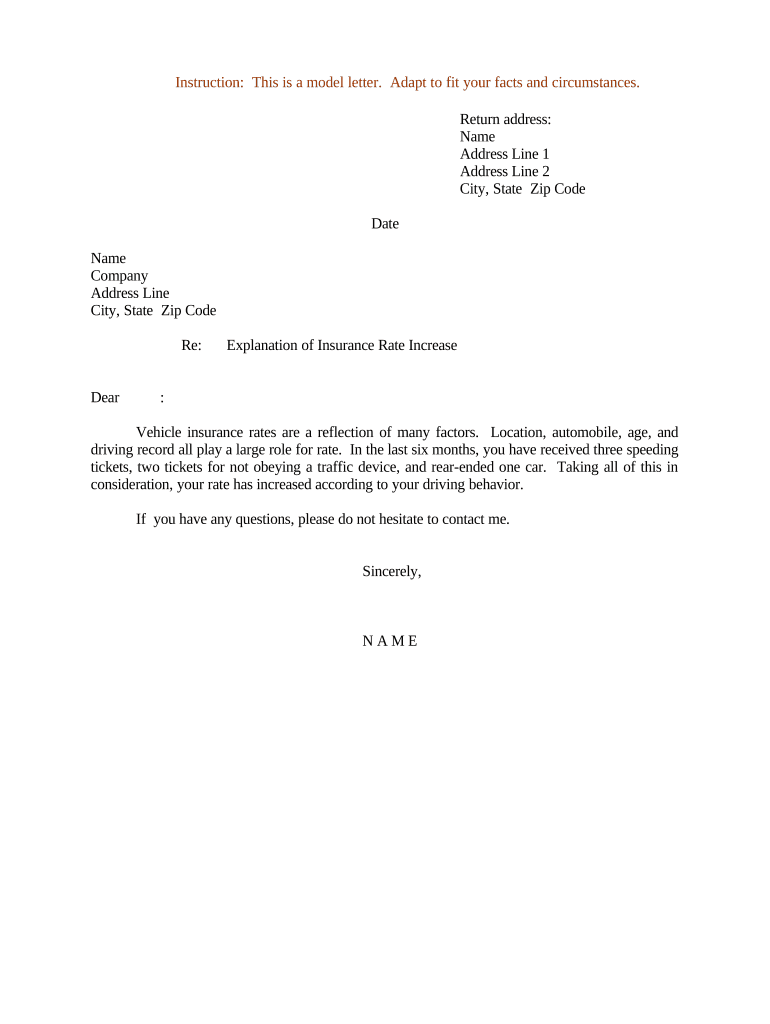
Letter Explaining Insurance Rate Increase is a written notice from an insurer to a policyholder that describes why premiums are rising, the amount or percentage of the increase, the effective date, and any available options for the policyholder. It documents actuarial, regulatory, or market reasons for rate adjustments and supports regulatory filings where required. When delivered electronically, the letter is generally acceptable under the ESIGN Act (15 U.S.C. ch. 96) and UETA when parties consent and records are retained.

Why a Clear Rate-Change Letter Matters

A clear Letter Explaining Insurance Rate Increase provides transparency to policyholders, creates a documented record for regulators, and reduces customer confusion and complaint risk. Properly structured letters can streamline regulatory review and support actuarial justification when rate changes are challenged.

Why a Clear Rate-Change Letter Matters

Who Prepares and Receives This Letter

Typical users who prepare or receive this letter include insurers, agents, regulators, and individual policyholders.

  • Insurers and underwriters — prepare formal justification and regulatory filing materials.
  • Agents and brokers — explain impacts to clients and handle appeals or policy adjustments.
  • State insurance departments and regulators — review filings and enforce notice or approval rules.

Key Components to Include for Clarity and Compliance

Core elements of the letter ensure clarity, regulatory traceability, and an auditable explanation of the actuarial basis for rate changes.

Heading

State the document title, insurer name, policy number(s), and the date issued. A clear heading helps recipients and regulators immediately identify the communication and link it to the correct policy record.
Summary

Provide a concise summary of the rate increase: percentage or dollar change, effective date, and the classes of policies affected. Keep the top paragraph brief for quick comprehension.

Rationale

Explain actuarial or market reasons such as claims experience, reinsurance costs, or expense changes. Include key metrics and the analysis time period used to support the change.

Calculation

Show core calculations, tables, or exhibit references. Specify data sources, time spans, and formulas so reviewers can verify assumptions and reproduce key figures.

Options

List policyholder options: payment plans, policy adjustments, available discounts, and the appeals or review process. Include contact points and expected response timelines for inquiries.

Regulatory

Note any filings made with the state insurance department, applicable filing numbers, and the governing statute or rule so regulators can cross-check the administrative record.

Step-by-Step: Draft, Approve, and Deliver the Letter

Follow these sequential steps to draft, approve, and deliver an accurate letter that meets regulatory and customer service expectations.

  • 01
    Draft: Compose a concise explanation and supporting figures for the rate change.
  • 02
    Internal Review: Obtain actuarial and legal sign-off before circulation.
  • 03
    Regulatory Filing: Submit the required filing to the state insurance department.
  • 04
    Deliver: Send notices to policyholders using documented delivery methods.

How to Configure an Online Template and Signing Workflow

Configure your online template and signer workflow to collect signatures, evidence consent, and attach supporting exhibits.

Field Configuration
Template Name Use a saved template with locked legal text.
Conditional Fields Auto-show exhibits for selected reason codes.
Signer Authentication Email plus SMS code or ID verification.
Attachments Include calculation tables as PDF exhibits.

Where the Letter Goes and How Delivery Is Tracked

This sequence explains where to send letters, how recipients receive them, and how to record delivery for compliance.

  • Upload: Attach the finalized letter and exhibits.
  • Sign: Obtain insurer signatory authorization and date.
  • Send: Deliver via certified mail, email, or portal.
  • Record: Log delivery method, timestamps, and audit data.

Technical and Security Requirements for eDelivery

Ensure your platform supports secure delivery, audit trails, and the file formats required by regulators.

  • Formats: Support PDF and DOCX formats.
  • Integrations: Integrations with CRM and cloud storage.
  • Security: TLS 1.2/1.3 and AES-256 encryption.

Typical Timing Considerations

Timelines depend on insurer policies and state notice rules; begin planning early to meet regulatory and billing cycles.

Advance Notice Timing:

Provide at least 30 days where states require prior notice.

Effective Date:

Set the date matching the filing and billing system.

Customer Billing:

Apply new premiums at the next billing cycle after effective date.

Regulatory Response Window:

Allow time for state review and possible objections.

Record Retention Start:

Retention begins on issuance date or effective date.

Common Mistakes to Avoid

  • Failing to state clear figures or effective date leads to consumer confusion, billing errors, and an increase in complaints filed with the insurance department.
  • Omitting regulatory filing references or exhibit identifiers can delay review and force resubmission; include exact filing IDs where applicable.
  • Using informal language or vague rationale invites challenge; provide quantifiable metrics and cite the data range used for analysis.
  • Delivering notices without proof of delivery or without secured consent for e-delivery weakens enforceability and complicates dispute resolution.

Penalties and Risks of an Incorrect Letter

Regulatory Fines: Varies by state.
Rescission Risk: Policies may be rescinded.
Consumer Complaints: Increased complaint volume.
Premium Adjustments: Retroactive corrections possible.
Legal Liability: Class-action exposure risk.
Reputation Harm: Public trust erosion.

eSignature Pricing and Feature Snapshot

Compare common eSignature plan features and starting prices relevant to distributing and signing regulatory letters. Use this table to evaluate cost and compliance features.

signNow DocuSign Adobe Sign PandaDoc HelloSign
Starting Price $8/user/mo $15/user/mo $14/user/mo $19/user/mo $15/user/mo
Free Trial Yes, 7-day trial Varies by vendor and plan Varies by vendor and plan Varies by vendor and plan Varies by vendor and plan
Bulk Send Yes Yes Yes Yes No
Audit Trail Yes Yes Yes Yes Yes
HIPAA Compliant Yes Yes Yes No No

FAQs: Common Questions About the Letter and eDelivery

Answers to common legal, procedural, and technical questions about preparing and delivering a Letter Explaining Insurance Rate Increase.


Need help? Contact support

be ready to get more
Join over 28 million airSlate SignNow users