Caption
Case caption listing court, parties, and case number so the petition is docketed correctly and matched to existing or new cases.
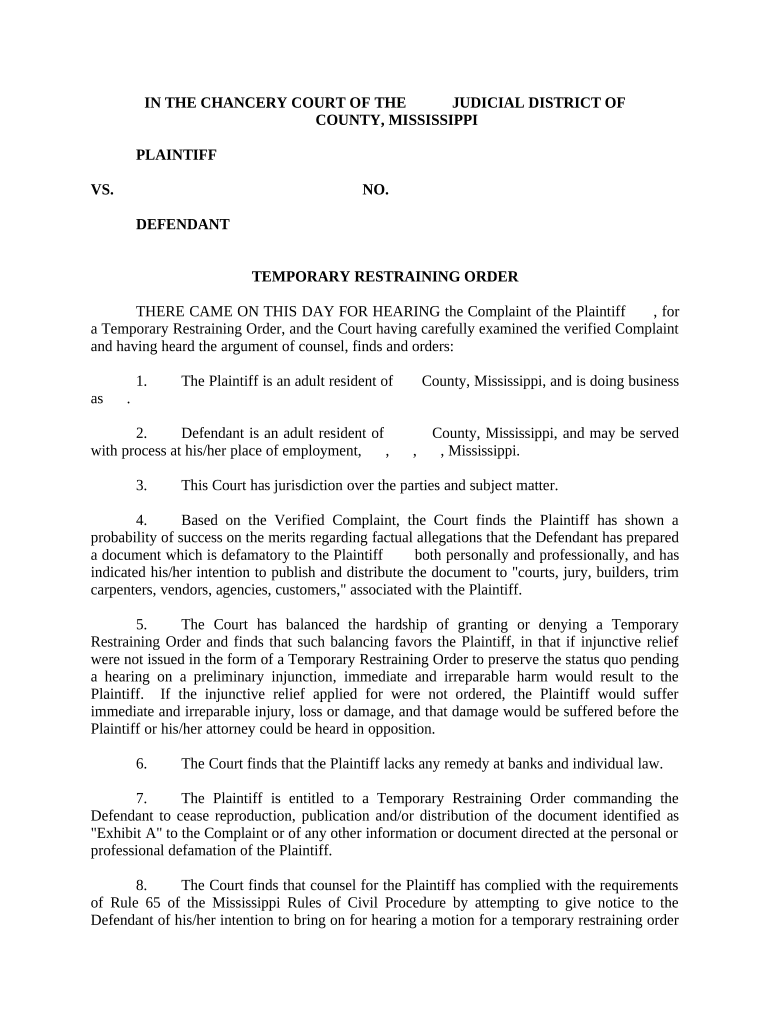
A TRO provides rapid, court-backed restrictions that can stop abuse, harassment, or threats immediately while the court schedules a full hearing to evaluate longer-term relief.

Individuals and organizations use TROs to obtain urgent judicial protection while a case proceeds to hearing.
Courts, law enforcement, and service agents then execute and enforce orders once issued.
An individual who files the TRO petition or affidavit alleging immediate danger. The plaintiff provides facts under oath, requests emergency relief, and must be available for the follow-up hearing and service of process.
An attorney who drafts the petition, submits supporting affidavits, and represents the petitioner at the hearing. Attorneys ensure procedural compliance, proof of service, and may seek conversion to a protective order.
Case caption listing court, parties, and case number so the petition is docketed correctly and matched to existing or new cases.
Detailed sworn statements describing incidents, dates, locations, and the immediate risk that justify emergency relief without prior notice.
Specific prohibitions, distance requirements, and temporary custody or possession directives written clearly for enforceability by law enforcement.
Clear directions for sheriff or process server including known addresses, times, and any safety precautions for personal service.
Statement of how long the TRO will last and scheduling for the required court hearing to determine extended relief.
Judge or magistrate signature, date, and any certification that the order was issued ex parte or after notice.
| Field | Online Setting |
|---|---|
| Signature | Require signer name and date; use typed or drawn signature. |
| Attachments | Enable PDF/JPEG uploads for evidence; restrict file size. |
| Authentication | Use email plus SMS or knowledge-based options when available. |
| Routing | Auto-send final PDF and audit trail to court and parties. |
Electronic filing and e-signatures must meet legal and court requirements for evidence, authentication, and privacy.
Judge may issue same day for imminent danger.
Hearing often set within 10–14 days after TRO issuance.
Temporary orders frequently last until the hearing or short fixed term.
File proof promptly after respondent is served.
File motions before expiration to seek continued protection.
Petition submitted to the clerk and assigned a case number.
Judge reviews affidavit and may grant emergency relief immediately.
Sheriff or process server delivers the order and notice of hearing.
Court hears evidence and decides on longer-term protection.
Save the final signed order as PDF/A for long-term archival and court compatibility with embedded audit metadata.
Retain the platform audit trail and signer certificate to prove signature attribution and timestamps.
Offer downloads in PDF and DOCX for editing drafts and producing certified PDFs for filing.
Store encrypted copies with access controls and regular backups for chain-of-custody preservation.
| Order Type | Temporary TRO | Permanent Protective Order |
|---|---|---|
| Purpose | immediate relief | long-term remedy |
| Notice Required | often no | yes usually |
| Typical Duration | short (days/weeks) | months/years |
| Conversion | heard at hearing | entered after hearing |
| signNow | DocuSign | Adobe Sign | PandaDoc | HelloSign | |
|---|---|---|---|---|---|
| Starting Price | $8/user/mo | $15/user/mo | $14/user/mo | $19/user/mo | $15/user/mo |
| Free Trial | Yes, 7-day trial | No | No | No | No |
| Bulk Send | Yes | Yes | Yes | Yes | No |
| Audit Trail | Yes | Yes | Yes | Yes | Yes |
| HIPAA Compliant | Yes | Yes | Yes | No | No |