Establishing secure connection…Loading editor…Preparing document…

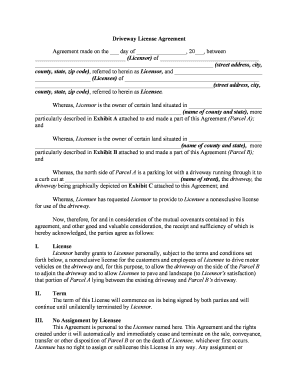
License Agreement Application

This template is fully customizable. Edit the text, fill out the fields, and send it for signature. Give it a try!
License Agreement Application

What a License Agreement Application Is and when it’s used

A License Agreement Application is a formal document used to request authorization to use intellectual property, operate under a licensed activity, or obtain permission from a licensor. It combines applicant identification, proposed scope of use, proposed terms, and supporting documentation to allow the licensor or licensing authority to evaluate eligibility and impose conditions. Typical uses include software licensing, professional practice permits, trademark or patent licensing, and distribution rights. Accurate completion ensures enforceable terms and speeds review by the licensor or regulatory agency.

Why a complete application matters for enforceability and processing

A complete License Agreement Application clarifies rights, allocation of liability, payment terms, and performance obligations. Proper drafting reduces negotiation cycles, limits legal disputes, and provides a record suitable for electronic execution under federal and state e-signature laws such as ESIGN and UETA.

Why a complete application matters for enforceability and processing

Who typically prepares or signs a License Agreement Application

Typical applicants include businesses, licensees, and legal counsel preparing authorizations for IP, software, and service rights across regulated industries.

  • Software vendors seeking distribution or SaaS licensing agreements with commercial terms and audit rights.
  • Manufacturers and resellers arranging product licenses, OEM sublicenses, or regional distribution rights.
  • Professional services and consultants requesting permission to use proprietary materials or deliver licensed services.

Step-by-step: completing and submitting the application

Follow these steps to complete and submit a License Agreement Application accurately and consistently, online or on paper.

  • 01
    Prepare Documents: Gather IDs, formation docs, and supporting exhibits.
  • 02
    Complete Fields: Enter accurate names, dates, and fee info.
  • 03
    Attach Evidence: Upload contracts, proof of rights, and insurance.
  • 04
    Sign & Submit: Sign electronically or notarize if required then submit.

Security and compliance essentials for application handling

Encryption in Transit: TLS 1.2 and TLS 1.3 supported
Encryption at Rest: AES-256 encryption for stored data
HIPAA Compliance: HIPAA with BAA option available
Audit Trails: Detailed timestamps, IPs, and action logs
Certifications: SOC 2 Type II and ISO 27001
Regulatory Standards: ESIGN, UETA, 21 CFR Part 11 compliance

Key penalties and legal risks from errors or omissions

Incorrect 1099: Penalties $60–$330 per form
Intentional Disregard: $660+ per form, no maximum
Missing TIN: Triggers 24% backup withholding
I-9 Errors: $281–$2,789 per violation
Notarization Missing: May invalidate execution in some states
Late Filing: Delayed approvals or fines possible

Common preparation mistakes to avoid

  • Incomplete applicant details, such as using nicknames or P.O. boxes, cause identity verification failures and processing delays with licensors or regulatory reviewers.
  • Vague scope descriptions (e.g., 'use as needed') lead to disputes over permitted activity and may require expensive amendments or litigation.
  • Missing signatures, wrong signer authority, or unsigned exhibits frequently require re-execution and prolong license grant timelines by weeks.
  • Failing to attach required supporting documents like proof of ownership, insurance certificates, or compliance statements often results in application rejection.

How routing and approval typically work

This is the typical routing and approval flow for a License Agreement Application in most commercial transactions.

  • Upload Document: Attach completed form and exhibits
  • Assign Reviewers: Add licensor and legal reviewers
  • Approve Terms: Negotiation then formal approval recorded
  • Execute: Sign electronically; retain audit trail

Recommended digital workflow settings for consistent processing

Set up a repeatable e-workflow to collect, verify, and securely store License Agreement Applications for audit and compliance.

Workflow Field and Configuration Settings Recommended configuration for each workflow field
Recommended Authentication Method for Signers Email link plus optional SMS code (KBA optional)
Required Attachments and Supporting Evidence Proof of rights, insurance certificate, and exhibits
Signature Method, Notary and Witness Rules Allow electronic signature; require notarization if state law demands
Document Storage, Retention, and Access Policy Encrypted storage with retention per federal and state rules

Technical and integration considerations for e-submission

Choose platforms that support PDF, DOCX, and integrations with CRM and cloud storage systems for automated routing.

  • Supported Formats: PDF, DOCX, and plain text accepted
  • Integrations: Salesforce, NetSuite, Microsoft 365, Google Workspace
  • Advanced Auth: SMS codes, KBA, or SSO options

Typical timeframes and key dates to track

Understand filing deadlines and statutory timeframes that affect application acceptance, renewal windows, and enforcement actions.

Initial Submission and Review Timing:

Submit when requested by licensor or per contract schedule

Renewal and Term Notice Requirements:

Provide notice according to specified renewal periods, often 30–90 days

Response Time and Review Windows:

Licensors often take two to eight weeks to review complete applications

Correction, Resubmission and Appeal Windows:

Most licensors permit corrections within 10–30 calendar days

Statutory Deadlines and Notice Periods:

Some licenses trigger statutorily required notice or comment periods under state law

Pricing and feature comparison for e-signature platforms

Compare common pricing and core features for e-signature vendors relevant to License Agreement Applications and compliance needs.

signNow DocuSign Adobe Sign PandaDoc HelloSign
Starting Price $8/user/mo $15/user/mo $14/user/mo $19/user/mo $15/user/mo
Free Trial 7-day free trial Varies by plan Varies by plan Varies by plan Varies by plan
Bulk Send Yes Yes Yes Yes No
Audit Trail Yes Yes Yes Yes Yes
HIPAA Compliant Yes Yes Yes No No

Practical examples of License Agreement Application usage

These short examples illustrate how organizations use the application to standardize licensing, evidence rights, and capture enforceable signatures.

Optica Ventures

Optica Ventures used an online License Agreement Application to centralize licensing terms, collect signatures, and maintain a searchable record for investors and partners.

  • Streamlined execution across remote signers and devices.
  • The centralized process reduced negotiation friction, ensured consistent clause application across deals, and preserved audit trails for compliance, enabling faster commercial rollout without in-person meetings while meeting internal legal review requirements.

Martin Properties

Martin Properties implemented an electronic application workflow to obtain landlord and tenant signatures and attach property disclosures without in-person meetings.

  • Reduced turnaround time for lease approvals.
  • By consolidating exhibit attachments and preserving notarizations where required, the company shortened the closing timeline, improved record accuracy, and maintained documentation suitable for audit and regulatory inspection.

Who has authority to sign on behalf of parties

Licensor Officer

An authorized officer or delegated signatory with board or corporate authority must sign on behalf of the licensor. Attach corporate resolution or power of attorney when authority is not indicated on formation documents to avoid challenged enforcement.

Licensee Representative

The licensee's signer should be an officer or an individual listed in corporate records with explicit authority. If signing as agent, include executed power of attorney or agency agreement to demonstrate binding authority during audits or disputes.

Best practices to reduce risk and speed approvals

Adopt consistent practices to reduce errors, speed approvals, and preserve enforceability for License Agreement Applications across teams.

Use Clear, Defined Scope Language
Define permitted uses, territories, exclusivity, and duration with precise language. Avoid open-ended or undefined terms that invite divergent interpretation; precise scope reduces the need for amendments and supports enforceability in court.
Require Proof of Rights
Attach evidence such as assignment documents, copyright registration references, or patent filings. Verifiers rely on documentary proof to establish licensor ownership and prevent downstream challenges to the license grant.
Document Signatory Authority
Include corporate resolutions, powers of attorney, or officer certifications when an entity signs. Record the signer’s capacity to prevent claims the signature was unauthorized or outside authority.
Maintain Audit-Ready Records
Store signed agreements, attachments, version history, and execution audit trails in encrypted storage. Ensure retention schedules meet federal (IRC §6501(a)) and industry-specific requirements such as HIPAA.

Frequently asked questions about License Agreement Applications

Common questions about preparing, signing, and storing License Agreement Applications, with concise technical and legal guidance.


Need help? Contact support

be ready to get more
Join over 28 million airSlate SignNow users