Petition
The formal document requesting appointment; lists parties, alleged incapacity, and relief requested, and must conform to local court form requirements and content rules.
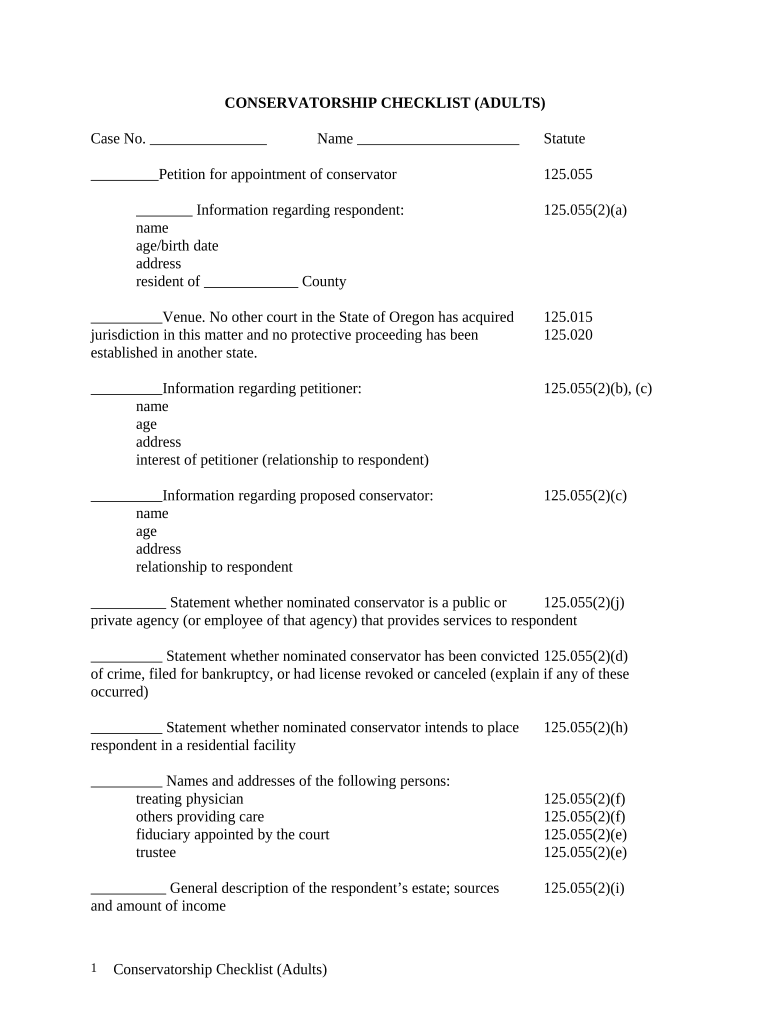
A conservatorship creates a lawful mechanism for decision-making when an adult lacks capacity, enabling financial management, health care coordination, and legal representations under court supervision while providing fiduciary safeguards and required reporting.

Several parties may begin a conservatorship case, each with different roles and interests.
Each petitioner should confirm standing, required forms, and local court rules before filing to avoid delays.
The person who files the conservatorship petition with the court. Petitioner gathers medical reports, prepares notice lists, and may propose a conservator; accuracy and court compliance are essential to move the case forward.
An appointed fiduciary responsible for the conservatee’s finances, personal care, or both. The conservator must follow court orders, file inventories and accountings, and act in the conservatee’s best interests under supervision.
The formal document requesting appointment; lists parties, alleged incapacity, and relief requested, and must conform to local court form requirements and content rules.
A signed evaluation from a qualified clinician describing functional limitations and need for conservatorship; timely, dated medical evidence strengthens the petition.
An asset and liability summary for the conservatee, including bank accounts, real property, vehicles, and estimated values to support estate oversight.
Proof that interested persons received statutory notice as required by Oregon court rules; missing notices can delay or invalidate proceedings.
Draft of the judge’s order appointing a conservator with scope of authority, reporting intervals, and any limitations to be entered upon approval.
Information on whether a fidelity bond is required and instructions for future accountings and periodic reports to the court and interested parties.
Use the circuit court’s official petition and reporting forms in PDF or DOCX; retain a searchable PDF for records and a DOCX for edits.
Provide signed clinician statements and supporting medical records as PDF attachments; redact unrelated personal data where appropriate.
Submit an itemized inventory and initial account as spreadsheet or PDF; include bank statements and appraisals to substantiate values.
File signed service proofs and notice affidavits; when required, attach notarized acknowledgements or certificates of mailing.
Obtain evaluator reports at least 2–4 weeks before petition filing
Provide statutory notice as required by local court rules
Wait times often range from 4–12 weeks for a hearing date
File initial inventory within the timeline ordered by the court
Periodic accountings are due per court order or local rule
| Criteria | Conservatorship | Power of Attorney |
|---|---|---|
| Court Involvement | ||
| Scope | broad or limited | as granted |
| Supervision | court-supervised | private arrangement |
| Revocation | court procedure | principal revokes |
| signNow | DocuSign | Adobe Sign | PandaDoc | HelloSign | |
|---|---|---|---|---|---|
| Starting Price | $8/user/mo | $15/user/mo | $14/user/mo | $19/user/mo | $15/user/mo |
| Free Trial | 7-day trial | Varies | Varies | Varies | Varies |
| Bulk Send | Yes | Yes | Yes | Yes | No |
| Audit Trail | Yes | Yes | Yes | Yes | Yes |
| HIPAA Compliant | Yes | Yes | Yes | No | No |