Establishing secure connection…Loading editor…Preparing document…

Payment Reminder

This template is fully customizable. Edit the text, fill out the fields, and send it for signature. Give it a try!
Payment Reminder

What a Payment Reminder Is and when it’s used

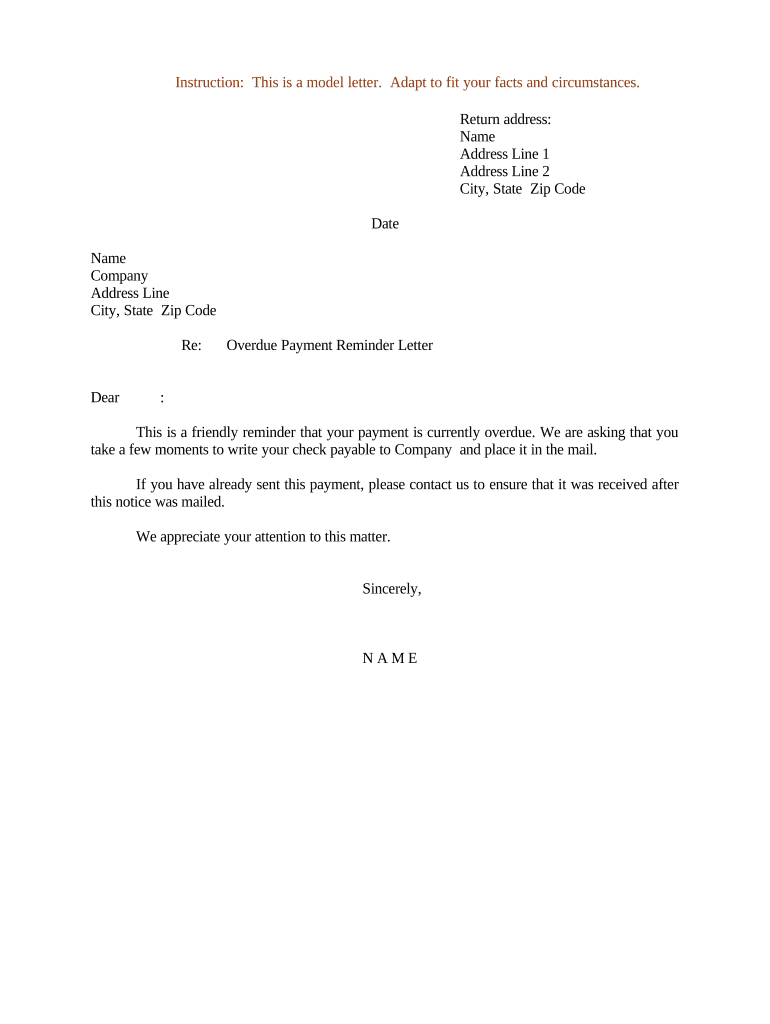
A Payment Reminder is a formal written notice sent to a customer, client, or debtor to request payment of an outstanding invoice or past-due balance. It documents the amount owed, due date, invoice reference, and instructions for payment while creating a clear record of attempted collection. Organizations use payment reminders to reduce late payments, preserve customer relationships, and support accounting reconciliation. Reminders can be sent as emails, printed letters, or electronically signed documents; when transmitted electronically, they should comply with ESIGN and UETA requirements for intent, consent, attribution, and durable retention.

Why a clear Payment Reminder benefits your accounts receivable

Payment Reminders clarify outstanding obligations, reduce collection delays, and create an auditable history useful for accounting and dispute resolution. They minimize escalation to collections and provide legal documentation if enforcement becomes necessary, while supporting predictable cash flow for the sender.

Why a clear Payment Reminder benefits your accounts receivable

Who typically prepares and sends Payment Reminders

Finance and billing teams, accounts receivable staff, small business owners, and independent contractors commonly send Payment Reminders.

  • Accounts receivable teams: schedule reminders, reconcile payments, and escalate delinquent accounts.
  • Small businesses and freelancers: gently notify clients before applying late fees or collections.
  • Legal and collections: preserve written attempts to collect and evidence of notice.

Core elements to include in a professional Payment Reminder

A professional Payment Reminder combines clear billing data, payment instructions, legal notices, and an auditable signature block to support collections and record retention.

Header

Include company name, contact email or phone, invoice number, and original invoice date at the top so recipients immediately identify the billing source and can match the reminder to accounting records.
Balance

Show outstanding balance with itemized charges, taxes, previous payments, and any accrued finance charges so the recipient sees exactly how the total was calculated now.

Payment terms

State due date, acceptable payment methods, late fee percentage or flat fee, and any early payment discounts to remove ambiguity from collection attempts.

Instructions

Provide step-by-step payment directions, including ACH routing and account numbers, credit card submission processes, or mailing address for checks, and estimated processing times.

Signature

Designate who signs on behalf of your organization, include printed name and title, signature line and signature timestamp; if electronic, retain audit metadata.

Attachments

Attach the original invoice PDF, relevant purchase orders, and prior correspondence to substantiate the claim and reduce dispute cycles.

Step-by-step: preparing and sending a Payment Reminder

Follow these steps to prepare and send a clear, professional Payment Reminder that supports collection and recordkeeping.

  • 01
    Prepare invoice: Confirm invoice number, balance due, and original due date.
  • 02
    Amount due: Specify exact owed amount and currency, include taxes and fees.
  • 03
    Payment instructions: List payment methods, account details, and online payment links.
  • 04
    Due date & terms: Restate due date, late fee policy, and next steps after default.

Configuring a digital reminder workflow

Configure your digital workflow to capture signatures reliably, authenticate signers, and automate reminder delivery efficiently.

Field Configuration
Authentication Email link, SMS code, or KBA as required.
Reminder schedule Automatic 7 and 14 day follow-ups; custom intervals available.
Template Reusable template with conditional fields and merge tags.
Attachments Attach invoice PDF and past communication records.

Typical routing for an eSignature-enabled Payment Reminder

Common routing for Payment Reminders when using an eSignature-enabled workflow and capturing an audit trail automatically.

  • Upload document: Attach invoice and reminder template to the envelope.
  • Add signers: Enter recipient email and define signer role.
  • Authenticate recipient: Use email link, SMS code, or KBA for identity.
  • Send and record: Dispatch reminder and archive audit trail with timestamps.

Platform capabilities to support Payment Reminders

Use a platform that supports PDF, Word, and web forms plus audit trails and retention.

  • Formats: PDF, DOCX, HTML supported.
  • Integrations: QuickBooks, NetSuite, Salesforce, Google Workspace.
  • Security: TLS 1.2/1.3 and AES-256 encryption.

eSignature plan comparison relevant to Payment Reminders

Common eSignature plan features as they relate to Payment Reminders; vendor columns show starting price, trials, and core capabilities.

signNow DocuSign Adobe Sign PandaDoc HelloSign
Starting Price $8/user/mo $15/user/mo $14/user/mo $19/user/mo $15/user/mo
Free Trial 7-day free trial Varies by plan Varies by plan Varies by plan Varies by plan
Bulk Send Yes Yes Yes Yes No
Audit Trail Yes Yes Yes Yes Yes
HIPAA Compliant Yes Yes Yes No No

Timing: when to send reminders and expected follow-ups

Key dates and deadlines related to sending Payment Reminders and expected processing times for accounting and collections.

Initial reminder:

Sent on or immediately after original invoice due date.

First follow-up:

If unpaid, send 7 days after initial reminder.

Second follow-up:

Send 14 days after first follow-up; mention potential late fees.

Final notice:

Send 30 days after due date; state next collection actions.

Accounting reconciliation:

Mark as unpaid, apply finance charges, escalate if uncollected.

Milestones from invoice issuance to escalation

Milestone timeline from invoice issuance through escalation steps for unpaid balances, showing automated and manual actions.

01

Invoice issued

Invoice created and sent to buyer; payment terms recorded.

02

Reminder sent

Automated reminder dispatched; audit trail logged.

03

Late fee applied

Finance charges added per terms after grace period.

04

Escalation

Transfer to collections or legal review if still unpaid.

Common preparation errors to avoid

  • Ambiguous payment terms: vague due dates or undefined late fees often cause disputes, slow payments, and higher administrative collection costs.
  • Incorrect invoice references or amounts: entering wrong invoice numbers or sums prevents reconciliation and can trigger backup withholding.
  • Poor authentication: insufficient signer verification increases risk of repudiation and undermines enforceability under ESIGN and UETA standards.
  • Missing audit trail or retention: failure to retain signed copies in a durable format can weaken legal proof and complicate disputes.

Short summary: risks and legal consequences

Dispute escalation: Customers may dispute amount; litigation risk.
Credit impact: Delinquency reporting if escalated.
Tax withholding: Missing TINs can trigger 24% backup withholding.
Late fee limits: State law may restrict fee amounts.
Invalid signature: Weak authentication can invalidate notice.
Recordkeeping failure: Loss of audit trail weakens evidence.

Security and compliance considerations

Encryption: TLS 1.2/1.3 in transit; AES-256 at rest.
Audit trail: Tamper-evident logs with timestamps and IP.
Compliance: ESIGN and UETA legal framework supported.
Healthcare: HIPAA compliance available with BAA.
Certifications: SOC 2 Type II and ISO 27001.
Accessibility: WCAG 2.0 Level AA support available.

Frequently asked questions about Payment Reminders

Answers to common questions about creating, sending, and validating Payment Reminders, including eSignature and recordkeeping considerations.


Need help? Contact support

be ready to get more
Join over 28 million airSlate SignNow users