Establishing secure connection… Loading editor… Preparing document…
Navigation

Fill and Sign the Pennsylvania No Fault Uncontested Agreed Divorce Package for Dissolution of Marriage with Adult Children and with or Without Form
Fill and Sign the Pennsylvania No Fault Uncontested Agreed Divorce Package for Dissolution of Marriage with Adult Children and with or Without Form

How it works

Open the document and fill out all its fields.
Apply your legally-binding eSignature.
Save and invite other recipients to sign it.

Rate template

4.6
45 votes
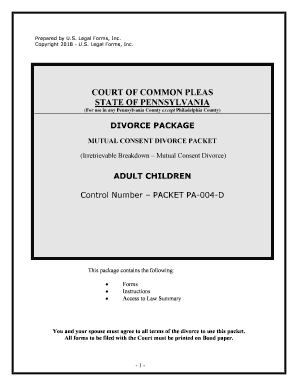
- 1 - Prepared by U.S. Legal Forms, Inc. Copyright 2018 - U.S. Legal Forms, Inc. COURT OF COMMON PLEASSTATE OF PENNSYLVANIA (For use in any Pennsylvania County except Philadelphia County) DIVORCE PACKAGE MUTUAL CONSENT DIVORCE PACKET (Irretrievable Breakdown – Mutual Consent Divorce) ADULT CHILDREN Control Number – PACKET PA-004-D This package contains the following: Forms  Instructions  Access to Law Summary You and your spouse must agree to all terms of the divorce to use this packet. All forms to be filed with the Court must be printed on Bond paper. - 2 - FORMS Initial Documents 1. Self-Represented Party Entry of Appearance (PA-1930-8) 2. Notice to Defend and Claim Rights – ( PA-1920-71) 3. Notice of Intention to Request Entry of Divorce Decree ( PA-500D) 4. Court of Common Pleas Intake ( PA-502D) – This Form is provided but the Clerk may have a special form that is required for your County. 5a. Income and Expense Statement of Plaintiff ( PA-802D) - Provided but check with the Clerk to see if the Court requires a County specific form. 5b. Income and Expense Statement of Defendant ( PA-803D) - Provided but check with the Clerk to see if the Court requires a County specific form. 6. Notice to File Social Security Numbers ( PA-510D) – Provided but check with the Clerk to see if the Court requires a County specific form. Acceptance of Service 7a. Certificate of Service ( PA-804D) 7b. Non-Military Affidavit ( PA-805D) After 90 Days 8. Marital Property Settlement Agreement ( PA-806D) 9. Acknowledgement for Plaintiff (for Marital Property Settlement Agreement) (PA-808D ) 10. Acknowledgement for Defendant (for Marital Property Settlement Agreement) (PA-809D ) 11. Affidavit of Consent for Plaintiff – ( PA-1920-72B-P) 12. Affidavit of Consent for Defendant - ( PA-1920-72B-D) 13. Waiver of Notice for Defendant – (PA-1920-72C-D) 14. Waiver of Notice for Plaintiff – (PA-1920-72C-P) 15. Praecipe to Transmit Record – ( PA-1920-73B) 16. Decree of Divorce – ( PA-1920-6) 17. Record of Divorce (“vital statistics form”) – This form should be provided to you by the Clerk. 18. Notice of Intention to Retake Prior Name ( PA-810D) - 54 Pa.C.S.A. § 704. Divorced person may resume prior name (a) General rule - Any person who is a party in a divorce action may, at any time prior to or subsequent to the entry of the divorce decree, resume any prior surname used by him or her by filing a written notice to such effect in the office of the clerk of the court in which the divorce action was filed or the decree of divorce was entered, showing the caption and docket number of the proceeding in divorce. - 3 - Instructions for PA-004-D Mutual Consent Divorce with Adult Children Overview Obtaining a divorce, even by mutual consent, is not a simple matter. Your first step should be to carefully read over the instructions, procedures and forms contained in this packe t before you begin filling out forms. You should continue reading over them until you obtain a basic understanding of the process. The first thing you should understand after reading over the forms is that this packet is only helpful if you and your spouse agree to be divorced, and agree to all the terms and conditions of the divorce, including the division of property. You and your spouse must discuss and agree to all the various provisions contained in this packet, or t his packet cannot help you. This packet is for use in all Pennsylvania Counties except Philadelphia County. Philadelphia County requires a different set of forms. Residency & Venue You or your spouse must have resided in Pennsylvania for at least six (6) months prior to filing your divorce papers with the Court. You must file your divorce papers in the Court of Common Pleas for the county in which either you or your spouse resides. In the alternative, you may file in the Court of Common Pl eas for a county agreed to by you and your spouse. This agreement must be in writing, signed by the parties, and attached to your Complaint. This package was designed only for persons who will file in the County of residence. Grounds The Commonwealth of Pennsylvania permits divorces to be granted upon the following grounds: 1. Willful and malicious desertion for a period of one or more years; 2. Adultery; 3. Cruel and barbarous treatment which endangered the life or health of the innocent spouse; 4. Bigamy; 5. Imprisonment for two or more years; 6. Indignities to the innocent spouse as to render that spouse's condition intolerable and life burdensome; 7. Institutionalization in mental institution for at least 18 months; and, 8. Irretrievable breakdown. A divorce based upon irretrievable breakdown may be awarded two separate ways. First, if the parties allege that the marriage has suffered an irretrievable breakdown and bot h parties - 4 - file an affidavit consenting to the divorce, the court may award a divorce after a period of 90 days have elapsed from the date of commencement of the proceeding. Second, if the one of the parties allege that the marriage has suffered an irretrievable breakdown and the filing party files an affidavit stating that the spouses have lived separate and apart for a t least 2 years and the defendant either does not deny the allegations set forth in the affidavit of denies on or more of the allegations but the court determines the allegations to be true, the court may enter a decree of divorce. 23 Pa. C.S.A.3301 Alimony Where a divorce decree has been entered, the court may allow alimony, as it deems reasonable, to either party only if it finds that alimony is necessary. In determining whether alimony is necessary and in determining the nature, amount, duration and manner of payment of alimony, the court shall consider all relevant factors, including: (1) The relative earnings and earning capacities of the parties. (2) The ages and the physical, mental and emotional conditions of the parties. (3) The sources of income of both parties, including, but not limited to, medical, retirement, insurance or other benefits. (4) The expectancies and inheritances of the parties. (5) The duration of the marriage. (6) The contribution by one party to the education, training or increased earning power of the other party. (7) The extent to which the earning power, expenses or financial obligations of a party will be affected by reason of serving as the custodian of a minor child. (8) The standard of living of the parties established during the marriage. (9) The relative education of the parties and the time necessary to acquire sufficient education or training to enable the party seeking alimony to find appropriate employment. (10) The relative assets and liabilities of the parties. (11) The property brought to the marriage by either party. (12) The contribution of a spouse as homemaker. (13) The relative needs of the parties. (14) The marital misconduct of either of the parties during the marriage. (15) The Federal, State and local tax ramifications of the alimony award. (16) Whether the party seeking alimony lacks sufficient property. (17) Whether the party seeking alimony is incapable of self-support through appropriate employment. The court in ordering alimony shall determine the duration of the order, which may be for a definite or an indefinite period of time which is reasonable under the circumstances. 23 P.a. C.S.A. 3701 Division of Marital Property In an action for divorce or annulment, the court shall, upon request of either party, equitably divide, distribute or assign, in kind or otherwise, the marital property between the - 5 - parties without regard to marital misconduct in such proportions and in such manner as the court deems just after considering all relevant factors, including: (1) The length of the marriage. (2) Any prior marriage of either party. (3) The age, health, station, amount and sources of income, vocational skills, employability, estate, liabilities and needs of each of the parties. (4) The contribution by one party to the education, training or increased earning power of the other party. (5) The opportunity of each party for future acquisitions of capital assets and income. (6) The sources of income of both parties, including, but not limited to, medical, retirement, insurance or other benefits. (7) The contribution or dissipation of each party in the acquisition, preservation, depreciation or appreciation of the marital property, including the contribution of a party as homemaker. (8) The value of the property set apart to each party. (9) The standard of living of the parties established during the marriage. (10) The economic circumstances of each party, including Federal, State and local tax ramifications, at the time the division of property is to become effective. (11) Whether the party will be serving as the custodian of any dependent minor children. Counseling (a) Indignities. — Whenever indignities under section 3301(a)(6) (relating to grounds for divorce) is the ground for divorce, the court shall require up to a maximum of three counseling sessions where either of the parties requests it. (b) Mutual consent. — Whenever mutual consent under section 3301(c) is the ground for divorce, the court shall require up to a maximum of three counseling sessions within the 90 days following the commencement of the action where either of the parties requests it. (c) Irretrievable breakdown. — Whenever the court orders a continuation period as provided for irretrievable breakdown in section 3301(d)(2), the court shall require up to a maximum of three counseling sessions within the time period where either of the parties requests it or may require such counseling where the parties have at least one child under 16 years of age. (d) Notification of availability of counseling.— Whenever section 3301(a)(6),(c) or (d) is the ground for divorce, the court shall, upon the commencement of an action under this part, notify both parties of the availability of counseling and, upon request, provide both parties a list of qualified professionals who provide such services. (e) Choice of qualified professionals unrestricted - The choice of a qualified professional shall be at the option of the parties, and the professional need not be selected from the list provided by the court. - 6 - (f) Report. — Where the court requires counseling, a report shall be made by the qualified professional stating that the parties did or did not attend. 23 Pa C.S.A. 3302 Name Change Any person who is a party in a divorce action may, at any time prior to or subsequent to the entry of the divorce decree, resume any prior surname used by him or her by filing a written notice to such effect in the office of the clerk of the court in which the divorce action was filed or the decree of divorce was entered, showing the caption and docket number of the proceeding in divorce. 54 Pa C.S.A. § 704 Completing and Filing the Initial Documents You must fill out the “Initial Documents” listed above. This should be done in the presence of (or at least after consultation with) your spouse, regarding anything that might give rise to disagreement. You must sign the Complaint in Divorce in front of a Notary Public who will notarize the document. When you have filled out and signed the seven “Initia l Documents” (with necessary notarization), make 3 copies of each (original for the court, one copy for your spouse, and two copies for yourself). The originals must be filed with the Prothonotary (clerk) in your County of Residence. You should call the office of the Prothonotary ahead of time and make sure you are bringing the correct documents, the correct number of copies of documents, and the correct filing fee. Have the clerk stamp all of the copies you have brought to the courthouse. Notifying Your Spouse After the Complaint and initial documents are filed you must provide a copy to your spouse. Have your Spouse sign an Acceptance of Service and Entry of Appearance form. Have this form signed and dated no sooner than the day after the Complaint is filed. Then fi le the consent with the Clerk Office by hand or by mail. The Non-Military Affidavit should also be signed by the Defendant at this time and filed with the Clerk. Marital Settlement Agreement, Acknowledgements & Affidavits of Consent and Waiver You are required by law to wait ninety (90) days after filing your Complaint in Divorce before filing additional documents in your divorce case. During that waiting period, you must agree to all terms of property and debt division with your spouse, and document your agreement by completing and signing the Marital Settlement Agreement. You and your spouse must sign the agreement in front of a Notary Public. You should wait to until ninety (90) days have passe d since you filed the Complaint to sign the completed Marital Settlement Agreem ent before the notary, because you also must each sign the “Acknowledgement” form (make copies), and this document may not be signed until ninety (90) days have passed since the filing of the Compl aint. There is no need to go to the Notary twice, so just wait until the time has passe d and sign the Settlement Agreement and Acknowledgements at the same time. Both “Acknowledgement s” must be signed within thirty (30) days of filing the final “Praecipe to Transmit Record” document (see below). - 7 - You and your spouse must also sign an “Affidavit of Consent and Waiver of Notice of Intention to Request Entry of Divorce Decree.” Both “Affidavits of Consent and Waiver” must be signed within thirty (30) days of filing the final “Praecipe to Transmit Record” doc ument (see below). Praecipe to Transmit Record, Notice to Retake Prior Name & Decree of Divorce Fill out the “Praecipe to Transmit Record” and attach the completed “Marit al Settlement Agreement,” “Acknowledgements,” and “Affidavits of Consent and Waiver.” If you want your name changed back to what it was before you were married, fill out the “Notice of Int ention to Retake Prior Name” (you must sign before a Notary Public) and attach. Finally, attac h 3 blank copies of the “Decree of Divorce” (you fill out only the caption (the area stating the party names and case number). File all of this with the Prothonotary. The judge will complete the Decree of Divorce, sign, and mail you a copy. Once signed, your divorce is granted. Record of Divorce After receiving your signed Decree of Divorce, you must complete the “Record of Divorce” (vital statistics form) and file with the Prothonotary. The Prothonotary can be contacted for help if you have any questions about this form. - 8 - NOTE ABOUT COMPLETING THE FORMS The forms in this packet contain “form fields” created using Microsoft Word. “Form fields” facilitate completion of the forms using your computer. They do not limit you ability to print the form “in blank” and complete with a typewriter or by hand. If you do not see the gray shaded form fields, go the View menu, click on Toolbars, and then select Forms. This will open the forms toolbar. Look for the button on the forms toolbar that resembles a shaded letter “a”. Click in this button and the form fields will be visible. The forms are locked which means that the content of the forms cannot be changed. You can only fill in the information in the fields. If you need to make any changes in the body of the form, it is necessary for you “unlock” or “unprotect” the form. IF YOU INTEND TO MAKE CHANGES TO THE CONTENT, DO SO BEFORE YOU BEGIN TO FILL IN THE FIELDS. IF YOU UNLOCK THE DOCUMENT AFTER YOU HAVE BEGUN TO COMPLETE THE FIELDS, WHEN YOU RELOCK, ALL INFORMATION YOU ENTERED WILL BE LOST. To unlock, click on “Tools” in the Menu bar and then selecting “unprotect document”. You may t hen be prompted to enter a password. If so, the password is “uslf”. That is uslf in lower case letters without the quotation marks . After you make the changes relock the document before you begin to complete the fields. After any required changes and re-protecting the document, click on the first form field and enter the required information. You will be able to navigate through the document from form field to form field using your tab key. Tab to a form field and insert your data. If there are problems, please let us know. - 9 - LAW SUMMARY You may access the law summary for your State by using the link below: http://secure.uslegalforms.com/lawsummary/PA/PA-004-D.htm - 10 - DISCLAIMER These materials were developed by U.S. Legal Forms, Inc. based upon statutes and forms for the State of Pennsylvania. All Information and Forms are subject to this Disclaimer: All forms in this package are provided without any warranty, express or implied, as to their legal effe ct and completeness. Please use at your own risk. If you have a serious legal problem, we suggest that you consult an attorney. U.S. Legal Forms, Inc. does not provide legal advice. The products offered by U.S. Legal Forms (USLF) are not a substitute for the advice of an attorney. THESE MATERIALS ARE PROVIDED "AS IS" WITHOUT ANY EXPRESS OR IMPLIED WARRANTY OF ANY KIND INCLUDING WARRANTIES OF MERCHANTABILITY, NONINFRINGEMENT OF INTELLECTUAL PROPERTY, OR FITNESS FOR ANY PARTICULAR PURPOSE. IN NO EVENT SHALL U. S. LEGAL FORMS, INC. OR ITS AGENTS OR OFFICERS BE LIABLE FOR ANY DAMAGES WHATSOEVER (INCLUDING, WITHOUT LIMITATION DAMAGES FOR LOSS OF PROFITS, BUSINESS INTERRUPTION, LOSS OF INFORMATION) ARISING OUT OF THE USE OF OR INABILITY TO USE THE MATERIALS, EVEN IF U.S. LEGAL FORMS, INC. HAS BEEN ADVISED OF THE POSSIBILITY OF SUCH DAMAGES. THESE FORMS WERE PREPARED FOR STATEWIDE USE. HOWEVER, SOME COUNTIES OR JUDGES MAY REQUIRE CERTAIN MODIFICATIONS TO THE FORMS FOR USE IN YOUR PARTICULAR COUNTY AND MAY REQUIRE SPECIAL FORMS NOT INCLUDED. CHANGES REQUIRED BY PARTICULAR JUDGES ARE NOT UNCOMMON EVEN IF THE FORMS HAD BEEN PREPARED BY YOUR ATTORNEY. REGARDLESS, YOU SHOULD BE ABLE TO USE THESE FORMS AND INSTRUCTIONS, WITH ANY REQUIRED MODIFICATIONS, TO MAKE IT THROUGH THE PROCESS. IF YOU NEED TO MAKE CHANGES, OR IF SPECIAL FORMS ARE REQUIRED IN YOUR COUNTY, YOU CAN MAKE THE CHANGES AND REFILE, OR OBTAIN THE SPECIAL FORMS EITHER FROM THE CLERK OR A CLOSED DIVORCE FILE WHICH YOU CAN USE AS AN EXAMPLE.

Useful suggestions for completing your ‘Pennsylvania No Fault Uncontested Agreed Divorce Package For Dissolution Of Marriage With Adult Children And With Or Without’ online

Are you fed up with the inconvenience of handling paperwork? Look no further than airSlate SignNow, the premier eSignature platform for individuals and organizations. Bid farewell to the lengthy process of printing and scanning documents. With airSlate SignNow, you can effortlessly complete and sign paperwork online. Utilize the powerful tools integrated into this user-friendly and cost-effective platform and transform your method of paperwork management. Whether you need to approve documents or gather electronic signatures, airSlate SignNow takes care of everything smoothly, requiring just a few clicks.

Follow these comprehensive instructions:

  1. Log into your account or initiate a free trial with our service.
  2. Select +Create to upload a document from your device, cloud storage, or our template collection.
  3. Access your ‘Pennsylvania No Fault Uncontested Agreed Divorce Package For Dissolution Of Marriage With Adult Children And With Or Without’ in the editor.
  4. Click Me (Fill Out Now) to set up the document on your end.
  5. Add and designate fillable fields for others (if required).
  6. Proceed with the Send Invite options to seek eSignatures from others.
  7. Save, print your copy, or convert it into a multi-use template.

No need to worry if you need to collaborate with others on your Pennsylvania No Fault Uncontested Agreed Divorce Package For Dissolution Of Marriage With Adult Children And With Or Without or send it for notarization—our platform offers everything you need to achieve such tasks. Sign up with airSlate SignNow today and enhance your document management to a new level!

Here is a list of the most common customer questions. If you can’t find an answer to your question, please don’t hesitate to reach out to us.

Need help? Contact Support

The best way to complete and sign your pennsylvania no fault uncontested agreed divorce package for dissolution of marriage with adult children and with or without form


Save time on document management with airSlate SignNow and get your pennsylvania no fault uncontested agreed divorce package for dissolution of marriage with adult children and with or without form eSigned quickly from anywhere with our fully compliant eSignature tool.

How to Sign a PDF Online How to Sign a PDF Online

How to complete and sign forms online

Previously, coping with paperwork required lots of time and effort. But with airSlate SignNow, document management is fast and easy. Our powerful and easy-to-use eSignature solution allows you to effortlessly fill out and eSign your pennsylvania no fault uncontested agreed divorce package for dissolution of marriage with adult children and with or without form online from any internet-connected device.

Follow the step-by-step guidelines to eSign your pennsylvania no fault uncontested agreed divorce package for dissolution of marriage with adult children and with or without form template online:

  • 1.Register for a free trial with airSlate SignNow or log in to your account with password credentials or SSO authentication.
  • 2.Click Upload or Create and import a form for eSigning from your device, the cloud, or our form catalogue.
  • 3.Click on the document name to open it in the editor and utilize the left-side toolbar to fill out all the blank areas accordingly.
  • 4.Put the My Signature field where you need to eSign your form. Provide your name, draw, or upload a picture of your regular signature.
  • 5.Click Save and Close to finish modifying your completed form.

As soon as your pennsylvania no fault uncontested agreed divorce package for dissolution of marriage with adult children and with or without form template is ready, download it to your device, export it to the cloud, or invite other people to eSign it. With airSlate SignNow, the eSigning process only takes several clicks. Use our robust eSignature tool wherever you are to handle your paperwork successfully!


How to Sign a PDF Using Google Chrome How to Sign a PDF Using Google Chrome

How to complete and sign forms in Google Chrome

Completing and signing paperwork is simple with the airSlate SignNow extension for Google Chrome. Installing it to your browser is a fast and beneficial way to manage your forms online. Sign your pennsylvania no fault uncontested agreed divorce package for dissolution of marriage with adult children and with or without form template with a legally-binding eSignature in just a few clicks without switching between tools and tabs.

Follow the step-by-step guide to eSign your pennsylvania no fault uncontested agreed divorce package for dissolution of marriage with adult children and with or without form in Google Chrome:

  • 1.Go to the Chrome Web Store, search for the airSlate SignNow extension for Chrome, and install it to your browser.
  • 2.Right-click on the link to a form you need to approve and choose Open in airSlate SignNow.
  • 3.Log in to your account with your password or Google/Facebook sign-in option. If you don’t have one, sign up for a free trial.
  • 4.Utilize the Edit & Sign toolbar on the left to fill out your sample, then drag and drop the My Signature field.
  • 5.Insert an image of your handwritten signature, draw it, or simply type in your full name to eSign.
  • 6.Make sure all data is correct and click Save and Close to finish editing your form.

Now, you can save your pennsylvania no fault uncontested agreed divorce package for dissolution of marriage with adult children and with or without form sample to your device or cloud storage, email the copy to other people, or invite them to electronically sign your form via an email request or a protected Signing Link. The airSlate SignNow extension for Google Chrome improves your document workflows with minimum effort and time. Try airSlate SignNow today!


How to Sign a PDF in Gmail How to Sign a PDF in Gmail How to Sign a PDF in Gmail

How to fill out and sign paperwork in Gmail

When you receive an email with the pennsylvania no fault uncontested agreed divorce package for dissolution of marriage with adult children and with or without form for signing, there’s no need to print and scan a file or save and re-upload it to another tool. There’s a much better solution if you use Gmail. Try the airSlate SignNow add-on to promptly eSign any paperwork right from your inbox.

Follow the step-by-step guidelines to eSign your pennsylvania no fault uncontested agreed divorce package for dissolution of marriage with adult children and with or without form in Gmail:

  • 1.Visit the Google Workplace Marketplace and find a airSlate SignNow add-on for Gmail.
  • 2.Install the tool with a related button and grant the tool access to your Google account.
  • 3.Open an email with an attached file that needs signing and use the S key on the right panel to launch the add-on.
  • 4.Log in to your airSlate SignNow account. Choose Send to Sign to forward the document to other people for approval or click Upload to open it in the editor.
  • 5.Put the My Signature field where you need to eSign: type, draw, or upload your signature.

This eSigning process saves time and only takes a few clicks. Use the airSlate SignNow add-on for Gmail to update your pennsylvania no fault uncontested agreed divorce package for dissolution of marriage with adult children and with or without form with fillable fields, sign paperwork legally, and invite other parties to eSign them al without leaving your mailbox. Improve your signature workflows now!


How to Sign a PDF on a Mobile Device How to Sign a PDF on a Mobile Device How to Sign a PDF on a Mobile Device

How to fill out and sign documents in a mobile browser

Need to quickly fill out and sign your pennsylvania no fault uncontested agreed divorce package for dissolution of marriage with adult children and with or without form on a smartphone while doing your work on the go? airSlate SignNow can help without needing to install additional software programs. Open our airSlate SignNow tool from any browser on your mobile device and create legally-binding electronic signatures on the go, 24/7.

Follow the step-by-step guide to eSign your pennsylvania no fault uncontested agreed divorce package for dissolution of marriage with adult children and with or without form in a browser:

  • 1.Open any browser on your device and go to the www.signnow.com
  • 2.Register for an account with a free trial or log in with your password credentials or SSO authentication.
  • 3.Click Upload or Create and import a file that needs to be completed from a cloud, your device, or our form catalogue with ready-made templates.
  • 4.Open the form and complete the blank fields with tools from Edit & Sign menu on the left.
  • 5.Put the My Signature field to the sample, then type in your name, draw, or add your signature.

In a few easy clicks, your pennsylvania no fault uncontested agreed divorce package for dissolution of marriage with adult children and with or without form is completed from wherever you are. As soon as you're finished editing, you can save the file on your device, create a reusable template for it, email it to other individuals, or invite them electronically sign it. Make your paperwork on the go quick and effective with airSlate SignNow!


How to Sign a PDF on iPhone How to Sign a PDF on iPhone

How to fill out and sign forms on iOS

In today’s business world, tasks must be completed quickly even when you’re away from your computer. Using the airSlate SignNow mobile app, you can organize your paperwork and sign your pennsylvania no fault uncontested agreed divorce package for dissolution of marriage with adult children and with or without form with a legally-binding eSignature right on your iPhone or iPad. Install it on your device to conclude contracts and manage forms from anyplace 24/7.

Follow the step-by-step guide to eSign your pennsylvania no fault uncontested agreed divorce package for dissolution of marriage with adult children and with or without form on iOS devices:

  • 1.Go to the App Store, search for the airSlate SignNow app by airSlate, and install it on your device.
  • 2.Open the application, tap Create to add a template, and select Myself.
  • 3.Select Signature at the bottom toolbar and simply draw your autograph with a finger or stylus to eSign the form.
  • 4.Tap Done -> Save after signing the sample.
  • 5.Tap Save or use the Make Template option to re-use this paperwork in the future.

This method is so straightforward your pennsylvania no fault uncontested agreed divorce package for dissolution of marriage with adult children and with or without form is completed and signed within a few taps. The airSlate SignNow application works in the cloud so all the forms on your mobile device remain in your account and are available whenever you need them. Use airSlate SignNow for iOS to boost your document management and eSignature workflows!


How to Sign a PDF on Android How to Sign a PDF on Android

How to fill out and sign documents on Android

With airSlate SignNow, it’s simple to sign your pennsylvania no fault uncontested agreed divorce package for dissolution of marriage with adult children and with or without form on the go. Install its mobile application for Android OS on your device and start boosting eSignature workflows right on your smartphone or tablet.

Follow the step-by-step guidelines to eSign your pennsylvania no fault uncontested agreed divorce package for dissolution of marriage with adult children and with or without form on Android:

  • 1.Go to Google Play, find the airSlate SignNow application from airSlate, and install it on your device.
  • 2.Sign in to your account or create it with a free trial, then upload a file with a ➕ option on the bottom of you screen.
  • 3.Tap on the imported file and choose Open in Editor from the dropdown menu.
  • 4.Tap on Tools tab -> Signature, then draw or type your name to electronically sign the form. Fill out empty fields with other tools on the bottom if required.
  • 5.Use the ✔ key, then tap on the Save option to end up with editing.

With an easy-to-use interface and full compliance with major eSignature laws and regulations, the airSlate SignNow application is the perfect tool for signing your pennsylvania no fault uncontested agreed divorce package for dissolution of marriage with adult children and with or without form. It even works offline and updates all document modifications once your internet connection is restored and the tool is synced. Fill out and eSign forms, send them for approval, and create multi-usable templates whenever you need and from anywhere with airSlate SignNow.

Sign up and try Pennsylvania no fault uncontested agreed divorce package for dissolution of marriage with adult children and with or without form
  • Close deals faster
  • Improve productivity
  • Delight customers
  • Increase revenue
  • Save time & money
  • Reduce payment cycles

