Establishing secure connection…Loading editor…Preparing document…

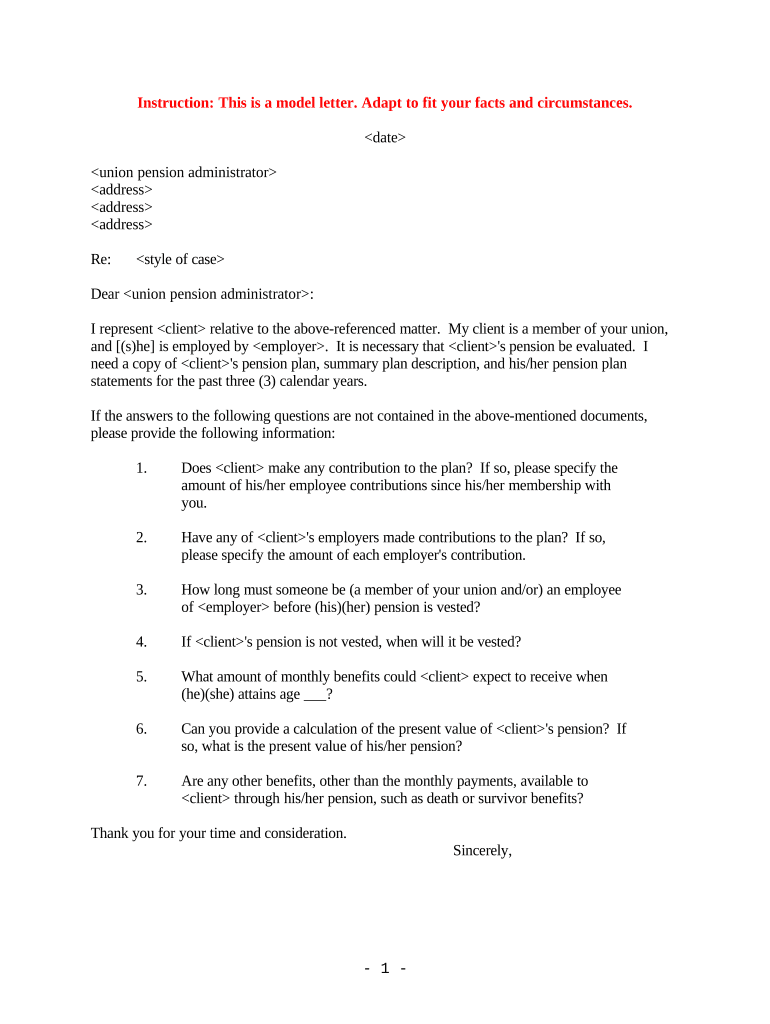
Pension Request Form

This template is fully customizable. Edit the text, fill out the fields, and send it for signature. Give it a try!
Pension Request Form

What the Pension Request Form Is and When it’s Used

A Pension Request Form is a plan-specific document submitted by a participant, beneficiary, or authorized representative to request commencement, change, or distribution of retirement benefits under a defined benefit or defined contribution plan. It captures identifying data, benefit election choices, tax-withholding instructions, and any supporting certificates (e.g., birth or marriage records) needed for verification. Many plans accept electronic submission and signatures where permitted by law; federal ESIGN and most state UETA statutes recognize properly executed electronic signatures as legally equivalent to handwritten signatures.

Why a Clear Pension Request Form Matters

A well-structured Pension Request Form reduces processing delays, documents participant intent, supports accurate 1099-R reporting, and creates an auditable record for plan administrators and regulators.

Why a Clear Pension Request Form Matters

Who Completes and Reviews Pension Request Forms

Different stakeholders interact with the Pension Request Form at different stages; accurate completion ensures timely payment and correct tax reporting.

  • Plan Participants — Employees or retirees initiating benefit payments, survivor benefits, or distribution elections.
  • Plan Administrators — HR or third-party administrators who verify eligibility, calculate benefits, and process payments.
  • Authorized Representatives — Attorneys, trustees, or power-of-attorney agents acting on behalf of a participant or beneficiary.

Stepwise process for completing the form

Follow these sequential steps to reduce errors and speed plan processing.

  • 01
    Gather Documents: Collect ID, plan statements, beneficiary forms, and any supporting certificates before starting.
  • 02
    Complete Fields: Enter required data exactly, using MM/DD/YYYY for dates and full legal names for parties.
  • 03
    Attach Support: Upload PDFs or scans of birth, marriage, or court documents if the plan requires verification.
  • 04
    Submit and Track: Send to the administrator and retain a copy; record submission date for potential appeals.

How electronic completion and submission typically flow

Modern eSubmission follows a predictable path that preserves intent and creates an audit trail required by regulators.

  • Sender Prepares: Administrator or participant uploads the form and places required fields for signatures and attachments.
  • Authentication: Signer identity is confirmed via email, SMS code, or stronger methods where required.
  • Sign and Attach: Signer reviews, signs electronically, and attaches supporting documents within the same session.
  • Archive & Notify: Completed record, time stamps, and audit trail are archived and copies delivered to parties.

Typical workflow settings for online Pension Request Forms

Configure form workflow to match plan rules for authentication, notifications, and archival.

Field Configuration
Authentication Level Email plus SMS code
Notification Timing Immediate email on completion
Auto-Archive Save PDF/A to plan records
Redirect Confirmation page with next steps

Technical considerations for digital submission and signing

Verify that the platform supports required file types, authentication, and retention standards before eSubmission.

  • Formats Supported: PDF, Word DOCX
  • Authentication Options: Email, SMS, KBA
  • Integrations: HRIS, document storage

Security and compliance features to look for

Encryption: TLS 1.2/1.3; AES-256 at rest
Access control: Role-based user permissions
Audit trail: IP, timestamp, action log
HIPAA/BAA: BAA available where required
Retention: Exportable, tamper-evident PDFs
Authentication: Multi-factor options supported

Key risks and potential penalties for errors

Incorrect TIN: Triggers backup withholding, 24% rate
Reporting Errors: 1099-R mistakes may trigger IRC §6721 penalties
Untimely Submission: Delayed payments; possible plan interest adjustments
Beneficiary Dispute: May require litigation or administrative review
Invalid Signature: Void or reversible benefit election
Retention Failures: Noncompliance with regulatory record rules

Common mistakes to avoid when preparing the form

  • Using nicknames or initials instead of the participant’s legal name can delay verification and payment.
  • Omitting the SSN or entering an incorrect TIN often triggers backup withholding and reporting complications.
  • Failing to attach required proof of life, marriage, or beneficiary status prompts manual follow-up and rework.
  • Selecting the wrong benefit type (e.g., lump sum vs annuity) can have immediate tax and financial consequences.

Timing and typical deadlines for Pension Request processing

Deadlines often combine plan-specific cutoff dates with federal reporting schedules; allow extra time for verification.

Plan Cutoff Date:

Varies by plan; check administrator for monthly or quarterly cycles

Verification Time:

Typically 5–30 business days depending on documents

1099-R Reporting:

Tax reporting occurs calendar year of distribution

Appeal Period:

Plan documents specify internal review timelines

Processing Expectation:

Expect at least one pay cycle delay for complex verifications

Key processing milestones from submission to payment

Track these numbered stages so you know where a request is during review and payment.

01

Request Submitted

Form and attachments received by plan administrator.

02

Identity Verification

Administrator confirms identity, beneficiary status, and entitlements.

03

Approval & Calculation

Actuarial or payroll calculates payment amount and tax withholding.

04

Payment Issued

Funds disbursed and 1099-R prepared for tax year.

Select eSignature vendor comparison for Pension Request Form workflows

Vendor pricing and capabilities can affect cost, authentication options, and compliance features needed to process Pension Request Forms.

signNow DocuSign Adobe Sign PandaDoc HelloSign
Starting Price $8/user/mo $15/user/mo $14/user/mo $19/user/mo $15/user/mo
Free Trial 7-day free trial Varies by plan Varies by plan Varies by plan Varies by plan
Bulk Send Yes (Premium) Varies Varies Varies Varies
Audit Trail Yes Yes Yes Yes Yes
HIPAA Compliant Yes Yes Yes No No
Envelope Cap No cap 100 envelopes/user/year Varies Varies Varies

FAQs — common questions about Pension Request Forms

Answers to frequent questions cover signature validity, notarization, common errors, and corrective steps for pension distributions.


Need help? Contact support

be ready to get more
Join over 28 million airSlate SignNow users