Establishing secure connection…Loading editor…Preparing document…

Petition for Estate

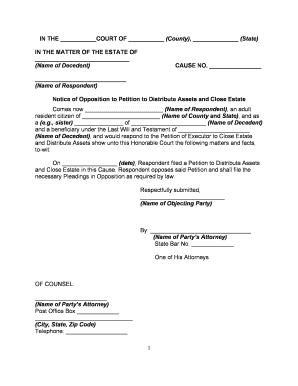
This template is fully customizable. Edit the text, fill out the fields, and send it for signature. Give it a try!
Petition for Estate

What a Petition for Estate Is and When It’s Used

A Petition for Estate is a formal pleading filed in a probate court asking the court to open a decedent’s estate, appoint a personal representative or executor, and authorize administration of assets. The petition identifies the decedent, lists interested parties and heirs, summarizes estate assets and liabilities, and requests specific relief such as letters testamentary or letters of administration. Filing a correct petition initiates probate procedures, triggers notice to creditors and heirs, and establishes the court’s authority to approve distributions under state probate law.

Why the Petition for Estate Matters in Probate

The petition is the official starting point for probate: it secures court supervision, establishes representative authority, preserves estate property, and creates the legal record necessary to collect assets and pay liabilities. Proper preparation reduces later disputes and administrative delay.

Why the Petition for Estate Matters in Probate

Who Typically Prepares and Files a Petition for Estate

Executors, attorneys, close family members, and appointed administrators commonly prepare and file estate petitions depending on the estate’s complexity and jurisdictional rules.

  • Individual executors: Family member or named executor filing pro se in straightforward estates.
  • Probate attorneys: Legal counsel files petitions for estates with disputes, assets out-of-state, or tax considerations.
  • Court-appointed administrators: Courts appoint administrators when no executor is named or no qualified family member is available.

Choosing who files depends on estate size, contested issues, creditor exposure, and whether professional assistance is needed for filings and notices.

Step-by-Step: Completing a Petition for Estate

Follow this sequence to prepare the petition accurately and efficiently before filing with the probate clerk.

  • 01
    Identify venue: Select the county and court where the decedent resided at death.
  • 02
    Gather facts: Collect decedent details, heirs, asset inventory, and liabilities.
  • 03
    Draft petition: Complete statutory petition form or template with required exhibits.
  • 04
    File and serve: File with clerk, pay fees, and serve required notices to heirs and creditors.

Required Information at a Glance

Decedent name: Full legal name
Death date: MM/DD/YYYY
Filing venue: County and state
Representative: Name and contact
Asset summary: Major assets listed
Heirs list: Names and addresses

Penalties and Risks from Incorrect Petitions

Rejected filing: Clerk refuses acceptance
Delayed appointment: Representative authority postponed
Creditor exposure: Missed notice deadlines
Sanctions: Court fines or fees
Invalid transfers: Title defects on assets
Contested estates: Increased litigation risk

Common Preparation Errors to Avoid

  • Using inconsistent names or initials across documents, which can complicate service and title transfers.
  • Failing to verify venue and county-specific requirements before filing, resulting in transfer or re-filing.
  • Omitting statutory attachments (death certificate, will copy, creditor notice statement) required by local rules.
  • Underestimating creditor notice obligations or publication requirements, which can expose the estate to claims.

Where to File and How the Petition Is Routed

After preparing the petition, follow the court’s filing and service procedures to ensure the case opens and interested parties receive notice.

  • File with clerk: Submit petition and exhibits to county probate clerk.
  • Pay fees: Pay filing fee or request waiver if eligible.
  • Serve parties: Serve heirs, beneficiaries, and creditors per local rules.
  • Court review: Judge issues letters or schedules hearing as required.

Digital Filing, eSignatures, and File Formats

Many probate courts accept electronic filing or PDFs and require PDF/A or court-prescribed formats for uploaded petitions.

  • Supported formats: PDF, DOCX accepted
  • eSignature rules: Follow ESIGN + state law
  • Authentication: Use email or stronger ID

Confirm local clerk requirements for e-filing, accepted file types, and whether electronic signatures or scanned wet-ink signatures must be notarized or accompanied by affidavits.

Configuring an Online Petition Workflow

Set up a repeatable workflow to collect signatures, attach exhibits, and generate notices automatically.

Field Configuration
Representative signature Required signature field with date
Death certificate upload Mandatory file attachment field
Heir contact fields Structured name and address fields
Notice generation Auto-generate creditor notice template

Comparison: eSignature Providers for Petition Documents

Signatures for petitions can be collected with a range of eSignature vendors; the table compares core pricing and capabilities across common providers.

signNow DocuSign Adobe Sign PandaDoc HelloSign
Starting Price $8/user/mo $15/user/mo $14/user/mo $19/user/mo $15/user/mo
Free Trial 7-day free trial, no credit card required Varies by plan Varies by plan Varies by plan Varies by plan
Bulk Send Yes Yes Yes Yes Yes
Audit Trail Yes Yes Yes Yes Yes
HIPAA Compliant Yes Yes Yes No No

Real-World Use: How Organizations Handle Estate Documents

Organizations using digital document workflows report faster turnaround and simpler recipient experiences when collecting signatures and managing exhibits.

Optica Ventures LLC — Brian Fitzgibbons, COO

Optica adopted an online document workflow to streamline client paperwork and approvals.

  • The interface is simple and easy-to-use for our team.
  • The result was easier client completion and fewer follow-ups, improving processing consistency for legal and administrative forms.

Martin Properties — Tim Martin, Founder

A small real estate operator moved closing-related and estate administration forms online for remote signings.

  • I can process and execute all of these documents online with 100% compliance and built-in security.
  • This reduced in-person visits and allowed timely filing of probate-related transfers and notices.

Practical Tips for Accurate and Efficient Petitions

Apply these practices to reduce errors, speed court acceptance, and protect estate assets during administration.

Verify names and dates
Cross-check the decedent’s legal name and date of death against the death certificate and government IDs; small inconsistencies can delay probate or require supplemental affidavits.
Follow local clerk checklists
Use the county probate clerk’s filing checklist to confirm required attachments, fee amounts, and whether original will or certified copies are required.
Document service and notices
Record proof of service and publication, maintain mailing logs for creditors and heirs, and preserve certificates of mailing to avoid claim disputes.
Use stamped exhibits
Label and tab attachments (will, death certificate, inventory) for easy court review; ensure each exhibit is referenced in the petition text.

Key Timing Items to Track in Probate Administration

Monitor statutory and local deadlines to protect the estate and comply with creditor and tax obligations.

File petition promptly:

File as soon as practical after death to secure representative authority; delays can affect asset management.

Creditor notice window:

Creditor claim periods vary by state; commonly 3–6 months after notice or publication.

Inventory deadline:

Many states require an inventory within 60–120 days of appointment.

Accounting schedule:

Final accounting deadlines depend on local rules and court scheduling.

Tax return timing:

Coordinate estate tax and final individual returns with IRS and state deadlines.

Frequently Asked Questions About the Petition for Estate

Answers to common questions about petition preparation, signing, filing, and correction procedures.


Need help? Contact support

be ready to get more
Join over 28 million airSlate SignNow users