Establishing secure connection…Loading editor…Preparing document…

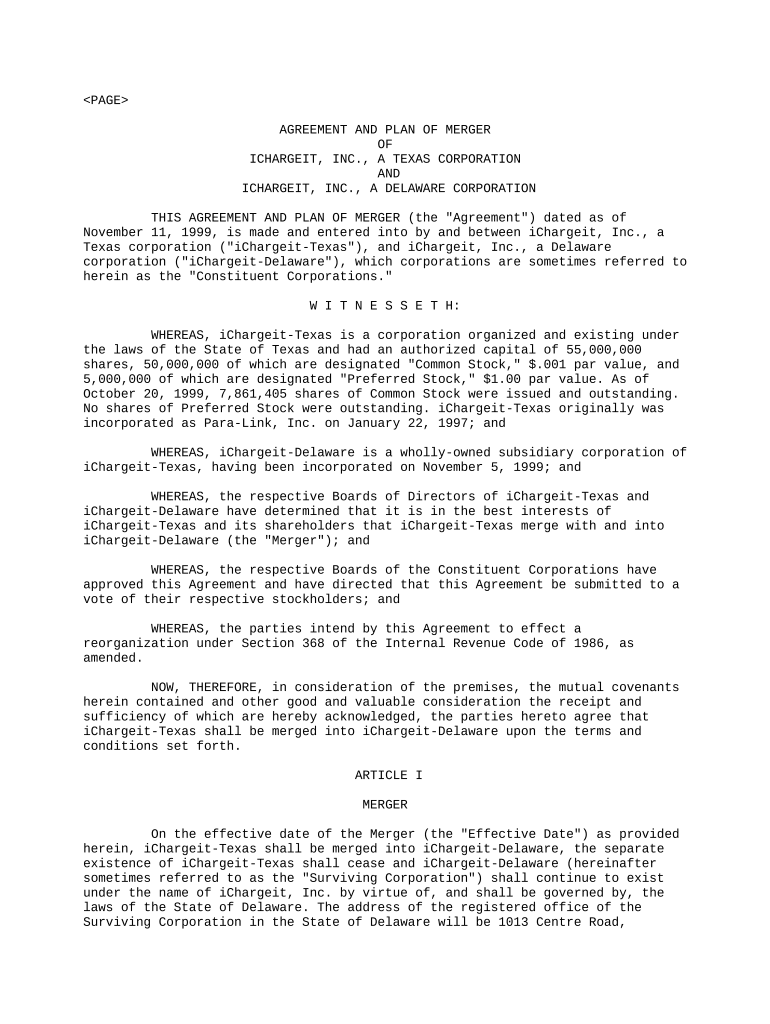
Agreement and Plan of Merger

This template is fully customizable. Edit the text, fill out the fields, and send it for signature. Give it a try!
Agreement and Plan of Merger

What an Agreement and Plan of Merger Is and When it's Used

An Agreement and Plan of Merger is a binding contract that sets out the terms, conditions, and mechanics by which two or more corporate entities combine into a single surviving entity. It identifies the parties, describes the merger structure (statutory merger, triangular merger, asset transfer), specifies the consideration to be paid, lists closing conditions, allocates representations and warranties, and records post-closing obligations such as indemnities and employee transitions. The document drives required corporate approvals, regulatory filings, and recordkeeping, and forms the legal basis for transferring assets, liabilities, and equity interests upon closing.

Why a Clear, Complete Merger Agreement Matters

A well-drafted Agreement and Plan of Merger clarifies economic terms, limits post-closing disputes, and documents required approvals and regulatory steps. It creates certainty for shareholders, creditors, and regulators while defining closing triggers and risk allocation.

Why a Clear, Complete Merger Agreement Matters

Typical Parties and Professionals Involved

Multiple signatories and advisors usually coordinate—each party must confirm authority and complete required corporate approvals before signing.

  • Corporate counsel and outside M&A attorneys managing negotiation and compliance.
  • C-suite officers and board members authorizing and executing corporate approvals.
  • Shareholder representatives and transfer agents facilitating equity consideration and notices.

Core Sections Every Merger Agreement Should Include

A professional Agreement and Plan of Merger is organized into discrete sections so parties can find obligations, conditions, and remedies quickly. The following six elements are typically essential and should be customized to the transaction’s structure and regulatory environment.

Parties

Identifies each merging entity by full legal name, jurisdiction of incorporation, and corporate form; matches charter records and state filings.
Merger Mechanics

Describes the statutory mechanism (e.g., statutory merger, forward triangular) and specifies survivorship, effective date, and steps to effect the combination.

Consideration

Details cash, stock, or mixed consideration, conversion ratios, payment timing, and any escrow or holdback arrangements tied to indemnity claims.

Representations

Comprehensive seller and buyer representations and warranties on authority, capitalization, financials, tax status, and compliance with material agreements.

Closing Conditions

Lists conditions precedent including approvals, third-party consents, regulatory clearances, and accuracy of representations as of closing.

Post-Closing

Includes indemnity mechanisms, survival periods, transition services, employee matters, and dispute resolution processes.

Step-by-Step: Completing the Agreement and Plan of Merger

Follow this concise sequence to prepare, approve, and execute a merger agreement while preserving legal enforceability.

  • 01
    Draft core terms: Document parties, structure, consideration, and closing conditions.
  • 02
    Board approval: Obtain corporate board resolutions authorizing the merger and execution.
  • 03
    Shareholder consent: Provide notice and obtain votes or written consents as charter law requires.
  • 04
    Execute and file: Sign, notarize if required, and file certificate of merger with state authorities.

Configuring an Online Workflow for the Merger Document

When preparing the Agreement and Plan of Merger online, set up fields, authentication, and routing to match corporate approvals and signatory roles.

Field Configuration
Signature sequence Set signer order: corporate officers, board chair, buyer rep, escrow agent if applicable.
Authentication method Choose email link, SMS code, or advanced signer authentication for sensitive transactions.
Conditional fields Use conditional fields for escrow amounts or jurisdiction-specific clauses.
Integration links Connect to DMS or corporate record systems for automatic storage and audit trails.

Where to Send and File the Signed Agreement

After execution, route the signed Agreement and Plan of Merger to corporate records, state filing authorities, and any regulatory agencies that require notice or clearance.

  • Corporate records: Store the original executed agreement in the company minute book.
  • State filing: File the certificate of merger with the secretary of state of the surviving entity.
  • Regulators: Submit required notifications to agencies (antitrust, securities) where applicable.
  • Shareholder notice: Distribute closing notices and share conversion statements to shareholders or transfer agents.

Key Milestones from Agreement to Effective Merger

Use this milestone sequence to track approvals, filings, and the closing window so all parties meet timing and regulatory obligations.

01

Negotiation and signing

Draft, negotiate, and execute the agreement prior to corporate approvals.

02

Board and shareholder approvals

Secure required corporate and shareholder authorizations according to bylaws and charter.

03

Regulatory clearances

Obtain antitrust or industry-specific approvals where required before closing.

04

State filing and effective date

File certificate of merger and confirm the effective date under state statute.

Typical Timing and Filing Deadlines to Watch

Merger transactions involve multiple timing requirements: corporate notice periods, regulatory waiting periods, and filing processing that can vary by jurisdiction and transaction size.

Board meeting date:

Set a meeting date to approve and authorize the merger resolution.

Shareholder notice period:

Provide advance notice consistent with charter and state law for votes or written consent.

Antitrust waiting period:

Allow HSR or similar waiting period when thresholds apply and filings are required.

State filing processing:

State secretary of state processing times vary; factor filing turnaround into closing timeline.

Effective date selection:

Pick an effective date to coordinate tax reporting and asset transfers.

Essential Information to Include in the Agreement

Entity Names: Full legal names
Effective Date: MM/DD/YYYY
Consideration: Cash or stock details
Board Resolutions: Approval references
Closing Conditions: Clear list
Governing Law: Selected state

Concise Summary of Major Risks and Penalties

Invalid Filing: Delay or voiding
Securities Violations: Civil fines
Tax Exposure: Unexpected liabilities
Shareholder Litigation: Damages and injunctions
Antitrust Penalties: Fines or divestiture
Contract Breach: Indemnity claims

Common Mistakes to Avoid When Preparing the Merger Agreement

  • Failing to confirm exact legal entity names and capitalization can invalidate filings and delay closing.
  • Omitting specific closing conditions or reliance provisions creates ambiguity for performance and dispute resolution.
  • Neglecting to evaluate required regulatory filings (antitrust, securities, industry-specific) leads to unenforceable closings or penalties.
  • Using vague consideration language or failing to define share conversion calculations causes post-closing valuation disputes.

How Different Organizations Use an Agreement and Plan of Merger

Real-world examples show how the document adapts to deal structure and industry compliance needs.

Technology Startup Acquisition

Buyer and target agree stock-for-stock exchange to preserve tax attributes

  • Use escrow for purchase price holdback
  • The agreement provided detailed IP assignment and employee equity conversion mechanics to avoid future disputes and ensure continuity.

Healthcare System Combination

Two health systems merge under a statutory merger and require HIPAA transition language

  • Regulatory approvals necessary
  • The agreement included a HIPAA-compliant data transfer schedule and transition services agreement to preserve patient privacy and operational continuity.

eSignature Pricing and Feature Snapshot for Merger Workflows

Select an eSignature vendor based on price, compliance needs, bulk-send capability, and envelope limits relevant to high-value merger agreements. Listed prices reflect common annual billing tier rates.

signNow DocuSign Adobe Sign PandaDoc HelloSign
Starting Price $8/user/mo $15/user/mo $14/user/mo $19/user/mo $15/user/mo
Free Trial 7-day free trial Varies Varies Varies Varies
Bulk Send Yes (tiered) Yes Yes Yes Varies
Audit Trail Yes Yes Yes Yes Yes
HIPAA Compliant Yes Varies Varies Varies Varies
Envelope Cap No cap 100 envelopes/user/year Varies Varies Varies

Digital Signing and Integration Considerations

Use an eSignature platform that supports required file formats, audit trails, and the level of signer authentication your transaction needs.

  • File formats: PDF, DOCX, and fillable forms
  • Integrations: Salesforce, NetSuite, Google Workspace
  • Security: TLS, AES-256 encryption

Frequently Asked Questions About Merger Agreements

Answers to common questions that arise when preparing, signing, and filing an Agreement and Plan of Merger, focusing on authority, e-signatures, and post-closing obligations.


Need help? Contact support

be ready to get more
Join over 28 million airSlate SignNow users