Establishing secure connection…Loading editor…Preparing document…

Rabbi Engagement Agreement

This template is fully customizable. Edit the text, fill out the fields, and send it for signature. Give it a try!
Rabbi Engagement Agreement

What a Rabbi Engagement Agreement Is and When It’s Used

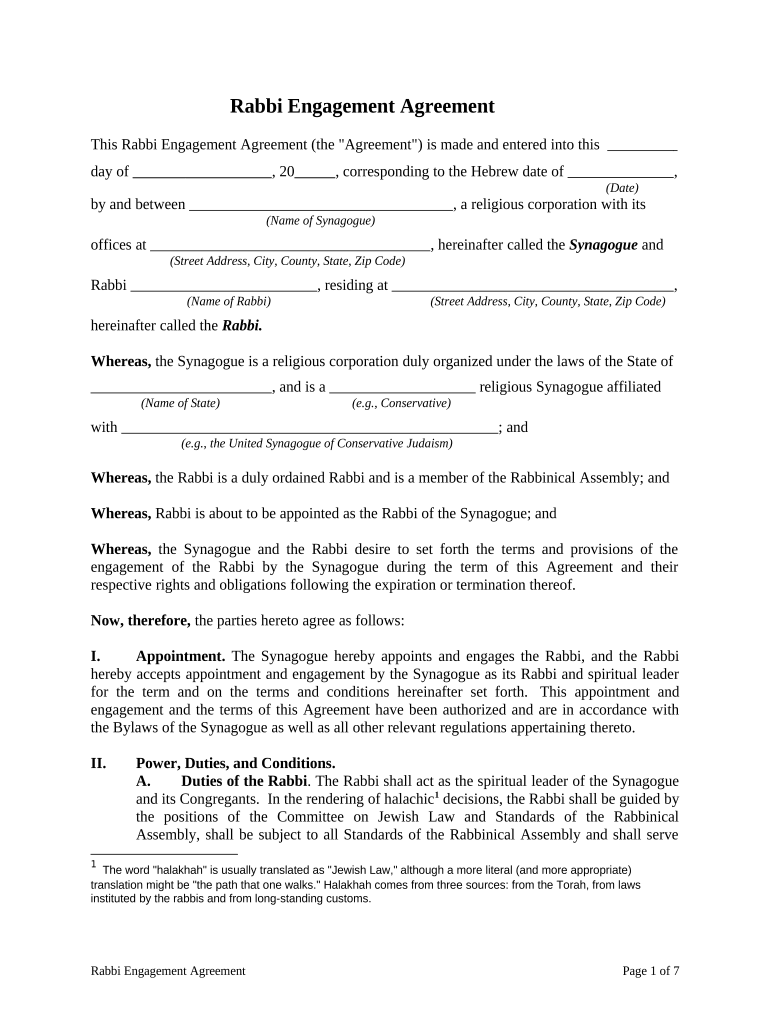
A Rabbi Engagement Agreement is a written contract that defines the professional relationship between a congregation, organization, or individual and a rabbi providing religious, pastoral, educational, or ceremonial services. The agreement typically covers scope of services, compensation, term and termination, duties and expectations, confidentiality, dispute resolution, and any benefits or housing provisions. It documents mutual obligations, clarifies tax and employment status, and provides a record for governance or payroll purposes. While usually a private contract, some jurisdictions and institutions add procedural or notarization preferences.

Why a Clear Engagement Agreement Matters

A precise Rabbi Engagement Agreement reduces misunderstandings about duties, pay, and professional boundaries, and creates a record for tax, insurance, and governance needs.

Why a Clear Engagement Agreement Matters

Who Typically Prepares and Signs This Agreement

Congregations, nonprofit institutions, religious schools, and individual families hire rabbis and prepare written engagement agreements to document terms.

  • Congregation leadership or board representatives prepare and approve the agreement, then present it to clergy for signature.
  • Human resources or administration staff manage payroll classification, tax forms, and benefits tied to the agreement.
  • Individual employers (families or event hosts) use simplified agreements for short-term or event-based rabbinical services.

Having the right parties draft and sign the agreement protects both the rabbi and the hiring party and supports compliance with employment and tax rules.

Primary Signatory Roles

Congregation Officer

An authorized board officer or executive director signs for the congregation. That signer should be able to bind the organization and confirm budget authority, benefits eligibility, and oversight responsibilities in two to three clear sentences.

Rabbi

The rabbi signs to accept duties, compensation, and confidentiality obligations. The signing rabbi should confirm understanding of performance expectations, scheduling norms, and any housing or stipend arrangements in two to three sentences.

Core Sections to Include in a Professional Agreement

A complete Rabbi Engagement Agreement organizes the parties' expectations, legal terms, and administrative details so both sides can perform and comply with tax and employment rules.

Scope of Services

Describe rituals, pastoral care, teaching, counseling, lifecycle events, and administrative duties. Include frequency, approximate weekly hours, and any on-call expectations to avoid ambiguity and support payroll classification.
Compensation

State salary, stipend, housing allowance, payment schedule, benefits, reimbursements, and expense policies. Specify whether payments are wages, 1099 compensation, or a mix with tax implications.

Term and Termination

Set the effective date, renewal terms, notice periods for resignation or termination, and grounds for immediate termination for cause. Include severance or notice-pay provisions if applicable.

Confidentiality & Privacy

Address pastoral privilege, confidentiality of counseling, and HIPAA considerations if the rabbi accesses protected health information; specify privacy safeguards and permitted disclosures.

Housing & Benefits

If housing is provided, define fair rental valuation, utilities responsibility, maintenance, and tax treatment of housing allowances under IRS rules.

Dispute Resolution

Identify governing law, mediation or arbitration preferences, and the state chosen to interpret the agreement to reduce litigation risk and clarify procedures.

Step-by-Step: How to Complete the Agreement

Follow these steps in order to create a clear, enforceable Rabbi Engagement Agreement.

  • 01
    Draft Core Terms: Enter services, compensation, and term before adding procedural clauses.
  • 02
    Confirm Tax Status: Decide employee vs contractor classification with payroll or counsel input.
  • 03
    Add Privacy Clauses: Include confidentiality and HIPAA language where pastoral counseling touches health data.
  • 04
    Sign and Date: Obtain signatures from authorized organization rep and rabbi, and date the document.

Typical Execution and Delivery Flow

A standard workflow helps avoid delays and ensures everyone receives executed copies promptly.

  • Prepare Draft: Author drafts the agreement and confirms monetary figures.
  • Internal Review: Board or HR reviews for budget and policy alignment.
  • Signatures: Parties sign physically or electronically with witnesses if required.
  • Distribution: Provide final executed copies to payroll, legal, and both parties.

How to Configure an Online Signing Workflow

Set fields and authentication so the agreement is complete and auditable when signed electronically.

Field Configuration
Signature Authentication Email link + SMS code or stronger verification
Conditional Fields Show compensation fields only if paid engagement selected
Notary Integration Enable RON or record in-person notary steps per jurisdiction
Template Save Save as template for recurring hires

Digital Signing and File Format Requirements

Use common document formats and verify signer access before sending for signature.

  • Supported Formats: PDF, DOCX, and HTML accepted
  • Required Integrations: Salesforce, Google Workspace, NetSuite integrations
  • Authentication Options: Email, SMS, knowledge-based verification

Ensure chosen platform supports audit trails, exportable signed PDFs, and optional RON or notary workflows where required.

How This Agreement Differs from Employment or Contractor Contracts

Compare common agreement types to select the right template and tax treatment for a rabbinical engagement.

Criteria Rabbi Engagement Agreement Employment Agreement
Purpose religious services broader employment duties
Tax Status often unique classification typically employee
Termination Notice customary clause statutory notice may apply
Benefits often negotiated commonly employer-provided

eSignature Provider Comparison for Executing the Agreement

Vendor pricing and core features vary; signNow appears first to allow an impartial feature and price comparison without dated references.

signNow DocuSign Adobe Sign PandaDoc HelloSign
Starting Price $8/user/mo $15/user/mo $14/user/mo $19/user/mo $15/user/mo
Free Trial 7-day free trial Varies by plan Varies by plan Varies by plan Varies by plan
Bulk Send Yes Yes Yes Yes No
Audit Trail Yes Yes Yes Yes Yes
HIPAA Compliant Yes Yes Yes No No

Essential Information to Include for Administrative Use

Names: Full legal names
Addresses: Street address and ZIP
Compensation: Salary or stipend amount
Term Dates: Start and end dates
Duties: Primary responsibilities
Signatures: Signed and dated blocks

Common Legal and Financial Risks

Incorrect Tax Status: Misclassification risk
Missing W-9: Backup withholding possible
No Written Terms: Dispute exposure
Inadequate Privacy: HIPAA violations risk
Unsigned Pages: Enforceability issues
Late Payments: Breach claims

Frequent Preparation Mistakes to Avoid

  • Using informal language that leaves scope of services ambiguous, which creates disputes over expected duties and on-call obligations.
  • Failing to document housing or allowance details clearly, causing tax and valuation disputes under IRS rules for clergy housing.
  • Omitting privacy or counseling clauses when pastoral care handles health information, increasing HIPAA compliance risk for affiliated healthcare settings.
  • Neglecting to confirm signatory authority for congregational signers, which can render the agreement invalid or subject to internal challenge.

Key Dates and Timing to Track

Track these dates to ensure timely payments, reporting, and contract renewals.

Effective Date:

Date duties and rights begin

Payment Schedule:

When compensation is distributed

Notice Period:

Time required to resign or terminate

Tax Forms:

W-9 provided upon request to payer

Renewal Window:

When parties may renew or renegotiate

Practical Tips for Accurate and Efficient Completion

Small drafting choices reduce risk and administrative friction during the engagement lifecycle.

Standardize Templates for Consistency
Use a single organizational template reviewed by counsel to ensure consistent clauses for compensation, termination, and confidentiality across engagements.
Confirm Payroll and Tax Classification
Discuss whether the rabbi is an employee or independent contractor before signing, and collect W-9 or other tax documents appropriately to avoid withholding penalties.
Document Housing and Benefits Clearly
If housing or utilities are provided, record their fair value and the tax treatment to reduce later IRS or state audit questions.
Keep an Execution Log
Record who signed, their title, and method of signature (electronic or wet) and store the signed copy in both secure cloud and local archives.

Supporting Documents to Attach or Collect

Attach documents that clarify authority, tax status, and background to complete the employment record.

W-9 or W-4

Collect a W-9 for contractors or a W-4 for employees so payroll and tax withholding are correctly established with accurate taxpayer identification.

Background Checks

Include criminal background or child-safety clearances when the role involves youth programs or school settings to meet policy expectations.

Housing Addendum

If housing is offered, attach a housing addendum outlining valuation, maintenance, and tenant responsibilities to clarify tax and practical obligations.

Board Approval

Store the minutes or written resolution authorizing the engagement to confirm organizational authority for the contract.

How to Update or Revise an Existing Agreement

Use a controlled amendment process to change terms while preserving the original record and audit trail.

01

Identify Amendment:

Draft an amendment describing specific changes and reason
02

Obtain Authorization:

Get board or authorized rep approval before proposing changes
03

Sign Amendment:

Have both parties sign and date the amendment
04

Attach to Original:

Store amendment with the original agreement in records
05

Notify Stakeholders:

Inform payroll, HR, or administrators of the change
06

Maintain Versioning:

Keep a version history showing dates and signers

Real-World Examples of How Agreements Are Used

Two typical scenarios illustrate practical clause choices and administrative steps.

Congregation Long-Term Hire

A medium synagogue hired a full-time rabbi with housing

  • two-year term with automatic renewal
  • The agreement included a housing addendum, clear duties, and a six-month severance clause to protect both parties during transition and budget planning.

Part-Time Event Rabbi

A family engaged a rabbi for lifecycle ceremonies

  • single-event engagement with flat fee
  • The short engagement used a simplified agreement specifying duties, fee, travel reimbursement, and signature confirmation to streamline payment and tax reporting.

Frequently Asked Questions About Rabbi Engagement Agreements

Answers to common questions about tax, execution, and digital signing to help you finalize the agreement correctly.


Need help? Contact support

be ready to get more
Join over 28 million airSlate SignNow users