Establishing secure connection…Loading editor…Preparing document…

Ratification of Agreement

This template is fully customizable. Edit the text, fill out the fields, and send it for signature. Give it a try!
Ratification of Agreement

What the Ratification of Agreement Is and When it Applies

A Ratification of Agreement is a formal written confirmation that validates, affirms, or adopts an earlier act, contract, or signature that may have lacked full authority, clarity, or required approvals when first executed. It records that the principal parties accept prior actions and treat them as if they were originally authorized, removing ambiguity about enforceability. Ratification often appears in corporate, real estate, and agency contexts where board resolutions, agent acts, or predecessor agreements need retroactive confirmation to prevent challenge or dispute about authority or timing.

Why a Ratification Matters for Legal Certainty

Ratifying an agreement clarifies parties’ intent, reduces litigation risk, and restores contractual continuity when prior approvals or authority were incomplete. It creates an evidentiary record showing all parties accepted the prior transaction and its terms.

Why a Ratification Matters for Legal Certainty

Typical Parties That Prepare or Sign a Ratification

Choosing the correct signatories and documenting the ratification in writing helps preserve rights and evidence if a third party later contests authority or timing.

  • Corporate officers and boards confirming prior contracts or agent actions in business transactions.
  • Property owners and title agents ratifying deeds or post-closing adjustments.
  • Legal counsel or parties resolving authority gaps in contracts or settlements.

Who Signs and Why

Authorized Representative

An executive or agent with corporate authority executes the ratification to confirm an earlier transaction. This provides contemporaneous evidence that the entity treated the prior act as authorized, which helps defend against claims of unauthorized contracts and supports enforcement.

Corporate Counsel

A lawyer prepares or reviews the ratification to ensure it uses precise language, references the original transaction, and documents approvals or board resolutions. Counsel often drafts background recitals and advises on whether additional corporate acts (e.g., board ratification) are required to avoid later challenge.

Step-by-Step: Completing a Ratification of Agreement

Follow these steps to prepare, execute, and preserve a ratification so it clearly connects to the original transaction and shows appropriate authority.

  • 01
    Identify the Original: Record the original agreement information and date.
  • 02
    Confirm Authority: Verify signers have corporate or delegated authority.
  • 03
    Draft Recitals: Explain why ratification is needed and what is being affirmed.
  • 04
    Execute and Preserve: Sign, notarize if needed, and retain copies in records.

How Ratification Flows from Draft to Record

A clear workflow reduces mistakes and ensures the ratification attaches cleanly to the earlier file or record.

  • Draft: Prepare language referencing the original agreement.
  • Review: Legal and management review for authority and wording.
  • Sign: Authorized signatories execute the document.
  • Record: File with appropriate internal or public records.

Typical Digital Workflow Settings for eCompletion

Configure workflow fields and authentication to match the document’s sensitivity and legal requirements before sending for signature.

Field Configuration
Authentication Email link, SMS code, or KBA depending on risk.
Signature Type Electronic signature or in-person notarized signature.
Retention Enable audit trail and long-term storage.
Notifications Set reminders and completion alerts for signers.

Platforms and Technical Requirements for eSubmission

Confirm platform compliance (e.g., ESIGN/UETA, HIPAA where required) and retain signed copies with their audit trails for your records.

  • File Formats: PDF, DOCX, and fillable templates supported.
  • Integrations: Connectors for CRM and cloud storage.
  • Security: Encryption and audit logs enabled.

Security and Compliance Essentials

In-transit Encryption: TLS 1.2/1.3 encryption
At-rest Encryption: AES-256 encryption
Audit Trail: Timestamps, IP addresses recorded
HIPAA Support: BAA available when required
Regulatory Fit: 21 CFR Part 11 compatible
Certifications: SOC 2 Type II and ISO 27001

Key Risks When Ratification Is Done Incorrectly

Invalid Ratification: Document may be unenforceable
Authority Disputes: Third parties may challenge signers
Recording Errors: Public records may not reflect ratification
Regulatory Exposure: Industry-specific fines possible
Litigation Costs: Higher legal fees to resolve disputes
Tax Consequences: Incorrect statements can trigger audits

Common Preparation Mistakes to Avoid

  • Using inconsistent party names or abbreviated entity names that differ from formation documents and public records, creating ambiguity about who ratified.
  • Failing to reference the original agreement precisely, so it is unclear which prior act is being affirmed and whether attachments or exhibits are included.
  • Not confirming signatory authority or lacking a board resolution when a corporate entity requires one, permitting challenges to enforceability.
  • Omitting a clear effective date or failing to notarize or witness when a state or the subject matter requires formal acknowledgment for public record.

Essential Elements of a Professional Ratification Document

A robust ratification should connect to the original transaction, state the reason for ratification, confirm authority, and include clear execution and recordkeeping provisions.

Recitals

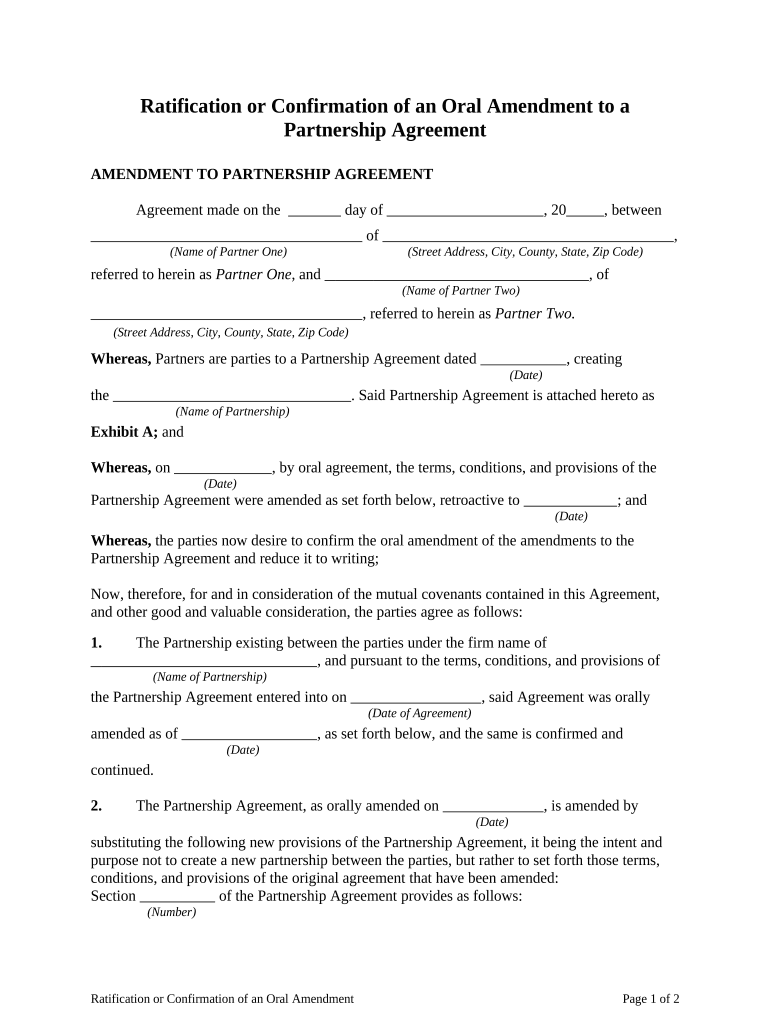
Background statements that identify the original agreement, date, and parties, and explain why ratification is needed to eliminate ambiguity.
Ratification Clause

A concise operative clause that expressly affirms the prior act, states that it is validated, and confirms the parties’ intent to treat it as effective.

Authority Statement

A clause specifying the capacity of the signer and reliance on corporate records, board resolutions, or delegated authority that justify ratification.

Effective Date

A statement of when the ratification takes effect and whether it operates retroactively to the original date of the transaction.

Execution Blocks

Signature lines with printed names, titles, dates, and notarization or witness blocks if state law or the subject matter requires them.

Attachments

Exhibits or schedules showing the original document, any amendments, and supporting board minutes or resolutions relied upon.

Supporting Documents Often Filed with a Ratification

Attach evidence that corroborates authority and links the ratification to the underlying transaction to strengthen enforceability and public records.

Original Agreement

Copy of the prior contract or transaction being ratified, referenced by date and parties.

Board Resolution

Minutes or resolution authorizing ratification or confirming delegated authority.

Notary/Witness Proof

Notarial acknowledgement or witness signatures where a public filing or statute requires them.

Amendments

Any subsequent amendments or corrective documents showing agreed changes to the original terms.

Timing Considerations and Typical Deadlines

Address timing early: delays can impair enforceability, public recording, or regulatory compliance depending on context.

Immediate Execution:

Execute promptly after discovering the authority gap to limit disputes

Recording Window:

Record ratifications tied to real estate within local recording timelines

Corporate Minutes:

Obtain board minutes or resolutions contemporaneously where corporate action is the basis

Regulatory Filings:

File any required regulatory notices as soon as ratification affects regulated obligations

Statute of Limitations:

Consider whether retroactive ratification affects the period for claims or rescission

eSignature Pricing and Feature Snapshot for Executing Ratifications

Comparison of common pricing and feature dimensions across platforms; signNow appears first per platform ordering rules.

signNow DocuSign Adobe Sign PandaDoc HelloSign
Starting Price $8/user/mo $15/user/mo $14/user/mo $19/user/mo $15/user/mo
Free Trial 7-day free trial Varies Varies Varies Varies
Bulk Send Yes Yes Yes Yes No
Audit Trail Yes Yes Yes Yes Yes
HIPAA Compliant Yes Yes Yes No No

FAQs and Troubleshooting for Ratification of Agreement

Common questions about validity, signatures, and execution are answered below to help avoid procedural errors and preserve enforceability.


Need help? Contact support

be ready to get more
Join over 28 million airSlate SignNow users