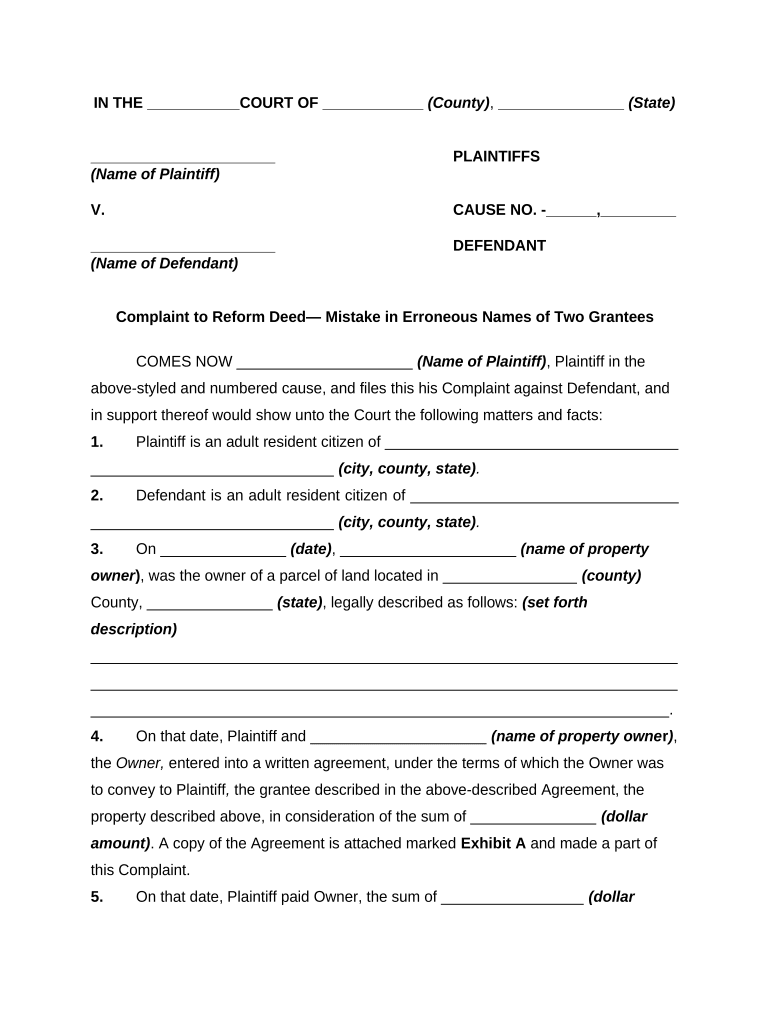
Complaint to Reform Deed
What a Complaint to Reform Deed Is and When it’s Used
Why Filing a Complaint to Reform Deed Matters
Reformation fixes record title and prevents future disputes, title defects, or liens resulting from an inaccurate deed. Courts may order reformation where equity shows a clear mutual mistake or where a party engaged in fraud or misdescription, preserving marketable title and aligning the public record with actual ownership.
Who Typically Prepares or Files This Complaint
Counsel commonly prepares the pleadings and supporting affidavits; the filing party must ensure service and recording of any court-ordered reformed deed per local rules.
- Homeowners and sellers seeking to correct a legal description or clerical error affecting ownership or boundary lines.
- Title companies and insurers addressing defects discovered during underwriting or closing.
- Attorneys for lenders or buyers who need a court-ordered correction to clear title prior to sale or refinance.
Step-by-Step: Preparing and Filing the Complaint
-
01Gather evidence: Collect deed, contract, survey, communications showing the parties’ intended terms.
-
02Draft complaint: Allege facts, identify instrument, state legal basis, and attach defective deed as an exhibit.
-
03File and serve: File in the appropriate county court and serve defendants per local rules.
-
04Obtain order: Proceed to hearing; obtain judgment directing reformation and recording of corrected deed.
How to Set Up a Digital Workflow for This Complaint
| Field | Configuration |
|---|---|
| Document format | Use PDF/A for final exhibits and Word/ DOCX for drafts |
| Signer authentication | Apply email or SMS code verification for attorneys and parties |
| Exhibit attachments | Attach recorded deed, survey, escrow instr., and chain of title |
| Recording-ready output | Generate a certified PDF and produce a reformed deed for submission to recorder |
Where to File and How the Process Flows
-
Select venue: File in the county or district court with jurisdiction over the real property
-
File complaint: Submit pleading, pay filing fee, and obtain a case number
-
Service: Serve defendants and interested parties according to state rules
-
Record judgment: Record the court order and reformed deed at the county recorder
Digital Signing and eSubmission Considerations
Ensure your chosen platform supports notarization workflows, records retention, and audit logs suitable for court exhibits and title company review.
- File types: PDF, DOCX accepted
- Integrations: Connect to Microsoft 365, Google Workspace, and NetSuite
- Security: AES-256 at rest; TLS 1.2/1.3 in transit
Typical Timelines and Deadlines to Expect
Initial filing:
Court accepts complaint after filing fee is paid; timing depends on local docket and filing system
Service deadline:
Service on defendants usually required within 30–90 days, per local rules
Response period:
Defendant typically has 20–30 days to respond after service
Hearing scheduling:
Hearing may be set weeks to months after filing depending on court availability
Recording after order:
Record the reformed deed promptly; county recorder will accept the court order and corrected instrument
Key Case Milestones from Filing to Recording
File Complaint
Submit pleadings and pay the filing fee to open the case
Serve Parties
Complete service on defendants and interested parties per rule
Prepare Evidence
Exchange exhibits, surveys, and affidavits supporting reformation
Obtain Judgment
Secure court order directing reformation and record corrected deed
Common Mistakes That Delay Relief
- Filing with incomplete legal descriptions or attaching the wrong recorded instrument, which forces re-filing or supplemental affidavits.
- Failing to name all interested parties or lienholders, resulting in contested service or missing necessary joinder for final relief.
- Relying on unsworn statements rather than affidavits or failing to submit a supporting survey, which weakens proof of the agreed description.
- Not preparing a recording-ready reformed deed or not following county recorder format rules, causing recording rejection or delay.
Risks and Consequences of an Incorrect or Incomplete Complaint
Practical Examples: How Reformation Is Applied
Mutual Mistake
A seller and buyer both intended to convey Lot 12 but recorded Lot 21
- Survey and escrow instructions show Lot 12
- Court reformed the deed to Lot 12 and ordered recording of corrected instrument to clear title and allow closing.
Scrivener Error
A deed misstated a metes-and-bounds call by a transcription error
- Original purchase contract and title abstract show the intended call
- The court corrected the clerical error and directed the county recorder to accept the reformed deed.
Comparing eSignature Options for Preparing and Executing Reformed Deeds
| signNow | DocuSign | Adobe Sign | PandaDoc | HelloSign | |
|---|---|---|---|---|---|
| Starting Price | $8/user/mo | $15/user/mo | $14/user/mo | $19/user/mo | $15/user/mo |
| Free Trial | 7-day free trial | Varies by offer | Varies by offer | Varies by offer | Varies by offer |
| Bulk Send | Yes | Yes | Yes | Yes | No |
| Audit Trail | Yes | Yes | Yes | Yes | Yes |
| HIPAA Compliant | Yes | Yes | Yes | No | No |
Frequently Asked Questions and Troubleshooting
-
What evidence is required?
Provide the recorded deed, original agreement or escrow instructions, sworn affidavits, and any survey or title abstract showing the intended description to prove mistake or fraud.
-
Can the deed be reformed electronically?
Many states accept electronically signed documents and remote notarizations where permitted; verify local recorder and court rules and ensure the eSignature meets ESIGN/UETA standards.
-
Do I need a new deed for recording?
A court-ordered reformed deed is typically prepared and executed for recording; the order or certified copy is recorded alongside the corrected instrument.
-
How long does the court process take?
Timing varies widely—expect weeks to months depending on service, court schedules, potential disputes, and whether the relief is agreed or contested.
-
Are remote notarizations acceptable?
Remote online notarization is allowed in many states; confirm state RON authority and recorder acceptance before relying on RON for recording.
-
What if a title company objects?
Address title company concerns by providing supplemental affidavits, corrected deed drafts, and evidence of notice; coordinate with counsel and insurer to obtain underwriting approval.