Establishing secure connection…Loading editor…Preparing document…

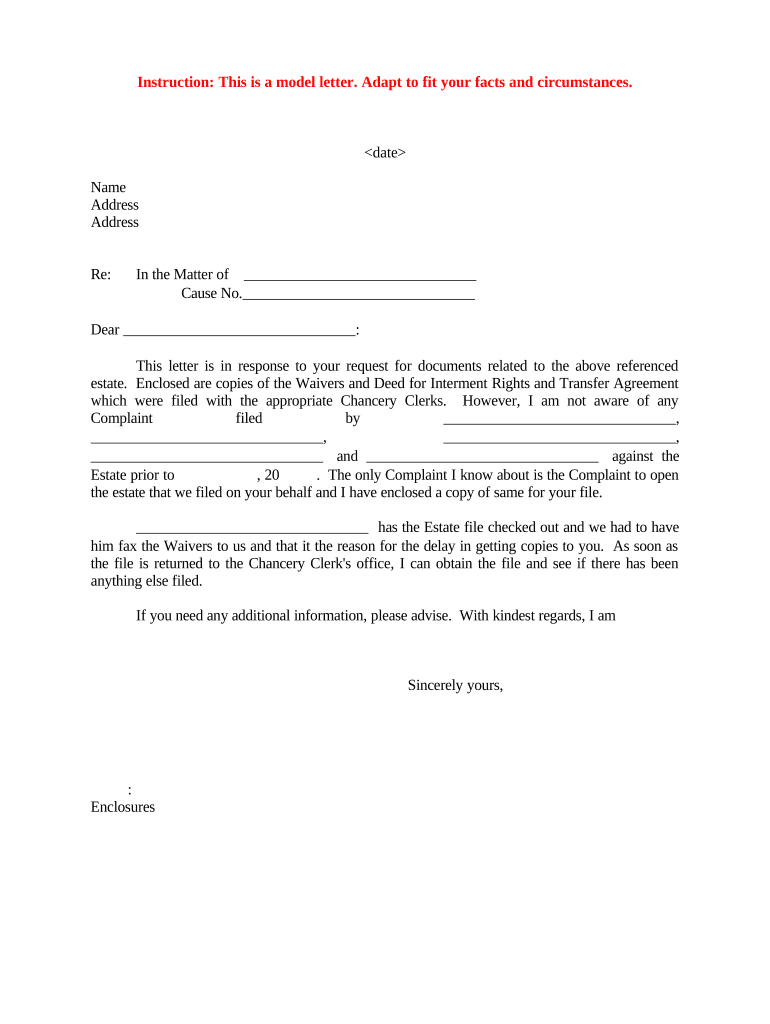
Letter Responding to Request for Estate Documents

This template is fully customizable. Edit the text, fill out the fields, and send it for signature. Give it a try!
Letter Responding to Request for Estate Documents

What a Letter Responding to Request for Estate Documents Is

A Letter Responding to Request for Estate Documents is a formal written reply from an executor, personal representative, attorney, or custodian to a requestor seeking records related to a decedent's estate. It confirms which records are available, states any legal basis for withholding or redaction, specifies required proof of authority, and provides timing and delivery preferences. The letter helps document the estate’s response for probate records and protects the custodian by creating a clear audit trail of communications and decisions around sensitive documents.

Why a Clear Response Letter Matters

A concise, accurate response letter reduces disputes, shows compliance with document requests, and documents any limitations on disclosure. It sets expectations for turnaround, protects sensitive information, and helps meet probate, tax, or creditor requirements.

Why a Clear Response Letter Matters

Who Typically Prepares and Receives This Letter

Executors, personal representatives, probate attorneys, trustees, and custodians commonly prepare these letters; beneficiaries, creditors, government agencies, and other third parties commonly request estate records.

  • Executors and personal representatives responding to creditor or beneficiary requests; they confirm authority and document production details succinctly.
  • Estate attorneys replying on behalf of a fiduciary; often include legal citations and privilege/redaction claims when necessary.
  • Records custodians at financial institutions or registries that supply certified copies or account records following proof of authority.

Use a formal letter on estate or law firm letterhead, include contact details, and keep a copy with the estate file for your records.

Primary Signers and Their Roles

Executor / Personal Representative

An executor or personal representative signs when they are the court-appointed fiduciary. Their signature confirms official authority to release records and should be accompanied by a court-issued Letters Testamentary or Letters of Administration when required.

Estate Attorney

A licensed attorney for the estate may sign the response on behalf of the fiduciary, include citation of legal grounds for any non-disclosure, and attach a written authorization or representation letter to support their authority.

Essential Data Elements to Include

Decedent Name: Full legal name
Date of Death: MM/DD/YYYY
Estate Case Number: Probate docket or case ID
Documents Requested: List of specific records
Requestor Identity: Name and relation or authority
Response Deadline: Date or statutory period

Potential Consequences of an Inadequate Response

Probate Delays: Court may delay estate administration
Tax Penalties: IRS penalties for missing tax records
Sanctions: Court sanctions for noncompliance
Privacy Breach: Unauthorized disclosures risk HIPAA issues
Rejected Request: Incomplete proof of authority causes refusal
Creditor Claims: Missed creditor notices may cause liability

Common Preparation Pitfalls to Avoid

  • Failing to verify the requestor’s legal authority leads to inadvertent disclosure of confidential records and follow-up disputes.
  • Providing vague lists or unindexed records makes it hard for recipients to locate requested items and increases follow-up demands.
  • Missing or misstating dates (date of death, filing dates) can create tax or probate record mismatches and procedural delays.
  • Neglecting required redactions for sensitive personal information can trigger privacy violations under HIPAA or state privacy laws.

Step-by-Step: Completing the Response Letter

Follow a consistent sequence to confirm authority, list available documents, state any redactions or withheld items with legal reason, and specify delivery and timing.

  • 01
    Verify Authority: Confirm requester’s status and request proof if not provided
  • 02
    List Records: Enumerate each document by title and date
  • 03
    State Limitations: Cite privilege, privacy, or court orders for withholding
  • 04
    Delivery Details: Specify certified copies, electronic delivery, or pickup

Typical Production Workflow

A clear workflow helps the fiduciary track requests, approvals, redactions, and delivery while maintaining an audit trail for probate or regulatory review.

  • Receive Request: Record date received and person requesting records
  • Authenticate Request: Obtain proof of authority or court documents
  • Gather & Review: Locate documents and redact sensitive information
  • Respond & Deliver: Send letter and attach certified or electronic copies

What a Professional Response Letter Should Contain

A well-structured letter balances clarity, legal sufficiency, and operational detail to reduce follow-up and protect the estate from disclosure risks.

Opening Statement

Identify the sender, decedent, and request being replied to, with dates and a short statement of purpose to set context for the response.
Authority Proof

Reference attached Letters Testamentary, Letters of Administration, trust instrument, or a signed authorization that demonstrates the requester’s entitlement to records.

Document Inventory

Provide an itemized list (title, date, page count, custodian) of documents you can produce and specify certified copy availability where applicable.

Redaction/Withholding Explanation

Explain any redactions or withheld items, citing privilege, privacy law, or court orders, and describe how to challenge or request unredacted review.

Delivery Instructions

State whether documents will be mailed as certified copies, provided electronically, available for pickup, or sent via a secure file transfer method.

Next Steps & Contact

Provide a contact name, phone and email, a reasonable production timeline, and any fees or identification required to receive the records.

Configuring an Electronic Workflow for Responses

If you use a digital system to assemble and deliver records, standardize fields, authentication, and retention to ensure compliance and traceability.

Field Configuration
Signer Authentication Email plus optional SMS code
Required Attachments Letters Testamentary or authorization
Notification Automated email with delivery receipt
Retention Store letter and attachments for retention period

Digital Delivery Options and Technical Needs

Choose secure delivery that preserves an audit trail and protects sensitive data during transfer and at rest.

  • Secure Email: TLS encryption and password-protected PDFs
  • eSignature Platform: Supports audit trail and signer authentication
  • Certified Copies: Attach scanned certified seals when required

Confirm recipient can receive chosen format and document access is logged; maintain copies in the estate file per retention rules.

Typical Timing Expectations and Legal Deadlines

Response timing varies by jurisdiction and request type; use a reasonable timeframe and note any statutory periods or court-ordered deadlines when applicable.

Immediate Acknowledgement:

Acknowledge receipt within 5–7 business days

Standard Response Window:

Provide documents within 10–30 days unless court rules specify otherwise

Certified Copy Delivery:

Allow extra processing time for certified copies, commonly 7–14 days

Court-Ordered Timelines:

Follow any probate court deadlines set in the case

Extension Notices:

Notify requestor promptly if more time is required

Key Milestones When Handling a Document Request

Track milestones from receipt through delivery to demonstrate timely handling and maintain defensible records in the estate file.

01

Request Received

Record date, requestor identity, and documents requested

02

Authority Verified

Confirm and attach proof of authorization before production

03

Documents Assembled

Collect, review, and redact items as legally required

04

Delivery Completed

Send certified copies or secure electronic files and document delivery

Real-World Examples of Response Letters

Two short examples show common scenarios and how to document authority and delivery clearly.

Estate Response — Beneficiary Request

An executor receives a beneficiary's request for the will and accountings dated MM/DD/YYYY.

  • The executor attaches Letters Testamentary and a redacted accounting summary.
  • The letter lists items produced, cites the authority attached, offers certified copies for a nominal fee, and sets a two-week delivery window while reserving the right to redact third-party information.

Institutional Response — Bank Records

A bank receives a trustee's request for account statements spanning several years.

  • The bank requires certified proof of representation and a signed authorization.
  • The response confirms availability, lists required documents to release records, explains privacy redactions, and provides instructions for electronic secure delivery once authorization is validated.

Practical Tips for Accurate, Efficient Responses

Apply consistent practices to reduce back-and-forth and to preserve the estate’s legal and privacy posture.

Document Authority Early
Request and verify Letters Testamentary or other proof before assembling records to avoid improper disclosures and wasted effort.
Use Itemized Inventories
Provide an indexed list of produced documents with dates and page counts so recipients can readily confirm completeness.
Redact Carefully
Limit redactions to clearly protected third-party data and cite legal basis; keep an unredacted index for the estate file.
Log Everything
Record receipt, communications, production dates, delivery method, and any fees collected to maintain an audit trail.

eSignature Pricing Comparison for Producing and Delivering Documents

Common eSignature vendors and plan-level capabilities vary; signNow is shown first for direct comparison of starting price and core features.

signNow DocuSign Adobe Sign PandaDoc HelloSign
Starting Price $8/user/mo $15/user/mo $14/user/mo $19/user/mo $15/user/mo
Free Trial 7-day free trial, no credit card Varies by plan Varies by plan Varies by plan Varies by plan
Bulk Send Yes Yes Yes Yes No
Audit Trail Yes Yes Yes Yes Yes
HIPAA Compliant Yes Yes Yes No No

Frequently Asked Questions About Responding to Estate Document Requests

Answers to common procedural and legal questions to help fiduciaries prepare a compliant, defensible response letter.


Need help? Contact support

be ready to get more
Join over 28 million airSlate SignNow users