Establishing secure connection…Loading editor…Preparing document…

Letter Regarding Seizure Action on Property

This template is fully customizable. Edit the text, fill out the fields, and send it for signature. Give it a try!
Letter Regarding Seizure Action on Property

What this Letter Is and When it’s Used

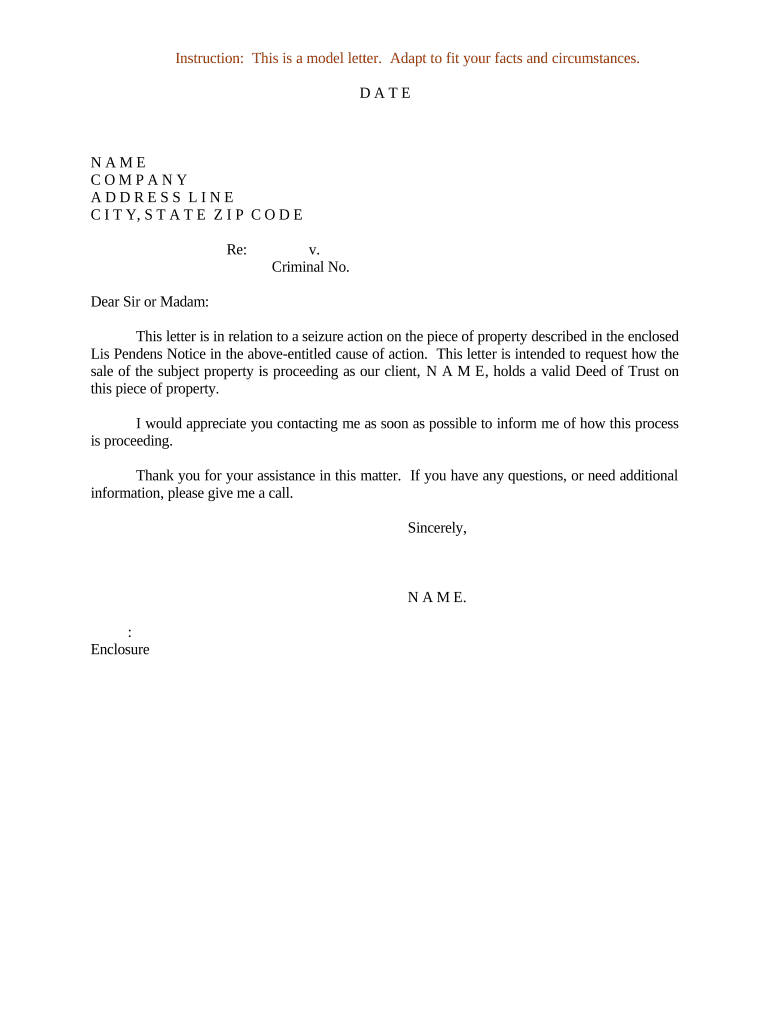
A Letter Regarding Seizure Action on Property is a formal written notice used to inform an owner, occupant, lienholder, or interested party that a creditor, government agency, or other claimant intends to seize or has initiated seizure proceedings against identified property. The letter typically states the legal basis for the seizure, identifies the property by address or description, explains the triggering event (for example, tax delinquency, court judgment, or administrative lien), and sets out any rights, timelines, or instructions for contesting the action. It is often sent before or after filing court papers and may accompany a demand for payment, notice of intent, or enforcement paperwork.

Why a Clear Seizure Notice Matters and Its Legal Basis

A precise letter preserves parties’ rights, documents the sender’s legal claim, and creates an evidentiary record useful in contested enforcement. Electronic execution is generally enforceable under the Electronic Signatures in Global and National Commerce Act (15 U.S.C. ch. 96, 2000) and UETA where adopted, provided intent, consent, attribution, and retention requirements are met.

Why a Clear Seizure Notice Matters and Its Legal Basis

Who Typically Prepares or Receives This Letter

Organizations and individuals use this letter to notify property owners and stakeholders of impending or completed seizure activity.

  • Public agencies and municipalities — for tax liens, forfeiture, or code enforcement notices sent to owners and lienholders.
  • Private creditors or judgment creditors — to notify owners, trustees, and recorded lienholders before levy or turnover procedures.
  • Property owners and affected occupants — as recipients who must respond, cure defaults, or commence contest proceedings.

Typical Signers and Their Roles

Agency Official

A designated official or attorney for a government agency prepares and signs seizure notices to comply with statutory notice requirements and to establish official record; accuracy of legal citations and property description is essential to avoid contested-service claims.

Private Creditor

A licensed attorney, collection agent, or authorized corporate officer signs on behalf of a creditor to initiate levy or enforcement; the signer should confirm authority under corporate resolution or power of attorney and include contact details for dispute resolution.

Core Elements to Include in a Professional Seizure Letter

Include factual, legal, and procedural information so recipients understand the basis for action and how to respond within statutory timeframes.

Property ID

Full street address, parcel number, VIN, or detailed description to ensure the seized asset is unambiguously identified and traceable in public records.
Legal Basis

Cite the statute, ordinance, judgment, or administrative order authorizing seizure, including docket or account numbers to link the letter to the enforcement record.

Amount Owed

State principal, interest, fees, and any administrative costs with a precise calculation or date through which amounts are accurate.

Owner/Lienholder Info

List recorded owners, known lienholders, and other interested parties so they receive notice and can assert rights within statutory periods.

Response Instructions

Explain how to cure, file a claim, request a hearing, or post bond, with contact details and any required forms or filing addresses.

Effective Dates

Provide the date of mailing, date of intended seizure, and any redemption or contest deadlines governed by statute or regulation.

Required Information Fields at a Glance

Sender Identity: Name and contact
Recipient Identity: Name and address
Property Description: Address or parcel
Legal Citation: Statute or case no.
Financial Detail: Amount owed
Response Steps: How to contest

Key Risks and Consequences of an Inaccurate Letter

Invalid Notice: Service defects can render seizure voidable
Property Loss: Seizure may proceed if timely challenge fails
Civil Liability: Wrongful seizure exposes sender to damages
Contempt / Fines: Noncompliance with court orders risks sanctions
Statutory Penalties: Missed creditor deadlines may bar enforcement
Costs Increase: Late cures add fees and interest

Common Mistakes to Avoid

  • Using an imprecise property description that creates ambiguity about the asset to be seized and invites collateral challenges.
  • Failing to confirm current owners and lienholders against public records before serving notice, which can invalidate the proceeding.
  • Ignoring jurisdictional service rules or required statutory waiting periods that govern enforceability and opportunity to contest.
  • Omitting clear response instructions and deadlines, leaving recipients unable to assert rights or cure defaults within statutory timeframes.

How to Prepare and Send the Letter — Step by Step

Follow these sequential steps to assemble, verify, and deliver a compliant seizure notice.

  • 01
    Gather Evidence: Collect judgment, account statements, and recordings linking claim to property
  • 02
    Verify Parties: Confirm owner and lienholder names in county records
  • 03
    Draft Notice: Include legal basis, property ID, amounts, and response steps
  • 04
    Deliver Properly: Serve by the method required by statute or court rule

Typical Digital Workflow Configuration for eSubmission

Configure a workflow that captures identity, evidence, and an auditable signature record when sending the letter electronically.

Field Configuration
Signer Authentication Email link + optional SMS code
Supporting Files Attach judgment, parcel report, and photos
Signature Type Electronic signature with audit trail
Retention Setting Store signed copy and audit trail for compliance

End-to-End Process Overview

This outline shows the main transactional steps from preparation to completed service and recording.

  • Prepare: Gather supporting documents and verify names
  • Draft: Compose notice with legal citations and amounts
  • Serve: Deliver by statutorily required method
  • Record: File proof of service or lien as required

Technical Considerations for eSigning and eFiling

Ensure your signing platform captures secure identity data and a verifiable audit trail before e-submitting enforcement notices.

  • File Formats: PDF or DOCX accepted
  • Authentication: Email + optional SMS or KBA
  • Audit Trail: IP, timestamp, and certificate

Typical Deadlines and Processing Expectations

Statutory deadlines vary by jurisdiction; below are commonly encountered timeframes and recommended response windows.

Initial Response Period:

Often 10–30 days to contest or cure, depending on statute

Redemption Window:

Property redemption periods vary; check state law for exact days

Filing Proof of Service:

File and record within required window after service

Hearing or Appeal Deadlines:

Usually set by local court rules; may be short (days) or longer (weeks)

Enforcement Execution:

Seizure may occur after statutory cure period expires

Key Milestones from Notice to Enforcement

A condensed milestone timeline highlights critical actions and typical sequencing in seizure matters.

01

Notice Prepared

Draft and verify supporting documentation before sending

02

Notice Served

Serve recipient using the legally mandated method

03

Response Window

Recipient may cure, request hearing, or file an objection

04

Seizure or Recording

If unresolved, proceed with levy, recording, or turnover

eSignature Vendor Pricing and Feature Comparison

Basic pricing and key feature availability for common eSignature vendors. signNow is listed first per comparison conventions.

signNow DocuSign Adobe Sign PandaDoc HelloSign
Starting Price $8/user/mo $15/user/mo $14/user/mo $19/user/mo $15/user/mo
Free Trial 7-day free trial Varies by vendor Varies by vendor Varies by vendor Varies by vendor
Bulk Send Yes Yes Yes Yes No
Audit Trail Yes Yes Yes Yes Yes
HIPAA Compliant Yes Yes Yes No No
Envelope Cap No cap 100 envelopes/user/year Varies Varies Varies

Example Use Cases

Two representative scenarios show how the letter functions in practice.

Municipal Tax Lien Case

A city tax office sends a seizure letter when property taxes remain unpaid

  • The letter cites the municipal code and provides a 30-day cure period
  • The recorded notice allows the municipality to place a lien and later foreclose if the owner does not satisfy the debt, and proof of service is filed with the county recorder.

Private Creditor Levy

A judgment creditor delivers notice to a debtor and recorded lienholders

  • The letter attaches the judgment and instructs how to post bond to halt enforcement
  • If no bond is posted within the statute-defined window, the creditor proceeds with levy and sells or transfers the asset under court supervision.

Frequently Asked Questions About Seizure Letters

Answers to common questions about validity, e-signing, service, and how to contest a seizure.


Need help? Contact support

be ready to get more
Join over 28 million airSlate SignNow users