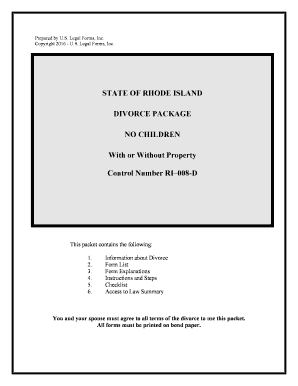
Rhode Island No Fault Agreed Uncontested Divorce Package
What the Rhode Island No Fault Agreed Uncontested Divorce Package Is
Why a Tailored Uncontested Package Matters in Rhode Island
A prepared Rhode Island No Fault Agreed Uncontested Divorce Package reduces procedural errors, clarifies required disclosures, and aligns documents with local court filing practices so filings are less likely to be returned for correction.
Who Typically Uses This Package
Typical users of the Rhode Island No Fault Agreed Uncontested Divorce Package include litigants, attorneys, and court staff coordinating uncontested filings.
- Pro se litigants who agree on terms: Individuals representing themselves using standardized forms to file uncontested, no-fault divorce without alleging misconduct.
- Family law attorneys: Attorneys preparing agreed settlements and ensuring financial disclosures and parenting plans comply with Rhode Island law.
- Mediators and facilitators: Professionals drafting separation agreements and guiding document completion before filing with the family court.
Sequential checklist to complete and file the package
-
01Prepare Petition: Complete the complaint/petition with accurate names, dates, and jurisdiction statements.
-
02Complete Financials: Fill the financial affidavit and attach supporting paystubs and account statements.
-
03Finalize Parenting: Draft a parenting plan with custody, visitation, and support provisions if children are involved.
-
04File and Serve: File with the family court clerk and serve the other party per court rules.
How the preparation and submission workflow typically runs
-
Assemble Documents: Collect petition, affidavits, agreements, and exhibits into one packet.
-
Authorize Signatures: All parties sign; obtain notarization or acknowledgments as required.
-
File With Clerk: Submit the packet to the appropriate Rhode Island family court clerk's office.
-
Court Processing: Clerk reviews, assigns a case number, and schedules any required hearings.
Typical eSubmission and routing configuration
| Field | Configuration |
|---|---|
| Signer Order | Concurrent signing allowed; set signing roles clearly. |
| Authentication | Email link or SMS code; stronger ID for notarization or court requests. |
| Attachments | Allow PDF attachments for paystubs and exhibits; limit file size as needed. |
| Retention | Retain completed packet and audit trail per retention policy. |
Technical delivery and file format considerations
Verify the court accepts electronically signed documents and which formats the clerk will accept before e-filing.
- File Formats: PDF/A recommended for long-term preservation.
- Integrations: Supports Google Workspace, Microsoft 365, and cloud storage workflows.
- Audit Trail: Include IP, timestamp, and signer email details.
Key timing items to watch during the process
Initial Filing:
File the petition with the family court clerk to start the case.
Service of Process:
Serve the other party per Rhode Island rules; timing affects response deadlines.
Response Window:
The respondent's deadline to answer varies by service method and court practice.
Court Review:
Clerk review or intake may return incomplete filings for correction.
Final Decree:
Decree issuance timing depends on whether the court schedules a hearing.
Milestone timeline from preparation to final decree
Draft and Review
Parties draft and mutually approve the petition, affidavits, and settlement terms.
Signatures and Notarization
Obtain all required signatures and notarizations before filing.
File and Serve
Submit packet to clerk and effect service according to court rules.
Court Finalization
Court reviews, may schedule a hearing, and issues the final decree.
Common errors that cause returns or delays
- Missing or inconsistent names across forms causing clerk rejection and re-service requirements.
- Incomplete financial disclosures or missing supporting exhibits that prompt judicial inquiry or supplemental filings.
- Signatures lacking required notarization or witness acknowledgment per form instructions leading to acceptance delays.
- Failure to follow local clerk formatting, pagination, or filing fee protocols resulting in rejected filings.
Consequences of incorrect or incomplete filings
eSignature vendor comparison for filing and signing needs
| signNow | DocuSign | Adobe Sign | PandaDoc | HelloSign | |
|---|---|---|---|---|---|
| Starting Price | $8/user/mo | $15/user/mo | $14/user/mo | $19/user/mo | $15/user/mo |
| Free Trial | 7-day free trial | Varies by plan | Varies by plan | Varies by plan | Varies by plan |
| Bulk Send | Yes | Yes | Yes | Yes | No |
| Audit Trail | Yes | Yes | Yes | Yes | Yes |
| HIPAA Compliant | Yes | Yes | Yes | No | No |
Frequently asked questions and troubleshooting notes
-
Can the package be electronically signed?
Electronic signatures are generally valid under the ESIGN Act (15 U.S.C. §7001) and UETA where adopted, but courts and specific family law forms may require original signatures or notarized acknowledgments; confirm the clerk's local acceptance policy before relying on e-signatures.
-
Does the court require notarized documents?
Some affidavits and acknowledgments require notarization or a sworn statement; where allowed, Remote Online Notarization (RON) may satisfy that requirement if state rules permit—verify RON acceptance with the Rhode Island notary commission or the family court clerk.
-
How do I correct a filed error?
If the clerk accepts the filing but an error is discovered, file an amended petition or motion to correct per local rules and serve the other party; minor clerical corrections sometimes proceed by stipulation or court order.
-
What happens if a party disputes terms?
If the respondent contests the agreement, the case shifts from uncontested to contested status and may require additional pleadings, disclosure, hearings, and potentially mediation or trial.
-
Are there criminal risks for false statements?
Signing a sworn affidavit that you know to be false can expose you to perjury or criminal penalties; ensure financial disclosures are accurate and supported by documentation.
-
Who must sign the documents?
All adult parties to the divorce must sign required forms; attorneys sign where authorized. If a guardian or attorney-in-fact signs, include proof of authority or a power-of-attorney document as required.