Permitted Uses
Describe allowed activities in units and common areas, including hours for amenities, commercial-use restrictions, and any registration required for guests or vehicles.
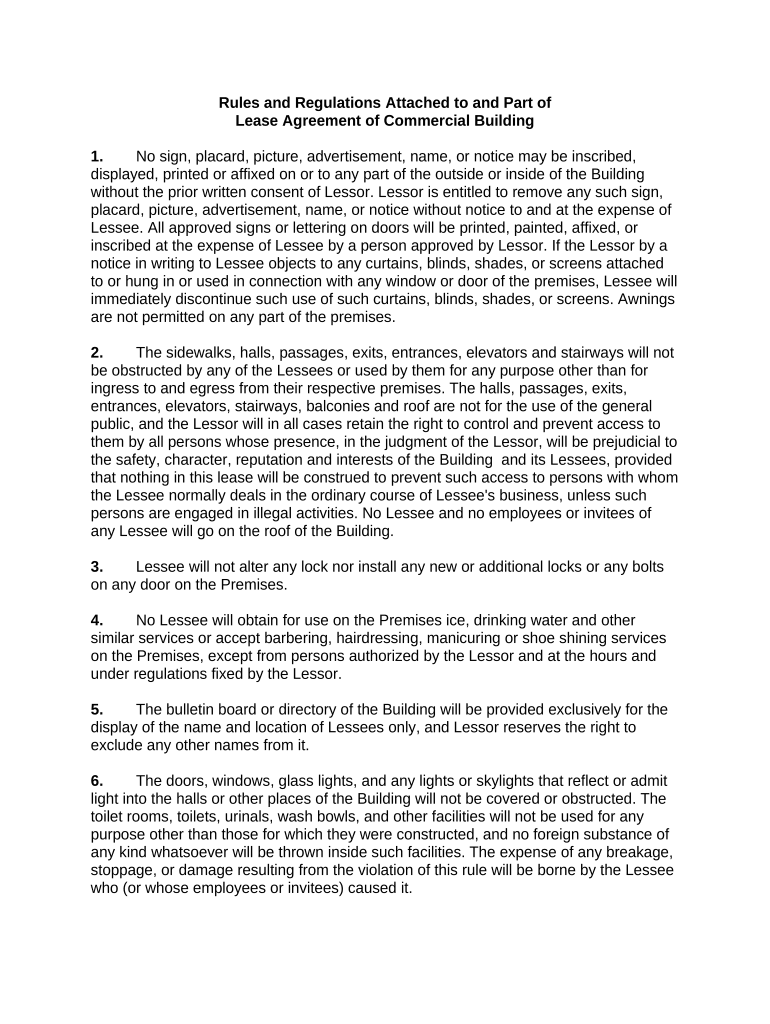
A well-drafted rules and regulations document reduces disputes, supports consistent enforcement, and provides evidence of notice if enforcement or eviction becomes necessary. It also helps demonstrate reasonable, nondiscriminatory policies when responding to tenant complaints or regulatory inquiries.

Landlords, property managers, homeowners associations, and tenants all use rules and regulations to govern daily property use and enforce shared expectations.
Clear distribution and signed acknowledgment by tenants creates enforceable notice and helps preserve remedies under state landlord-tenant law.
A landlord or authorized property manager signs to adopt and enforce the rules; the signatory should be an individual with authority to bind the property owner and must be listed with title and contact details to show standing and service address.
Each adult tenant or authorized occupant signs or initials to acknowledge receipt and agreement; signatures should match government identification to avoid disputes about acknowledgment and will typically be dated to confirm the effective notice date.
Describe allowed activities in units and common areas, including hours for amenities, commercial-use restrictions, and any registration required for guests or vehicles.
List prohibited behaviors (excessive noise, illegal activity, nuisance conduct) and reference lease sections that treat violations as defaults.
Specify size, breed, vaccination, cleaning, and accommodation procedures for service animals consistent with federal and state disability laws.
Allocate spaces, set visitor parking rules, outline towing policies, and describe registration and permit requirements.
Assign responsibilities for routine upkeep, reporting procedures for hazards, and timelines for landlord response to repair requests.
Provide graduated remedies for violations, notice and cure periods, fine schedules (if any), and referral to eviction only after lawful process is followed.
| Field | Configuration |
|---|---|
| Signer Order | Sequential signing with landlord first or tenant first |
| Authentication | Email link plus optional SMS code or KBA |
| Conditional Fields | Show pet rules only if 'Has pet' checked |
| Notifications | Automatic reminders at set intervals |
Choose a signing platform that supports audit trails, conditional fields, and integrations you need for document management.
Proper platform selection preserves evidence of intent and attribution under ESIGN and UETA, and supports secure long-term storage and retrieval.
Monthly due date specified in lease
State-specific deadline (commonly 14–60 days)
Typically 30–60 days depending on lease term
Commonly 24–48 hours' advance notice
Specify notice and cure timeframe in rules
A suburban property manager standardized pet and parking rules across 120 units to reduce disputes.
A small portfolio landlord adopted a digital rules addendum for short-term leases to clarify cleaning and noise expectations.
| signNow | DocuSign | Adobe Sign | PandaDoc | HelloSign | |
|---|---|---|---|---|---|
| Starting Price | $8/user/mo | $15/user/mo | $14/user/mo | $19/user/mo | $15/user/mo |
| Free Trial | 7-day free trial, no credit card required | Free trial available | Free trial available | Free trial available | Free trial available |
| Bulk Send | Yes (Business Premium) | Yes | Yes | Yes | No |
| Audit Trail | Yes | Yes | Yes | Yes | Yes |
| HIPAA Compliant | Yes | Yes | Yes | No | No |
| Envelope Cap | No cap | 100 envelopes/user/year | Varies | Varies | Varies |