Establishing secure connection…Loading editor…Preparing document…

Attorney Letter

This template is fully customizable. Edit the text, fill out the fields, and send it for signature. Give it a try!
Attorney Letter

What an Attorney Letter Is and when it’s used

An Attorney Letter is a written statement prepared by a licensed attorney that verifies facts, confirms legal representation, provides a legal opinion, or communicates the attorney’s authority on a specific matter. Common uses include verification of legal representation, confirmation of authority to act on behalf of a client, opinion letters for real estate closings, and notices to third parties. The letter typically appears on firm letterhead, identifies the issuing attorney and client, describes the matter, states the attorney’s conclusion or verification, and includes a dated signature block. It is often requested by lenders, title companies, courts, or opposing counsel.

Why an Attorney Letter matters for transactions and records

An Attorney Letter provides written verification from a licensed legal professional, which recipients treat as an authoritative statement of fact or legal position. It helps reduce ambiguity, supports due diligence, and creates a clear record for third parties and regulators.

Why an Attorney Letter matters for transactions and records

Who commonly prepares and requests Attorney Letters

Attorney Letters are used by a range of parties in transactional, regulatory, and litigation contexts.

Recipients rely on the attorney’s credentials and firm letterhead; accuracy and completeness affect enforceability and reliance.

Typical signers and their roles

Attorney of Record

A licensed attorney who signs the letter and affirms the facts or opinion stated. Signing attorneys should be authorized by their firm, identify their bar admission and jurisdiction, and confirm their relationship to the client to avoid misrepresentation.

Firm Representative

An authorized partner or compliance officer may sign when the firm’s corporate authority is required. The signer should have documented internal authority and include contact information for verification by recipients.

Essential components to include in a professional Attorney Letter

A clear Attorney Letter follows a standard structure to be effective and relied upon by recipients.

Letterhead

Firm name, address, contact details, attorney bar admissions, and, where appropriate, firm identification numbers so recipients can verify the source and credentials.
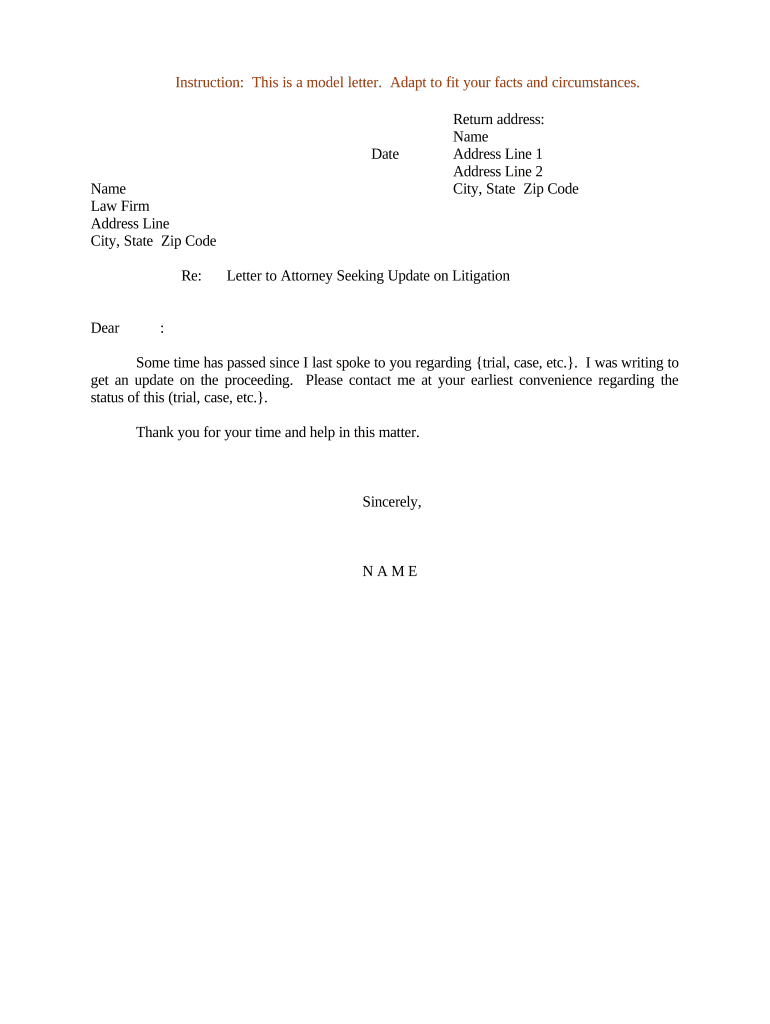
Date and Reference

A clear dated heading and a reference line (matter name or file number) to link the letter to a particular transaction or client file for recordkeeping and reliance.

Statement of Authority

A concise statement identifying the attorney’s relationship to the client and confirming authority to provide the verification or opinion on the specified matter.

Factual Recitals

Neutral, limited factual statements that the attorney can verify from the client file or independent sources; avoid speculative or conclusory language.

Legal Opinion or Verification

If included, a focused legal opinion that explains the conclusion and any material qualifications, exceptions, or reliance on documents.

Signature Block

Attorney signature, printed name, title, bar admission(s), contact information, and an explicit date; include countersignature if the recipient requires it.

Step-by-step: preparing and issuing an Attorney Letter

Follow these sequential steps to create an Attorney Letter that recipients can rely on and verify efficiently.

  • 01
    Gather facts: Collect client file documents and confirm details before drafting.
  • 02
    Draft language: Use neutral factual recitals and narrowly scoped opinions when necessary.
  • 03
    Review internally: Have a supervising attorney or compliance reviewer check accuracy and authority.
  • 04
    Sign and deliver: Apply an authorized signature, date the letter, and send via agreed channel.

Configuring an online Attorney Letter workflow

When using an electronic platform, configure fields and authentication to preserve intent, attribution, and retention requirements.

Field Configuration
Template Create a reusable template with locked letterhead and editable fact fields.
Authentication Require email verification plus optional SMS code for higher assurance.
Attachments Allow supporting document upload and enforce required file types (PDF preferred).
Notifications Enable signer and recipient notifications with delivery receipts and audit logs.

Sending and submitting the Attorney Letter

Choose the delivery channel based on recipient expectations and legal requirements for original vs. electronic copies.

  • Email delivery: Send a signed PDF with an audit trail and read receipt for proof of delivery.
  • Secure portal: Upload to a secure document portal for controlled recipient access.
  • Certified mail: Use for formal notices where a physical original is preferred or required.
  • eSign link: Provide a secure signing link if recipient must sign or acknowledge receipt.

Digital signing and eSubmission considerations

Select a platform that ensures signer attribution, audit trails, and secure storage.

  • Authentication: Email + optional SMS or KBA improves signer attribution.
  • Audit Trail: Record timestamps, IP address, and signing events.
  • File formats: Prefer PDF or PDF/A for long-term retention.

Confirm the recipient accepts electronic copies and comply with any consumer-disclosure or record-retention obligations before e-submitting.

Timelines and typical processing expectations

Timing varies by recipient and purpose; set expectations up front to avoid delays or disputes.

Request response timeframe:

Respond to letter requests upon receipt or within agreed business days.

Internal approval:

Allow 1–3 business days for internal review and counsel sign-off on routine letters.

Notarization or witnesses:

If required, schedule notarization; availability affects turnaround time.

Electronic delivery:

Emailed PDFs or eSigned letters are typically delivered within minutes.

Record retention start:

Retention begins on the letter date or the document’s effective date.

Common pitfalls to avoid when preparing an Attorney Letter

  • Using vague or overly broad language that creates unintended obligations or misleading impressions.
  • Failing to confirm signer authority within the firm, which can lead recipients to question validity.
  • Omitting a clear matter reference or date, making it difficult to match the letter to the client file.
  • Delivering an unsigned or improperly executed copy when the recipient requires an original or notarized statement.

Risks and potential consequences of an incorrect Attorney Letter

Professional discipline: Misstatements can expose the attorney to ethics investigations.
Malpractice exposure: Inaccurate assertions may result in client claims against the firm.
Reliance disputes: Third parties may reject or demand corrections if facts are wrong.
Delay costs: Incorrect letters can delay transactions and increase expenses.
Notarization errors: Missing or improper notary can void acceptance where notarization was required.
Perjury risk: Intentionally false sworn statements carry legal penalties.

Comparing eSignature vendors for Attorney Letters

Platform choice affects authentication, audit trails, HIPAA compliance, and cost. signNow is listed first for comparison; verify features and plans against organizational needs.

signNow DocuSign Adobe Sign PandaDoc HelloSign
Starting Price $8/user/mo $15/user/mo $14/user/mo $19/user/mo $15/user/mo
Free Trial 7-day free trial Varies by vendor Varies by vendor Varies by vendor Varies by vendor
Bulk Send Yes Yes Yes Yes No
Audit Trail Yes Yes Yes Yes Yes
HIPAA Compliant Yes Yes Yes No No

Real examples of how Attorney Letters are used in practice

These brief examples show common scenarios where Attorney Letters proved useful.

Optica Ventures example

A venture firm asked counsel to confirm representation in a funding closing and identify signatory authority.

  • The letter verified counsel and authority.
  • The recipient relied on the letter for escrow release, avoiding a second-day delay in funding and streamlining the closing process.

Fertility Centers example

A healthcare provider required counsel to verify corporate standing and HIPAA-compliant release authority for patient records.

  • The letter specified scope and included a release.
  • The secure, documented verification enabled timely records transfer while satisfying internal compliance checkpoints.

Frequently asked questions about Attorney Letters

Answers to common questions about content, execution, electronic signing, notarization, storage, and revocation.


Need help? Contact support

be ready to get more
Join over 28 million airSlate SignNow users