Establishing secure connection…Loading editor…Preparing document…

Letter Encouraging Opportunity Seizing

This template is fully customizable. Edit the text, fill out the fields, and send it for signature. Give it a try!
Letter Encouraging Opportunity Seizing

What the Letter Encouraging Opportunity Seizing Is

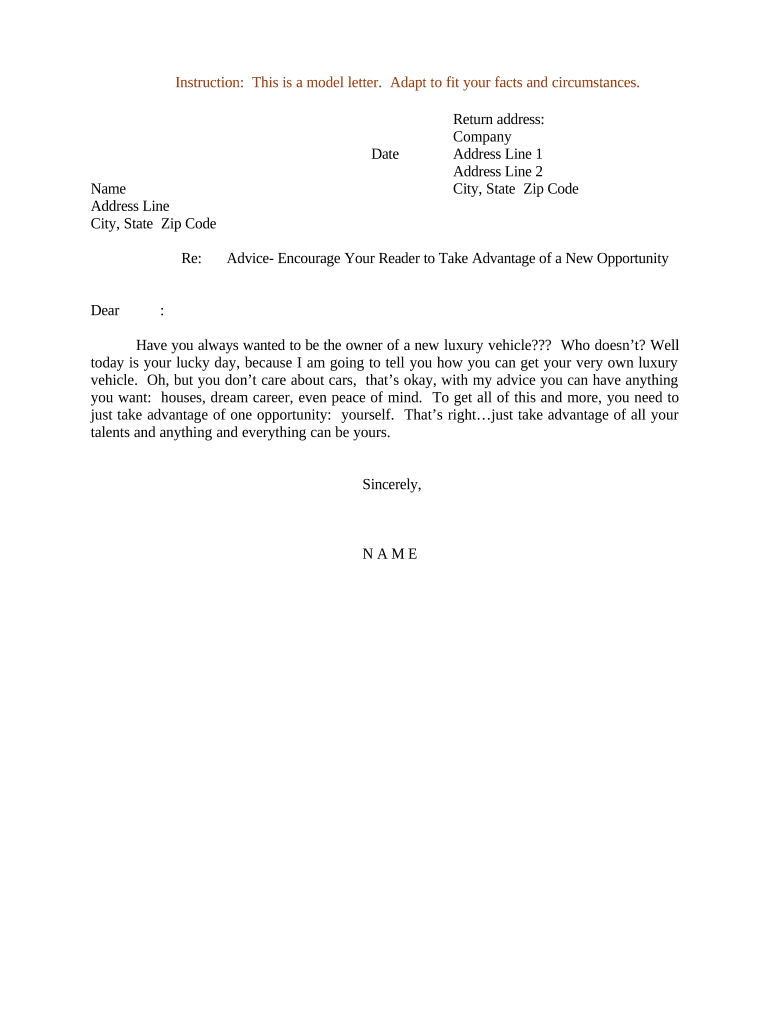
A Letter Encouraging Opportunity Seizing is a concise, formal letter used to prompt an individual or organization to pursue a specific opportunity, such as a new role, project, funding round, or collaboration. It summarizes the opportunity, highlights why the recipient is suited to act, and sets clear next steps and deadlines. The letter often accompanies supporting materials and can be tailored for internal candidates, external partners, or clients. It is not a legally binding commitment but functions as a persuasive, documented invitation that clarifies timing, expectations, and channels for response.

Why Use This Letter

This letter documents an opportunity, aligns expectations, and creates a clear prompt that increases response rates and reduces miscommunication. It serves as a record of outreach while preserving flexibility for both parties.

Why Use This Letter

Who Typically Sends or Receives This Letter

Typical senders and recipients include hiring managers, business development leads, program officers, and external partners.

  • Hiring managers notifying candidates of an opportunity and next interview steps.
  • Business development professionals inviting partners to collaborate on a proposal or pilot.
  • Program officers encouraging organizations to apply for grants or participate in initiatives.

Recipients should review timing, response instructions, and any requested attachments before replying.

Core Elements of a Professional Letter Encouraging Opportunity Seizing

A clear structure helps recipients act quickly: concise opening, opportunity description, relevance to recipient, required materials, timeline, and closing with contact details.

Opening

One or two sentences that state the purpose of the letter and the opportunity being presented, written in a direct tone.
Opportunity Details

A short summary of scope, benefits, deliverables, or role expectations so the recipient can assess fit without additional documents.

Why You

Two to four lines explaining why the recipient is a good match, referencing specific skills, past work, or relationships.

Required Response

Clear instruction on what the recipient should provide (e.g., CV, brief proposal, expression of interest) and acceptable formats.

Deadlines

Explicit due dates and times, including time zone, and any milestones or decision dates associated with the opportunity.

Contact Info

Name, role, email, and phone number for questions, plus method for submission (email, portal, or eSignature link).

Step-by-Step: Preparing and Sending the Letter

Follow a short, repeatable sequence to create a complete, actionable letter and track responses.

  • 01
    Draft: Compose concise content highlighting opportunity, fit, and next steps.
  • 02
    Attach: Add supporting documents and label files clearly.
  • 03
    Choose Delivery: Select email, portal upload, or eSignature workflow.
  • 04
    Track: Record delivery date and follow-up schedule.

Where the Letter Goes and What Happens Next

Common routing paths determine how recipients receive and respond; choose the path that minimizes friction.

  • Direct Email: Sent to recipient inbox with attachments and instructions.
  • Secure Portal: Uploaded to an access-controlled portal for application intake.
  • eSignature Link: Delivered via an eSign provider for acknowledgements or signed confirmations.
  • Team Notification: Internal stakeholders are notified for review or next steps.

Digital Delivery and Technical Considerations

Choose a delivery method that matches required authentication, recordkeeping, and recipient accessibility.

  • File Formats: PDF and DOCX are standard.
  • Authentication: Email or SMS codes suffice for low-risk outreach.
  • Integrations: Link with CRM or cloud storage as needed.

Ensure recipients can receive attachments, open requested formats, and that the chosen platform captures an audit trail when signatures or formal acceptance are required.

Configuring an Online Workflow for This Letter

A minimal online workflow automates delivery, reminders, and receipt confirmation to reduce manual follow-up.

Field Configuration
Delivery Method Email with tracked read receipts
Authentication Level Email link or SMS code
Reminder Schedule Auto-remind at 3 and 7 days before deadline
Storage Location Secure cloud folder with audit log

How This Letter Differs from a Standard Cover Letter

Compare typical features so writers choose the right format for outreach or recruitment.

Criteria Letter Encouraging Opportunity Seizing Standard Cover Letter
Primary Purpose prompt action introduce candidate
Tone direct and action-oriented persuasive and narrative
Required Attachments yes, specific often optional
Typical Use Case opportunity invitation job application

eSignature Vendor Comparison Relevant to Letter Delivery

Basic vendor pricing and feature differences for eSignature delivery; signNow is listed first per internal ordering rules.

signNow DocuSign Adobe Sign PandaDoc HelloSign
Starting Price $8/user/mo $15/user/mo $14/user/mo $19/user/mo $15/user/mo
Free Trial 7-day free trial Varies Varies Varies Varies
Bulk Send Yes Yes Yes Yes Varies
Audit Trail Yes Yes Yes Yes Yes
HIPAA Compliant Yes Yes Yes No No

Typical Timelines and Deadlines to Include

Set explicit response dates and internal review milestones to ensure timely decisions and to track outcomes.

Initial Response Due:

Specify exact MM/DD/YYYY and time zone.

Materials Submission:

Allow 5–14 calendar days depending on complexity.

Internal Review:

Plan 3–7 business days for decision-making.

Final Decision:

State a firm date or rolling timeline.

Follow-up Reminder:

Send reminder 3 days before deadline.

Common Mistakes to Avoid

  • Vague opportunity descriptions that force recipients to follow up for basic facts and timelines.
  • Unclear submission formats or missing attachment instructions that cause inconsistent responses.
  • Omitting required contact details or preferred communication channels, which delays replies.
  • Failing to state time zone or deadline precision, leading to missed or contested deadlines.

Risks of Incomplete or Incorrect Letters

Missed Deadlines: Opportunity loss
Data Errors: Confusion or incorrect decisions
Breach Claims: Reputational risk
Noncompliance: Recordkeeping issues
Duplicate Outreach: Stakeholder frustration
Privacy Exposure: Potential HIPAA or data-handling concerns

Sample Use Cases

Real-world examples illustrate how organizations tailor the letter for different audiences and outcomes.

Program Invitation

A foundation invites a nonprofit to submit a project proposal.

  • Recipient asked for a two-page concept note.
  • The letter specifies submission format, a two-week deadline, and a single point of contact, reducing back-and-forth and accelerating review.

Internal Opportunity

A hiring manager encourages an internal candidate to apply for a leadership role.

  • Manager requests an updated CV and a one-page statement.
  • The letter clarifies internal timeline, interview stages, and support available for application completion.

Best Practices for Clear, Effective Letters

Use plain language, clear deadlines, and a documented delivery method to reduce ambiguity and speed responses.

Be Specific
State exact deliverables, file formats, and where to send materials; specificity reduces clarification cycles and saves time.
Use Templates
Standardize core language but tailor the relevance paragraph to the recipient to preserve efficiency and personalization.
Capture Receipt
Use delivery methods that provide read receipts or audit trails to document outreach and acceptance actions.
Record Decisions
Log responses and outcomes in a central tracker to support follow-up and institutional memory.

Data and Security Checklist

File Type: PDF or DOCX
Encryption: TLS 1.2/1.3 in transit
Data at Rest: AES-256 encryption
Audit Trail: Timestamped events and IP logging
Compliance: ESIGN, UETA, HIPAA (BAA when needed)
Accessibility: Provide accessible formats when requested

FAQs and Troubleshooting

Answers to common questions about drafting, delivery, authentication, and recordkeeping for the letter.


Need help? Contact support

be ready to get more
Join over 28 million airSlate SignNow users