Establishing secure connection…Loading editor…Preparing document…

Letter Regarding Discovery Dispute

This template is fully customizable. Edit the text, fill out the fields, and send it for signature. Give it a try!
Letter Regarding Discovery Dispute

What a Letter Regarding Discovery Dispute Is and when it’s used

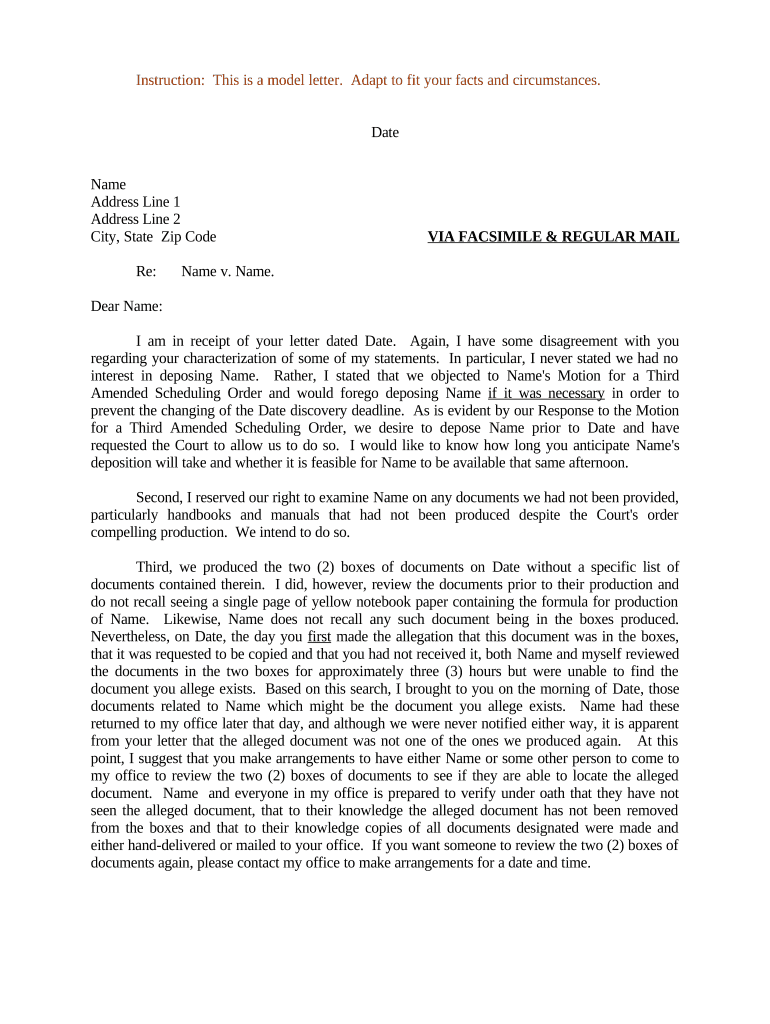
A Letter Regarding Discovery Dispute is a formal written communication used in litigation to raise, respond to, or propose resolution for disputes over discovery obligations, scope, or compliance. It typically documents the issue, cites the disputed discovery requests or responses, identifies the legal basis or governing rules, records prior meet-and-confer efforts, and proposes specific remedies or deadlines. Courts and opposing counsel treat such letters as part of the litigation record; they can affect motion practice, fees, and scheduling. Drafting should be factual, concise, and aligned with local rules and judge preferences.

Why this letter matters for case management and dispute resolution

Use a Letter Regarding Discovery Dispute to preserve evidence of meet-and-confer efforts, narrow contested requests, request court intervention if needed, and create a clear record for fee shifting or sanctions. A well-structured letter can reduce motion practice and promote negotiated resolution.

Why this letter matters for case management and dispute resolution

Typical senders and recipients

Who prepares and sends these letters varies by party role and stage of litigation and local practice.

  • Plaintiff counsel initiating discovery disputes after receiving incomplete or evasive responses from opposing parties.
  • Defense counsel responding to overbroad requests, asserting objections, or claiming privilege protections.
  • Court staff, mediators, and special masters reviewing meet-and-confer documentation during dispute resolution.

Essential sections to include in the letter

Core sections of the Letter Regarding Discovery Dispute outline facts, legal basis, prior efforts, requested relief, proposed schedule, and supporting exhibits.

Statement of Issue

Concise description of the disputed requests or responses, including specific interrogatory or document request numbers, dates, and the nature of the alleged deficiency or overbreadth to give recipient precise context.
Legal Grounds

Citation to governing discovery rules or statutes, applicable case law, and any privilege or protective order arguments relied on; explain why requested materials are relevant and proportional under applicable rules.

Meet-and-Confer

Chronology of communications, dates of conferences or letters, summaries of positions taken, and any agreed narrowing to evidence reasonable efforts to resolve before motion practice.

Requested Relief

Specify the precise actions sought (supplemental responses, production of specific documents, inspection dates, or a protective order), with proposed deadlines and formats for production.

Attachments

List and briefly describe supporting exhibits such as correspondence, privilege logs, sample discovery responses, or Bates-numbered document lists relied upon in the letter.

Next Steps

Offer a clear path forward: proposed meet-and-confer dates, request for conference with the judge or special master, or a notice of intent to file a motion to compel.

Required case and document identifiers to include

Case Caption: Court, case number, parties
Identify Discovery Requests: Specific request numbers and dates
Response Summary: Summary of prior responses or production
Meet-and-Confer Record: Dates and communication summaries
Privilege Assertions: Privilege logs and dates
Relief Sought: Clear, time-bound remedy requested

Step-by-step: draft, review, and send the letter

Follow these steps to draft, review, and send a compliant Letter Regarding Discovery Dispute in federal or state litigation.

  • 01
    Gather Records: Collect correspondence, requests, responses, and privilege logs.
  • 02
    Draft Facts: State issues, cite request numbers, and timeline.
  • 03
    Cite Authority: Reference FRCP or local rules and case law.
  • 04
    Propose Remedy: Specify production format, deadline, and meet dates.

How to set up an online workflow for the letter

Configure an online workflow to prepare, route, sign, and archive the letter using an eSignature platform and document templates.

Field Configuration
Template Pre-filled case fields and required attachments.
Signer Order Send to counsel then client for signature.
Authentication Email link with optional SMS code.
Archive Settings Auto-save PDF and audit trail to case folder.

Routing and filing flow for the dispute letter

Routing and filing steps for sending the letter and tracking responses in litigation workflows efficiently.

  • Prepare Letter: Populate template, attach exhibits, and proofread.
  • Send to Opposing Counsel: Email or secure link with read receipt.
  • Track Response: Log replies and update meet-and-confer record.
  • File with Court: Attach to motion or lodge pursuant to local rule.

Technical requirements for digital signing and retention

Choose platforms that support secure eSignature, audit trails, and document retention aligned with court and privacy rules.

  • eSignature: Audit trail, timestamp, and signer attribution.
  • Authentication: Email, SMS, or higher-risk KBA.
  • Export Formats: PDF with embedded audit trail.

Timing conventions and common deadlines to expect

Common timing expectations and deadlines when sending discovery dispute letters in civil litigation contexts.

Timing for required meet-and-confer conferences:

Often 7–14 days before motion filing depending on local rule.

Deadline to file motion to compel:

Varies; commonly 14–30 days after letter if unresolved.

Deadlines for production after letter:

Recipient often given 7–21 days to produce documents.

When privilege logs must be produced:

Produce concurrently with responses or within a specified period.

Timing for sanctions or fee motions:

Fee-shifting motions typically follow unresolved disputes and may be requested with a motion to compel.

Common preparation mistakes to avoid

  • Vague requests or remedies that fail to cite specific request numbers, dates, and precise deficiencies, making it difficult for opposing counsel or the court to identify what must be produced.
  • Omitting or summarizing the meet-and-confer history without attaching correspondence; courts expect a clear record of attempts to resolve before granting relief or awarding fees.
  • Including privileged materials or failing to redact sensitive content in attachments, which can inadvertently waive privilege or require additional protective orders and briefing.
  • Ignoring local rules on letter formats, page limits, or required filing procedures, leading to noncompliance and possible rejection by judges or special masters.

Consequences of an inadequate or incorrect letter

Fee Shifting: Court may award attorney fees.
Sanctions: Monetary or evidentiary sanctions possible.
Compelled Production: Ordered production despite objections.
Privilege Waiver: Improper attachment can waive privilege.
Delay in Case: Scheduling and trial setbacks.
Contempt Risk: Extreme noncompliance can prompt contempt.

Illustrative outcomes using a discovery dispute letter

Two anonymized examples show how a focused letter can resolve issues or preserve the record for a motion to compel.

Commercial Contract Discovery

A plaintiff sends a letter documenting repeated noncompliance with document requests, including Bates ranges and prior meet-and-confer dates.

  • The letter requests production of identified documents and sets a firm deadline with offer to meet.
  • The defendant produced most responsive materials within the deadline, avoiding motion practice, and the plaintiff preserved the record for a fee motion on unresolved items.

Employment Litigation

Defense counsel challenges overbroad personnel file requests and cites privacy laws and proportionality concerns in a formal discovery dispute letter.

  • The letter seeks a narrowed scope and specific custodians within a defined date range.
  • After negotiation, the parties agreed to a limited custodial search and protective order, reducing discovery cost and narrowing depositions while creating a clear negotiation record.

eSignature pricing and compliance snapshot for legal letters

Compare vendor starting prices and compliance features relevant to preparing and e-signing legal correspondence and attachments.

signNow DocuSign Adobe Sign PandaDoc HelloSign
Starting Price $8/user/mo $15/user/mo $14/user/mo $19/user/mo $15/user/mo
Free Trial 7-day free trial Varies by plan Varies by plan Varies by plan Varies by plan
Bulk Send Yes Yes Yes Yes No
Audit Trail Yes Yes Yes Yes Yes
HIPAA Compliant Yes Yes Yes No No

Frequently asked questions about discovery dispute letters

Answers to common questions about drafting, sending, and enforcing a Letter Regarding Discovery Dispute in U.S. civil litigation.


Need help? Contact support

be ready to get more
Join over 28 million airSlate SignNow users