Establishing secure connection…Loading editor…Preparing document…

Letter Regarding Estate Closure

This template is fully customizable. Edit the text, fill out the fields, and send it for signature. Give it a try!
Letter Regarding Estate Closure

What the Letter Regarding Estate Closure Is and When It’s Used

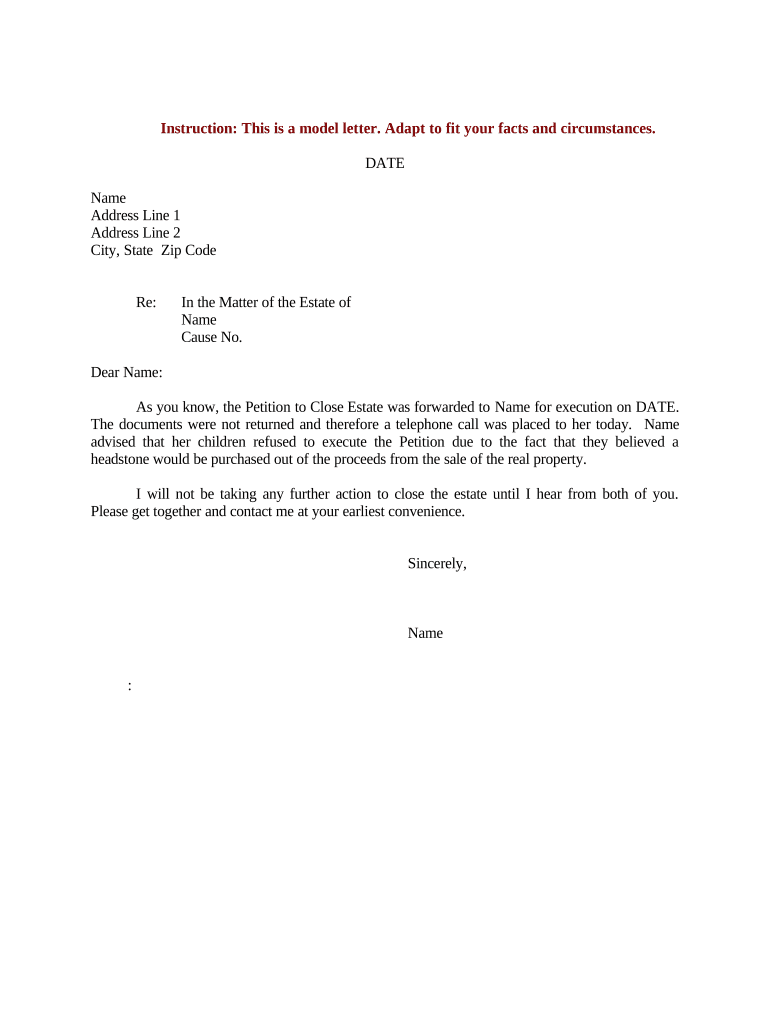
A Letter Regarding Estate Closure is a formal written notice used by an executor, personal representative, or administrator to confirm that an estate’s affairs have been settled and that assets, accounts, or obligations related to the decedent are closed. The letter typically summarizes actions taken (claims paid, debts discharged, final distributions made), lists attached supporting records, and asks custodians — banks, brokerages, government agencies, or service providers — to update or close accounts. It helps create an auditable record for beneficiaries, creditors, and regulators and supports final reporting and retention obligations under applicable law.

Why a Clear Estate-Closure Letter Matters

A well‑crafted closure letter documents final actions, reduces future creditor or beneficiary disputes, and provides institutions with the information they need to release or close accounts under estate authority.

Why a Clear Estate-Closure Letter Matters

Typical parties who prepare and rely on this letter

Executors, trustees, estate attorneys, and institutional custodians commonly exchange closure letters during the final administration stage.

  • Estate attorneys and law firms handling probate and fiduciary accounting for clients.
  • Executors or personal representatives charged with distributing assets and closing estate accounts.
  • Banks, brokerages, insurance companies, and title companies acting as custodians or payors.

Clear sender identity and supporting attachments improve institutional acceptance and reduce requests for supplemental documentation.

Step-by-step: Preparing and Sending the Letter Regarding Estate Closure

Follow these steps to prepare a complete, verifiable closure letter and ensure institutional acceptance.

  • 01
    Gather Documents: Collect death certificate, letters testamentary, and final accounting.
  • 02
    Draft Letter: State authority, list accounts, describe final actions and attachments.
  • 03
    Sign and Authenticate: Sign, date, and notarize if required by the recipient.
  • 04
    Send and Confirm: Deliver to institutions; request written confirmation of account closure.

Recommended Digital Workflow Settings for eSubmission

Configure a secure, auditable workflow so custodians can verify authority and accept the closure letter electronically.

Field Configuration
Authentication Email + optional SMS code or knowledge-based verification for high-value accounts
Signature Type Electronic signature with audit trail; use digital certificate if recipient requests cryptographic signature
Notarization Enable remote online notarization (RON) when institution accepts RON
Retention Store signed copy with audit trail for at least the retention period required by law

Technical considerations for eDelivery and acceptance

Confirm file formats, signer authentication, and notary acceptance before sending an electronic closure letter.

  • File Formats: PDF, DOCX, or locked PDF recommended
  • Authentication: Email link plus SMS or KBA if required
  • Integrations: Connectors for CRM or document storage speed processing

Using a platform that records timestamps, IP addresses, and a tamper-evident audit trail supports legal validity and institutional verification.

Typical eSubmission flow for a closure letter

A reliable online workflow reduces mail delays and preserves a verifiable chain of custody for estate records.

  • Upload Document: Attach letter and supporting files
  • Place Fields: Add signature, date, and notary fields
  • Send to Recipient: Use secure link or direct email
  • Receive Audit Trail: Store signed copy and completion certificate

Core elements to include in a professional closure letter

Include all elements below to help institutions accept the letter without additional requests or delays.

Official Header

State your full name, fiduciary title (Executor/Administrator), probate case number, and the estate name so reviewers can match records quickly.
Decedent Identification

Provide the decedent’s full legal name, date of death, Social Security number last four digits if requested, and prior addresses to confirm identity.

Authority Statement

Cite the letters testamentary or court order that confer authority, including issuing court and docket number, to show legal authority to act.

Account and Asset Summary

List each account or asset, account numbers, final balances, and the specific action taken (closed, transferred, paid) with dates and amounts where applicable.

Attachments Index

Itemize attached documents (death certificate, probate letters, final accounting, release forms) and label them to avoid clerical rejection.

Signature and Authentication

Include dated signature, printed name, contact information, and notarization if required by the institution to finalize acceptance.

Common preparation errors that delay acceptance

  • Using an informal or unsigned letter that lacks probate authority often triggers requests for verified letters testamentary or a court order.
  • Omitting account numbers or providing partial identifiers forces custodians to request supplemental verification and slows processing.
  • Failing to attach a certified death certificate or the letters testamentary results in refusal to release funds or close accounts.
  • Not checking recipient-specific requirements for notarization or RON leads to rejected submissions and repeated administrative work.

Risks and legal consequences of incorrect or incomplete letters

1099 penalties: $60 / $130 / $330 per form for late or incorrect information returns
I-9 paperwork fines: $281–$2,789 per violation for improper employment documentation
Creditor claims: Delayed closure can extend creditor claim periods and increase liability exposure
Estate disputes: Incomplete records raise beneficiary disputes and potential litigation
HIPAA exposure: Improper health information handling risks HIPAA compliance actions
Record retention failures: Loss of audit trail hinders defense in regulatory or tax inquiries

Typical timelines and filing windows to keep in mind

Some deadlines are statutory; others depend on institution policies. Track both legal filing dates and practical turnaround expectations.

Submit to Institutions:

Send closure letter as soon as final distributions are complete to avoid account fees or reversals

Final Individual Return:

Decedent’s final Form 1040 due April 15 following calendar year of death

Estate Income Tax:

Form 1041 filing deadlines mirror individual return dates unless an extension is filed

Retain Records:

Keep estate records for at least 3 years for IRS purposes

Institution Response Time:

Allow 30–90 days for banks or title companies to process closures

Key milestones from estate finalization to account closure

Track milestones in sequence to ensure legal and administrative tasks complete before sending closure letters.

01

Prepare Final Inventory

Compile assets, liabilities, valuations, and supporting receipts for final accounting

02

Settle Creditors

Notify and pay valid creditor claims per probate timelines and state law

03

Complete Distributions

Distribute assets to beneficiaries according to will or statute and record transfers

04

Issue Closure Letters

Send signed closure letters with attachments to custodians and request written acknowledgements

eSignature vendor comparison for sending and signing closure letters

Compare common vendor criteria for sending closure letters electronically. signNow is listed first as the baseline platform choice in this comparison.

signNow DocuSign Adobe Sign PandaDoc HelloSign
Starting Price $8/user/mo $15/user/mo $14/user/mo $19/user/mo $15/user/mo
Free Trial 7-day free trial Varies Varies Varies Varies
Bulk Send Yes Yes Yes Yes No
Audit Trail Yes Yes Yes Yes Yes
HIPAA Compliant Yes Yes Yes No No

Frequently asked questions about closure letters and electronic submission

Answers to common questions about authority, notarization, attachments, electronic signatures, and institutional acceptance for estate-closure letters.


Need help? Contact support

be ready to get more
Join over 28 million airSlate SignNow users