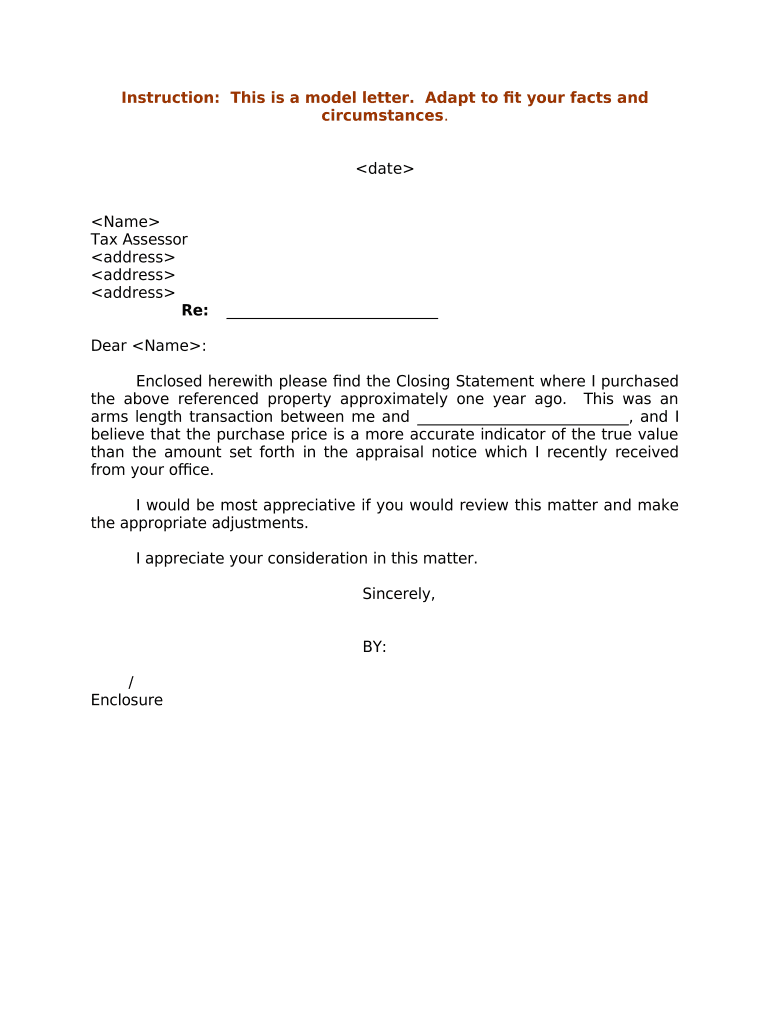
Letter Requesting Review of Property Value
What the Letter Requesting Review of Property Value Is
Why a Well‑Structured Review Letter Matters
A clear, factual letter organizes evidence, preserves statutory appeal rights, and improves the chance that assessors will correct valuation errors without protracted hearings. It creates a written record and establishes the timeline for later procedural steps.
Who Typically Prepares and Submits These Letters
Owners, agents, and advisors use this letter to initiate valuation reviews and document disputes with the assessor.
- Individual property owners who believe assessments exceed market value and want a formal review.
- Real estate agents and brokers preparing comparable sales data to support a lower assessment.
- Tax consultants or attorneys filing on behalf of clients requiring legal or procedural representation.
The letter is a common first step; depending on the jurisdiction, it may lead to an informal review, a formal hearing, or a negotiated adjustment.
Step‑by‑Step: Preparing and Submitting the Review Letter
-
01Collect Notice: Save the assessor notice and check the deadline for protest.
-
02Gather Evidence: Compile comparable sales, appraisal summary, repair invoices, and photos.
-
03Draft Letter: State facts, valuation errors, requested adjustment, and list attachments.
-
04Submit and Track: Send via accepted method and keep proof of submission and delivery.
Where to File and How the Review Often Proceeds
-
Assessor Office: Initial intake and file opening.
-
Informal Review: Staff review and potential adjustment.
-
Formal Hearing: Hearing before a review board if unresolved.
-
Final Decision: Board issues a written determination.
Digital Delivery and File Formats to Consider
Check the assessor or board for accepted submission formats and authentication methods before filing electronically.
- File Formats: PDF or DOCX preferred
- Authentication: Signed PDF or typed signature accepted
- Integrations: Common systems: Microsoft 365, Google Workspace
When eSubmission is allowed, ensure attachments are searchable PDFs, keep original files, and retain evidence of delivery and timestamps for recordkeeping.
Letter vs Formal Appeal Petition: Key Differences
| Criteria | Letter Request | Formal Petition |
|---|---|---|
| Formality | informal | formal |
| Required Evidence | basic comps | appraisal and sworn evidence |
| Hearing Required | sometimes | usually possible |
| Filing Complexity | low | high |
Typical eSignature Pricing for Preparing and Submitting Documents
| signNow | DocuSign | Adobe Sign | PandaDoc | HelloSign | |
|---|---|---|---|---|---|
| Starting Price | $8/user/mo | $15/user/mo | $14/user/mo | $19/user/mo | $15/user/mo |
| Free Trial | 7-day free trial | Varies by vendor | Varies by vendor | Varies by vendor | Varies by vendor |
| Bulk Send | Yes | Yes | Yes | Yes | No |
| Audit Trail | Yes | Yes | Yes | Yes | Yes |
| HIPAA Compliant | Yes | Yes | Yes | No | No |
Penalties and Risks of an Incorrect or Late Submission
Common Mistakes to Avoid When Preparing the Letter
- Missing the local filing deadline due to differences between mailing date and received date can forfeit appeal rights.
- Attaching unsigned or unlabelled exhibits that lack a clear connection to the claims reduces the credibility of the submission.
- Using vague valuation arguments without comparables, appraisal summaries, or quantifiable adjustments often results in denial.
- Failing to confirm the assessor's preferred filing method — online portal, email, mail, or in‑person — can delay processing.
Real‑World Examples of Using a Review Letter
Martin Properties
A local investor noticed an assessment spike and filed a review letter with comparable sales cited
- Provided three comps within six months
- The assessor opened an informal review, requested photos and repaired condition estimates, and later reduced the assessed value after staff verification and a short hearing.
Optica Ventures
A small commercial owner questioned land valuation methodology
- Submitted a letter listing adjustments for zoning restrictions
- The assessor scheduled a hearing, considered a recent market study attached to the letter, and negotiated an amended value without formal litigation.
Typical Timing and Deadlines to Watch
Review Notice:
Review the assessment notice immediately upon receipt
Local Deadline:
File within the local deadline, often 30–90 days after notice
Hearing Request:
Request a hearing if informal review does not resolve the issue
Evidence Submission:
Provide all supporting documents by the assessor's specified cutoff
Appeal Escalation:
Follow procedural steps for higher tribunals if dissatisfied
Tips for a Clear, Persuasive Review Letter
Frequently Asked Questions About the Review Letter
-
When should I send the letter?
Send the letter as soon as you receive the assessment notice and before the printed deadline. Timely submission preserves appeal rights and triggers assessor or board review processes.
-
Is a notarized letter required?
Most jurisdictions do not require notarization for an initial review letter; however, formal petitions or sworn affidavits may require notarization. Confirm with the local assessor's office.
-
What supporting documents help most?
Recent comparable sales, a current appraisal summary, photographs showing condition, repair estimates, and evidence of zoning or occupancy changes are commonly persuasive when clearly organized.
-
Can someone file on my behalf?
Yes. An authorized agent, attorney, or power of attorney may file, but provide proof of authorization and use the agent's contact details to ensure communications reach the representative.
-
How do I prove market value is lower?
Provide objective sales data for similar properties, adjust for condition and location differences, and include dated supporting documents showing why the assessor's comparables or valuation method are unreliable.
-
What if my letter is rejected?
If rejected, request the reason in writing, correct any procedural deficiency promptly, and consider filing a formal petition or seeking counsel for procedural guidance and next steps.