Establishing secure connection…Loading editor…Preparing document…

Letter Requesting Filing of Joint Motion

This template is fully customizable. Edit the text, fill out the fields, and send it for signature. Give it a try!
Letter Requesting Filing of Joint Motion

What the Letter Requesting Filing of Joint Motion Is

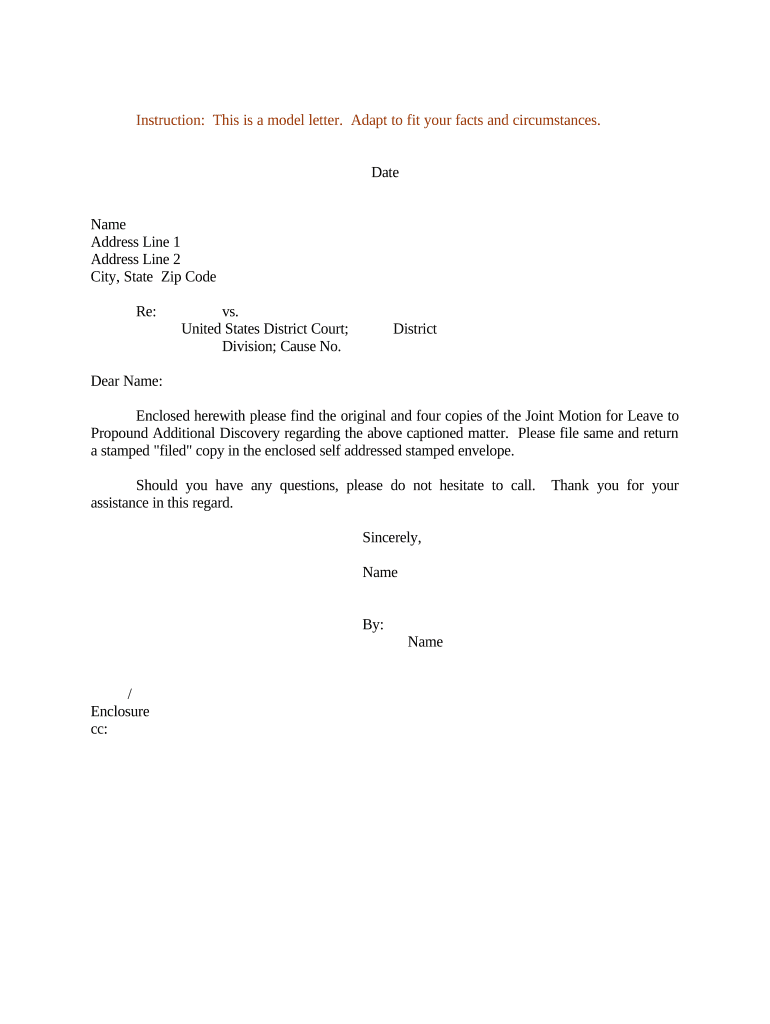
A Letter Requesting Filing of Joint Motion is a formal cover letter submitted to a court clerk or assigned judge asking that a joint motion prepared by the parties be accepted and filed on the court docket. It accompanies the joint motion, identifies the case caption and number, summarizes the relief requested, confirms the parties’ agreement to file jointly, and notes any proposed briefing schedule or hearing date. The letter helps the clerk locate the motion, documents consent between parties, and records the parties’ procedural requests for the court to consider.

Why Use a Letter to Request Filing of a Joint Motion

The letter clarifies party agreement, flags the accompanying joint motion for the clerk, and documents procedural requests that streamline court processing and reduce mistakes during docketing and service.

Why Use a Letter to Request Filing of a Joint Motion

Who Typically Prepares and Sends This Letter

Lead counsel or an agreed party representative usually prepares the letter and submits it to the court with the joint motion.

  • Lead counsel for one party, preparing the joint submission and confirming shared language and schedule.
  • Local counsel when out-of-state counsel coordinates filing and needs to align with local rules and clerk procedures.
  • In-house counsel or client representatives for stipulated or administrative joint motions where attorneys have delegated filing steps.

Who Signs and Approves the Letter

Lead Counsel

Lead counsel signs or files the letter on behalf of the party, confirms that opposing counsel has reviewed and agreed to the joint motion language, and certifies service and proposed scheduling to the court.

Client Representative

A named client or corporate officer may countersign when the filing requires client acknowledgement; the representative confirms authority to agree to the joint requests and proposed orders.

Essential Information to Include

Court Caption: Full case caption
Docket Number: Complete case number
Motion Title: Exact motion name
Parties: Names of all parties
Signatures: Counsel names and bar numbers
Service Details: How and when served

Consequences of an Incorrect or Missing Letter

Clerk Rejection: Filing may be returned
Missed Deadlines: Response windows affected
Sanctions Risk: Court may impose sanctions
Service Defect: Service may be invalidated
Scheduling Errors: Hearing dates mis-set
Waived Arguments: Procedural rights may be lost

Common Preparation Pitfalls to Avoid

  • Omitting the docket number or miscaptioning parties, which causes clerks to misfile or delay the motion.
  • Failing to state that the motion is joint and omitting opposing counsel’s concurrence or signature block.
  • Neglecting to include a proposed order or specific scheduling requests, leading to unnecessary follow-up from the court.
  • Using inconsistent names, dates, or signature blocks between the letter and the attached joint motion.

Step-by-Step: Preparing the Letter Requesting Filing of Joint Motion

Follow these steps to prepare a clear, court-ready letter that properly accompanies a joint motion.

  • 01
    Confirm Agreement: Obtain written concurrence from all parties on motion text.
  • 02
    Complete Caption: Enter full caption and docket number exactly.
  • 03
    Summarize Relief: State the joint motion’s requested relief succinctly.
  • 04
    Attach Materials: Include the joint motion, proposed order, and proof of service.

Where the Letter Goes and How It’s Processed

Understand routing so the clerk and judge receive the joint motion package in the correct format and with proper service documentation.

  • Clerk’s Office: File physical or electronic package with the court clerk.
  • E-Filing Portals: Upload via the local e-filing system when available.
  • Judge’s Chambers: Submit courtesy copy per local rules if required.
  • Service to Parties: Serve all parties and note service in the certificate.

Anatomy of a Professional Filing Letter

A well-structured letter reduces clerk questions and speeds docketing; include these core elements in order and with precise details.

Header

Court name, judge assigned, file/docket number, and case caption appearing exactly as in court records to avoid misfiling.
Intro Paragraph

A one-paragraph statement identifying the attached joint motion, the parties submitting it, and the specific relief or order being requested.

Agreement Statement

A clear sentence confirming that the motion is submitted jointly and indicating which counsel agreed to the motion language.

Attachments List

A numbered list of attachments (joint motion, proposed order, declarations, exhibits, certificate of service) so the clerk can verify completeness.

Scheduling Request

If parties request a hearing or a specific briefing schedule, include proposed dates and any statutory or local-rule bases for the timeline.

Signature Block

Counsel names, firm, address, telephone, email, bar numbers, and signature lines for each signing attorney or authorized party.

Practical Tips for Accurate and Efficient Letters

Adopt these habits to minimize clerical delay and ensure procedural compliance when filing joint motions.

Use Local Court Formatting and Rules
Review the local rules and judge’s standing orders to confirm required cover letter elements, page limits, required courtesy copies, and e‑filing formatting standards before submission.
Confirm Service and Certificates
Attach a certificate of service that lists parties, methods of service, and exact dates to demonstrate compliance with service rules and avoid challenges.
Include Proposed Order
Provide a clean proposed order in editable format where permitted so the judge can sign or edit without reformatting the joint motion text.
Keep Records of Consent
Maintain written evidence (emails or signatures) showing all parties agreed to the joint motion language and timing for the record.

Timing Considerations and Typical Deadlines

Deadlines for response, briefing, and hearing are governed by local rules and by the court’s scheduling orders; plan accordingly.

Local Rule Deadlines:

Follow local rule briefing timelines; vary by court and motion type.

Response Period:

Opposition typically due 14–30 days unless shorter time requested.

Reply Period:

Replies often due 7–14 days after opposition.

Hearing Scheduling:

Allow clerk processing time; hearings may require 21–60 days' lead time.

Expedited Requests:

State the emergency basis when seeking shorter timelines.

How a Cover Letter Differs from the Joint Motion Itself

Use this quick comparison to distinguish the administrative cover letter from the substantive joint motion filing.

Criteria Letter Joint Motion
Primary Purpose admin notice request for substantive relief
Filed By counsel/clerk parties/counsel
Formality Level informational substantive pleading
Content Type summary and attachments legal argument and evidence

eSignature Vendor Pricing Snapshot for Preparing and Filing Joint Motions

Typical vendor pricing and key capabilities relevant to e-signing, bulk sending, and HIPAA compliance for filing support.

signNow DocuSign Adobe Sign PandaDoc HelloSign
Starting Price $8/user/mo $15/user/mo $14/user/mo $19/user/mo $15/user/mo
Free Trial 7-day free trial Verify with vendor Verify with vendor Verify with vendor Verify with vendor
Bulk Send Yes Yes Yes Yes No
Audit Trail Yes Yes Yes Yes Yes
HIPAA Compliant Yes Yes Yes No No
Envelope Cap No cap 100 envelopes/user/year Verify with vendor Verify with vendor Verify with vendor

Frequently Asked Questions About the Letter Requesting Filing of Joint Motion

Answers to common procedural and technical questions about preparing, signing, and submitting the filing letter and attendant joint motion.


Need help? Contact support

be ready to get more
Join over 28 million airSlate SignNow users