Establishing secure connection…Loading editor…Preparing document…

Notice of Supreme Court Decision

This template is fully customizable. Edit the text, fill out the fields, and send it for signature. Give it a try!
Notice of Supreme Court Decision

What a Notice of Supreme Court Decision Is and When It’s Used

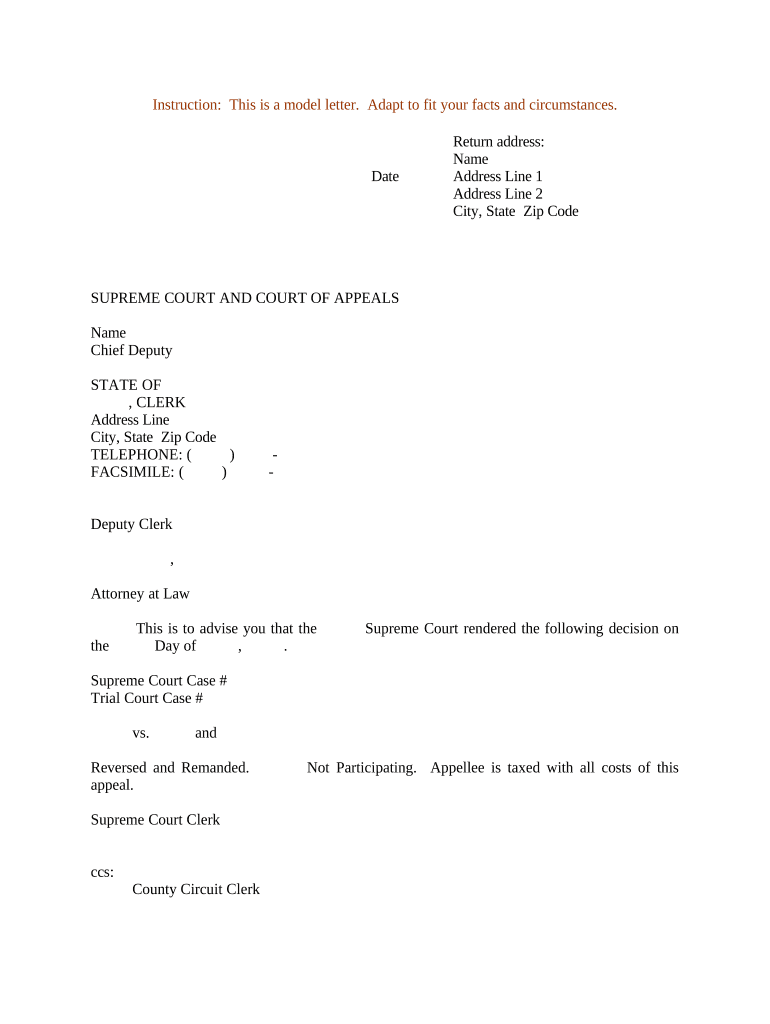
A Notice of Supreme Court Decision is a formal document informing parties and the court clerk that a higher court has issued a decision affecting a pending matter. It typically summarizes the holding, provides the official citation, states the date of judgment, and indicates how the decision affects any ongoing proceedings or deadlines. Courts or counsel commonly file a notice to update dockets, trigger downstream procedural steps, or preserve appellate timing. The notice is procedural rather than substantive; it does not replace filings required by local rules or orders that implement the decision.

Why Filing a Clear Notice Matters

Filing a complete, timely notice ensures the record accurately reflects controlling precedent, triggers any court-ordered timelines, and reduces the chance of disputes over service or implementation.

Why Filing a Clear Notice Matters

Who Prepares and Receives This Notice

Ensure recipients and filing destinations follow the applicable court rules to avoid service or timing defects.

  • Court clerks and administrative staff who docket appellate decisions and update case status entries.
  • Litigators and in-house counsel who must alert opposing parties and trigger internal compliance steps.
  • Pro se litigants or legal representatives who need to preserve appeal timing or respond to the decision.

Essential Components of a Professional Notice of Supreme Court Decision

A well-constructed notice contains standardized case identifiers, a concise statement of the decision, citation data, effects on case posture, service details, and the filer’s contact information.

Case Caption

Include the court name, parties, and docket number exactly as they appear on the case file to ensure correct indexing.
Decision Citation

Provide the full citation (reporter and parallel cites when available) and the court’s internal decision number or slip opinion reference.

Date of Decision

State the official date of the judgment or mandate using MM/DD/YYYY and indicate whether the decision is final or subject to further motions.

Summary of Holding

Offer a concise 1–3 sentence statement of the core holding and its practical effect on the current proceedings.

Impact Statement

Explain whether the decision alters deadlines, preserves or vacates relief, or requires further filings under local rules.

Service and Contact

List the filer’s name, mailing address, email, and the method used to serve opposing counsel and the clerk of court.

Required Identifiers and Filing Data

Court Name: Exact court title
Docket Number: Primary case number
Party Names: Full legal names
Decision Date: MM/DD/YYYY
Citation: Reporter or slip opinion
Filer Contact: Addr, email, phone

Step-by-Step: Preparing and Submitting the Notice

Follow a consistent sequence to prepare, sign, serve, and file the notice so court records and parties receive timely, accurate information.

  • 01
    1. Verify Decision: Confirm official opinion and citation
  • 02
    2. Draft Notice: Summarize holding and procedural impact
  • 03
    3. Serve Parties: Use court-approved service method
  • 04
    4. File with Clerk: File per local eFiling or paper rules

How to Configure an Online Workflow for Notices

Set up an electronic workflow that collects signatures, captures service evidence, and routes a final PDF to the court clerk and recipients.

Upload Document Add the notice PDF to the signing session
Add Signature Fields Place name and date fields for filer
Set Signing Order Optional: assign sequence to multiple signers
Enable Audit Trail Record IP, timestamp, and actions
Route Copies Deliver final PDF to clerk and parties

Where to File and Who to Send the Notice To

Confirm the correct filing and service channels before submission to avoid rejection or service disputes.

  • Clerk of Court: File via court eFiling or clerk’s office
  • Opposing Counsel: Serve using agreed or court-ordered method
  • Court Reporter / Library: Provide citation for docket indexing
  • Internal Records: Archive signed copy in case file

Platform Needs for eSubmission and Secure Sharing

Confirm the court accepts electronic submissions and retain proof of service and the platform’s completion certificate for the record.

  • File Formats: PDF and DOCX accepted
  • Audit Trail: Timestamps, IP, and events
  • Integrations: eFiling or cloud storage sync

Timing Considerations and Typical Deadlines

Deadlines depend on court rules and the effect of the decision; confirm applicable local or appellate rules before filing or serving a notice.

Immediate Service:

Serve opposing parties promptly upon receipt of the opinion

Filing with Clerk:

File as required by local rules or standing orders

Appeal Windows:

Monitor post-decision appeal and rehearing deadlines

Implementation Dates:

Note effective dates stated within the decision

Record Retention:

Keep filing receipts and certificates indefinitely

Common Preparation Errors to Avoid

  • Using an incorrect docket number that causes misassociation of the notice with the wrong case file.
  • Omitting the official citation or slip opinion reference, making it harder to locate the decision on public records.
  • Failing to include a certificate of service or delivery proof required by the court’s local rules.
  • Neglecting to check whether the court accepts electronic filing or requires a paper original or additional copies.

Consequences of Inaccurate or Late Notices

Default Risk: May expose a party to procedural default
Sanctions: Court may impose sanctions for rule violations
Missed Deadlines: Late notice can foreclose appellate remedies
Record Gaps: Inaccurate notices create confusion in the docket
Service Disputes: Poor proof of service invites evidentiary challenges
Rejection: Clerk may reject filings that don’t meet formatting rules

eSignature Vendor Comparison for Filing and Serving Notices

Typical selection criteria include price, bulk send capability, audit trail quality, HIPAA support, and any envelope or session caps; signNow appears first in the comparison below.

signNow DocuSign Adobe Sign PandaDoc HelloSign
Starting Price $8/user/mo $15/user/mo $14/user/mo $19/user/mo $15/user/mo
Free Trial 7-day free trial Varies by plan Varies by plan Varies by plan Varies by plan
Bulk Send Yes Yes Yes Yes No
Audit Trail Yes Yes Yes Yes Yes
HIPAA Compliant Yes Yes Yes No No
Envelope Cap No envelope cap 100 envelopes/user/year Varies Varies Varies

Frequently Asked Questions About Notices of Supreme Court Decision

Answers address common procedural uncertainties about validity, service, eFiling, and recordkeeping when issuing a Notice of Supreme Court Decision.


Need help? Contact support

be ready to get more
Join over 28 million airSlate SignNow users