Establishing secure connection…Loading editor…Preparing document…

Sample Letter Petition

This template is fully customizable. Edit the text, fill out the fields, and send it for signature. Give it a try!
Sample Letter Petition

What a Sample Letter Petition Is and When It’s Used

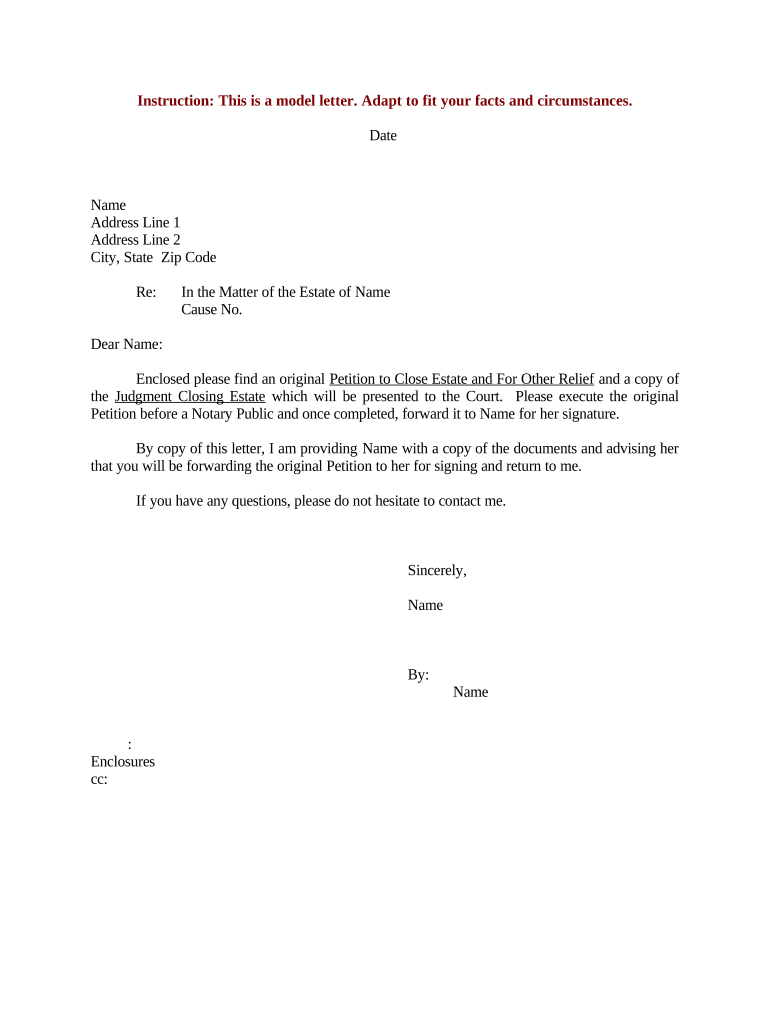
A Sample Letter Petition is a formal written request submitted to an authority, court, agency, or organization asking for a specific action, relief, or change. It presents relevant facts, identifies the petitioner and respondent, cites the legal or regulatory basis when applicable, and states the remedy requested. The document is often used to initiate administrative reviews, ask for fee waivers, request corrections to records, or seek discretionary relief where an established form does not exist. Prepare it with clear facts, concise legal grounds, and organized exhibits to support the request.

Why a Well‑Prepared Sample Letter Petition Helps Your Case

A clear, complete petition improves the chance of timely consideration and reduces administrative back-and-forth by presenting facts, authority, and requested relief in one organized file.

Why a Well‑Prepared Sample Letter Petition Helps Your Case

Who Typically Prepares and Submits These Petitions

The Sample Letter Petition is used by individuals, representatives, and organizations when no standard form fits the requested relief.

  • Individual petitioners who represent themselves and need to explain unique facts and requested remedies.
  • Attorneys or legal representatives filing on behalf of clients, citing statutes and submitting formal exhibits.
  • Nonprofits and advocacy groups submitting evidence-based requests or policy petitions to agencies and boards.

Step-by-Step: Drafting and Submitting Your Petition

Follow these sequential steps to prepare, verify, and submit a Sample Letter Petition with supporting exhibits.

  • 01
    Draft: Write a concise factual statement and clearly state the relief sought.
  • 02
    Attach Evidence: Include exhibits, copies of relevant correspondence, and any supporting records.
  • 03
    Review: Proofread names, dates, and citations; correct errors before signing.
  • 04
    Submit: File or mail per recipient instructions; keep proof of delivery or electronic audit trail.

How Electronic Completion and eSubmission Typically Flow

Digital workflows let you prepare, collect signatures, and deliver the petition while capturing an audit trail for proof of submission.

  • Prepare: Upload petition and tag signature/date fields in a signing platform.
  • Authenticate: Choose signer authentication: email, SMS code, or stronger methods where required.
  • Sign: Signer reviews and applies signature; platform records timestamp and IP address.
  • Deliver: Send signed PDF or deliver per the agency’s eSubmission guidelines.

Configure an Online Workflow for a Sample Letter Petition

Use these recommended settings when you set up a digital signing workflow to collect petition signatures efficiently.

Workflow Setting Recommended Value
Signer Order Sequential or parallel depending on respondent requirements
Authentication Level Email or SMS code; use stronger methods for sensitive filings
Field Types Signature, date, initials, and optional text fields for clarifications
Document Format PDF for final submission; preserve original DOCX for edits

Platform and File Requirements for Digital Petition Submission

Confirm the recipient’s accepted file formats, authentication preferences, and any required declarations before e‑filing.

  • File Formats: PDF preferred; DOCX accepted for drafts
  • Authentication: Email or SMS; agencies may require multi-factor
  • Integrations: Connectors: Salesforce, Google Workspace, Box

Keep a signed, timestamped copy and platform audit trail to document submission and receipt for records.

Comparing eSignature Providers for Petition Preparation and Signing

Basic pricing and feature availability vary by vendor and plan; select products that meet authentication, audit trail, and compliance needs without assuming identical capabilities.

signNow DocuSign Adobe Sign PandaDoc HelloSign
Starting Price $8/user/mo $15/user/mo $14/user/mo $19/user/mo $15/user/mo
Free Trial Yes, 7-day free trial Varies by plan Varies by plan Varies by plan Varies by plan
Bulk Send Yes Yes Yes Yes No
Audit Trail Yes Yes Yes Yes Yes
HIPAA Compliant Yes Yes Yes No No
Envelope Cap No cap 100 envelopes/user/year Varies by plan Varies by plan Varies by plan

Key Security and Compliance Features to Protect Petitions

Encryption: TLS 1.2/1.3 in transit; AES-256 at rest
HIPAA: Compliant when BAA is executed
ESIGN / UETA: Meets ESIGN and UETA legal criteria
SOC 2: SOC 2 Type II available
ISO 27001: ISO 27001 certified
21 CFR Part 11: Controls available for FDA-regulated records

Risks and Potential Consequences of an Incorrect Petition

Filing Rejection: Incomplete petitions may be returned or dismissed
Processing Delay: Missing evidence extends review time
Legal Challenge: Opposing parties may file objections
Perjury Risk: False factual statements can trigger sanctions
Monetary Fines: Tax-reporting penalties under IRC §6721 may apply to related filings
Loss of Rights: Statutes of limitation may bar relief if delayed

Common Mistakes to Avoid When Preparing a Petition

  • Using informal or vague language that fails to state the specific relief and legal basis, causing recipient confusion and delay.
  • Submitting unsigned or improperly executed documents, including missing dates or incomplete signature blocks, which can invalidate the filing.
  • Failing to attach required supporting evidence or exhibits, leaving factual claims undocumented and subject to rejection.
  • Ignoring recipient-specific filing rules such as electronic submission formats, required service methods, or notarization and witness mandates.

Essential Sections to Include in a Professional Sample Letter Petition

A professional petition follows a predictable structure so readers can quickly identify parties, facts, legal basis, and requested relief.

Caption

Case caption or recipient heading showing the filing office, docket number if any, and the parties involved.
Introduction

One-paragraph summary stating who files the petition and the specific action requested from the recipient.

Statement of Facts

Chronological, numbered facts with dates and references to attached exhibits or records supporting each factual assertion.

Legal Basis

Concise citation of statutes, regulations, or policy provisions that authorize the relief sought.

Relief Requested

A clearly numbered list of remedies sought, with any alternative or partial relief stated separately.

Signature Block

Printed name, title, contact information, signature, and date; indicate whether signer is counsel or self-represented.

How to Save and Package the Petition for Submission

Choose stable formats for final delivery and preserve editable copies for future amendments or supplemental filings.

PDF Export

Export a flattened, final PDF for filing to preserve formatting and signatures.

Word DOCX

Keep an editable DOCX master for revisions, but do not submit drafts as final filings.

Printable Copy

Produce a high-resolution print-ready PDF if a physical mailed filing is required.

Attached Exhibits

Label exhibits clearly (Exhibit A, B) and include an index for long submissions.

Practical Tips to Improve Accuracy and Processing Speed

Applying consistent drafting and filing practices reduces reviewer friction and the chance of return or denial.

Use a clear caption and reference numbers
Include the recipient’s office, docket or reference numbers, and contact details on the first page so clerks can route your petition quickly and link related files without delay.
Proofread names, dates, and identifiers
Verify spelling of all party names, document dates in MM/DD/YYYY format, and any account or case numbers; small discrepancies often trigger requests for clarification.
Organize exhibits and provide a table of contents
Number and label each exhibit, reference exhibits inside the factual narrative, and add a cover index to help reviewers find supporting documents efficiently.
Confirm recipient filing rules before submission
Check the agency or court’s instructions for accepted formats, authentication, and service methods to prevent rejection for procedural noncompliance.

Representative Use Cases for a Sample Letter Petition

Real-world examples show how petitions are tailored to different recipients and desired outcomes.

Local Licensing Appeal

A small business files a petition to appeal a license suspension

  • Timeline compressed to 14 days
  • The petition summarized facts, attached inspection reports, and requested expedited administrative review with specific corrective steps and a proposed compliance plan, enabling efficient case handling by the licensing board.

Records Correction Request

An individual requests correction of a public record entry

  • Misdemeanor conviction error cited
  • The petitioner provided certified court records, a sworn statement explaining the discrepancy, and a clear requested correction, reducing the need for multiple follow-ups and expediting the agency’s amendment process.

Typical Petitioners and Their Roles

Self-Represented Petitioner

An individual filing without counsel who composes the petition to request record corrections or discretionary relief; needs clear factual chronology, supporting exhibits, and proof of identity to satisfy administrative review standards.

Attorney or Representative

A licensed attorney submitting on behalf of a client who cites statutes, includes legal argument, and follows procedural rules for service and filing; counsel often attaches a formal certificate of service and contact information.

Typical Timing, Deadlines, and What to Expect After Filing

Processing timelines vary by office; some agencies publish target response windows while courts follow set service and response schedules.

Acknowledgement Window:

Many agencies acknowledge receipt within 7–14 business days

Initial Review:

Substantive review often begins within 30 days of filing

Response Deadline:

If respondents must reply, a 30-day response period is common

Expedited Requests:

Expedited processing may be available for urgent matters

Appeal Period:

Appeal or reconsideration windows vary; check recipient rules

Answers to Common Questions About Sample Letter Petitions

These frequently asked questions address signature legality, notarization, correcting errors, and where to file for common petition types.


Need help? Contact support

be ready to get more
Join over 28 million airSlate SignNow users