Establishing secure connection…Loading editor…Preparing document…

Sample Petition Letter

This template is fully customizable. Edit the text, fill out the fields, and send it for signature. Give it a try!
Sample Petition Letter

What a Sample Petition Letter Is and When It’s Used

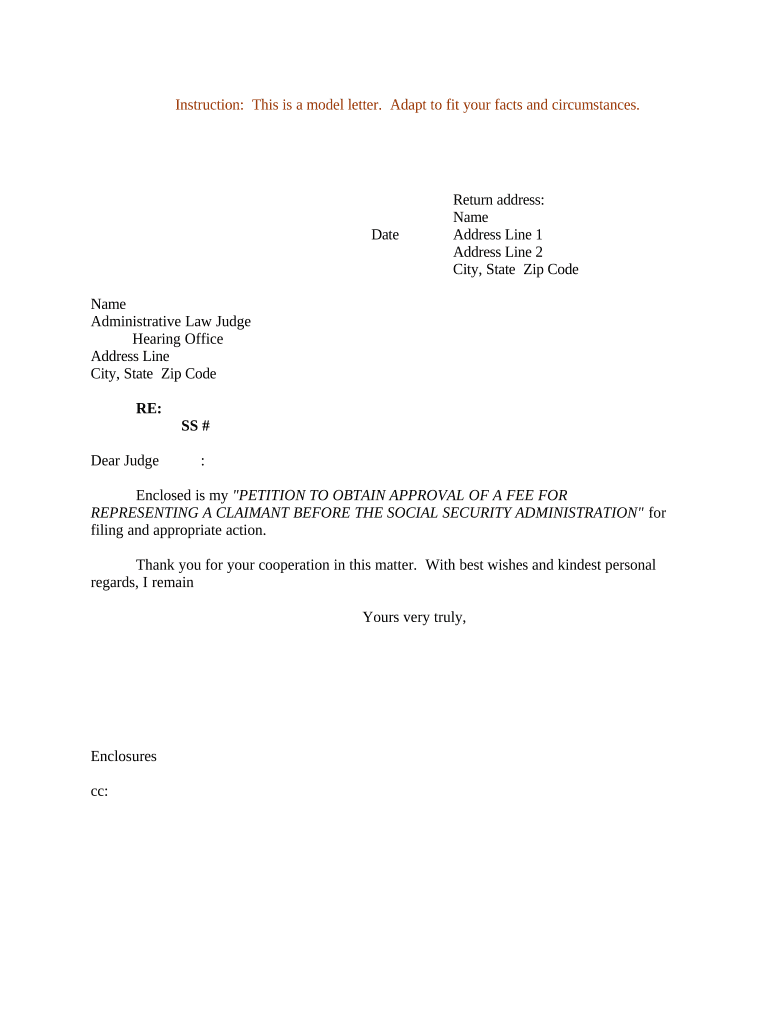
Sample Petition Letter is a written request submitted to an authority or organization asking for a specific action, change, or relief. It identifies the petitioner, summarizes relevant facts, cites legal or policy grounds where applicable, and specifies the remedy sought. Petition letters commonly initiate administrative reviews, requests for corrections, fee waivers, or policy exceptions. Clear organization, attached supporting documents, and complete contact information help recipients evaluate and process the petition efficiently.

Why a Structured Petition Letter Matters

A well-prepared Sample Petition Letter creates a formal record, clarifies the requested remedy, and organizes evidence for decision-makers to review. It reduces unnecessary follow-up, supports administrative due process, and documents procedural timelines for potential appeals.

Why a Structured Petition Letter Matters

Who Typically Prepares or Receives Petition Letters

Typical users who prepare or receive Sample Petition Letters include organizational leaders, legal representatives, and individual petitioners seeking administrative action.

  • Nonprofit leaders requesting policy exceptions or program funding on behalf of constituents.
  • Individuals appealing administrative decisions or requesting record corrections from agencies.
  • Attorneys or advocates drafting formal petitions and managing procedural steps for clients.

Step-by-Step: Prepare and Submit Your Petition

Complete these sequential steps to prepare, verify, and submit a Sample Petition Letter for administrative review.

  • 01
    Prepare Draft: Collect facts and supporting documents, then draft a concise petition.
  • 02
    Review Legal: Confirm applicable rules and cite relevant statutes or policies.
  • 03
    Sign & Date: All petitioners sign; include effective date in MM/DD/YYYY format.
  • 04
    Submit: File by the required method and retain proof of delivery.

How the Petition Moves from Filing to Decision

This flow shows common routing and review steps many agencies use when processing petition letters and attachments.

  • Upload: Attach petition and exhibits via the agency portal or secure email.
  • Assign: The office assigns a case number and routes to responsible staff.
  • Review: Staff evaluates facts, may request additional information, or schedule review.
  • Decision: Agency issues a written determination and notifies parties of next steps.

Configure an Online Filing Workflow

Set up fields, signer authentication, attachment handling, and notifications to match agency requirements and reduce processing errors.

Field Configuration
Signature Method Allow typed, drawn, or PKI signatures; require consent
Authentication Email link by default; SMS or KBA for higher assurance
Attachment Handling Limit file types to PDF and DOCX; require exhibit labels
Notifications Automatic confirmations to sender and all signers upon completion

Technical Considerations for Electronic Submission

Use an eSignature platform that supports PDF and DOCX uploads, audit trails, and secure access controls.

  • File Formats: PDF and Word DOCX formats accepted
  • Integrations: Connects with Google Workspace and Microsoft 365
  • Security: TLS 1.2/1.3 in transit; AES-256 at rest

Core Elements of an Effective Petition Letter

Include identification, a factual statement, legal basis, precise relief requested, labeled exhibits, and clear signature blocks to streamline review and decision-making.

Identification

Provide the petitioner's full legal name, mailing and email addresses, telephone number, organizational affiliation, and any registration or account numbers needed to confirm authority to file.
Statement

Present facts in neutral chronological order, confined to verifiable events and dates, and avoid argumentative language; reserve legal analysis for the legal basis section.

Legal Basis

Cite specific statutes, regulations, or policy provisions with section numbers when possible so reviewers can quickly locate the authoritative text supporting the requested relief.

Relief

Define the remedy sought precisely, including specific actions, dates, monetary amounts, or operational changes; provide alternative relief if appropriate.

Exhibits

Attach labeled documents as exhibits (Exhibit A, B, etc.), reference them in the petition text, and include concise exhibit summaries for reviewer context.

Signature

Include dated signature blocks with printed names and titles for each signer; if an authorized representative signs, attach proof of authority such as a resolution or power of attorney.

Security and Compliance Essentials

Encryption: TLS 1.2/1.3 in transit; AES-256 at rest
Certifications: SOC 2 Type II; ISO 27001; PCI DSS
HIPAA: Supports BAA for protected health information
Authentication: Email, SMS, and optional 2FA/KBA methods
Audit Logs: Immutable timestamped event records for each action
Accessibility: WCAG 2.0 Level AA support available

Penalties and Risks of an Incorrect Petition

Late Filing: Penalties under IRC §6721
Incorrect Information: Backup withholding 24% rate
Invalid Signatures: May be rejected for lack of intent
Missing Notarization: State-level invalidation or requirement to refile
I-9 and Employment: Civil fines $281–$2,789 (8 CFR)
Intentional Disregard: $660+ per form with no maximum

Common Preparation Errors to Avoid

  • Omitting a clear statement of the specific relief requested leads to administrative delays and repeated information requests from the agency.
  • Failing to attach referenced exhibits or mislabeling attachments causes reviewers to miss supporting evidence and may result in rejection.
  • Using informal language or including irrelevant commentary weakens the petition's professional tone and can distract from key factual points.
  • Providing inconsistent dates, names, or jurisdictional details creates credibility issues and may necessitate supplemental filings to correct the record.

Typical Deadlines and Timing Considerations

Understand filing windows, agency response periods, and appeal timeframes to preserve rights and ensure timely submission.

Typical Filing Deadline and Requirements:

Filing deadlines vary by agency; submit as soon as eligibility and evidence are assembled.

Agency Response Timeframes and Notices:

Many agencies list 30–90 day review periods; expect an initial acknowledgment or case number.

Requests for Additional Information:

Agencies commonly grant 7–30 days to supply clarifying documents or responses.

Appeal and Review Deadlines:

Appeal periods typically start on the decision date; check agency rules for exact timelines.

Record Retention and Proof of Service:

Retain delivery receipts and service copies for appeals and administrative audits.

Vendor Pricing and Feature Snapshot for Petition Workflows

Compare vendor starting prices and basic eSignature capabilities to help select a platform that supports petition letter workflows and secure recordkeeping.

signNow DocuSign Adobe Sign PandaDoc HelloSign
Starting Price $8/user/mo $15/user/mo $14/user/mo $19/user/mo $15/user/mo
Free Trial 7-day trial Varies by plan Varies by plan Varies by plan Varies by plan
Bulk Send Yes (paid tier) Yes Yes Yes Varies by plan
Audit Trail Yes Yes Yes Yes Yes
HIPAA Compliant Yes Yes Yes No No

Frequently Asked Questions About Petition Letters

Answers to common questions about using, signing, and filing a Sample Petition Letter, including electronic signature and recordkeeping concerns.


Need help? Contact support

be ready to get more
Join over 28 million airSlate SignNow users