Establishing secure connection…Loading editor…Preparing document…

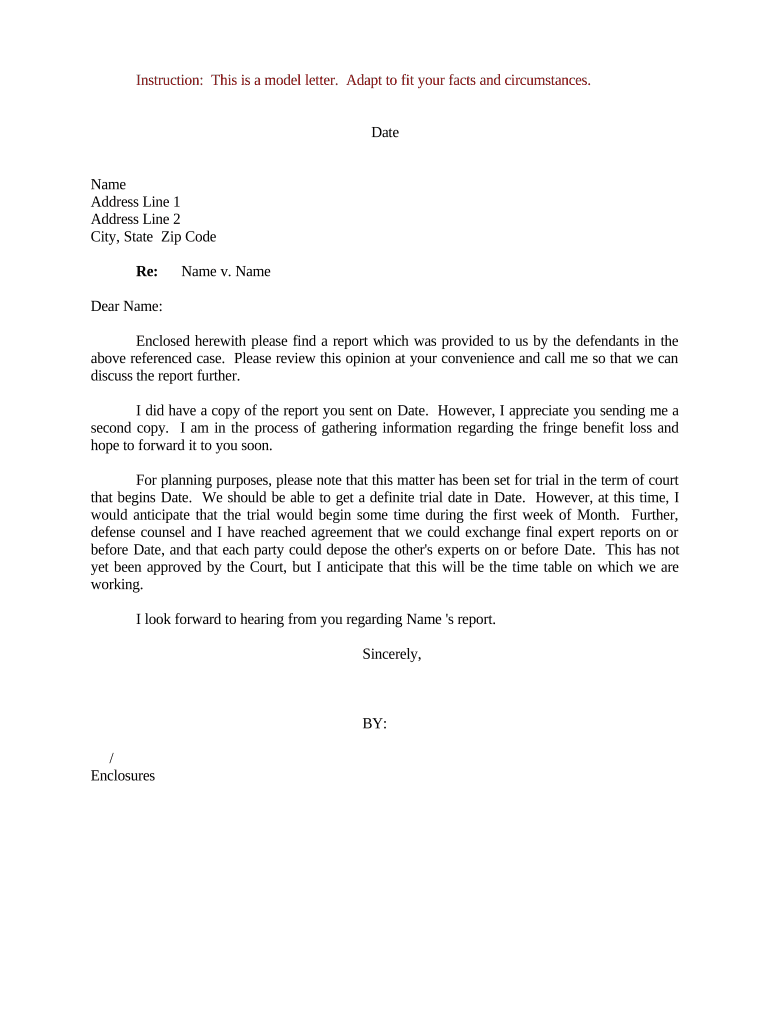
Letter Regarding Case Report and Trial Planning

This template is fully customizable. Edit the text, fill out the fields, and send it for signature. Give it a try!
Letter Regarding Case Report and Trial Planning

What the Letter Regarding Case Report and Trial Planning Is

A Letter Regarding Case Report and Trial Planning is a formal communication used by counsel or a party to summarize case posture, identify required disclosures or reports, and propose or respond to a schedule for expert reports, discovery milestones, and trial-preparation conferences. It documents facts, cites applicable rules or orders, lists required reports and supporting exhibits, and proposes dates for meet-and-confer sessions and pretrial deadlines to reduce scheduling disputes and preserve evidentiary issues.

Why This Letter Matters for Case Management

The letter creates a clear written record of requests, timelines, and positions about case reports and trial planning, helping prevent misunderstandings, narrowing disputes, and supporting later motions or status updates to the court when deadlines or obligations are contested.

Why This Letter Matters for Case Management

Who Typically Prepares and Receives This Letter

Use this letter to document positions, create deadlines that can be referenced in status reports, and to memorialize any agreed-upon adjustments to court orders.

  • Plaintiff and defense counsel coordinating reports and discovery schedules for expert and lay witnesses.
  • In-house legal teams who must align outside counsel, business units, and compliance for trial readiness.
  • Court clerks or magistrate judges receiving joint or unilateral planning proposals ahead of status conferences.

Stepwise Process to Prepare and Send the Letter

Follow a structured sequence to gather facts, propose dates, and preserve procedural rights when preparing a planning letter.

  • 01
    Gather Case Data: Assemble docket, orders, expert lists, and prior correspondence.
  • 02
    Draft Proposed Schedule: Propose specific MM/DD/YYYY milestones and responsible parties.
  • 03
    Review for Conflicts: Check court orders and local rules for existing deadlines.
  • 04
    Send and Document: Serve counsel, save delivery receipts, and log the transmission.

Typical Workflow for Handling a Trial Planning Letter

This letter often moves through a consistent flow from drafting, negotiation, to court adoption or placement on the record at a status conference.

  • Drafting: Prepare initial proposal and include supporting facts.
  • Exchange: Share with opposing counsel for meet-and-confer input.
  • Agreement or Dispute: Record agreed dates or identify unresolved issues.
  • Court Filing or Report: File joint or unilateral status report if required.

How to Configure an Online Workflow for This Letter

Set up an electronic template and routing so the letter is consistent, auditable, and easy to reproduce across matters.

Template Field Set Prepopulate caption, party names, and case number for reuse.
Routing Order Send to drafting attorney, local counsel, and final approver sequentially.
Authentication Require email or SMS code to confirm signer identity.
Deadline Enforcement Set reminders and automatic escalation for pending approvals.
Retention Policy Save signed copies with audit trail in matter file.

Technical Considerations for eSigning and eSubmission

Use a platform that preserves the audit trail, supports reasonable signer authentication, and exports a court-ready PDF with embedded signature metadata.

  • File Formats: PDF and DOCX accepted.
  • Authentication Options: Email, SMS, or two-factor.
  • Integrations: Works with common document systems.

Essential Security and Compliance Information

Encryption in Transit: TLS 1.2/1.3 required
Encryption at Rest: AES-256 storage
Regulatory Certifications: SOC 2 Type II; ISO 27001
HIPAA Support: BAA available when required
Audit Trail: Timestamp, IP, action log
Authentication: Email, SMS, or advanced MFA

Principal Risks of an Incorrect or Untimely Letter

Missed Deadlines: Court sanctions or forfeited motions
Spoliation Risk: Incomplete preservation directives
Service Defects: Letter not deemed properly served
Professional Sanctions: Ethics consequences for misstatements
Loss of Issues: Failure to preserve trial arguments
Confidentiality Breach: Unauthorized disclosure of sensitive data

Common Preparation Mistakes to Avoid

  • Using vague date ranges instead of precise MM/DD/YYYY deadlines creates calendar conflicts and misinterpretation.
  • Failing to check existing court orders or local rules can lead to proposing dates the court will not accept.
  • Sending the letter without documenting delivery or receipt leaves disputable proof of service if contested later.
  • Overlooking supporting exhibits or report excerpts may require follow-up letters and waste agreement negotiation time.

Typical Deadlines to Address in the Letter

Include clearly labeled milestones so parties can calendar obligations and the court can track compliance with the proposed plan.

Service of Expert Reports:

List exact disclosure and report dates in MM/DD/YYYY format.

Rebuttal Reports:

Specify the deadline for any rebuttal expert disclosures.

Discovery Cutoff:

Provide final date for fact and expert discovery.

Pretrial Conference:

Propose dates for readiness conferences or settlement status calls.

Trial Commencement:

Identify preferred trial windows and estimated length.

Key Milestones and Processing Stages

Below are four sequential milestones commonly reflected in a trial planning letter; present them in order so the court can adopt a clear timeline.

01

Initial Proposal

Draft and circulate proposed schedule to opposing counsel.

02

Meet-and-Confer

Hold a conference to narrow issues and exchange positions.

03

File Status Report

Submit joint or unilateral report reflecting agreements and lingering disputes.

04

Court Adoption

Court issues scheduling order or sets hearing to resolve remaining issues.

eSignature Vendor Comparison for Preparing and Signing the Letter

Comparison of common capabilities and starting prices for vendors that support eSignatures, bulk send, and compliance features useful when circulating trial planning letters.

signNow DocuSign Adobe Sign PandaDoc HelloSign
Starting Price $8/user/mo $15/user/mo $14/user/mo $19/user/mo $15/user/mo
Free Trial 7-day free trial Varies Varies Varies Varies
Bulk Send Yes (Business Premium) Yes Yes Yes No
Audit Trail Yes Yes Yes Yes Yes
HIPAA Compliant Yes Yes Yes No No
Envelope Cap No envelope cap 100 envelopes/user/year Varies by plan Varies by plan Varies by plan

Frequently Asked Questions About the Letter and eSigning

Answers to common procedural and technical questions about executing, serving, and preserving a Letter Regarding Case Report and Trial Planning.


Need help? Contact support

be ready to get more
Join over 28 million airSlate SignNow users