Establishing secure connection…Loading editor…Preparing document…

Letter Regarding Tax Exemption Application

This template is fully customizable. Edit the text, fill out the fields, and send it for signature. Give it a try!
Letter Regarding Tax Exemption Application

What the Letter Regarding Tax Exemption Application Is

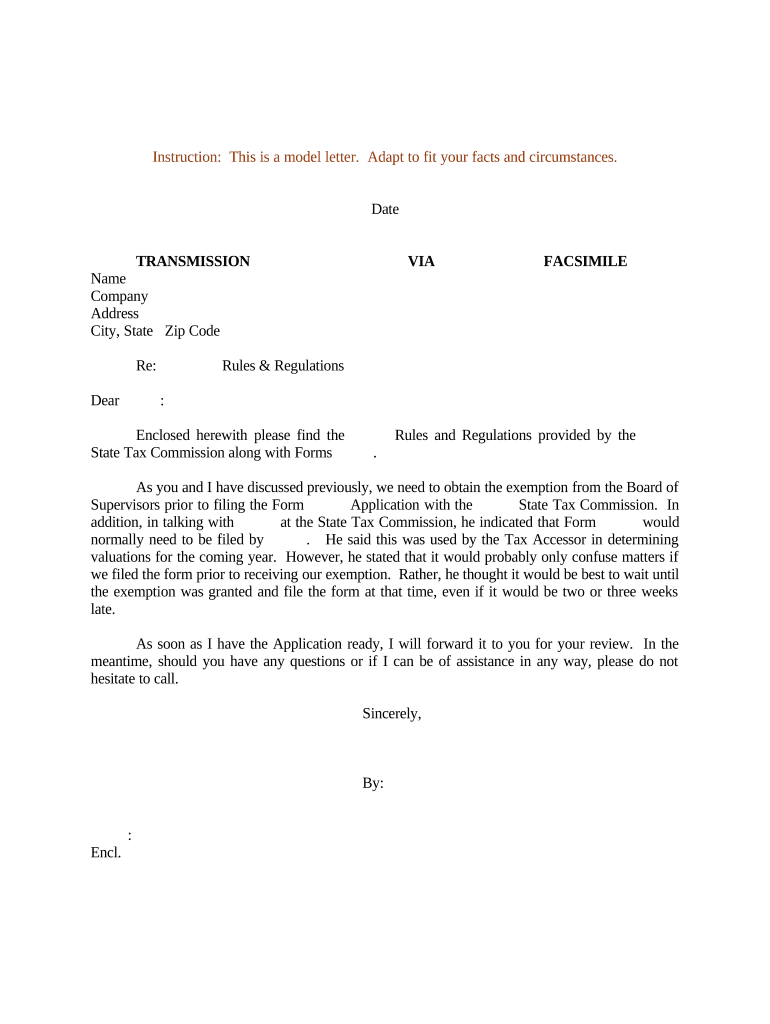
A Letter Regarding Tax Exemption Application is a formal written statement submitted to a taxing authority or payer to request exemption from a specific tax obligation or to confirm tax-exempt status for a transaction. Typical senders include taxpayers, nonprofit organizations, contractors, or vendors requesting exemption from withholding, sales tax, or other assessments. The letter summarizes the legal basis for exemption, identifies the related transaction or period, attaches supporting documentation, and requests a definitive determination or confirmation in writing from the recipient agency or payer.

Why a Clear, Compliant Letter Matters

A precise, well-documented letter reduces processing delays, demonstrates legal basis for exemption, and helps avoid incorrect withholding or audit triggers. It creates a written record the payer or agency can use to justify treatment and supports any future appeals or compliance reviews.

Why a Clear, Compliant Letter Matters

Who Prepares and Receives These Letters

Common preparers include nonprofit finance officers, tax counsel, vendors, contractors, and individual taxpayers seeking exemption or confirmation from a payer or government revenue office.

  • Nonprofit CFOs and compliance officers who must prove charitable status for grant disbursements or vendor payments.
  • Contractors and vendors requesting sales or use tax exemption for materials purchased for exempt projects.
  • Individual taxpayers or representatives asking payers to stop backup withholding or confirm non-taxable status.

The recipient is typically a withholding agent, payer, state or local revenue department, or the IRS, depending on the exemption type and who controls the payment or tax assessment.

Core Parts of an Effective Tax Exemption Letter

A professional letter combines precise identification, legal basis, supporting evidence, and clear requests. Use concise sections and attach documentation that directly substantiates the exemption claim to speed review and reduce follow-up questions.

Heading

Include recipient name, department, and date. Use a clear subject line referencing the application or payer account number.
Identification

Provide full legal name, tax identification number (EIN or SSN), and the mailing and remittance addresses associated with the taxpayer or organization.

Transaction Details

Describe the transaction, payment, invoice number, contract reference, or period for which the exemption is requested, with precise dates and amounts when available.

Legal Basis

Cite statutory or regulatory authority supporting the exemption (for example, federal or state tax code sections, or IRS rules) and explain the applicability concisely.

Supporting Docs

Attach certificates of exemption, IRS determination letters, articles of incorporation, or state nonprofit registrations that substantiate the claim.

Requested Action

State the specific relief sought (e.g., stop withholding, exempt sale, refund claim) and any requested effective date or corrective steps.

Required Information to Include

Legal Name: Exact entity or individual name.
Tax ID: EIN or SSN as applicable.
Address: Full street address and ZIP code.
Contact Info: Phone number and email for follow-up.
Transaction ID: Invoice, contract, or payment reference.
Attachments: Numbered list of supporting documents.

Step-by-Step: Drafting and Submitting the Letter

Follow these sequential steps to prepare a complete submission and reduce the chance of follow-up requests or processing delays.

  • 01
    Verify Status: Confirm the exemption type and applicable law before drafting.
  • 02
    Gather Documents: Collect determinations, exemption certificates, and incorporation records.
  • 03
    Draft Letter: State facts, legal basis, and requested action clearly.
  • 04
    Send & Track: Submit to the correct recipient and maintain proof of delivery.

Where to Send or File the Letter

Different exemption types are addressed by different recipients; choose the correct routing channel to prevent misfiling and to obtain an authoritative response.

  • Payer: Send to the withholding agent or company paying the amount in question.
  • State Revenue: Submit to the state Department of Revenue for state tax exemptions and certificates.
  • IRS: File with IRS only when IRS determination or federal relief is required.
  • Local Tax Office: Use county or municipal tax office for local sales or use tax issues.

Configuring an Online Submission Workflow

Set up a digital workflow to attach the letter, collect signatures, and preserve an audit trail. Use fields and routing to mirror offline review steps.

Field Configuration
Sender Details Pre-fill organization name and contact information.
Signer Role Assign authorized signer and email address.
Attachments Require uploaded supporting documents before submission.
Routing Set sequential or parallel reviewer routing as needed.

Digital Submission and eSigning Considerations

Verify that your chosen eSignature platform supports legal validity, audit trails, and secure attachment handling before e-submitting the letter.

  • Authentication: Use at least email plus SMS or KBA for higher assurance.
  • Audit Trail: Ensure timestamps, IP, and signer actions are recorded.
  • File Formats: Accept PDFs and preserve original formatting.

Store the signed letter and attachments in secure records with access controls and retention settings that meet tax and privacy obligations.

Timelines and Typical Processing Expectations

Timing depends on recipient and complexity. Allow extra time for agency review, verification of attachments, and potential requests for more information.

Immediate Requests:

Some payers will act within 7–14 business days on straightforward exemption certificates.

State Reviews:

State revenue departments often take 30–90 days for determination and formal certificates.

IRS Determinations:

IRS or federal rulings may take several months; timelines vary by case complexity.

Refund Claims:

Refunds tied to exemption disputes can take 60–120 days to process, depending on audits.

Follow-up Window:

If you receive questions, respond promptly to avoid administrative closure or denial.

Penalties and Risks for Incomplete or Incorrect Letters

Withholding Risk: Incorrect TINs can trigger backup withholding at 24%.
Late Filings: Failure to correct information returns can incur IRC §6721 penalties.
Denial Risk: Insufficient documentation may result in exemption denial.
Audit Trigger: Ambiguous claims increase the likelihood of audits.
Financial Exposure: Improper exemptions can lead to tax assessments and interest.
Reputational Harm: Repeated errors may affect payer relationships.

Common Preparation Mistakes to Avoid

  • Submitting vague legal references without specific statute citations or application details makes it difficult for reviewers to determine applicability and often leads to rejection.
  • Omitting required identification information such as the exact EIN or correct legal entity name can cause misrouting or automatic withholding by payers.
  • Attaching unrelated or unsigned supporting documents delays processing; always number and label attachments and ensure signatures on certificates where required.
  • Using informal language or failing to state the requested action clearly (for example, 'stop withholding' or 'grant sales tax exemption') leads to confusion and administrative delay.

Real-World Examples of Letter Use

The following examples show typical scenarios and the expected supporting documentation that helped secure exemption determinations.

Martin Properties — Real Estate

A developer requested a sales tax exemption for building materials tied to a municipal project, citing the municipal exemption statute

  • The submission included contract, purchase orders, and a state exemption form
  • The clear transaction references and supporting certificates helped the state revenue office issue a written exemption determination in the vendor's favor, permitting non-taxable purchases on future invoices.

Fertility Centers of Illinois — Healthcare

A medical provider requested exemption from certain state sales taxes for clinical supplies, attaching nonprofit registration and IRS determination letter

  • The letter referenced state administrative rule specifics
  • Including the IRS 501(c)(3) determination and precise statute citations reduced follow-up and produced a favorable written confirmation from the state tax authority.

Practical Tips for Accurate, Efficient Letters

Adopt these practices to improve acceptance rates and reduce processing time for exemption applications.

Use Precise Citations
Cite the specific statute or administrative rule that supports the exemption claim, include section numbers, and briefly explain how the facts meet the statutory criteria to avoid interpretive delays.
Attach Numbered Evidence
Number each supporting document and reference them by number in the letter; include only directly relevant materials to reduce reviewer workload and avoid irrelevant data disclosures.
Verify Signatory Authority
Ensure the letter is signed by an authorized representative; if signed by an agent, attach a power of attorney or board resolution to confirm authority and prevent disputes.
Maintain an Audit Trail
Retain copies of the sent letter, delivery receipts, signed acknowledgements, and any correspondence; for e-submissions preserve the platform audit log with timestamps and signer authentication details.

eSignature Pricing and Feature Comparison

Comparison of common vendor starting prices and selected features relevant to submitting and signing exemption letters electronically.

signNow DocuSign Adobe Sign PandaDoc HelloSign
Starting Price $8/user/mo $15/user/mo $14/user/mo $19/user/mo $15/user/mo
Free Trial 7-day free trial, no credit card Varies by vendor Varies by vendor Varies by vendor Varies by vendor
Bulk Send Yes Yes Yes Yes No
Audit Trail Yes Yes Yes Yes Yes
HIPAA Compliant Yes Yes Yes No No

Who Typically Signs and Certifies These Letters

Authorized Signer

An executive, CFO, or other official authorized by corporate governance signs to certify the truth of statements. Their signature binds the organization and should be accompanied by title and contact information to permit verification and follow-up.

Authorized Representative

Agents or consultants may sign with written authorization; include a power of attorney, board resolution, or signed engagement letter proving authority to act on behalf of the taxpayer for exemption matters.

Key Processing Milestones for an Exemption Request

Track these stages to measure progress and identify when to follow up with the recipient or escalate if needed.

01

Draft Completion

Letter and attachments finalized and authorized for submission.

02

Submission

Letter sent to payer or agency with delivery confirmation.

03

Acknowledgement

Recipient issues receipt confirmation or request for more information.

04

Determination

Recipient provides written approval, denial, or conditional response.

FAQs: Common Questions About Tax Exemption Letters

Answers to frequently asked legal and procedural questions about preparing, signing, and submitting a Letter Regarding Tax Exemption Application.


Need help? Contact support

be ready to get more
Join over 28 million airSlate SignNow users