Establishing secure connection…Loading editor…Preparing document…

Follow-Up Letter for Travel Agency

This template is fully customizable. Edit the text, fill out the fields, and send it for signature. Give it a try!
Follow-Up Letter for Travel Agency

What a Follow-Up Letter for Travel Agency Is

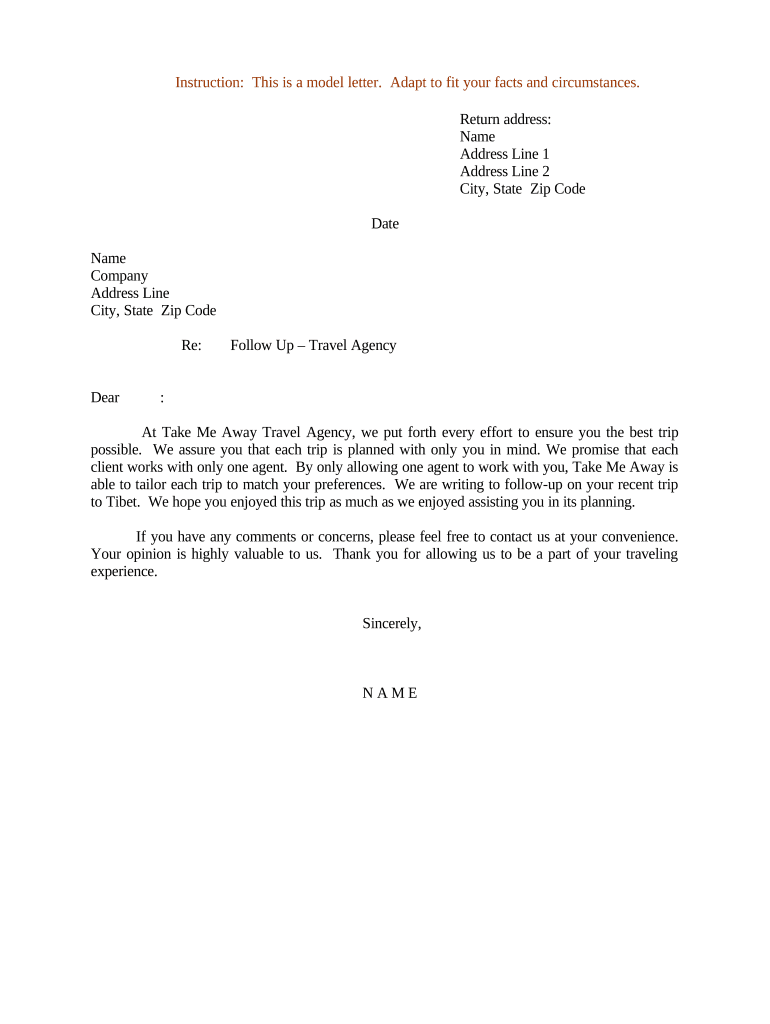
A Follow-Up Letter for Travel Agency is a short, written message sent to a client after an initial booking inquiry, reservation, or consultation. It confirms itinerary details, outstanding requirements (passports, visas, payments, insurance), next steps, and deadlines. The letter documents the agency's expectations and the client's obligations, helping to reduce misunderstandings and speed document collection.

Why a Clear Follow-Up Letter Matters and Its Legal Context

A concise follow-up letter clarifies responsibilities, reduces cancellations, and helps collect required travel documents and payments. When used with electronic delivery, the letter is admissible evidence of communication and agreed next steps under the ESIGN Act (15 U.S.C. ch. 96) and UETA where adopted; include consent and retention practices to ensure enforceability.

Why a Clear Follow-Up Letter Matters and Its Legal Context

Who Typically Sends and Receives These Letters

These letters are used by a range of travel stakeholders to confirm bookings and collect missing items.

  • Travel agents and agency staff confirming reservations and next steps with individual clients.
  • Corporate travel managers coordinating itineraries, approvals, and policy compliance for employees.
  • Tour operators and group coordinators collecting passports, payments, and consent for excursions.

Appropriate recipients include any client or third party listed on the booking who needs to act before travel; keep copies for agency records.

Essential Parts of a Professional Follow-Up Letter

A professional letter is short and actionable. It references the booking, lists outstanding items, sets dates, and provides contact details so the client knows exactly what to do and by when.

Booking Reference

State the reservation or booking number and the booking date to tie the letter to a specific transaction and avoid confusion when multiple trips exist.
Trip Details

Include travel dates, destinations, and booked services (flights, hotels, transfers) so the client can quickly confirm the core itinerary.

Outstanding Items

List required documents and actions—passport number, visa application, travel insurance, passenger names—to make next steps unambiguous.

Deadlines and Penalties

Specify exact dates for payments, document submission, and cancellation or change fees to minimize late responses and disputed charges.

Payment Instructions

Detail accepted payment methods, amounts due, invoice references, and when funds must be received to finalize reservations.

Contact and Support

Provide a named contact, phone number, and business hours for questions, and note any preferred method for returning signed confirmations.

Required Information to Include

Client Name: Full legal name
Contact Details: Phone and email
Booking Ref: Reservation number
Travel Dates: Departure/return dates
Payment Terms: Amount and due date
Required Docs: Passport/visa list

Step-by-Step: Preparing and Sending the Letter

Follow these steps to prepare a complete follow-up letter and reduce back-and-forth.

  • 01
    Prepare Template: Use a standard template with placeholders for booking data.
  • 02
    Verify Details: Confirm itinerary, passenger names, and pricing in your system.
  • 03
    List Actions: State outstanding items, formats, and exact due dates.
  • 04
    Send & Track: Deliver by email or e-sign workflow and log delivery and opens.

Configuring an Online Delivery Workflow

Set up standard fields and reminders in your CRM or e-sign platform to automate follow-ups and reduce manual work.

Field Configuration
Email Subject Use booking number and client name for clarity
From Address Use a monitored agency email, not a personal account
Reminder Schedule Send first reminder 48 hours after initial letter
Attachments Include invoice, itinerary PDF, visa checklist

Where to Send the Follow-Up Letter and How It Flows

Choose delivery channels that the client checks and systems that record delivery and consent for legal defensibility.

  • Client Email: Primary delivery method; include clear subject and attachments.
  • Agent Portal: Post the letter to the client's portal account for central access.
  • CRM Record: Archive a copy in the booking record to preserve context.
  • Accounting: Send invoice copies to finance for reconciliation and refunds tracking.

Technical Considerations and Supported Formats

Select platforms that support standard document formats, audit trails, and integration with your booking systems.

  • File Formats: PDF, DOCX
  • Integrations: CRM and cloud storage (Salesforce, Google Workspace)
  • Audit & Security: Timestamp, IP, and tamper-evident storage

Ensure the platform can retain records, produce an audit trail, and export signed documents for bookkeeping and compliance.

Timing: Typical Deadlines and When to Send

Common timeframes help clients meet immigration, supplier, and payment deadlines; make these clear in the letter.

Initial Follow-Up Window:

Send within 24–48 hours after booking or inquiry

Payment Due Date:

Specify exact due date and late fee schedule

Passport Check Deadline:

Request passport copy at least 90 days before travel

Visa Application Lead Time:

Advise clients to start visas 60–90 days before departure

Final Itinerary Confirmation:

Confirm final details 14 days before travel

Common Mistakes to Avoid When Preparing Follow-Up Letters

  • Leaving ambiguous deadlines that lead to late submissions and supplier penalties.
  • Using inconsistent booking references that prevent staff from locating the correct reservation.
  • Failing to list exact document formats (PDF vs photo), causing repeated resubmissions.
  • Not retaining a signed copy or proof of delivery, weakening evidence in disputes.

Risks and Consequences of an Incorrect or Missing Follow-Up Letter

Booking Cancellation: Lost deposit or rebooking fees
Visa Denial: Travel delay or denial
Liability Gaps: Unclear responsibility for missed connections
Refund Disputes: Lengthy claims and administrative costs
Late Fees: Supplier-imposed penalties
Privacy Breach: Regulatory fines or reputational harm

eSignature Pricing Comparison (signNow First)

Pricing varies by plan and billing cycle. The table below compares common starting prices and select capabilities across major providers.

signNow DocuSign Adobe Sign PandaDoc HelloSign
Starting Price $8/user/mo $15/user/mo $14/user/mo $19/user/mo $15/user/mo
Free Trial 7-day free trial, no credit card Varies by vendor Varies by vendor Free trial available Free trial available
Bulk Send Yes (Business Premium) Yes Yes Yes No
Audit Trail Yes Yes Yes Yes Yes
HIPAA Compliant Yes Yes Yes No No

Practical Examples of Follow-Up Letters in Use

Two concise scenarios illustrate common agency uses and expected outcomes when letters are clear and timely.

Group Tour Reminder

A coordinator sends a post-booking letter listing passport scans and prepayment dates

  • Group size and lead time require staggered reminders
  • Result: 95% of participants submitted documents before supplier deadlines, reducing late fees and last-minute charges.

Corporate Traveler

A corporate travel manager confirms traveler name, client PO number, and payment terms after approval

  • Includes exact invoice reference and due date
  • Result: Finance matched payment to reservation quickly, avoiding hotel deposit forfeiture and simplifying expense reconciliation.

Frequently Asked Questions — Follow-Up Letter for Travel Agency

Answers to common questions about drafting, delivering, and enforcing follow-up letters and when electronic methods are legally sufficient.


Need help? Contact support

be ready to get more
Join over 28 million airSlate SignNow users