Establishing secure connection… Loading editor… Preparing document…
Navigation

Fill and Sign the Section 1 S 4 Form S 4 Sampampp Global Sign in
Fill and Sign the Section 1 S 4 Form S 4 Sampampp Global Sign in

How it works

Open the document and fill out all its fields.
Apply your legally-binding eSignature.
Save and invite other recipients to sign it.

Rate template

4.5
44 votes
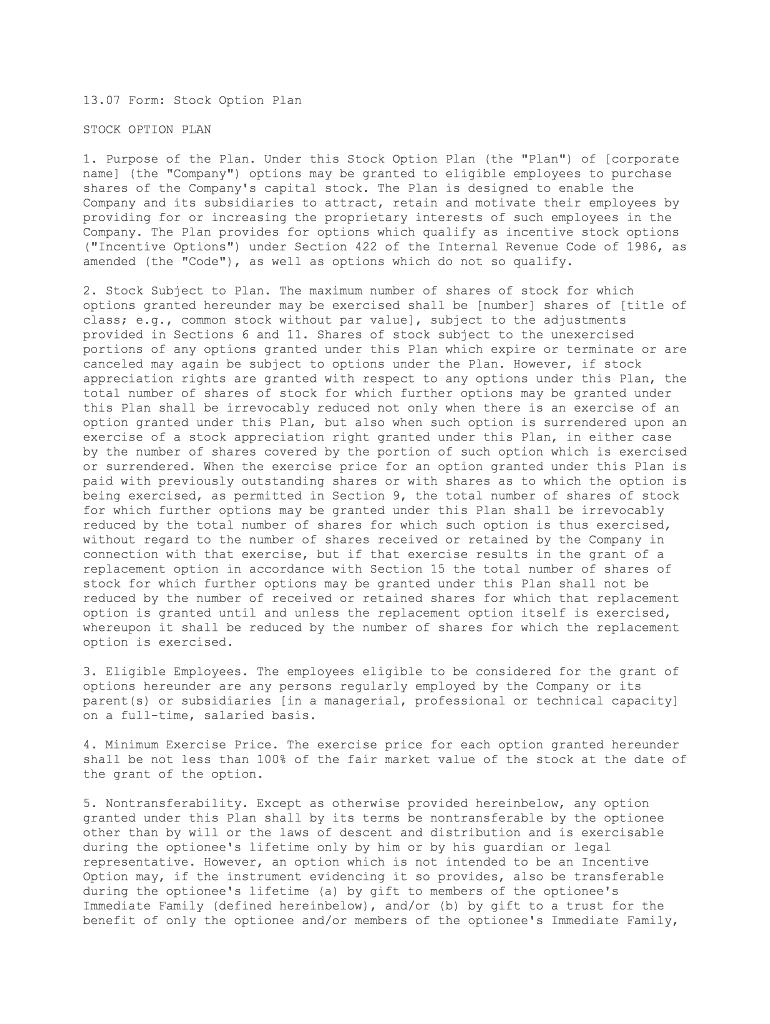
13.07 Form: Stock Option Plan STOCK OPTION PLAN 1. Purpose of the Plan. Under this Stock Option Plan (the "Plan") of [corporate name] (the "Company") options may be granted to eligible employees to purchase shares of the Company's capital stock. The Plan is designed to enable the Company and its subsidiaries to attract, retain and motivate their employees by providing for or increasing the proprietary interests of such employees in the Company. The Plan provides for options which qualify as incentive stock options ("Incentive Options") under Section 422 of the Internal Revenue Code of 1986, as amended (the "Code"), as well as options which do not so qualify. 2. Stock Subject to Plan. The maximum number of shares of stock for which options granted hereunder may be exercised shall be [number] shares of [title of class; e.g., common stock without par value], subject to the adjustments provided in Sections 6 and 11. Shares of stock subject to the unexercised portions of any options granted under this Plan which expire or terminate or are canceled may again be subject to options under the Plan. However, if stock appreciation rights are granted with respect to any options under this Plan, the total number of shares of stock for which further options may be granted under this Plan shall be irrevocably reduced not only when there is an exercise of an option granted under this Plan, but also when such option is surrendered upon an exercise of a stock appreciation right granted under this Plan, in either case by the number of shares covered by the portion of such option which is exercised or surrendered. When the exercise price for an option granted under this Plan is paid with previously outstanding shares or with shares as to which the option is being exercised, as permitted in Section 9, the total number of shares of stock for which further options may be granted under this Plan shall be irrevocably reduced by the total number of shares for which such option is thus exercised, without regard to the number of shares received or retained by the Company in connection with that exercise, but if that exercise results in the grant of a replacement option in accordance with Section 15 the total number of shares of stock for which further options may be granted under this Plan shall not be reduced by the number of received or retained shares for which that replacement option is granted until and unless the replacement option itself is exercised, whereupon it shall be reduced by the number of shares for which the replacement option is exercised. 3. Eligible Employees. The employees eligible to be considered for the grant of options hereunder are any persons regularly employed by the Company or its parent(s) or subsidiaries [in a managerial, professional or technical capacity] on a full-time, salaried basis. 4. Minimum Exercise Price. The exercise price for each option granted hereunder shall be not less than 100% of the fair market value of the stock at the date of the grant of the option. 5. Nontransferability. Except as otherwise provided hereinbelow, any option granted under this Plan shall by its terms be nontransferable by the optionee other than by will or the laws of descent and distribution and is exercisable during the optionee's lifetime only by him or by his guardian or legal representative. However, an option which is not intended to be an Incentive Option may, if the instrument evidencing it so provides, also be transferable during the optionee's lifetime (a) by gift to members of the optionee's Immediate Family (defined hereinbelow), and/or (b) by gift to a trust for the benefit of only the optionee and/or members of the optionee's Immediate Family, and/or (c) by gift to a foundation whose assets are controlled by the optionee and/or members of the optionee's Immediate Family, and/or (d) either by gift or in exchange solely for an interest in the transferee to a partnership whose members are only the optionee and/or members of the optionee's Immediate Family or to an entity in which the optionee and/or members of the optionee's Immediate Family hold more than 50% of the voting interests. As used herein, an individual's "Immediate Family" includes his or her spouse and persons who are children or other direct descendants, parents or other ancestors, siblings, nieces or nephews of that individual or of his or her spouse, in each case including adoptive relationships. 6. Adjustments. If the outstanding shares of stock of the class then subject to this Plan are increased or decreased, or are changed into or exchanged for a different number or kind of shares or securities, as a result of one or more reorganizations, recapitalizations, stock splits, reverse stock splits, stock dividends or the like, appropriate adjustments shall be made in the number and/or kind of shares or securities for which options may thereafter be granted under this Plan and for which options then outstanding under this Plan may thereafter be exercised. Any such adjustment in outstanding options shall be made without changing the aggregate exercise price applicable to the unexercised portions of such options. 7. Maximum Option Term. No option granted under this Plan may be exercised in whole or in part more than ten years after its date of grant. 8. Plan Duration. Options may not be granted under this Plan more than ten years after the date of the adoption of this Plan, or of shareholder approval thereof, whichever is earlier. 9. Payment. Payment for stock purchased upon any exercise of an option granted under this Plan shall be made in full in cash concurrently with such exercise, except that, if and to the extent the instrument evidencing the option so provides and if the Company is not then prohibited from purchasing or acquiring shares of such stock, such payment may be made in whole or in part with shares of the same class of stock as that then subject to the option, delivered in lieu of cash concurrently with such exercise, the shares so delivered to be valued on the basis of the fair market value of the stock (determined in a manner specified in the instrument evidencing the option) on the day preceding the date of exercise.3 If and while payment with stock is permitted for the exercise of an option granted under this Plan in accordance with the foregoing provision, the person then entitled to exercise that option may, in lieu of using previously outstanding shares therefor, use some of the shares as to which the option is then being exercised. If stock purchased upon exercise of an option granted under this Plan is paid for with stock or by retention of stock as permitted hereinabove, the optionee may pay the amount required to be withheld for taxes in connection with that exercise in the same manner, but any shares of stock retained by the Company for this purpose shall not exceed the number required to satisfy the minimum statutory withholding rates applicable for federal, state and local taxes. 10. Administration. The Plan shall be administered by the Company's board of directors (the "Board") or, at the discretion of the Board, by a committee (the "Committee") of not less than two members of the Board each of whom shall not at any time during his service as an administrator of the Plan be an officer or employee of the Company or of any parent or subsidiary corporation of the Company. The interpretation and construction by the Committee of any term or provision of the Plan or of any option granted under it shall be final, unless otherwise determined by the Board in which event such determination by the Board shall be final. The Board or the Committee may from time to time adopt rules and regulations for carrying out this Plan and, subject to the provisions of this Plan, may prescribe the form or forms of the instruments evidencing any option granted under this Plan. Subject to the provisions of this Plan, the Board or, by delegation from the Board, the Committee, shall have full and final authority in its discretion to select the employees to be granted options, to grant such options and to determine the number of shares to be subject thereto, the exercise prices, the terms of exercise, expiration dates and other pertinent provisions thereof. 11. Corporate Reorganizations. Upon the dissolution or liquidation of the Company, or upon a reorganization, merger or consolidation of the Company as a result of which the outstanding securities of the class then subject to options hereunder are changed into or exchanged for cash or property or securities not of the Company's issue, or any combination thereof, or upon a sale of substantially all the property of the Company to, or the acquisition of stock representing more than eighty percent (80%) of the voting power of the stock of the Company then outstanding by, another corporation or person, the Plan shall terminate, and all options theretofore granted hereunder shall terminate, unless provision be made in writing in connection with such transaction for the continuance of the Plan and/or for the assumption of options covering the stock of a successor employer corporation, or a parent or a subsidiary thereof, with appropriate adjustments as to the number and kind of shares and prices, in which event the Plan and options theretofore granted shall continue in the manner and under the terms so provided. If the Plan and unexercised options shall terminate pursuant to the foregoing sentence, all persons entitled to exercise any unexercised portions of options then outstanding shall have the right, at such time prior to the consummation of the transaction causing such termination as the Company shall designate, to exercise the unexercised portions of their options, including the portions thereof which would, but for this paragraph entitled "Corporate Reorganizations," not yet be exercisable.6 The instrument evidencing any option may also provide for such acceleration of otherwise unexercisable portions of the option upon other specified events or occurrences, such as involuntary terminations of the option holder's employment following certain changes in the control of the Company. 12. Stock Appreciation Rights. If the instrument evidencing the option so provides, an option granted under this Plan (herein sometimes referred to as the "corresponding option") may include the right (a "Stock Appreciation Right") to receive an amount equal to some or all of the excess of the fair market value (determined in a manner specified in the instrument evidencing the corresponding option) of the shares subject to unexercised portions of the corresponding option over the aggregate exercise price for such shares under the corresponding option as of the date the Stock Appreciation Right is exercised. The amount payable upon exercise of a Stock Appreciation Right may be paid in cash or in shares of the class then subject to the corresponding option (valued on the basis of their fair market value, determined as specified with respect to the measurement of the amount payable as aforesaid), or in a combination of cash and such shares so valued. No Stock Appreciation Right may be exercised in whole or in part (a) other than in connection with the contemporaneous surrender without exercise of such corresponding option, or the portion thereof that corresponds to the portion of the Stock Appreciation Right being exercised, or (b) except to the extent that the corresponding option orsuch portion thereof is exercisable on the date of exercise of the Stock Appreciation Right by the person exercising the Stock Appreciation Right, or (c) unless the class of stock then subject to the corresponding option is then "publicly traded." For this purpose, a class of stock is "publicly traded" if it is listed or admitted to unlisted trading privileges on a national securities exchange or on the Nasdaq National Market or if sales or bid and offer quotations therefor are reported on the automated quotation system ("NASDAQ") operated by the National Association of Securities Dealers, Inc. or on any then operative successor to the NASDAQ system. 13. Restricted Stock.8 If the instrument evidencing the option so provides, shares of stock issued on exercise of an option granted under this Plan may upon issuance be subject to the following restrictions (and, as used herein, "restricted stock" means shares issued on exercise of options granted under this Plan which are still subject to restrictions imposed under this Section 13 that have not yet expired or terminated): (a) shares of restricted stock may not be sold or otherwise transferred or hypothecated; (b) if the employment of the holder of shares of restricted stock with the Company or a subsidiary is terminated for any reason other than his death, normal or early retirement in accordance with his employer's established retirement policies or practices, or total disability, the Company (or any subsidiary designated by it) shall have the option for sixty (60) days after such termination of employment to purchase for cash all or any part of his restricted stock at the lesser of (i) the price paid therefor by the holder, or (ii) the fair market value of the restricted stock on the date of such termination of employment (determined in a manner specified in the instrument evidencing the option); and (c) as to the shares of stock affected thereby, any additional restrictions that may be imposed on particular shares of restricted stock as specified in the instrument evidencing the option. The restrictions imposed under this Section 13 shall apply as well to all shares or other securities issued in respect of restricted stock in connection with any stock split, reverse stock split, stock dividend, recapitalization, reclassification, spin-off, split-off, merger, consolidation or reorganization, but such restrictions shall expire or terminate at such time or times as shall be specified therefor in the instrument evidencing the option which provides for the restrictions. 14. Financial Assistance. The Company is vested with authority under this Plan to assist any employee to whom an option is granted hereunder (including any director or officer of the Company or any of its subsidiaries who is also an employee) in the payment of the purchase price payable on exercise of that option, by lending the amount of such purchase price to such employee on such terms and at such rates of interest and upon such security (or unsecured) as shall have been authorized by or under authority of the Board. 15. Replacement Options. If the instrument evidencing the option so provides, when the exercise price of an option granted under this Plan (herein sometimes referred to as the "reloaded option") is paid with previously outstanding shares or with shares as to which the option is being exercised, as permitted in Section 9, such exercise of the reloaded option shall result in the automatic and simultaneous grant to the exercising optionee of a supplemental option under this Plan (herein sometimes referred to as a "replacement option") for a number of shares equal to the number of shares delivered by the optionee or retained by the Company in the exercise of the reloaded option, subject to the adjustments provided in Sections 6 and 11, at an exercise price per share equal to the fair market value (determined in a manner specified in the instrument evidencing the reloaded option) of the shares subject to the replacement option on the date the reloaded option is thus exercised. The replacement option shall expire on the expiration date of the reloaded option and shall in other respects contain the same terms and provisions as the reloaded option, except that: (a) the replacement option shall not itself provide for any further replacement options upon its exercise; and (b) the replacement option may not be exercised before the earlier of (i) the expiration of one year after the date it is granted or (ii) the first day of the calendar month in which it is scheduled to expire, subject to any acceleration of its exercisability under Section 11 hereof. 16. Restrictions Applicable Until the Company Is Subject to Federal Reporting Requirements.11 Notwithstanding any other provisions of this Plan, unless and until the Company has become a reporting company with respect to any class of its equity securities under the Securities Exchange Act of 1934, as amended, neither any option granted under this Plan nor any stock issued upon exercise of any such option may be transferred, except that: (1) such stock may be transferred to the Company; (2) such stock will be released from this restriction against transfers in the event of the grantee's total disability (within the meaning of the Company's then-established policies governing employees' disabilities or any disability insurance coverage available to the grantee as an employee of the Company or an affiliate of the Company) before the Company has become such a reporting company; and (3) in the event of the grantee's death before the Company has become such a reporting company (i) such option and such stock may be transferred to the grantee's estate or the administrator(s) or executor(s) of that estate and (ii) such stock may be distributed by that estate to the grantee's successors by will or in accordance with the laws of descent and distribution (this exception does not extend to or permit the distribution or other transfer of such option by that estate or executor(s) or administrator(s) to the grantee's heirs or other beneficiaries of the estate, and under the circumstances described in this paragraph any portion of the option remaining unexercised at the time of the final distribution of that estate will then terminate). 17. Amendment and Termination. The Board may alter, amend, suspend or terminate this Plan, provided that no such action shall deprive an optionee, without his consent, of any option granted to the optionee pursuant to this Plan or of any of his rights under such option. Except as herein provided, no such action of the Board, unless taken with the approval of the shareholders of the Company, may: (a) increase the maximum number of shares for which options granted under this Plan may be exercised; (b) reduce the minimum permissible exercise price; (c) extend the ten-year duration of this Plan set forth herein; or (d) alter the class of employees eligible to receive options under the Plan.

Useful suggestions for finalizing your ‘Section 1 S 4 Form S 4 Sampampp Global Sign In’ online

Are you fed up with the burden of handling paperwork? Look no further than airSlate SignNow, the top eSignature platform for individuals and businesses. Bid farewell to the tedious procedure of printing and scanning documents. With airSlate SignNow, you can effortlessly complete and authorize paperwork online. Utilize the powerful features included in this user-friendly and cost-effective platform and transform your method of paperwork management. Whether you need to authorize forms or collect electronic signatures, airSlate SignNow manages everything seamlessly, needing only a few clicks.

Follow this detailed guide:

  1. Sign in to your account or register for a complimentary trial with our service.
  2. Click +Create to upload a file from your device, cloud storage, or our template library.
  3. Access your ‘Section 1 S 4 Form S 4 Sampampp Global Sign In’ in the editor.
  4. Click Me (Fill Out Now) to complete the form on your end.
  5. Add and designate fillable fields for others (if required).
  6. Continue with the Send Invite settings to request eSignatures from others.
  7. Save, print your copy, or convert it into a reusable template.

Don’t fret if you need to collaborate with others on your Section 1 S 4 Form S 4 Sampampp Global Sign In or send it for notarization—our solution provides everything you require to accomplish such tasks. Sign up with airSlate SignNow today and elevate your document management to new levels!

Here is a list of the most common customer questions. If you can’t find an answer to your question, please don’t hesitate to reach out to us.

Need help? Contact Support

The best way to complete and sign your section 1 s 4 form s 4 sampampp global sign in

Save time on document management with airSlate SignNow and get your section 1 s 4 form s 4 sampampp global sign in eSigned quickly from anywhere with our fully compliant eSignature tool.

How to Sign a PDF Online How to Sign a PDF Online

How to complete and sign paperwork online

Previously, dealing with paperwork required lots of time and effort. But with airSlate SignNow, document management is quick and simple. Our powerful and user-friendly eSignature solution enables you to effortlessly complete and electronically sign your section 1 s 4 form s 4 sampampp global sign in online from any internet-connected device.

Follow the step-by-step guide to eSign your section 1 s 4 form s 4 sampampp global sign in template online:

  • 1.Register for a free trial with airSlate SignNow or log in to your account with password credentials or SSO authorization option.
  • 2.Click Upload or Create and import a file for eSigning from your device, the cloud, or our form collection.
  • 3.Click on the document name to open it in the editor and utilize the left-side menu to fill out all the blank areas accordingly.
  • 4.Place the My Signature field where you need to eSign your form. Provide your name, draw, or upload a photo of your regular signature.
  • 5.Click Save and Close to accomplish editing your completed document.

After your section 1 s 4 form s 4 sampampp global sign in template is ready, download it to your device, save it to the cloud, or invite other individuals to eSign it. With airSlate SignNow, the eSigning process only takes a couple of clicks. Use our powerful eSignature solution wherever you are to manage your paperwork efficiently!


How to Sign a PDF Using Google Chrome How to Sign a PDF Using Google Chrome

How to fill out and sign documents in Google Chrome

Completing and signing documents is easy with the airSlate SignNow extension for Google Chrome. Adding it to your browser is a quick and productive way to manage your forms online. Sign your section 1 s 4 form s 4 sampampp global sign in template with a legally-binding eSignature in a couple of clicks without switching between tools and tabs.

Follow the step-by-step guide to eSign your section 1 s 4 form s 4 sampampp global sign in form in Google Chrome:

  • 1.Go to the Chrome Web Store, locate the airSlate SignNow extension for Chrome, and install it to your browser.
  • 2.Right-click on the link to a form you need to eSign and select Open in airSlate SignNow.
  • 3.Log in to your account with your credentials or Google/Facebook sign-in option. If you don’t have one, sign up for a free trial.
  • 4.Use the Edit & Sign menu on the left to complete your template, then drag and drop the My Signature option.
  • 5.Insert an image of your handwritten signature, draw it, or simply enter your full name to eSign.
  • 6.Make sure all information is correct and click Save and Close to finish editing your form.

Now, you can save your section 1 s 4 form s 4 sampampp global sign in template to your device or cloud storage, send the copy to other individuals, or invite them to electronically sign your form with an email request or a protected Signing Link. The airSlate SignNow extension for Google Chrome enhances your document processes with minimum effort and time. Try airSlate SignNow today!


How to Sign a PDF in Gmail How to Sign a PDF in Gmail How to Sign a PDF in Gmail

How to fill out and sign forms in Gmail

Every time you receive an email with the section 1 s 4 form s 4 sampampp global sign in for approval, there’s no need to print and scan a document or save and re-upload it to another tool. There’s a much better solution if you use Gmail. Try the airSlate SignNow add-on to promptly eSign any paperwork right from your inbox.

Follow the step-by-step guide to eSign your section 1 s 4 form s 4 sampampp global sign in Gmail:

  • 1.Go to the Google Workplace Marketplace and look for a airSlate SignNow add-on for Gmail.
  • 2.Set up the program with a related button and grant the tool access to your Google account.
  • 3.Open an email with an attachment that needs signing and use the S key on the right sidebar to launch the add-on.
  • 4.Log in to your airSlate SignNow account. Opt for Send to Sign to forward the file to other people for approval or click Upload to open it in the editor.
  • 5.Place the My Signature field where you need to eSign: type, draw, or import your signature.

This eSigning process saves efforts and only takes a few clicks. Take advantage of the airSlate SignNow add-on for Gmail to adjust your section 1 s 4 form s 4 sampampp global sign in with fillable fields, sign documents legally, and invite other people to eSign them al without leaving your mailbox. Boost your signature workflows now!


How to Sign a PDF on a Mobile Device How to Sign a PDF on a Mobile Device How to Sign a PDF on a Mobile Device

How to complete and sign paperwork in a mobile browser

Need to quickly submit and sign your section 1 s 4 form s 4 sampampp global sign in on a mobile phone while working on the go? airSlate SignNow can help without the need to install extra software apps. Open our airSlate SignNow tool from any browser on your mobile device and add legally-binding electronic signatures on the go, 24/7.

Follow the step-by-step guide to eSign your section 1 s 4 form s 4 sampampp global sign in a browser:

  • 1.Open any browser on your device and follow the link www.signnow.com
  • 2.Sign up for an account with a free trial or log in with your password credentials or SSO authentication.
  • 3.Click Upload or Create and import a file that needs to be completed from a cloud, your device, or our form library with ready-made templates.
  • 4.Open the form and complete the blank fields with tools from Edit & Sign menu on the left.
  • 5.Add the My Signature area to the sample, then enter your name, draw, or upload your signature.

In a few simple clicks, your section 1 s 4 form s 4 sampampp global sign in is completed from wherever you are. As soon as you're done with editing, you can save the file on your device, build a reusable template for it, email it to other people, or invite them electronically sign it. Make your documents on the go prompt and efficient with airSlate SignNow!


How to Sign a PDF on iPhone How to Sign a PDF on iPhone

How to complete and sign forms on iOS

In today’s business world, tasks must be done quickly even when you’re away from your computer. With the airSlate SignNow application, you can organize your paperwork and approve your section 1 s 4 form s 4 sampampp global sign in with a legally-binding eSignature right on your iPhone or iPad. Set it up on your device to conclude contracts and manage documents from anywhere 24/7.

Follow the step-by-step guidelines to eSign your section 1 s 4 form s 4 sampampp global sign in on iOS devices:

  • 1.Open the App Store, find the airSlate SignNow app by airSlate, and install it on your device.
  • 2.Open the application, tap Create to upload a form, and select Myself.
  • 3.Choose Signature at the bottom toolbar and simply draw your signature with a finger or stylus to eSign the form.
  • 4.Tap Done -> Save right after signing the sample.
  • 5.Tap Save or take advantage of the Make Template option to re-use this document later on.

This method is so straightforward your section 1 s 4 form s 4 sampampp global sign in is completed and signed in just a few taps. The airSlate SignNow application works in the cloud so all the forms on your mobile device remain in your account and are available any time you need them. Use airSlate SignNow for iOS to enhance your document management and eSignature workflows!


How to Sign a PDF on Android How to Sign a PDF on Android

How to fill out and sign paperwork on Android

With airSlate SignNow, it’s easy to sign your section 1 s 4 form s 4 sampampp global sign in on the go. Install its mobile application for Android OS on your device and start boosting eSignature workflows right on your smartphone or tablet.

Follow the step-by-step guide to eSign your section 1 s 4 form s 4 sampampp global sign in on Android:

  • 1.Open Google Play, find the airSlate SignNow application from airSlate, and install it on your device.
  • 2.Sign in to your account or create it with a free trial, then upload a file with a ➕ key on the bottom of you screen.
  • 3.Tap on the uploaded file and choose Open in Editor from the dropdown menu.
  • 4.Tap on Tools tab -> Signature, then draw or type your name to eSign the sample. Fill out empty fields with other tools on the bottom if needed.
  • 5.Utilize the ✔ button, then tap on the Save option to end up with editing.

With a user-friendly interface and total compliance with major eSignature standards, the airSlate SignNow application is the perfect tool for signing your section 1 s 4 form s 4 sampampp global sign in. It even operates without internet and updates all form adjustments when your internet connection is restored and the tool is synced. Fill out and eSign documents, send them for approval, and generate multi-usable templates anytime and from anyplace with airSlate SignNow.

Sign up and try Section 1 s 4 form s 4 sampampp global sign in
  • Close deals faster
  • Improve productivity
  • Delight customers
  • Increase revenue
  • Save time & money
  • Reduce payment cycles

