Establishing secure connection…Loading editor…Preparing document…

Letter Regarding Settlement Documents

This template is fully customizable. Edit the text, fill out the fields, and send it for signature. Give it a try!
Letter Regarding Settlement Documents

What a Letter Regarding Settlement Documents Is and when it’s used

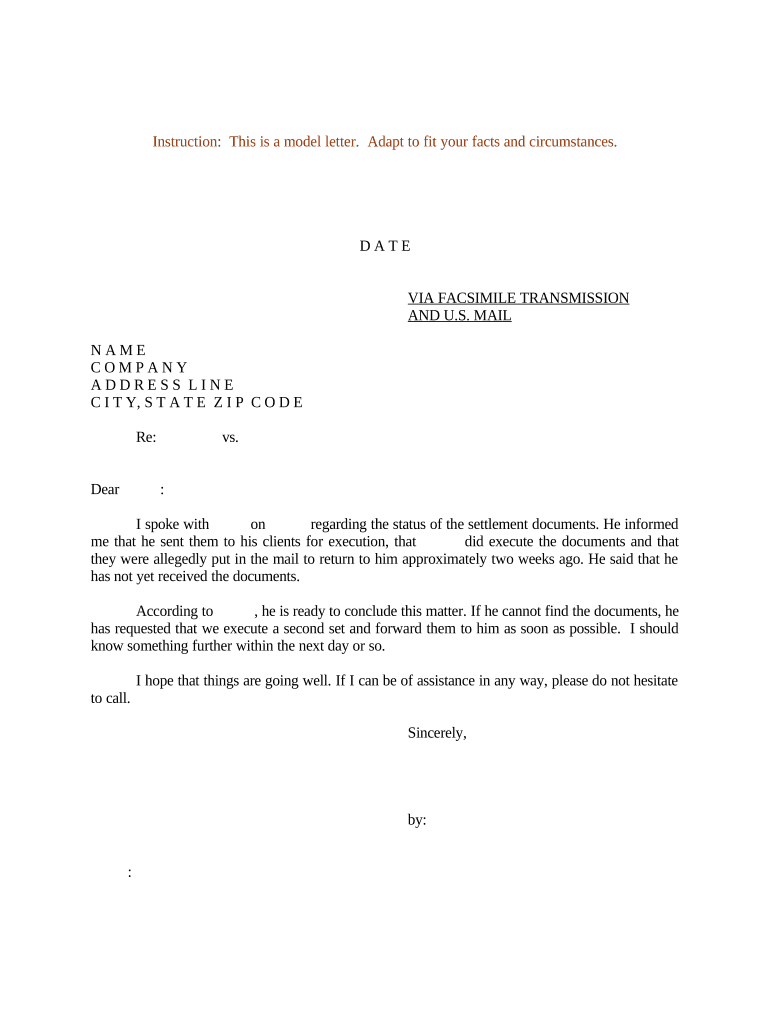
A Letter Regarding Settlement Documents is a formal written communication that accompanies settlement paperwork to explain terms, list enclosed documents, specify actions required by the recipient, and set deadlines for execution and return. It commonly outlines who must sign, whether the documents require notarization or witness signatures, payment details, and how executed originals or electronic copies should be delivered. The letter helps reduce ambiguity in multi-party settlements, creates a record of instruction, and serves as a reference for counsel, insurers, and regulatory or tax reporting needs when payments or releases are involved.

Why a clear settlement letter matters

A concise Letter Regarding Settlement Documents clarifies obligations, prevents processing delays, and documents timelines that can affect enforceability, tax reporting, and release scope. It reduces signer confusion and supports compliance with electronic signature and recordkeeping laws.

Why a clear settlement letter matters

Who typically prepares and receives this letter

Professionals on both sides use the letter to coordinate closing tasks and confirm required evidence or approvals.

  • Claimant or Payor representative — Sends the letter with settlement agreement and payment instructions to the other party to request signatures and confirm release terms.
  • Attorneys and claims administrators — Use the letter to list attached exhibits, notarization needs, and deadlines for escrow or disbursement.
  • Insurance adjusters and corporate counsel — Rely on the letter to document conditions precedent for payment and to coordinate tax reporting or subrogation steps.

The letter ensures each recipient knows next steps and the documents they must return to finalize the settlement.

Who may sign on behalf of parties

Authorized Signatory

A company officer, partner, or agent with clear written authority to bind the party should sign settlement documents. Attach a corporate resolution or authorization letter if the signer is not the named party.

Attorney-in-Fact

A person holding a valid power of attorney may sign when the POA expressly permits settlement or release execution. Confirm POA scope and state witnessing/notarization rules before acceptance.

Key elements to include in the Letter Regarding Settlement Documents

A professional settlement letter is brief but complete: identify enclosures, state actions required, name signers, supply deadlines and return instructions, and mention authentication or notarization expectations.

Document list

Enumerate each enclosed form (settlement agreement, general release, tax forms, stipulations) so recipients can confirm completeness before signing and returning.
Action required

State precisely what the recipient must do (sign, initial specific pages, obtain notarization, provide identification) and whether countersignature is required from the sender.

Deadlines

Provide a clear date by which documents must be returned and indicate consequences for missed deadlines, including potential rescission or renegotiation of payment terms.

Return instructions

Specify preferred delivery method for signed documents—physical mailing address, courier details, or electronic submission instructions including acceptable file formats.

Authentication notes

Indicate whether notarization, witness signatures, or remote online notarization is required, and describe any identity verification standards expected.

Tax and reporting

Note any tax forms or withholding obligations that may follow the settlement and whether payees should expect information returns for payments.

Required fields to include in the letter and attachments

Full legal names: As on ID
Mailing addresses: Street, city, state, ZIP
Effective date: MM/DD/YYYY format
Signature lines: Printed name and date
Notary block: If required
Tax ID info: TIN or SSN as required

Step-by-step: completing and returning settlement documents

Follow this sequence to reduce processing friction and preserve enforceability.

  • 01
    Review package: Read all enclosed documents before signing.
  • 02
    Sign in required places: Use full legal name and date each signature line.
  • 03
    Authenticate if needed: Obtain notarization or witness signatures as specified.
  • 04
    Return originals: Send physical or e-signed copies per instructions.

How to configure an electronic workflow for settlement documents

Set up fields and routing so each party receives the right documents in the correct order and signs with required authentication.

Field Configuration
Signature Require signer name and signature field
Date Auto-fill date or signer-entered date
Notary Include notarization block when remote or in-person required
Routing Set signer order and final recipient

Typical routing and submission flow for executed settlement packages

Define a single path for review, signature, authentication, and final delivery to reduce errors and preserve audit records.

  • Prepare: Sender uploads and tags signature fields
  • Route: System sends in the specified signer order
  • Authenticate: Signers complete identity checks if required
  • Archive: Final executed copy distributed to parties

Technical considerations for signing and submitting electronically

Choose a platform that supports required authentication, audit trails, and accepted file formats for your jurisdiction and industry.

  • File types: PDF and DOCX supported
  • Integrations: CRM and cloud storage
  • Authentication: Email, SMS, or KBA

Confirm the chosen system meets compliance needs (ESIGN/UETA) and supports secure storage, access logs, and any required notarization workflow or video recording for RON.

Common timelines to state in the letter

Set realistic return and processing deadlines and explain how timing affects payment, releases, and tax reporting obligations.

Signing deadline:

Typically 14–30 days from receipt unless parties agree otherwise

Notarization window:

Require notarization within the signing deadline if applicable

Return of originals:

Request originals within specified days for disbursement

Payment timing:

State when payment will issue after receipt of executed documents

Tax reporting:

Payer may issue information returns next calendar year

Key milestones from offer to settlement completion

Track each milestone so parties know when obligations are met and when funds or releases will be processed.

01

Offer Acceptance

Recipient signs and returns the settlement agreement

02

Authentication Completed

Notary or identity verification is performed if required

03

Documents Received

Sender confirms receipt of fully executed originals or certified copies

04

Disbursement

Payment or consideration is released per the settlement terms

Common mistakes that delay settlement processing

  • Using an informal or incomplete letter that omits required enclosures or signer instructions, causing back-and-forth and missed deadlines.
  • Submitting unsigned or partially signed release pages; initialing only where a full signature is required can invalidate acceptance.
  • Mismatched or incomplete legal names on tax documentation, which can trigger backup withholding or refusal to process payment.
  • Failing to follow state-specific notarization or witness rules, leading to refusal by payor or need for re-execution.

Legal and financial risks of incorrect or incomplete letters

Tax reporting: May trigger 1099 obligations; see IRC §6721
Enforceability: Unsigned releases risk being unenforceable under ESIGN (15 U.S.C. ch. 96)
I-9 implications: Employment-related settlements can affect I-9 rules (8 CFR §274a.2)
Perjury risk: False statements in settlement materials can have legal consequences
Privacy breach: Improperly shared PHI may violate HIPAA (45 CFR §164.502)
Late response: Missed deadlines can alter payment or release terms

Real-world examples of settlement letters and electronic execution

Examples show how practitioners use a settlement letter to streamline execution and recordkeeping.

Martin Properties

Martin Properties processed a landlord-tenant settlement entirely online for timely closing

  • They used clear return instructions and required notarization where state law applied
  • By specifying deliverables and deadlines in the letter, the process completed without in-person meetings and documents were archived for compliance.

Fertility Centers of Illinois

Fertility Centers of Illinois used secure e-signing and audit trails for settlement agreements

  • They attached authorization language to meet HIPAA needs
  • The letter clarified patient data handling and ensured the executed documents met health privacy and retention requirements.

Practical tips for accurate and efficient completion

Follow a consistent checklist to avoid rework and ensure legal and tax compliance in settlements.

Use precise language
State actions required, deadlines, and consequences in plain, unambiguous terms to reduce disputes and the need for re-execution.
Match identification
Require signers to present ID when notarization or in-person signing is needed; mismatched names can cause payors to withhold payment.
Document control
Number enclosed pages and request initialing of any changed or critical paragraphs to document assent clearly.
Preserve audit trails
When using electronic signatures, ensure the platform retains timestamps, IP addresses, and authentication logs for evidentiary support.

Selected eSignature vendor comparison for executing settlement documents

Cost and feature differences matter for high-volume or compliance-sensitive settlements; signNow is listed first for parity with plan and pricing data.

signNow DocuSign Adobe Sign PandaDoc HelloSign
Starting Price $8/user/mo $15/user/mo $14/user/mo $19/user/mo $15/user/mo
Free Trial 7-day free trial Varies by offer Varies by offer Varies by offer Varies by offer
Bulk Send Yes Yes Yes Yes No
Audit Trail Yes Yes Yes Yes Yes
HIPAA Compliant Yes Yes Yes No No

Frequently asked questions about Letters Regarding Settlement Documents

Answers address common legal, technical, and process questions encountered when sending and executing settlement paperwork.


Need help? Contact support

be ready to get more
Join over 28 million airSlate SignNow users