Establishing secure connection…Loading editor…Preparing document…

Support Agreement Form

This template is fully customizable. Edit the text, fill out the fields, and send it for signature. Give it a try!
Support Agreement Form

What the Support Agreement Form Is and when it applies

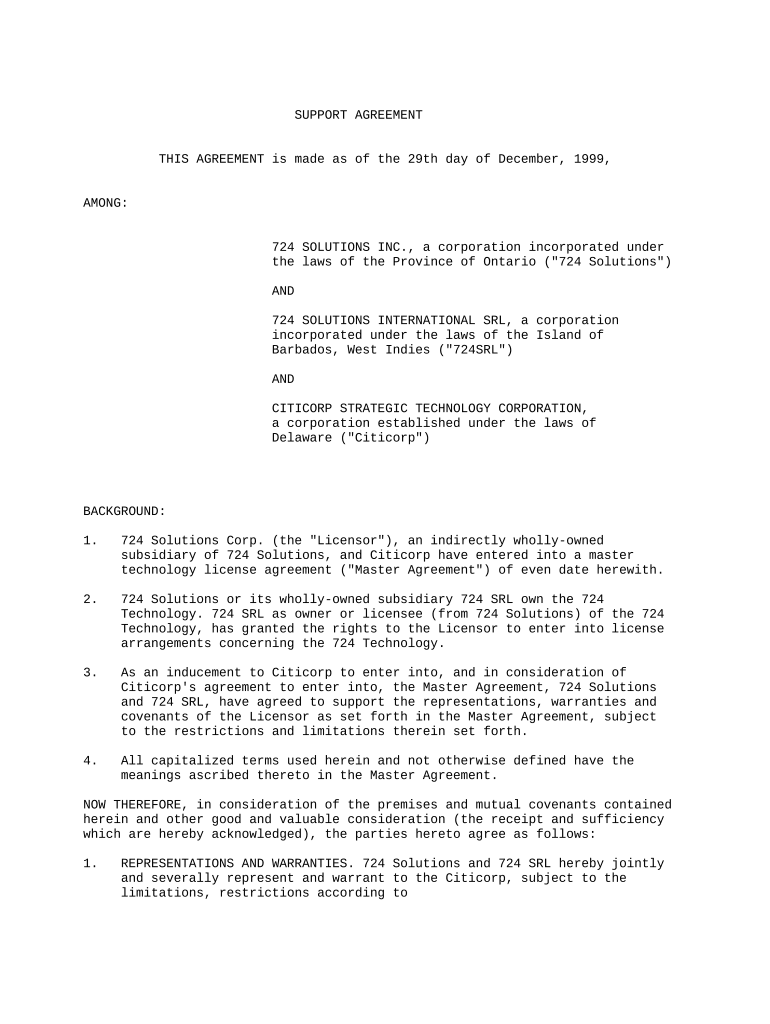
A Support Agreement Form documents the services, responsibilities, and response commitments between a service provider and a customer for ongoing technical, maintenance, or operational support. It typically defines the scope of covered issues, service levels (SLA), escalation paths, fees or billing terms, effective dates, termination rights, and confidentiality obligations. Organizations use the form to set expectations, allocate liabilities, and create an enforceable record of recurring support obligations. The document can be standalone or appended to a master services agreement and usually requires signatures from authorized representatives of both parties.

Why a clear Support Agreement Form matters

A precise Support Agreement Form reduces ambiguity about response times, pricing, and responsibilities, lowering dispute risk and improving operational handoffs.

Why a clear Support Agreement Form matters

Who prepares and who signs a Support Agreement Form

Ensure signers listed match internal authority matrices to avoid enforceability or billing disputes.

  • Service providers — operations, account managers, or legal staff who define SLAs and pricing.
  • Customers — procurement, IT managers, or authorized executives who accept obligations and access terms.
  • Third parties — billing teams, managed service vendors, or subcontractors when delegated support responsibilities exist.

Primary signer roles

Account Manager

An account manager typically signs on behalf of a provider when authorized in writing; they handle operational acceptance, SLA commitments, and routine amendments on the provider's behalf.

Authorized Officer

A customer-side authorized officer or procurement officer signs to bind the customer; legal or finance teams should verify payment terms, indemnities, and termination rights before signing.

Essential elements to include in a professional Support Agreement Form

A complete form covers scope, service levels, fees, term and renewal, confidentiality, liability limits, and signature blocks so both parties know expectations and remedies.

Scope of Support

Describe covered systems, services, and exclusions. Be specific about versions, environments, and excluded work such as new feature development or third-party integrations.
Service Levels

Define response and resolution targets by priority level, business hours coverage, escalation contacts, and metrics used to measure compliance with SLAs.

Fees and Billing

State retainer, per-incident, or hourly rates, billing intervals, late fees, and any travel or out-of-pocket expense reimbursement provisions.

Term and Renewal

Specify initial term, automatic renewal rules, notice periods for non-renewal, and the effective date that starts obligations and performance metrics.

Termination and Remedies

Include termination for convenience and for cause, cure periods, refund or final invoicing procedures, and limited remedies like service credits.

Confidentiality & Data

Address protected data handling, data access limitations, breach notification timelines, and any required privacy addenda or BAAs in healthcare contexts.

Step-by-step: completing and finalizing the form

Follow these steps to fill, review, sign, and distribute the Support Agreement Form in sequence.

  • 01
    Prepare details: Gather entity names, tax IDs, scope items, and pricing.
  • 02
    Populate fields: Complete all required fields and dates in MM/DD/YYYY format.
  • 03
    Internal review: Have legal and finance verify terms, limits, and billing schedules.
  • 04
    Execute signatures: Obtain authorized signatures and retain the fully executed copy for records.

Typical routing and approval flow for a Support Agreement Form

A clear routing sequence reduces turnaround time and ensures approvals from the right stakeholders.

  • Draft: Provider drafts with scope and fees.
  • Customer review: Customer legal and procurement confirm terms.
  • Signature: Authorized signers execute the final document.
  • Distribution: Final copies shared with finance and operations.

Configuring an online workflow for the Support Agreement Form

Set up an online workflow to collect data, route for approvals, and capture signatures reliably.

Field Configuration
Signer order Sequential or parallel routing depending on approvals.
Authentication Choose email, SMS code, or stronger methods for identity.
Required fields Make entity name, effective date, and signature mandatory.
Audit trail Enable full logs with timestamps and IP addresses.

Digital signing and technical requirements

Ensure the chosen system can retain signed copies, produce certificates of completion, and integrate with your records systems.

  • File formats: PDF and Word (DOCX) are standard.
  • Integrations: Connect to CRM, ERP, or cloud storage for routing.
  • Authentication: Support email, SMS, or advanced signer verification.

Common timing and response deadlines to include

Specify measurable deadlines for notices, responses, renewals, and billing to prevent disputes.

Notice Period:

30 days for non-renewal or contract termination is common.

Response Time:

SLA response windows often measured in business hours.

Payment Due:

Net 30 from invoice date unless otherwise stated.

Renewal Notice:

60–90 days advance notice to decline renewal.

Dispute Cure:

10–30 days to cure material breaches after notice.

Key milestones and processing stages

Track the agreement lifecycle with clear milestones from draft to post-termination obligations.

01

Draft Completion

Finalize scope and fees before routing for internal review.

02

Internal Approval

Legal and finance approve redlines and billing controls.

03

Execution

Signatures gathered and certificate of completion issued.

04

Post-Execution Setup

Provision support contacts and update ticketing or billing systems.

Common mistakes to avoid when preparing a Support Agreement Form

  • Vague scope descriptions that leave key systems or versions undefined, causing billing and performance disputes later.
  • Unclear SLA definitions that fail to distinguish response versus resolution times or business hours versus after-hours coverage.
  • Missing authorization details so signers lack actual authority to bind the organization, creating enforceability issues.
  • Failing to align payment terms with invoicing processes, which can delay collections or trigger unintended termination rights.

Risks and potential consequences of an incomplete or incorrect form

Contract Disputes: Higher litigation or arbitration risk.
Billing Disputes: Unpaid invoices or chargebacks.
Service Interruptions: Unauthorized termination or paused support.
Regulatory Exposure: HIPAA or privacy breaches if data terms missing.
Reputational Harm: Customer dissatisfaction and churn.
Enforceability Issues: Invalid signatures or wrong parties named.

How a Support Agreement Form differs from a Service Contract

Compare common criteria to decide whether a short-form support agreement or a full service contract is appropriate.

Criteria Support Agreement Full Service Contract
Primary focus ongoing support broad project deliverables
Typical length shorter longer
SLA detail high variable
Change orders frequent formal process

eSignature vendor comparison for executing Support Agreement Forms

Key pricing and capability differences among common eSignature platforms; signNow is listed first per vendor comparison guidelines.

signNow DocuSign Adobe Sign PandaDoc HelloSign
Starting Price $8/user/mo $15/user/mo $14/user/mo $19/user/mo $15/user/mo
Free Trial 7-day free trial Varies by vendor Varies by vendor Varies by vendor Varies by vendor
Bulk Send Yes Yes Yes Yes No
Audit Trail Yes Yes Yes Yes Yes
HIPAA Compliant Yes Yes Yes No No

Real examples of support agreements in practice

These examples show how organizations use support agreements to streamline operations and ensure compliance.

Optica Ventures — COO

The interface is simple and easy-to-use for our team; more importantly, it is just as easy for our customers.

  • Adoption simplified onboarding across account managers and reduced turnaround time on signed agreements.
  • The result was fewer follow-ups and clearer expectations between client and provider, improving operational handoffs and reducing billing disputes.

Fertility Centers of Illinois — Founder

The airSlate SignNow team has been exceptional, responsive, the API has been great, and we're extremely happy that we chose airSlate SignNow as a company.

  • The cloud execution model allowed secure signatures across multiple clinic locations.
  • That flexibility reduced administrative overhead, kept patient records consistent, and ensured HIPAA-compliant handling of signed authorizations.

Practical tips for accurate and efficient completion

Adopt these practices to minimize errors and accelerate signature cycles for support agreements.

Use standard templates
Start with an approved template to prevent inconsistent clauses, reduce review cycles, and maintain a central version for legal control.
Require key fields
Make entity name, effective date, SLA metrics, and signature blocks mandatory to prevent incomplete or unenforceable documents.
Centralize execution
Route all agreements through a single platform and approvals workflow to create consistent audit trails and shorten turnaround time.
Document changes
Record amendments as addenda with dates and signatures rather than redlining the signed original to preserve a clear contract history.

Frequently asked questions about Support Agreement Forms

Answers to common questions about validity, signatures, and handling of Support Agreement Forms.


Need help? Contact support

be ready to get more
Join over 28 million airSlate SignNow users