Notice of HUD Inspection
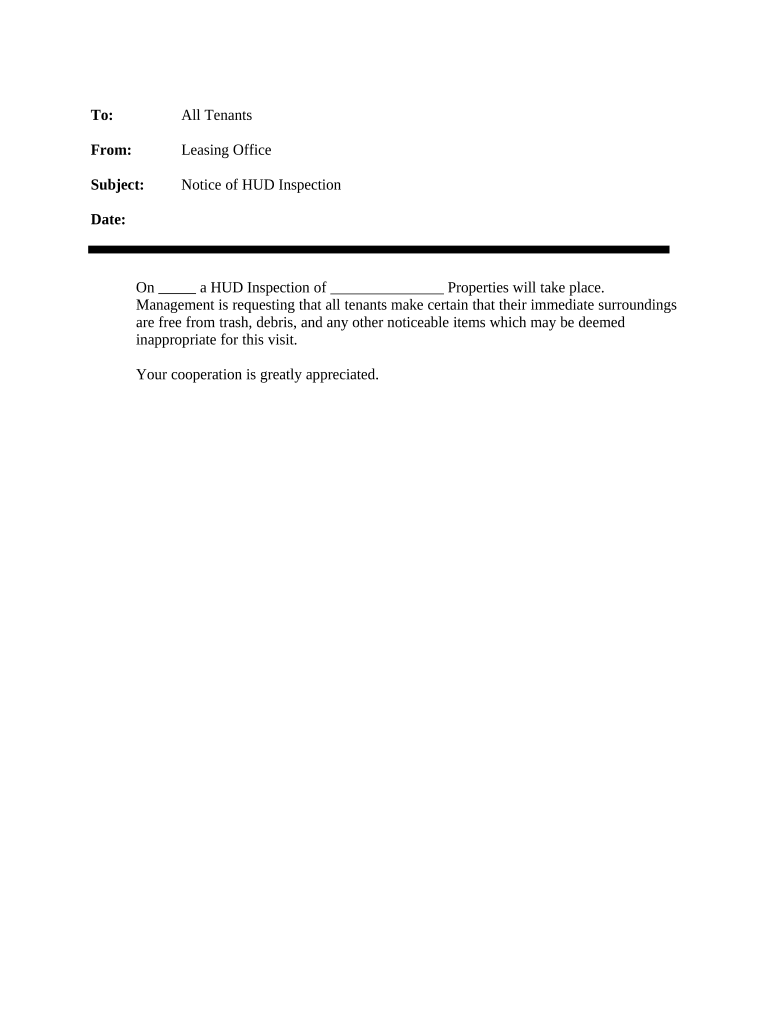
What the Notice of HUD Inspection Is
Why a Clear Notice Matters for Compliance
Use a Notice of HUD Inspection to satisfy HUD program requirements, respect tenant notice rights, and create a documented inspection record. Clear notices reduce access disputes, support compliance with HUD monitoring or contract obligations, and streamline corrective-action tracking.

Typical Users and Stakeholders
Typical users who prepare and serve a Notice of HUD Inspection include public housing authorities, property managers, and landlords responsible for HUD-assisted properties.
- Public housing authorities scheduling HUD monitoring inspections and documenting findings for compliance records.
- Property managers notifying tenants of unit inspections and coordinating access to common areas.
- Landlords serving notice to tenants in subsidized units to meet HUD program requirements.
Step-by-Step: Preparing and Serving the Notice
-
01Identify Property: Record property name, unit number, and HUD program identifier.
-
02Set Date Window: Provide specific date or narrow time window for inspection.
-
03Describe Purpose: State scope: health, safety, HQS, or program compliance.
-
04Deliver Notice: Choose permitted delivery method and obtain proof of receipt.
Configuring an Online Notice Template
| Online Template Configuration Field Name | Enter recommended configuration for each field. |
|---|---|
| Signer Authentication and Verification Settings | Email verification with optional SMS code; stronger KBA for high-risk situations. |
| Date and Time Window Formatting | Use MM/DD/YYYY; include precise start and end times. |
| Delivery Methods and Proof of Service | Enable email delivery, certified mail option, and postal proof tracking. |
| Audit Trail and Document Retention | Capture IP, timestamps, and store signed PDF with metadata. |
Where to Send and How Routing Works
-
Prepare Notice: Generate PDF notice with full fields populated.
-
Deliver to Tenant: Email, certified mail, posted notice, or hand-delivery per HUD rules.
-
Notify HUD/PHAs: Submit copy to local PHA or HUD regional office when required.
-
Archive Record: Save signed notice and delivery proof in tenant file.
Technical Requirements for eSubmission and Storage
Digital delivery and eSubmission require secure PDF, signer authentication, and audit trails to support HUD compliance and record requests.
- Supported Formats: PDF, DOCX, and scanned images.
- Integrations: Google Workspace, Microsoft 365, NetSuite, Procore.
- Security Standards: TLS, AES-256 encryption, audit trail.
Common Timelines and Deadlines to Track
Advance Notice Period:
Commonly 24–48 hours; some HUD programs require 7–10 days.
Reschedule Requests:
Tenants may request reasonable accommodation or reschedule per local rules.
Proof of Delivery Timing:
Retain delivery receipts and tracking numbers immediately after sending.
Correction Response Window:
Allow time for tenants or managers to correct identified deficiencies.
Record Retention Start:
Retention begins on inspection date; follow applicable federal retention rules.
Milestone Timeline for an Inspection
Notice Issued
Serve written notice according to program timing and delivery rules.
Inspection Conducted
Inspector verifies unit condition against HUD Quality Standards (HQS) or contract criteria.
Findings Documented
Record violations with photos, citations, and corrective-action deadlines.
Follow-Up & Closeout
Confirm repairs, obtain receipts, and update compliance records.
Common Preparation and Delivery Mistakes
- Failing to provide a specific date or narrow time window often leads to tenant disputes and may breach HUD notice requirements, delaying inspection and remediation.
- Using ambiguous delivery methods without proof (for example, email without delivery receipt) reduces ability to demonstrate proper notice and increases administrative risk during audits.
- Omitting required inspector identification, agency affiliation, or contact details can cause tenants to refuse entry or question inspection legitimacy, hindering compliance.
- Not recording and retaining signed notices, delivery receipts, and photographic evidence makes it difficult to defend program compliance during HUD monitoring visits.
Consequences of Deficient or Missing Notices
eSignature Pricing and Feature Comparison for Inspection Notices
| signNow | DocuSign | Adobe Sign | PandaDoc | HelloSign | |
|---|---|---|---|---|---|
| Starting Price | $8/user/mo | $15/user/mo | $14/user/mo | $19/user/mo | $15/user/mo |
| Free Trial | 7-day free trial | No | No | Yes, limited | Yes, limited |
| Bulk Send | Yes | Yes | Yes | Yes | No |
| Audit Trail | Yes | Yes | Yes | Yes | Yes |
| HIPAA Compliant | Yes | Yes | Yes | No | No |
Real-World Examples of Digital Notices
Martin Properties
Martin Properties moved inspection notices and follow-up documentation online to reduce in-person work and centralize tenant records.
- Turnaround reduced to same-day processing.
- By storing signed notices with audit trails and delivery receipts, the team reduced administrative backlog, improved tenant communication, and maintained consistent documentation for HUD monitoring and subsidy compliance.
Optica Ventures LLC
Optica Ventures adopted digital notices to streamline vendor and tenant communications, ensuring inspection scheduling was tracked and documented centrally.
- Documentation improved, customers found it easier.
- Centralized signed notices and searchable records simplified audit responses, reduced follow-ups, and provided clear timelines for corrective actions during HUD or third-party inspections.
Frequently Asked Questions About Notice of HUD Inspection
-
Do Notices of HUD Inspection need notarization?
Not usually. Most HUD inspection notices do not require notarization; however, state or local program rules or certain landlord-tenant procedures may require additional authentication. Check state notary rules and HUD or PHA guidance; when in doubt, retain proof of delivery and consider RON where allowed.
-
How much advance notice must be given?
Advance notice varies by HUD program and local PHA policy. Common practice is 24–48 hours for routine inspections, with some programs requiring 7–10 days. Consult your PHA's policy and HUD program instructions to determine the correct notice period for the property.
-
Can tenant consent be obtained electronically?
Yes. Under the ESIGN Act (15 U.S.C. ch. 96) and UETA, tenants can consent to electronic notices and signatures if consent is obtained and recordable. For consumer-facing records provide ESIGN consumer disclosures and retain an auditable consent record.
-
What proof of delivery is acceptable?
Acceptable proof includes email delivery receipts, certified mail return receipts, signed hand-delivery acknowledgments, or platform-generated audit trails showing timestamp, IP address, and signer actions. Keep these records with the notice to support compliance during HUD monitoring or disputes.
-
How should I store signed notices securely?
Store signed PDFs with embedded audit trails in a secure document management system using AES-256 at-rest encryption and TLS in transit. Maintain role-based access, searchable metadata, and backed-up archives to meet retention and audit needs.
-
Who can sign the notice on behalf of owner or manager?
An authorized representative with written agency authority may sign: property owner, property manager, or designated agent. For public housing, the PHA's designee signs. Ensure signatory authority is documented and matches lease or management agreements to avoid validity challenges.