Establishing secure connection…Loading editor…Preparing document…

Texas Easement

This template is fully customizable. Edit the text, fill out the fields, and send it for signature. Give it a try!
Texas Easement

What a Texas Easement Is and How it Works

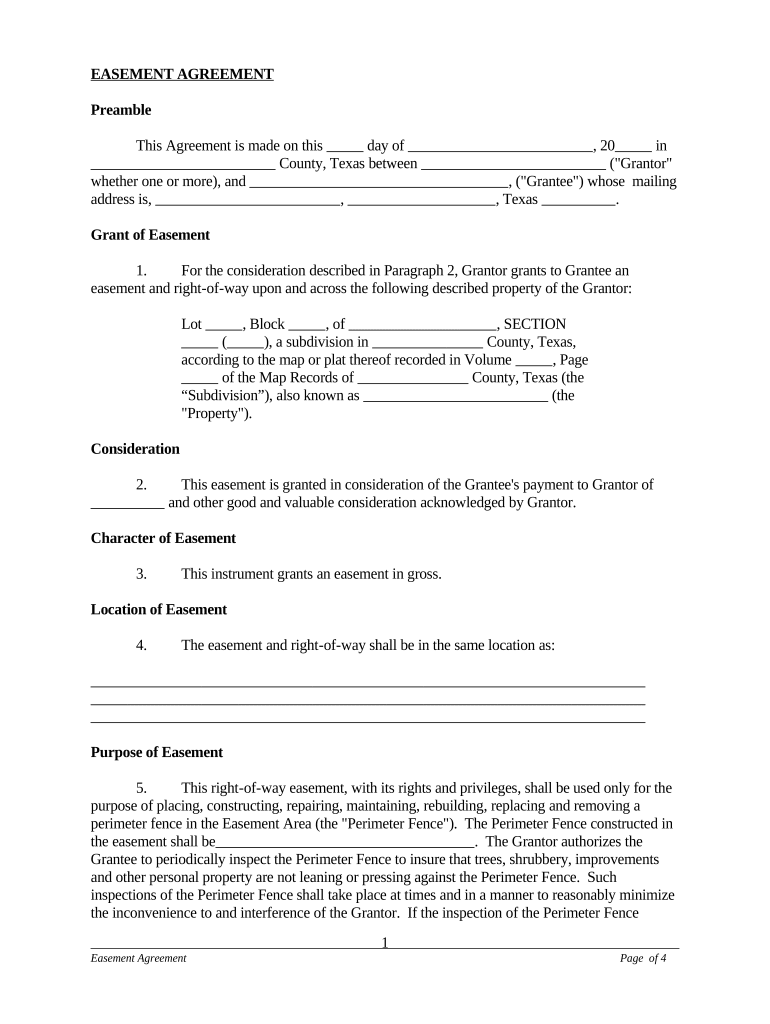
Texas Easement is a legal instrument used to grant, reserve, or limit rights in land for a specific purpose, such as access, utilities, drainage, or conservation. The document describes the parties, the area subject to the easement, the legal description of the servient and dominant estates, permitted uses, duration or term, maintenance obligations, and any conditions or restrictions. In Texas, an easement typically must be drafted with precise legal descriptions and recorded in the county where the property is located to provide constructive notice to subsequent purchasers and lenders.

Why a Proper Texas Easement Matters

Use a Texas Easement to secure access, utility corridors, or conservation rights while preserving ownership. Recording the easement protects title interests, notifies third parties, and establishes enforceable obligations that survive transfers of property ownership.

Why a Proper Texas Easement Matters

Who Typically Prepares and Signs a Texas Easement

Typical users include property owners, title companies, surveyors, municipal utilities, and real estate attorneys handling land rights or development permitting.

  • Property owners and grantors negotiating access or utility rights during sale or development.
  • Title companies and abstractors preparing closing packages and ensuring proper recording.
  • Municipalities, utilities, and easement holders managing public access and infrastructure corridors.

Step-by-Step: Prepare, Execute, and Record a Texas Easement

Follow this step-by-step sequence to prepare, execute, and record a Texas Easement to create enforceable property rights and notice effectively.

  • 01
    Draft Document: Describe parties, legal description, purpose, duration, and responsibilities.
  • 02
    Review Title: Confirm ownership, liens, and title commitments before recording.
  • 03
    Execute Signatures: Have all required signatories sign and date, include notary where needed.
  • 04
    Record Easement: File with county clerk, attach instrument cover sheet and recording fee.

Common Questions and Practical Answers About Texas Easements

[INTRO] Common practical answers for preparing, signing, recording, and updating a Texas Easement to minimize defects and disputes.


Need help? Contact support

eSignature Pricing and Feature Comparison for Easement Workflows

Compare vendor pricing and feature availability for eSignature tools commonly used to execute and manage Texas Easement documents.

signNow DocuSign Adobe Sign PandaDoc HelloSign
Starting Price $8/user/mo $15/user/mo $14/user/mo $19/user/mo $15/user/mo
Free Trial 7-day free trial Varies by plan Varies by plan Varies by plan Varies by plan
Bulk Send Yes Yes Yes Yes No
Audit Trail Yes Yes Yes Yes Yes
HIPAA Compliant Yes Yes Yes No No
Envelope Cap No envelope cap 100 envelopes/user/year Varies by plan Varies by plan Varies by plan

Security and Compliance Considerations

Encryption: TLS 1.2/1.3 in transit; AES-256 at rest.
Certifications: ISO 27001, SOC 2 Type II, PCI DSS certified.
HIPAA: BAA available; HIPAA compliance supported.
ESIGN / UETA: Compliant with ESIGN and UETA.
21 CFR Part 11: Supports FDA electronic record requirements.
Access Controls: SSO, 2FA, and role-based permissions.

Primary Risks and Consequences of Errors

Recording Failure: Easement may not bind successors.
Ambiguous Terms: Leads to enforcement disputes.
Missing Signatures: Instrument may be invalid.
Incorrect Description: Boundary errors and title claims.
Tax Consequences: Possible reassessment for grantee.
Notary Rejection: County clerk may refuse recording.

Common Preparation Mistakes to Avoid

  • Using imprecise or colloquial property descriptions instead of metes-and-bounds or recorded plat references, which can render an easement unlocatable and complicate title searches and enforcement.
  • Failing to identify the correct legal owner or signing party, including corporate signatory authority, can lead to challenges to validity or later rescission claims.
  • Not recording the easement promptly at the county clerk’s office leaves the interest concealed from third parties and increases the risk of adverse priorities.
  • Overly broad or indefinite use clauses create enforcement problems; define permitted activities, maintenance responsibilities, and any limitations to reduce disputes.

Where to Send and Record a Texas Easement

Understand standard routing for a Texas Easement from drafting through recording and distribution to affected parties and title professionals.

  • County Clerk: Record original instrument with the county clerk's office.
  • Title Company: Provide copy for title commitment and abstracting.
  • Mortgagee / Lender: Send notice to lender when easement affects collateral.
  • Easement Holder: Supply executed copy for record and maintenance files.

Configuring a Digital Workflow for Easement Execution

Configure digital workflows to collect lawful electronic signatures, authenticate signers, and store recorded easements with tamper-evident audit trails and access controls.

Field Configuration
Signer Authentication Email link, SMS code, or knowledge-based authentication.
Conditional Fields Show relevant clauses based on selections.
Notary / RON Enable remote notarization where accepted, record A/V.
Retention Policy Automatically store signed PDF and audit trail.

Practical Examples of Easement Workflows

Real-world examples illustrate common workflows: private easement grants and utility corridor endorsements processed with remote signatures and recorded for notice.

Case Study 1

A Texas property manager needed to grant access easements for shared driveways across multiple tracts during rapid portfolio disposition, requiring remote approvals from dispersed owners.

  • Used remote signing and notarization where accepted.
  • The executed instruments were recorded in the county clerk records, reducing in-person coordination. Tim Martin of Martin Properties noted that processing and executing documents online maintained compliance while improving turnaround times for closings and title clearance.

Case Study 2

A land developer required multiple utility easements for a subdivision, coordinating contractors, municipalities, and utility companies across several counties.

  • Template clauses and bulk send simplified execution.
  • Using a digital workflow allowed bulk distribution and standardized clauses; Brian Fitzgibbons of Optica Ventures emphasized that a simple, user-friendly interface made it straightforward for both their team and counterparties to complete documents quickly and consistently.

Technical Requirements for Electronic Easement Execution

Technical considerations for eSigning and eSubmission include supported file formats, integrations, authentication, and storage compliant with recordkeeping rules.

  • File Formats: PDF and DOCX supported; Word retains fields.
  • Integrations: Salesforce, NetSuite, Microsoft 365, Google Workspace
  • Authentication: Email, SMS, SSO, and two-factor options.

be ready to get more
Join over 28 million airSlate SignNow users