Texas Service Form
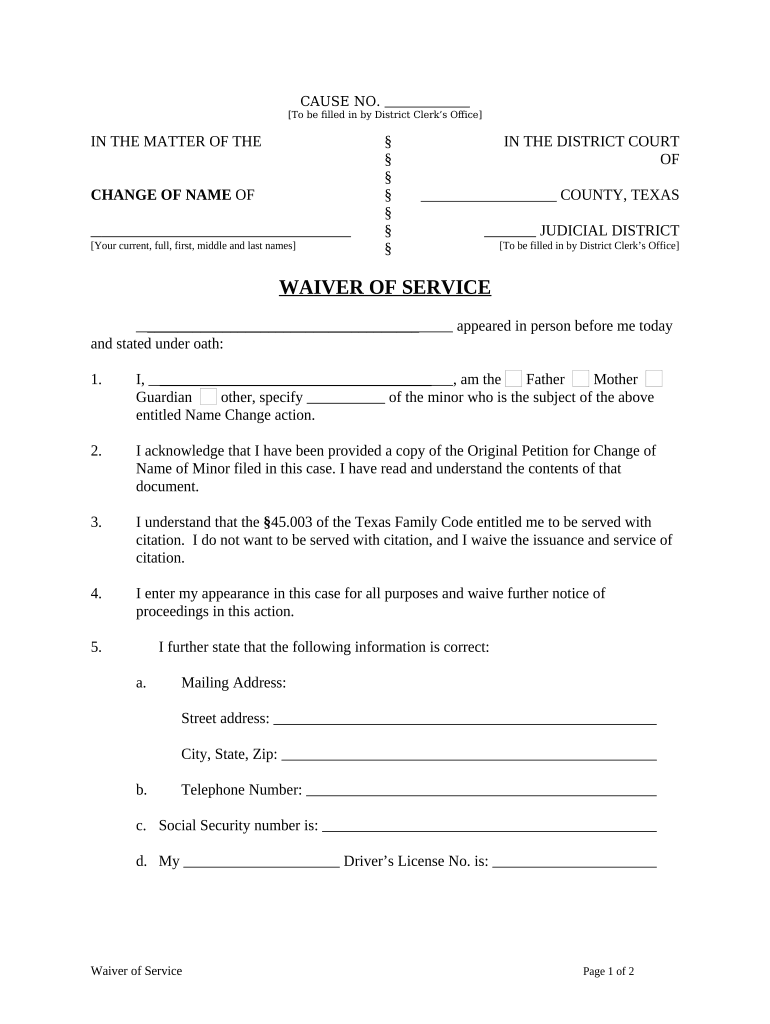
What the Texas Service Form Is and when it’s used
Why a clear Texas Service Form matters
A properly completed Texas Service Form establishes a verifiable record that service was made according to procedure, protects parties from procedural dismissal, and supports court filings. It documents chain-of-custody details that courts rely on when assessing jurisdiction and notice.

Who typically completes and files this form
Ensure the signer has authority and that the completed form meets local court or agency formatting requirements.
- Process servers and sheriff deputies who physically deliver documents and file notarized affidavits with the court.
- Attorneys and paralegals who prepare filings and attach proof of service to motions or writs.
- Court clerks and e-filing services that accept, stamp, and archive the proof of service for case records.
Step-by-step: completing a Texas Service Form
-
01Prepare Case Details: Copy court, cause number, and party names from the original filing.
-
02Record Service Attempts: List each attempt with date, time, and address.
-
03Choose Method: Indicate personal, substituted, mail, or other authorized method.
-
04Sign and Verify: Signer signs under oath; notarize if the court or local rule requires it.
Where the completed form goes and how it’s used
-
File with Court: Attach the completed form to filings or upload via the court’s e-filing system.
-
Serve Other Parties: Provide opposing counsel or parties with a copy per procedural service rules.
-
Retain Original: Keep the original affidavit or declaration in your case file for auditing and appeals.
-
Provide to Process Server: Give the form to the server before or immediately after service to capture contemporaneous details.
Technical requirements for digital completion and submission
Check local court guidelines for e-filing file type limits and any required metadata when uploading.
- File Formats: PDF, DOCX accepted by most courts and e-filing portals.
- Signer Authentication: Email link, SMS code, or advanced ID verification reduces challenge risk.
- Integrations: Works with systems such as Microsoft 365, Google Workspace, and case management platforms.
Key timing rules and deadlines to watch
Federal Rule Timing:
Federal cases commonly require service within 90 days of filing.
State Court Variations:
State courts set their own service windows; some are shorter than federal rules.
Default Judgment Timing:
A properly timed proof of service allows default motions to proceed without further delay.
Extension Requests:
File a motion or request for additional time when attempts fail.
E-Filing Cutoffs:
Court portals may have daily upload deadlines affecting filing date stamping.
Common mistakes to avoid when preparing service forms
- Incomplete addresses or incorrect case numbers that prevent the court from matching the record.
- Vague method descriptions such as 'left with someone' without naming the person or relationship.
- Missing signatures or unsigned notary blocks when the jurisdiction requires notarized affidavits.
- Failing to retain original proof of service and supporting logs for appeals or verification.
Consequences of incorrect or deficient service documentation
Typical vendor pricing and capability snapshot for eSignature when handling service forms
| signNow | DocuSign | Adobe Sign | PandaDoc | HelloSign | |
|---|---|---|---|---|---|
| Starting Price | $8/user/mo | $15/user/mo | $14/user/mo | $19/user/mo | $15/user/mo |
| Free Trial | 7-day trial | Verify with vendor | Verify with vendor | Verify with vendor | Verify with vendor |
| Bulk Send | Yes | Yes | Yes | Yes | No |
| Audit Trail | Yes | Yes | Yes | Yes | Yes |
| HIPAA Compliant | Yes | Yes | Yes | No | No |
Real-world examples using e-signed service documentation
Martin Properties
The property management firm moved eviction notices and proof-of-service records online to reduce turnaround time.
- They used mobile signing for on-site servers.
- As a result, managers reported consistent, auditable records and fewer scheduling delays when filing necessary court notices and attachments.
Fertility Centers of Illinois
The clinic adopted digital service acknowledgements for patient-related administrative notices.
- They integrated the workflow with their records system.
- This reduced misfiled records, ensured secure storage of sensitive notices, and improved administrative traceability for audits and follow-ups.
Practical tips for accurate, defensible service documentation
Frequently asked questions about the Texas Service Form
-
Can the form be electronically signed?
Yes; electronic signatures are legally recognized under the ESIGN Act and UETA when intent and attribution are demonstrated and records can be retained and reproduced. Confirm consumer disclosure rules for consumer-facing matters.
-
Is notarization always required?
Not always. Whether a notarized affidavit is required depends on the court or the document type. Verify local rules; some courts accept unsworn declarations while others require notarized affidavits.
-
What authentication reduces dispute risk?
Use multi-factor signer authentication or documented chain-of-custody logs. Stronger authentication methods improve attribution and lower chances of later challenge.
-
How long should I keep originals?
Retain originals for the life of the case plus a multi-year period afterward; follow federal and state retention rules applicable to your industry.
-
Can a defective form be corrected after filing?
Some courts permit amended or supplemental proof-of-service filings if corrected promptly; others require a motion. File amendments per local procedure to avoid dismissal.
-
What if a recipient disputes service?
Maintain contemporaneous evidence (logs, photos, affidavits) and be prepared to present witnesses or electronic artifacts to corroborate the server’s account.