Grantor ID
Full legal name and current mailing address of the property owner as shown on government-issued identification; errors may delay recording.
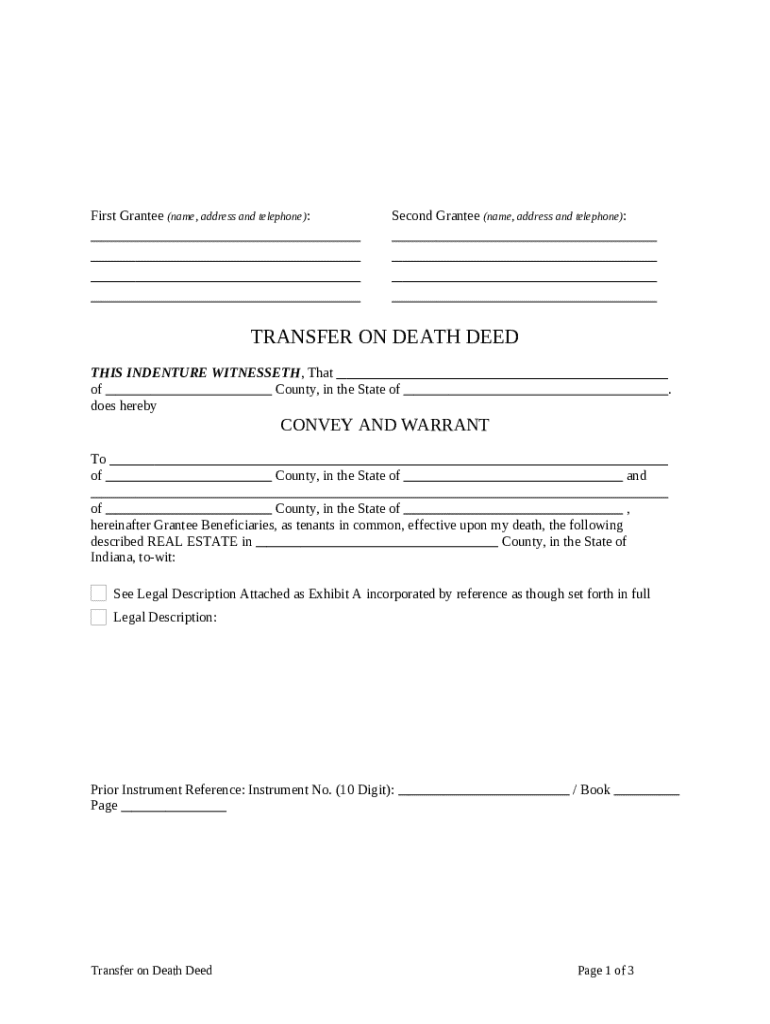
A TOD deed can avoid probate for the specific property, keeps transfer instructions public and recorded, and preserves the grantor’s control during life. It is most useful for simple, single-property transfers where beneficiaries and tax consequences have been considered.

Full legal name and current mailing address of the property owner as shown on government-issued identification; errors may delay recording.
Legal description or assessor parcel number exactly as recorded in county records; street address alone is typically insufficient to convey clear title.
Name each beneficiary clearly, including relationship and contact address; specify share percentages if dividing among multiple beneficiaries.
A concise operative clause stating that title transfers on the grantor’s death to the named beneficiary(ies), subject to outstanding liens and mortgages.
Language reserving the grantor’s right to revoke or amend the TOD deed during life; include how revocation must be executed and recorded.
Signature block, notary acknowledgement, and instructions to record the deed with the county recorder where the real property is located.
| Field | Configuration |
|---|---|
| Signature Field | Require signer signature and date; enforce notary presence if supported |
| Notary Block | Add a notary acknowledgement field with date and seal placeholder |
| Required Fields | Make grantor and property description mandatory to prevent incomplete uploads |
| Routing | Set sign order: grantor first, then notary or witness as applicable |
Ensure the eSignature platform supports notarizations, secure recordkeeping, and the integrations you need before starting execution.
Sign and notarize before recording; date of execution is not the transfer date
Record the executed deed promptly to create public notice and minimize title complications
County processing can range from same day to several weeks
Beneficiary typically provides death certificate plus recorded TOD deed to clear title
Notify title insurer to update policy after transfer
Draft deed using county-acceptable legal description and beneficiary details
Grantor signs in front of a notary (and witnesses if required)
Submit to county recorder to create public notice
Beneficiary presents recorded deed and death certificate to clear title
A retired homeowner with one rental property wanted to avoid probate delay for that asset.
An owner with a vacation home sought a revocable method to transfer only that parcel.
| signNow | DocuSign | Adobe Sign | PandaDoc | HelloSign | |
|---|---|---|---|---|---|
| Starting Price | $8/user/mo | $15/user/mo | $14/user/mo | $19/user/mo | $15/user/mo |
| Free Trial | 7-day free trial | Varies by plan | Varies by plan | Varies by plan | Varies by plan |
| Bulk Send | Yes | Yes | Yes | Yes | Varies by plan |
| Audit Trail | Yes | Yes | Yes | Yes | Yes |
| HIPAA Compliant | Yes | Varies by plan | Varies by plan | Varies by plan | Varies by plan |
| Envelope Cap | No cap | 100 envelopes/user/year | Varies by plan | Varies by plan | Varies by plan |
The property owner (grantor) must have legal capacity and sign the deed. The grantor retains full control during life and should execute the deed before a notary and any required witnesses.
Beneficiaries are named recipients of title at death but do not sign the TOD deed at execution. A notary public (and sometimes witnesses) must acknowledge the grantor’s signature for recording.
Certified death certificate required after grantor’s death to demonstrate entitlement for title transfer.
Keep PDF/A or scanned certified copy of the recorded deed for beneficiary and title insurer records.
Some counties require a cover sheet with parcel number and contact information at filing.
Use PDF or PDF/A for county recorders; preserve the notary block and any seals in the exported file.