Establishing secure connection… Loading editor… Preparing document…
Navigation

Fill and Sign the Trust Property Title Form

Fill and Sign the Trust Property Title Form

How it works

Open the document and fill out all its fields.
Apply your legally-binding eSignature.
Save and invite other recipients to sign it.

Rate template

4.8
39 votes
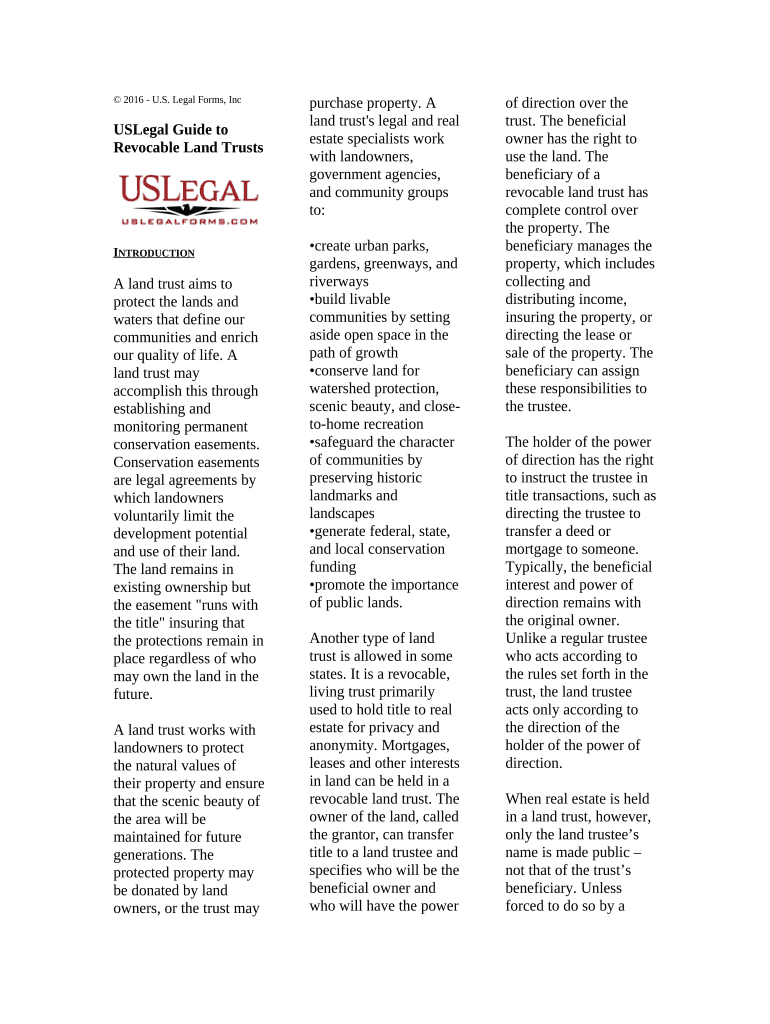
© 2016 - U.S. Legal Forms, Inc USLegal Guide to Revocable Land Trusts I NTRODUCTION A land trust aims to protect the lands and waters that define our communities and enrich our quality of life. A land trust may accomplish this through establishing and monitoring permanent conservation easements. Conservation easements are legal agreements by which landowners voluntarily limit the development potential and use of their land. The land remains in existing ownership but the easement "runs with the title" insuring that the protections remain in place regardless of who may own the land in the future. A land trust works with landowners to protect the natural values of their property and ensure that the scenic beauty of the area will be maintained for future generations. The protected property may be donated by land owners, or the trust may purchase property. A land trust's legal and real estate specialists work with landowners, government agencies, and community groups to: •create urban parks, gardens, greenways, and riverways •build livable communities by setting aside open space in the path of growth •conserve land for watershed protection, scenic beauty, and close- to-home recreation •safeguard the character of communities by preserving historic landmarks and landscapes •generate federal, state, and local conservation funding •promote the importance of public lands. Another type of land trust is allowed in some states. It is a revocable, living trust primarily used to hold title to real estate for privacy and anonymity. Mortgages, leases and other interests in land can be held in a revocable land trust. The owner of the land, called the grantor, can transfer title to a land trustee and specifies who will be the beneficial owner and who will have the power of direction over the trust. The beneficial owner has the right to use the land. The beneficiary of a revocable land trust has complete control over the property. The beneficiary manages the property, which includes collecting and distributing income, insuring the property, or directing the lease or sale of the property. The beneficiary can assign these responsibilities to the trustee. The holder of the power of direction has the right to instruct the trustee in title transactions, such as directing the trustee to transfer a deed or mortgage to someone. Typically, the beneficial interest and power of direction remains with the original owner. Unlike a regular trustee who acts according to the rules set forth in the trust, the land trustee acts only according to the direction of the holder of the power of direction. When real estate is held in a land trust, however, only the land trustee’s name is made public – not that of the trust’s beneficiary. Unless forced to do so by a court order or statute, the land trustee will not disclose this information to anyone. A land trust may generally be created in any state except Louisiana, or the District of Columbia, as long as the trustee, the property or the beneficiary of the trust is domiciled there. Land trust laws varies by state, so local laws should be consulted for specific requirements. O THER B ENEFITS Land trusts are commonly used for purposes of privacy and asset protection. They hide ownership and keep the beneficiary’s name out of the chain of title. Several states require full disclosure of the beneficiaries of a trust for a transfer of title to be valid. However, if a personal property trust is the beneficiary of the land trust the ultimate beneficiary is still not revealed. Following the chain of title would may someone to assume that the previous owner is now the beneficiary of the land trust, however, it is not guaranteed. Often, when making the original purchase a person will have the title transferred directly from the seller to the trustee. By not making the initial purchase individually, the person’s name is kept out of the chain of title and a claim of a fraudulent conveyance may be avoided. While a revocable land trust is beneficial to protect privacy, it is not an effective asset protection tool. An LLC or personal property trust may be made the beneficiary of a land trust to provide an extra measure of privacy and asset protection. A basic revocable land trust is considered a “pass thru” entity by the IRS and requires no tax return. The beneficiary reports all the results of the trust (income, expenses and depreciation) on their personal 1040 tax return. Not being required to file a separate tax return is one of the many benefits of using a Land Trust. Also, no separate bank account need be opened since all of the proceeds of rents or sales should go directly into the account of the beneficiary. It may also be possible to later sell the property without triggering a due on sale clause in a mortgage. S ELECTING A T RUSTEE You may have an individual, entity or institution serve as your trustee. Some of the considerations for picking your trustee are: integrity, trustworthiness, ease of accessibility, liability insurance coverage and maturity, among others. For example, a person may want to use an individual as the trustee to save on trust fees and because of their availability on evenings and weekends. Others may not know a trustworthy individual and prefer to use an institution or attorney. B ENEFICIARIES Most revocable land trusts are set up by a grantor who also becomes the beneficiary, or an entity that the grantor owns becomes the beneficiary. Beneficiaries typically may be changed at any time. If the grantor sets up a revocable land trust and makes someone other the grantor the beneficiary, it may be deemed that the equity in the property placed into the trust has been gifted to the beneficiary. This could generate a gift tax for any value above the $12,000 standard gift tax exemption. In some states the trustee can only be a natural person or a specially licensed trust company, and cannot also be a beneficiary. C REATING A L AND T RUST To initially create a land trust, there are three main documents involved. A Trustee’s Deed, an Agreement and Declaration of Trust, and an Assignment of Beneficial Interest. The Trustee’s Deed is the document that actually transfers title to the property into the trust. It is a variation of the standard deed that is used on traditional sales. The main thing you’ll need to obtain for this deed is the legal description for the property. You may find it in some of the seller’s loan documents or by contacting the county recorder’s office. The Agreement and Declaration of Trust defines the terms of the trust arrangement. It essentially clarifies the roles and powers of the trustee, lists who the beneficiaries of the trust are, and identifies the property in trust. An Assignment of Beneficial Interest transfers the beneficial interest, or ownership of the property, from the seller to the assignee, such as you or your corporation or LLC.

Practical Suggestions for Finalizing Your ‘Trust Property Title’ Online

Have you had enough of the annoyance of handling paperwork? Look no further than airSlate SignNow, the premier eSignature tool for individuals and organizations. Bid farewell to the lengthy routine of printing and scanning documents. With airSlate SignNow, you can effortlessly finalize and sign documents online. Utilize the powerful features included in this user-friendly and economical platform to transform your method of document management. Whether you need to approve forms or gather signatures, airSlate SignNow manages it all with ease, requiring just a few clicks.

Adhere to these comprehensive steps:

  1. Access your account or register for a complimentary trial with our service.
  2. Click +Create to upload a file from your device, cloud, or our template repository.
  3. Open your ‘Trust Property Title’ in the editor.
  4. Click Me (Fill Out Now) to finalize the document on your end.
  5. Add and assign fillable fields for others (if needed).
  6. Proceed with the Send Invite settings to request eSignatures from others.
  7. Save, print your version, or convert it into a reusable template.

No need to worry if you have to collaborate with your colleagues on your Trust Property Title or send it for notarization—our solution provides everything you require to accomplish such tasks. Register with airSlate SignNow today and elevate your document management to new heights!

Here is a list of the most common customer questions. If you can’t find an answer to your question, please don’t hesitate to reach out to us.

Need help? Contact Support

The best way to complete and sign your trust property title form

Save time on document management with airSlate SignNow and get your trust property title form eSigned quickly from anywhere with our fully compliant eSignature tool.

How to Sign a PDF Online How to Sign a PDF Online

How to complete and sign paperwork online

Previously, dealing with paperwork required lots of time and effort. But with airSlate SignNow, document management is easy and fast. Our robust and user-friendly eSignature solution allows you to effortlessly fill out and electronically sign your trust property title form online from any internet-connected device.

Follow the step-by-step guide to eSign your trust property title form template online:

  • 1.Register for a free trial with airSlate SignNow or log in to your account with password credentials or SSO authorization option.
  • 2.Click Upload or Create and import a form for eSigning from your device, the cloud, or our form catalogue.
  • 3.Click on the file name to open it in the editor and use the left-side menu to fill out all the empty fields appropriately.
  • 4.Put the My Signature field where you need to approve your form. Provide your name, draw, or upload a picture of your handwritten signature.
  • 5.Click Save and Close to accomplish editing your completed form.

As soon as your trust property title form template is ready, download it to your device, export it to the cloud, or invite other individuals to electronically sign it. With airSlate SignNow, the eSigning process only takes several clicks. Use our powerful eSignature solution wherever you are to deal with your paperwork productively!

How to Sign a PDF Using Google Chrome How to Sign a PDF Using Google Chrome

How to complete and sign documents in Google Chrome

Completing and signing documents is simple with the airSlate SignNow extension for Google Chrome. Installing it to your browser is a fast and beneficial way to manage your paperwork online. Sign your trust property title form template with a legally-binding electronic signature in just a few clicks without switching between applications and tabs.

Follow the step-by-step guidelines to eSign your trust property title form in Google Chrome:

  • 1.Go to the Chrome Web Store, locate the airSlate SignNow extension for Chrome, and install it to your browser.
  • 2.Right-click on the link to a form you need to eSign and select Open in airSlate SignNow.
  • 3.Log in to your account using your credentials or Google/Facebook sign-in option. If you don’t have one, you can start a free trial.
  • 4.Utilize the Edit & Sign menu on the left to complete your sample, then drag and drop the My Signature field.
  • 5.Add a picture of your handwritten signature, draw it, or simply type in your full name to eSign.
  • 6.Make sure all the details are correct and click Save and Close to finish modifying your form.

Now, you can save your trust property title form sample to your device or cloud storage, email the copy to other individuals, or invite them to electronically sign your form with an email request or a secure Signing Link. The airSlate SignNow extension for Google Chrome improves your document processes with minimum time and effort. Start using airSlate SignNow today!

How to Sign a PDF in Gmail How to Sign a PDF in Gmail How to Sign a PDF in Gmail

How to fill out and sign forms in Gmail

When you get an email with the trust property title form for signing, there’s no need to print and scan a document or save and re-upload it to another program. There’s a better solution if you use Gmail. Try the airSlate SignNow add-on to rapidly eSign any paperwork right from your inbox.

Follow the step-by-step guidelines to eSign your trust property title form in Gmail:

  • 1.Navigate to the Google Workplace Marketplace and look for a airSlate SignNow add-on for Gmail.
  • 2.Install the tool with a related button and grant the tool access to your Google account.
  • 3.Open an email containing an attached file that needs signing and use the S symbol on the right panel to launch the add-on.
  • 4.Log in to your airSlate SignNow account. Opt for Send to Sign to forward the document to other parties for approval or click Upload to open it in the editor.
  • 5.Place the My Signature field where you need to eSign: type, draw, or import your signature.

This eSigning process saves efforts and only requires a few clicks. Take advantage of the airSlate SignNow add-on for Gmail to adjust your trust property title form with fillable fields, sign paperwork legally, and invite other individuals to eSign them al without leaving your inbox. Boost your signature workflows now!

How to Sign a PDF on a Mobile Device How to Sign a PDF on a Mobile Device How to Sign a PDF on a Mobile Device

How to fill out and sign forms in a mobile browser

Need to quickly complete and sign your trust property title form on a smartphone while working on the go? airSlate SignNow can help without needing to set up additional software programs. Open our airSlate SignNow tool from any browser on your mobile device and create legally-binding eSignatures on the go, 24/7.

Follow the step-by-step guide to eSign your trust property title form in a browser:

  • 1.Open any browser on your device and go to the www.signnow.com
  • 2.Create an account with a free trial or log in with your password credentials or SSO authentication.
  • 3.Click Upload or Create and pick a file that needs to be completed from a cloud, your device, or our form library with ready-to go templates.
  • 4.Open the form and fill out the empty fields with tools from Edit & Sign menu on the left.
  • 5.Place the My Signature area to the form, then type in your name, draw, or add your signature.

In a few simple clicks, your trust property title form is completed from wherever you are. When you're finished editing, you can save the file on your device, generate a reusable template for it, email it to other people, or ask them to eSign it. Make your paperwork on the go quick and productive with airSlate SignNow!

How to Sign a PDF on iPhone How to Sign a PDF on iPhone

How to fill out and sign documents on iOS

In today’s business world, tasks must be completed quickly even when you’re away from your computer. Using the airSlate SignNow mobile app, you can organize your paperwork and approve your trust property title form with a legally-binding eSignature right on your iPhone or iPad. Set it up on your device to close deals and manage documents from just about anywhere 24/7.

Follow the step-by-step guidelines to eSign your trust property title form on iOS devices:

  • 1.Open the App Store, search for the airSlate SignNow app by airSlate, and set it up on your device.
  • 2.Launch the application, tap Create to add a form, and choose Myself.
  • 3.Choose Signature at the bottom toolbar and simply draw your signature with a finger or stylus to eSign the sample.
  • 4.Tap Done -> Save right after signing the sample.
  • 5.Tap Save or utilize the Make Template option to re-use this document later on.

This method is so straightforward your trust property title form is completed and signed in just a few taps. The airSlate SignNow application works in the cloud so all the forms on your mobile device are kept in your account and are available whenever you need them. Use airSlate SignNow for iOS to boost your document management and eSignature workflows!

How to Sign a PDF on Android How to Sign a PDF on Android

How to complete and sign paperwork on Android

With airSlate SignNow, it’s easy to sign your trust property title form on the go. Install its mobile app for Android OS on your device and start improving eSignature workflows right on your smartphone or tablet.

Follow the step-by-step guide to eSign your trust property title form on Android:

  • 1.Open Google Play, search for the airSlate SignNow application from airSlate, and install it on your device.
  • 2.Sign in to your account or register it with a free trial, then import a file with a ➕ key on the bottom of you screen.
  • 3.Tap on the uploaded file and choose Open in Editor from the dropdown menu.
  • 4.Tap on Tools tab -> Signature, then draw or type your name to eSign the form. Fill out blank fields with other tools on the bottom if required.
  • 5.Utilize the ✔ button, then tap on the Save option to finish editing.

With an intuitive interface and full compliance with primary eSignature laws and regulations, the airSlate SignNow application is the perfect tool for signing your trust property title form. It even operates without internet and updates all form changes once your internet connection is restored and the tool is synced. Fill out and eSign forms, send them for approval, and make re-usable templates whenever you need and from anywhere with airSlate SignNow.

Sign up and try Trust property title form
  • Close deals faster
  • Improve productivity
  • Delight customers
  • Increase revenue
  • Save time & money
  • Reduce payment cycles