Establishing secure connection…Loading editor…Preparing document…

Unanimous Consent Form

This template is fully customizable. Edit the text, fill out the fields, and send it for signature. Give it a try!
Unanimous Consent Form

What an Unanimous Consent Form is and when it replaces a meeting

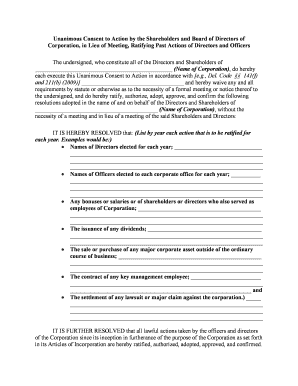
A Unanimous Consent Form (sometimes called a written consent) documents a board or shareholder decision approved in writing by all entitled voters without holding a formal meeting. It records the action taken, the effective date, the specific resolution language, and signatures of each consenting party. Corporations and LLCs commonly use a Unanimous Consent Form to adopt resolutions, approve transactions, elect officers, or waive notice requirements while meeting statutory quorum and voting rules under state corporate law.

Why use a Unanimous Consent Form instead of convening a meeting

A Unanimous Consent Form speeds decision-making, creates a clear written record, and avoids scheduling delays while satisfying statutory requirements when all eligible voters agree in writing.

Why use a Unanimous Consent Form instead of convening a meeting

Who typically prepares and signs this form

The form must reach every entitled signer and be signed by all to satisfy the unanimous written consent requirement under the applicable state statute.

  • Board members and directors — to adopt board resolutions without an in-person meeting.
  • Shareholders or equity holders — to approve shareholder actions requiring unanimous written consent.
  • LLC members or managers — to document member actions in lieu of a meeting.

Core elements to include in a professional Unanimous Consent Form

A complete Unanimous Consent Form contains structured resolution text, identification of the approving body, the effective date, a signature block for each consenting party, a statement that all entitled voters consent, and a record-retention statement referencing corporate minutes.

Caption

Identify the company, jurisdiction of formation, and whether the consent is by board, shareholders, or members.
Resolution Text

Include precise language of the action being approved so the consent can be entered into corporate minutes.

Effective Date

State the date the consent becomes effective; this governs when corporate authority attaches.

Signatures

Provide a signature line, printed name, title or capacity, and date for every consenting party.

Unanimity Statement

A clear sentence stating that all entitled voters have reviewed and consent to the resolution in writing.

Recordkeeping Note

A short note that the signed consent will be filed with the corporate minutes and retained per law.

Required details to verify identity and authority

Full legal name: As on government ID
Role or title: Director, shareholder, manager
Capacity: Signatory capacity (e.g., trustee)
Date of signature: MM/DD/YYYY format
Contact email: Used for verification
Company jurisdiction: State of formation

Step-by-step: complete and execute a Unanimous Consent Form

Follow these sequential steps to prepare, obtain signatures, and file the executed consent consistent with corporate governance.

  • 01
    Draft resolution: Write precise language and attach relevant exhibits.
  • 02
    Confirm entitlement: Verify each signer's voting rights and share class.
  • 03
    Collect signatures: Get all written consents, dated and signed.
  • 04
    File with minutes: Store executed consent with corporate records.

How to set up an online workflow for unanimous consents

Configure an eSignature workflow to ensure each consenting party receives, signs, and receives a copy with an audit trail.

Field Configuration
Document upload PDF or DOCX preferred
Signer order Parallel or sequential as required
Authentication Email + optional SMS code or KBA
Audit settings Enable IP, timestamp, and certificate

Typical routing: where the executed consent goes next

After execution, route copies to corporate repositories, counsel, and relevant registries as required by company policy.

  • Signer delivery: Each signer receives a signed copy
  • Corporate records: File with minutes and resolutions book
  • Legal review: Counsel archives or validates language
  • Optional filing: Record with state only if required

Digital signing needs and compatibility

Ensure the chosen platform provides signer authentication options and records retention to meet legal and corporate policies.

  • File formats: PDF, DOCX supported
  • Integrations: Works with Google Workspace, Microsoft 365
  • Security: TLS 1.2/1.3 and AES-256

Timing considerations and when a consent becomes effective

Key timing points include the effective date entered on the form, the date each signer signs, and any statutory deadlines for certain approvals.

Effective date:

Date specified on the resolution controls effect

Signature dates:

Record each signer's signed date accurately

Filing deadlines:

Most consents need no state filing deadline

Record retention:

Retain as required by corporate policy

Retroactive actions:

Avoid backdating; use clear retroactivity language

Consequences of improper or incomplete unanimous consents

Invalid action: May be voidable
Fiduciary exposure: Board members risk liability
Filing errors: May trigger state penalties
Tax impact: Incorrect documentation affects tax status
Contract disputes: Third parties may challenge authority
Recordkeeping fines: Regulators can impose penalties

Practical examples of when organizations use unanimous consents

Two common scenarios illustrate why organizations use written unanimous consents in place of meetings.

Corporate Merger Approval

Board needs to approve a time-sensitive acquisition

  • All directors sign a written consent approving the merger
  • The executed consent is filed with minutes and used to authorize officers to close the transaction, avoiding delay from scheduling an emergency meeting.

Officer Election

A small company's shareholders must elect a new CEO

  • All shareholders sign a unanimous consent electing the officer
  • The signed consent replaces a shareholder meeting and becomes part of the corporate record for banking and contractual purposes.

Practical tips to reduce risk when preparing consents

Adopt consistent drafting and execution practices to ensure enforceability and clear corporate records.

Use precise resolution language
Draft the action in unambiguous terms and attach exhibits to avoid later disputes over scope.
Verify signer authority
Confirm each signer's capacity and voting entitlement before circulating the consent.
Capture an audit trail
Use an eSignature solution that records timestamps, IP addresses, and authentication method.
Maintain minutes linkage
File the consent with minutes and record references to ensure traceability.

Representative eSignature vendor pricing and feature snapshot

This vendor comparison highlights starting prices and core capabilities relevant to executing a Unanimous Consent Form electronically. Confirm plan details directly with each vendor when selecting a plan.

signNow DocuSign Adobe Sign PandaDoc HelloSign
Starting Price $8/user/mo $15/user/mo $14/user/mo $19/user/mo $15/user/mo
Free Trial 7-day free trial Varies by plan Varies by plan Varies by plan Varies by plan
Bulk Send Yes Yes Yes Yes No
Audit Trail Yes Yes Yes Yes Yes
HIPAA Compliant Yes Yes Yes No No

Frequently asked questions about Unanimous Consent Forms

Answers to common questions about validity, electronic signing, and recordkeeping to help prevent execution errors.


Need help? Contact support

be ready to get more
Join over 28 million airSlate SignNow users