Establishing secure connection… Loading editor… Preparing document…
Navigation

Fill and Sign the Utah Dissolve Form
Fill and Sign the Utah Dissolve Form

How it works

Open the document and fill out all its fields.
Apply your legally-binding eSignature.
Save and invite other recipients to sign it.

Rate template

4.4
59 votes
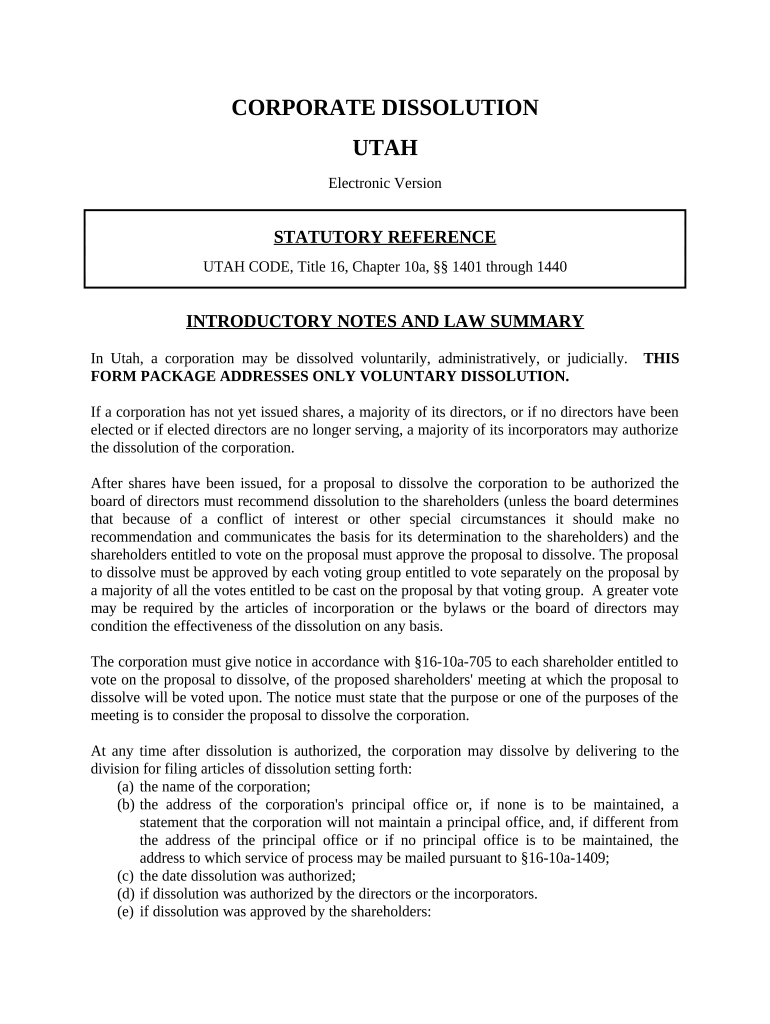
CORPORATE DISSOLUTION UTAH Electronic Version STATUTORY REFERENCE UTAH CODE, Title 16, Chapter 10a, §§ 1401 through 1440 INTRODUCTORY NOTES AND LAW SUMMARY In Utah, a corporation may be dissolved voluntarily, administratively, or judicially. THIS FORM PACKAGE ADDRESSES ONLY VOLUNTARY DISSOLUTION. If a corporation has not yet issued shares, a majority of its directors, or if no directors have been elected or if elected directors are no longer serving, a majority of its incorporators may authorize the dissolution of the corporation. After shares have been issued, for a proposal to dissolve the corporation to be authorized the board of directors must recommend dissolution to the shareholders (unless the board determines that because of a conflict of interest or other special circumstances it should make no recommendation and communicates the basis for its determination to the shareholders) and the shareholders entitled to vote on the proposal must approve the proposal to dissolve. The proposal to dissolve must be approved by each voting group entitled to vote separately on the proposal by a majority of all the votes entitled to be cast on the proposal by that voting group. A greater vote may be required by the articles of incorporation or the bylaws or the board of directors may condition the effectiveness of the dissolution on any basis. The corporation must give notice in accordance with §16-10a-705 to each shareholder entitled to vote on the proposal to dissolve, of the proposed shareholders' meeting at which the proposal to dissolve will be voted upon. The notice must state that the purpose or one of the purposes of the meeting is to consider the proposal to dissolve the corporation. At any time after dissolution is authorized, the corporation may dissolve by delivering to the division for filing articles of dissolution setting forth: (a) the name of the corporation; (b) the address of the corporation's principal office or, if none is to be maintained, a statement that the corporation will not maintain a principal office, and, if different from the address of the principal office or if no principal office is to be maintained, the address to which service of process may be mailed pursuant to §16-10a-1409; (c) the date dissolution was authorized; (d) if dissolution was authorized by the directors or the incorporators. (e) if dissolution was approved by the shareholders: (i) the number of votes entitled to be cast on the proposal to dissolve by each voting group entitled to vote separately thereon; and (ii) either the total number of votes cast for and against dissolution by each voting group or the total number of undisputed votes cast for dissolution by each voting group and a statement that the number cast for dissolution was sufficient for approval; and (f) any additional information the division determines is necessary or appropriate. A corporation is dissolved upon the effective date of its articles of dissolution. A dissolved corporation continues its corporate existence but may not carry on any business except that appropriate to wind up and liquidate its business and affairs, including: (a) collecting its assets; (b) disposing of its properties that will not be distributed in kind to its shareholders; (c) discharging or making provision for discharging its liabilities; (d) distributing its remaining property among its shareholders according to their interests; and (e) doing every other act necessary to wind up and liquidate its business and affairs. Dissolution of a corporation does not: (a) transfer title to the corporation's property; (b) prevent transfer of its shares or securities, although the authorization to dissolve may provide for closing the corporation's share transfer records; (c) subject its directors or officers to standards of conduct different from those prescribed by statute; (d) change: (i) quorum or voting requirements for its board of directors or shareholders; (ii) provisions for selection, resignation, or removal of its directors or officers or both; or (iii) provisions for amending its bylaws or its articles of incorporation; (e) prevent commencement of a proceeding by or against the corporation in its corporate name; (f) abate or suspend a proceeding pending by or against the corporation on the effective date of dissolution; or (g) terminate the authority of the registered agent of the corporation. A dissolved corporation electing to dispose of known claims may give written notice of the dissolution to known claimants at any time after the effective date of the dissolution. The written notice must: (a) describe the information that must be included in a claim; (b) provide an address to which written notice of any claim must be given to the corporation; (c) state the deadline, which may not be fewer than 120 days after the effective date of the notice, by which the dissolved corporation must receive the claim; and (d) state that unless sooner barred by any other state statute limiting actions, the claim will be barred if not received by the deadline. Unless sooner barred by any other statute limiting actions, a claim against the dissolved corporation is barred if a claimant was given notice and the claim is not received by the dissolved corporation by the deadline or the dissolved corporation delivers to the claimant written notice of rejection of the claim within 90 days after receipt of the claim and the claimant whose claim was rejected by the dissolved corporation does not commence a proceeding to enforce the claim within 90 days after the effective date of the rejection notice. Claims which are not rejected by the dissolved corporation in writing within 90 days after receipt of the claim by the dissolved corporation are considered accepted. A "claim" does not include a contingent liability or a claim based on an event occurring after the effective date of dissolution. A dissolved corporation may publish notice of its dissolution and request that persons with claims against the corporation present them in accordance with the notice. The notice must: (a) be published one time in a newspaper of general circulation in the county where the dissolved corporation's principal office or, if it has no principal office in this state, its registered office is or was last located; (b) describe the information that must be included in a claim and provide an address at which any claim must be given to the corporation; and (c) state that unless sooner barred by any other statute limiting actions, the claim will be barred if an action to enforce the claim is not commenced within five years after the publication of the notice. If the dissolved corporation publishes a newspaper notice, then, unless sooner barred under §16- 10a-1406 or under any other statute limiting actions, the claim of any claimant against the dissolved corporation is barred unless the claimant commences an action to enforce the claim against the dissolved corporation within five years after the publication date of the notice. A "claim" means any claim, including claims of this state, whether known, due or to become due, absolute or contingent, liquidated or unliquidated, founded on contract, tort, or other legal basis, or otherwise. An action to enforce a claim includes any civil action, and any arbitration under any agreement for binding arbitration between the dissolved corporation and the claimant. A claim may be enforced against the dissolved corporation to the extent of its undistributed assets or against a shareholder of the dissolved corporation if the assets have been distributed in liquidation. A shareholder's total liability for all claims may not exceed the total value of assets distributed to him, as that value is determined at the time of distribution. Any shareholder required to return any portion of the value of assets received by him in liquidation is entitled to contribution from all other shareholders. Assets of a dissolved corporation that should be transferred to a creditor, claimant, or shareholder of the corporation who cannot be found or who is not competent to receive them must be reduced to cash and deposited with the state treasurer in accordance with the Unclaimed Property Act. STEPS AND GUIDELINES TO DISSOLVE AN UTAH CORPORATION Step 1: SEE FORM 1 - ARTICLES OF DISSOLUTION If the corporation has not issued stock or has not commenced business, then this form should be completed as follows (If the corporation has issued stock or commenced business, got to Step 2.):  First: Provide the name of the corporation.  Second: There is nothing to add to this section.  Third: Provide the date the dissolution was authorized by the directors or incorporator(s).  Fourth: Provide the address of the corporation's principal office.  Provide the signature and title of the person authorized to execute the Articles. Date the Articles.  There is no filing fee.  File the original and one copy. Mail the original and one copy of your ARTICLES OF DISSOLUTION to State of Utah Department of Commerce Division of Corporations & Commercial Code PO Box 146705 Salt Lake City Utah 84114-6705 Service Center: (801) 530-4849 Toll Free for Utah Residents: (877) 526-3994 Fax: (801) 530-6111 A cover letter to send with ARTICLES OF DISSOLUTION is included in this packet. SEE FORM 2 - TRANSMITTAL LETTER Step 2: If the corporation has issued stock or has commenced business, follow the following procedures: 1. Have the Board adopt a resolution recommending the dissolution of the corporation to the shareholders SEE FORM A - RESOLUTION OF DIRECTORS 2. Mail a Notice of Special Meeting to each shareholder. SEE FORM B - NOTICE OF SPECIAL MEETING 3. At the special Meeting the shareholders must approve the resolution. In the alternative, the shareholders can sign a Written Consent. SEE FORM C - WRITTEN CONSENT OF SHAREHOLDERS 4. SEE FORM 3 - ARTICLES OF DISSOLUTION  First: Provide the name of the corporation.  Second: If the dissolution was NOT approved by the written consent of the shareholders, provide the requested information regarding the voting of the shareholders. If the dissolution was approved by the written consent of the shareholders, attach a copy of the written consent.  Third:, provide the date the dissolution was approved.  Fourth: Provide the address of the corporation's principal office.  Provide the signature and title of the person authorized to execute the Articles. Date the Articles.  There is no filing fee.  File the original and one copy. Mail the original and one copy of your ARTICLES OF DISSOLUTION to State of Utah Department of Commerce Division of Corporations & Commercial Code PO Box 146705 Salt Lake City Utah 84114-6705 Service Center: (801) 530-4849 Toll Free for Utah Residents: (877) 526-3994 Fax: (801) 530-6111 A cover letter to send with ARTICLES OF DISSOLUTION is included in this packet. SEE FORM 2 - TRANSMITTAL LETTER Step 3: Once the corporation has been dissolved, in order to dispose of or limit all claims against the corporation, you must complete the dissolution by doing the following (See introduction above for details regarding these requirements ) : 1. You must mail a notice to all known claimants. SEE FORM 4 . 2. You must publish a notice to unknown claimants in order to eliminate any potential liability from this source. SEE FORM 5. The Notice must be published one time in a newspaper of general circulation in the county where the dissolved corporation's known place of business is or was last located. 3. You must reject claims that are filed and that you contest or they are considered accepted. SEE FORM 6 - NOTICE OF REJECTION OF CLAIM Disclaimer: If you are not an attorney, you are advised to seek the advice of an attorney for all serious legal matters. The information and forms contained herein are not legal advice and are not to be construed as such. Although the information contained herein is believed to be correct, no warranty of fitness or any other warranty shall apply. All use is subject to the U.S. Legal Forms, Inc. Disclaimer and License located at http://www.uslegalforms.com/disclaimer.htm FORM A RESOLUTION OF DIRECTORS RESOLUTION OF THE DIRECTORS OF _________________________________ Pursuant to Notice or Waiver of Notice, at a regular or special meeting of the Directors of _________________________________________________________, a Utah corporation, upon motion duly made and seconded, the following resolution was adopted by a majority of the Directors present in person entitled to vote thereon: RESOLVED by the Directors of the Corporation as follows: ______________________________________________________________________________ ______________________________________________________________________________ Dated this the ______ day of _____________________________, 20___. _____________________________________ Director _____________________________________ Director _____________________________________ Director Attest: _____________________________________ Secretary FORM B NOTICE OF SPECIAL MEETING NOTICE OF SPECIAL MEETING OF STOCKHOLDERS OF _______________________________________ Pursuant to the By-Laws of the Corporation, a special meeting of the Shareholders of __________________________________________________________, a Utah corporation is called for the ______ day of ____________, 20__, at ______ ___.m., to be held at the following address: ___________________________________________ ___________________________________________ ___________________________________________ The purpose of the meeting is to seek stockholder approval of the Resolution to Dissolve Corporation heretofore adopted by the Board of Directors. This Notice given on this the _________ day of ___________, 20___, by the Secretary of the Corporation at the direction of the Board of Directors, by mailing a true and correct copy of this Notice to the address of each shareholder on the records of the Corporation at least 10 days prior to such special meeting. __________________________ Secretary FORM C WRITTEN CONSENT OF THE STOCKHOLDERS WRITTEN CONSENT OF THE STOCKHOLDERS OF _________________________________ The undersigned, being all the shareholders of _______________________________________, a Utah corporation, hereby consent to the dissolution of the corporation. Dated this the ______ day of ______________________________, 20___. ____________________________________ Shareholder ____________________________________ Shareholder ____________________________________ Shareholder FORM 1 ARTICLES OF DISSOLUTION Download the form by clicking the link below, or copying the link into the address window of your web browser. http://www.uslegalforms.com/dissolution/UT/UT-Diss-initial.pdf The form is in .pdf format and you will need the free Adobe Acrobat Reader to view the form. In the unlikely circumstance that the Adobe Acrobat Reader is not installed on your computer, you can download it free from http://www.adobe.com/products/acrobat/readstep2.html . The download is quick and easy. Fill out this form, and mail it in as directed. FORM 2 TRANSMITTAL LETTER Return Name and Address ____________________________________ ____________________________________ ____________________________________ ____________________________________ Date State of Utah Department of Commerce Division of Corporations & Commercial Code PO Box 146705 Salt Lake City Utah 84114-6705 Re: Articles of Dissolution Dear Sir: Enclosed please find an original and one copy of Articles of Dissolution. Please file and provide a filed copy to me. Please contact me at the above address if you require anything further. With kindest regards, I am Sincerely yours, __________________________ Signature FORM 3 ARTICLES OF DISSOLUTION Download the form by clicking the link below, or copying the link into the address window of your web browser. http://www.uslegalforms.com/dissolution/UT/UT-Diss.pdf The form is in .pdf format and you will need the free Adobe Acrobat Reader to view the form. In the unlikely circumstance that the Adobe Acrobat Reader is not installed on your computer, you can download it free from http://www.adobe.com/products/acrobat/readstep2.html . The download is quick and easy. Fill out this form, and mail it in as directed. FORM 4 NOTICE OF DISSOLUTION AND REQUEST FOR CLAIMS NOTICE OF INTENT TO VOLUNTARILY DISSOLVE A CORPORATION AND A REQUEST FOR CLAIMS Notice is given that Articles of Dissolution for ______________________________________________________________________________ (name of corporation), a Utah corporation with its office at ______________________________________________________________________________ (address of office), have been filed with the Department of Commerce, Division of Corporations & Commercial Code, in accordance with the laws of the State of Utah. The corporation requests that all Claimants against the corporation provide written proof of their claims to the corporation at the following address: ______________________________________________________________________________ ______________________________________________________________________________ ______________________________________________________________________________ All claims must be in writing and must contain sufficient information reasonably to inform the corporation of the identity of the claimant and the substance of the claim. All claims must be received _________________________________________ (this date can be no earlier than 120 days from the date of this notice). Unless sooner barred by any statute of limitations, all claims will be barred if not received by this date. DATE OF NOTICE: ______________________________ BY: _________________________________________ Name and Title FORM 5 NOTICE OF DISSOLUTION AND REQUEST FOR CLAIMS (For Publication) NOTICE OF INTENT TO VOLUNTARILY DISSOLVE A CORPORATION AND A REQUEST FOR CLAIMS Notice is given that Articles of Dissolution for ______________________________________________________________________________ (name of corporation), a Utah corporation with its office at ______________________________________________________________________________ (address of office), have been filed with the Department of Commerce, Division of Corporations & Commercial Code, in accordance with the laws of the State of Utah. The corporation requests that all Claimants against the corporation provide written proof of their claims to the corporation at the following address: ______________________________________________________________________________ ______________________________________________________________________________ ______________________________________________________________________________ All claims must be in writing and must contain sufficient information reasonably to inform the corporation of the identity of the claimant and the substance of the claim. Unless barred sooner by the statute of limitations, all claims will be barred unless a proceeding to enforce the claim is commenced within 5 years after the publication of this notice. DATE OF NOTICE: ______________________________ BY: _________________________________________ Name and Title FORM 6 NOTICE OF REJECTION OF CLAIM NOTICE OF REJECTION OF CLAIM You are hereby notified that on the _____day of _____________________________, 20 _____, ___________________________________________________________, a Utah corporation, rejected all or part of the claim you submitted to the corporation. _____ ALL OF YOUR CLAIM WAS REJECTED. _____A PORTION OF YOUR CLAIM WAS REJECTED. The part of your claim that was rejected is: ______________________________________________________________________________ ______________________________________________________________________________ Name of Corporation: ___________________________________________________________ By: _________________________________________________________________________ Title: ___________________________________ Date: _______________________________

Valuable tips for finalizing your ‘Utah Dissolve’ online

Are you fed up with the inconvenience of handling paperwork? Look no further than airSlate SignNow, the premier e-signature platform for both individuals and businesses. Bid farewell to the tedious routine of printing and scanning documents. With airSlate SignNow, you can effortlessly finalize and sign documents electronically. Utilize the powerful features integrated into this user-friendly and cost-effective platform and transform your method of document management. Whether you need to authorize forms or gather signatures, airSlate SignNow manages it all seamlessly, needing just a few clicks.

Adhere to this comprehensive guide:

  1. Log into your account or sign up for a complimentary trial with our service.
  2. Select +Create to upload a file from your device, cloud storage, or our template collection.
  3. Access your ‘Utah Dissolve’ in the editor.
  4. Click Me (Fill Out Now) to finalize the document on your end.
  5. Include and assign fillable fields for other individuals (if necessary).
  6. Continue with the Send Invite settings to solicit eSignatures from others.
  7. Save, print your version, or transform it into a multi-use template.

No need to fret if you have to collaborate with your colleagues on your Utah Dissolve or send it for notarization—our platform supplies everything you require to complete these tasks. Establish an account with airSlate SignNow today and elevate your document management to new levels!

Here is a list of the most common customer questions. If you can’t find an answer to your question, please don’t hesitate to reach out to us.

Need help? Contact Support

The best way to complete and sign your utah dissolve form
Save time on document management with airSlate SignNow and get your utah dissolve form eSigned quickly from anywhere with our fully compliant eSignature tool.

How to Sign a PDF Online How to Sign a PDF Online

How to complete and sign paperwork online

Previously, dealing with paperwork required pretty much time and effort. But with airSlate SignNow, document management is fast and easy. Our powerful and easy-to-use eSignature solution enables you to effortlessly complete and electronically sign your utah dissolve form online from any internet-connected device.

Follow the step-by-step guidelines to eSign your utah dissolve form template online:

  • 1.Register for a free trial with airSlate SignNow or log in to your account with password credentials or SSO authorization option.
  • 2.Click Upload or Create and import a file for eSigning from your device, the cloud, or our form catalogue.
  • 3.Click on the file name to open it in the editor and use the left-side toolbar to fill out all the blank fields appropriately.
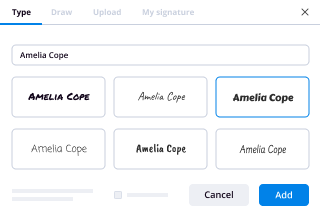
  • 4.Put the My Signature field where you need to approve your form. Type your name, draw, or import a picture of your regular signature.
  • 5.Click Save and Close to accomplish editing your completed document.

Once your utah dissolve form template is ready, download it to your device, save it to the cloud, or invite other people to electronically sign it. With airSlate SignNow, the eSigning process only requires several clicks. Use our robust eSignature solution wherever you are to manage your paperwork successfully!
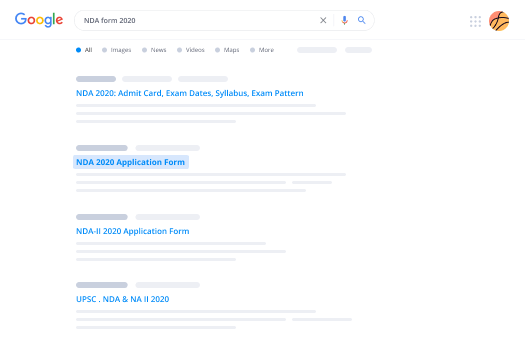

How to Sign a PDF Using Google Chrome How to Sign a PDF Using Google Chrome

How to complete and sign forms in Google Chrome

Completing and signing paperwork is simple with the airSlate SignNow extension for Google Chrome. Installing it to your browser is a fast and effective way to manage your forms online. Sign your utah dissolve form sample with a legally-binding electronic signature in just a couple of clicks without switching between tools and tabs.

Follow the step-by-step guide to eSign your utah dissolve form in Google Chrome:

  • 1.Go to the Chrome Web Store, locate the airSlate SignNow extension for Chrome, and add it to your browser.
  • 2.Right-click on the link to a form you need to approve and select Open in airSlate SignNow.
  • 3.Log in to your account using your credentials or Google/Facebook sign-in option. If you don’t have one, sign up for a free trial.
  • 4.Utilize the Edit & Sign menu on the left to complete your template, then drag and drop the My Signature field.
  • 5.Insert a photo of your handwritten signature, draw it, or simply type in your full name to eSign.
  • 6.Make sure all the details are correct and click Save and Close to finish modifying your form.

Now, you can save your utah dissolve form template to your device or cloud storage, email the copy to other people, or invite them to electronically sign your form via an email request or a secure Signing Link. The airSlate SignNow extension for Google Chrome enhances your document processes with minimum effort and time. Try airSlate SignNow today!
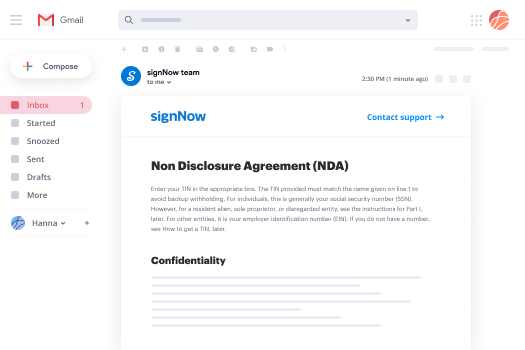

How to Sign a PDF in Gmail How to Sign a PDF in Gmail How to Sign a PDF in Gmail

How to complete and sign paperwork in Gmail

When you receive an email with the utah dissolve form for approval, there’s no need to print and scan a file or download and re-upload it to a different tool. There’s a much better solution if you use Gmail. Try the airSlate SignNow add-on to rapidly eSign any paperwork right from your inbox.

Follow the step-by-step guidelines to eSign your utah dissolve form in Gmail:

  • 1.Visit the Google Workplace Marketplace and find a airSlate SignNow add-on for Gmail.
  • 2.Set up the program with a related button and grant the tool access to your Google account.
  • 3.Open an email with an attachment that needs approval and utilize the S key on the right sidebar to launch the add-on.
  • 4.Log in to your airSlate SignNow account. Select Send to Sign to forward the file to other parties for approval or click Upload to open it in the editor.
  • 5.Place the My Signature field where you need to eSign: type, draw, or upload your signature.

This eSigning process saves time and only takes a few clicks. Take advantage of the airSlate SignNow add-on for Gmail to adjust your utah dissolve form with fillable fields, sign paperwork legally, and invite other parties to eSign them al without leaving your mailbox. Boost your signature workflows now!

How to Sign a PDF on a Mobile Device How to Sign a PDF on a Mobile Device How to Sign a PDF on a Mobile Device

How to complete and sign forms in a mobile browser

Need to rapidly fill out and sign your utah dissolve form on a mobile phone while doing your work on the go? airSlate SignNow can help without the need to set up additional software applications. Open our airSlate SignNow solution from any browser on your mobile device and add legally-binding electronic signatures on the go, 24/7.

Follow the step-by-step guide to eSign your utah dissolve form in a browser:

  • 1.Open any browser on your device and go to the www.signnow.com
  • 2.Sign up for an account with a free trial or log in with your password credentials or SSO option.
  • 3.Click Upload or Create and import a file that needs to be completed from a cloud, your device, or our form collection with ready-made templates.
  • 4.Open the form and complete the empty fields with tools from Edit & Sign menu on the left.
  • 5.Add the My Signature area to the sample, then type in your name, draw, or upload your signature.

In a few simple clicks, your utah dissolve form is completed from wherever you are. Once you're done with editing, you can save the document on your device, create a reusable template for it, email it to other people, or invite them eSign it. Make your paperwork on the go speedy and efficient with airSlate SignNow!
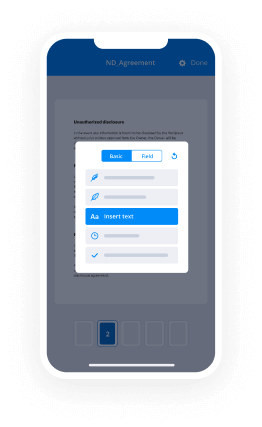

How to Sign a PDF on iPhone How to Sign a PDF on iPhone

How to complete and sign documents on iOS

In today’s corporate environment, tasks must be completed quickly even when you’re away from your computer. Using the airSlate SignNow app, you can organize your paperwork and sign your utah dissolve form with a legally-binding eSignature right on your iPhone or iPad. Set it up on your device to conclude agreements and manage documents from just about anywhere 24/7.

Follow the step-by-step guidelines to eSign your utah dissolve form on iOS devices:

  • 1.Go to the App Store, search for the airSlate SignNow app by airSlate, and set it up on your device.
  • 2.Open the application, tap Create to import a template, and select Myself.
  • 3.Choose Signature at the bottom toolbar and simply draw your autograph with a finger or stylus to eSign the sample.
  • 4.Tap Done -> Save right after signing the sample.
  • 5.Tap Save or use the Make Template option to re-use this document in the future.

This process is so easy your utah dissolve form is completed and signed in a couple of taps. The airSlate SignNow application works in the cloud so all the forms on your mobile device remain in your account and are available any time you need them. Use airSlate SignNow for iOS to improve your document management and eSignature workflows!
How to Sign a PDF on Android How to Sign a PDF on Android

How to complete and sign forms on Android

With airSlate SignNow, it’s easy to sign your utah dissolve form on the go. Install its mobile app for Android OS on your device and start boosting eSignature workflows right on your smartphone or tablet.

Follow the step-by-step guide to eSign your utah dissolve form on Android:

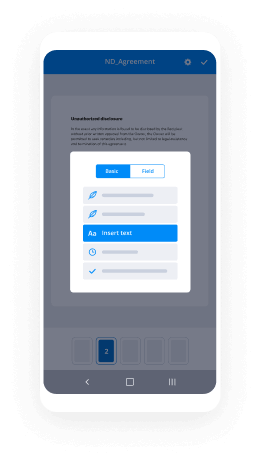
  • 1.Go to Google Play, search for the airSlate SignNow app from airSlate, and install it on your device.
  • 2.Log in to your account or create it with a free trial, then upload a file with a ➕ button on the bottom of you screen.
  • 3.Tap on the uploaded file and select Open in Editor from the dropdown menu.
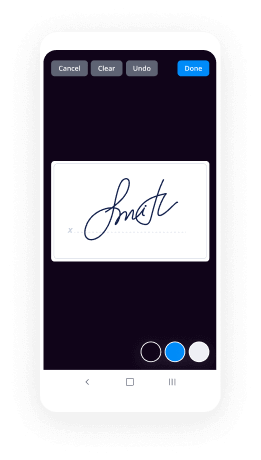
  • 4.Tap on Tools tab -> Signature, then draw or type your name to eSign the form. Fill out blank fields with other tools on the bottom if needed.
  • 5.Utilize the ✔ button, then tap on the Save option to finish editing.

With an intuitive interface and full compliance with major eSignature requirements, the airSlate SignNow app is the best tool for signing your utah dissolve form. It even operates without internet and updates all form changes when your internet connection is restored and the tool is synced. Complete and eSign forms, send them for approval, and create multi-usable templates anytime and from anyplace with airSlate SignNow.

Sign up and try Utah dissolve form
  • Close deals faster
  • Improve productivity
  • Delight customers
  • Increase revenue
  • Save time & money
  • Reduce payment cycles